Teams inside a company
A team inside a larger company works in its own space.
Remote and distributed teams
A remote team works in one Magpie team. A contractor can join one document or one channel as a guest.
Get started free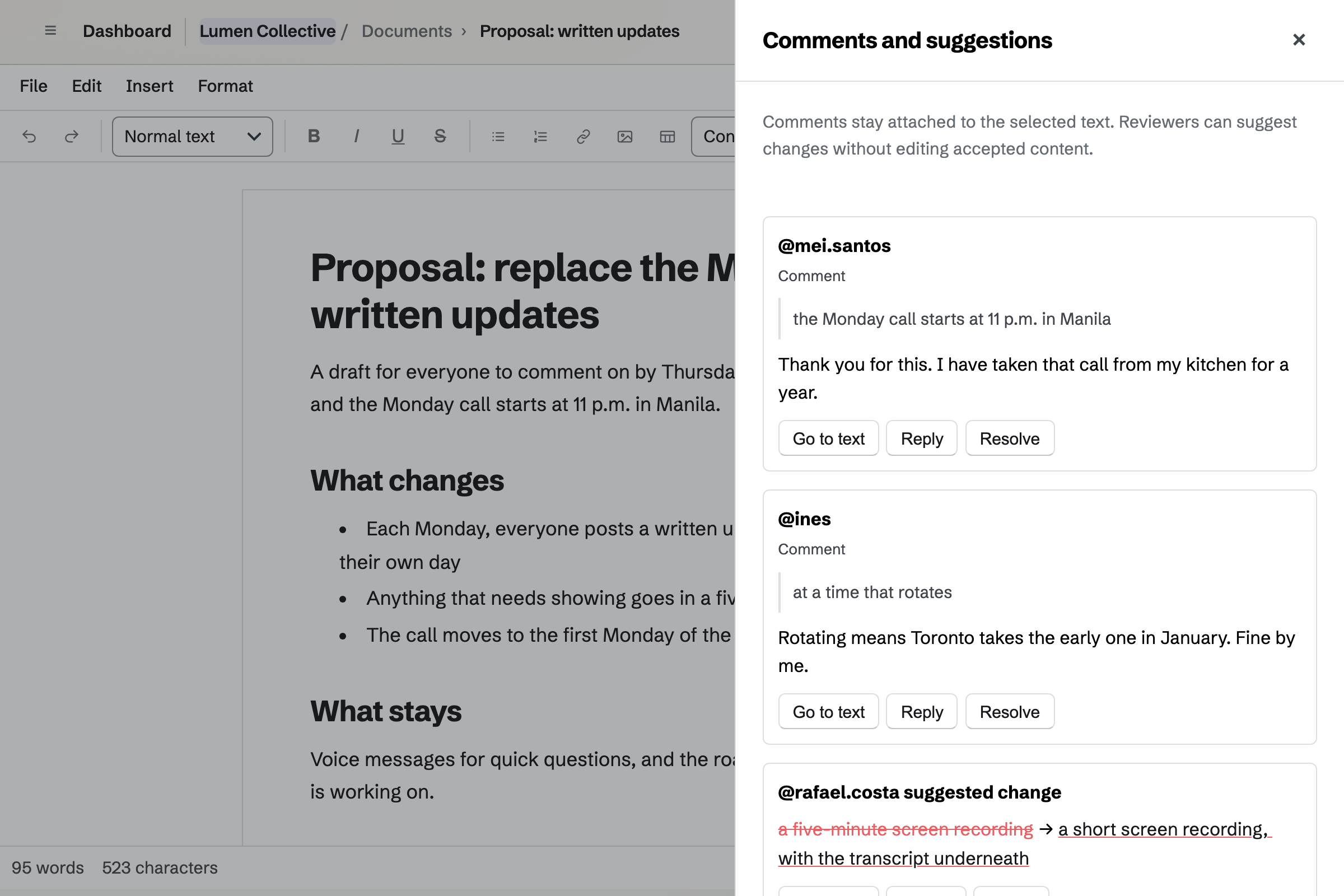
Documents holds proposals, specs and the team handbook. You comment on a line or suggest new wording, and the writer accepts it.
Named versions keep each draft. A contractor can review one document as a guest.
Team chat gives the team channels, threads and direct messages. A thread keeps each reply beside the message it answers.
Direct messages and groups reach people in your other teams too. Someone from outside can join one channel as a guest.
Walkie Talkie sends a voice message to a person, a group or a channel. Live talk reaches whoever is listening, and everyone else hears the recording later.
Play unheard catches you up on what you missed, at the speed you choose. You can see who has heard your message.
Screen Recorder records your screen, a window or a tab, with your camera beside it. You trim the mistakes before you share it.
The share page can carry a transcript from a Document. Analytics shows how many watched, and how far they got.
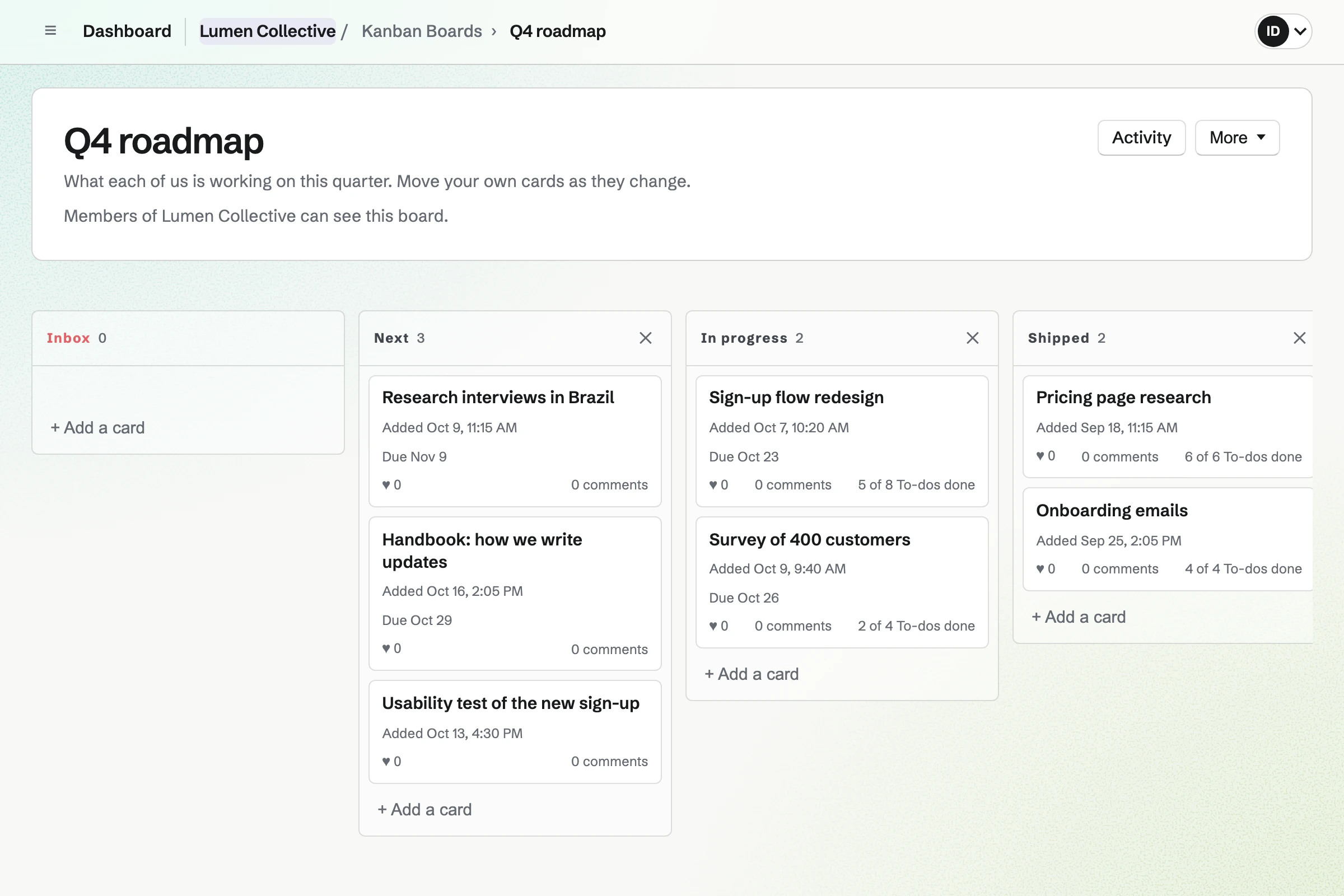
Kanban Boards holds the work as cards in columns, such as Next, In progress and Shipped. Each card has an assignee, a due date and To-dos.
Cards keep their comments and pictures, so a question about the work stays with it.
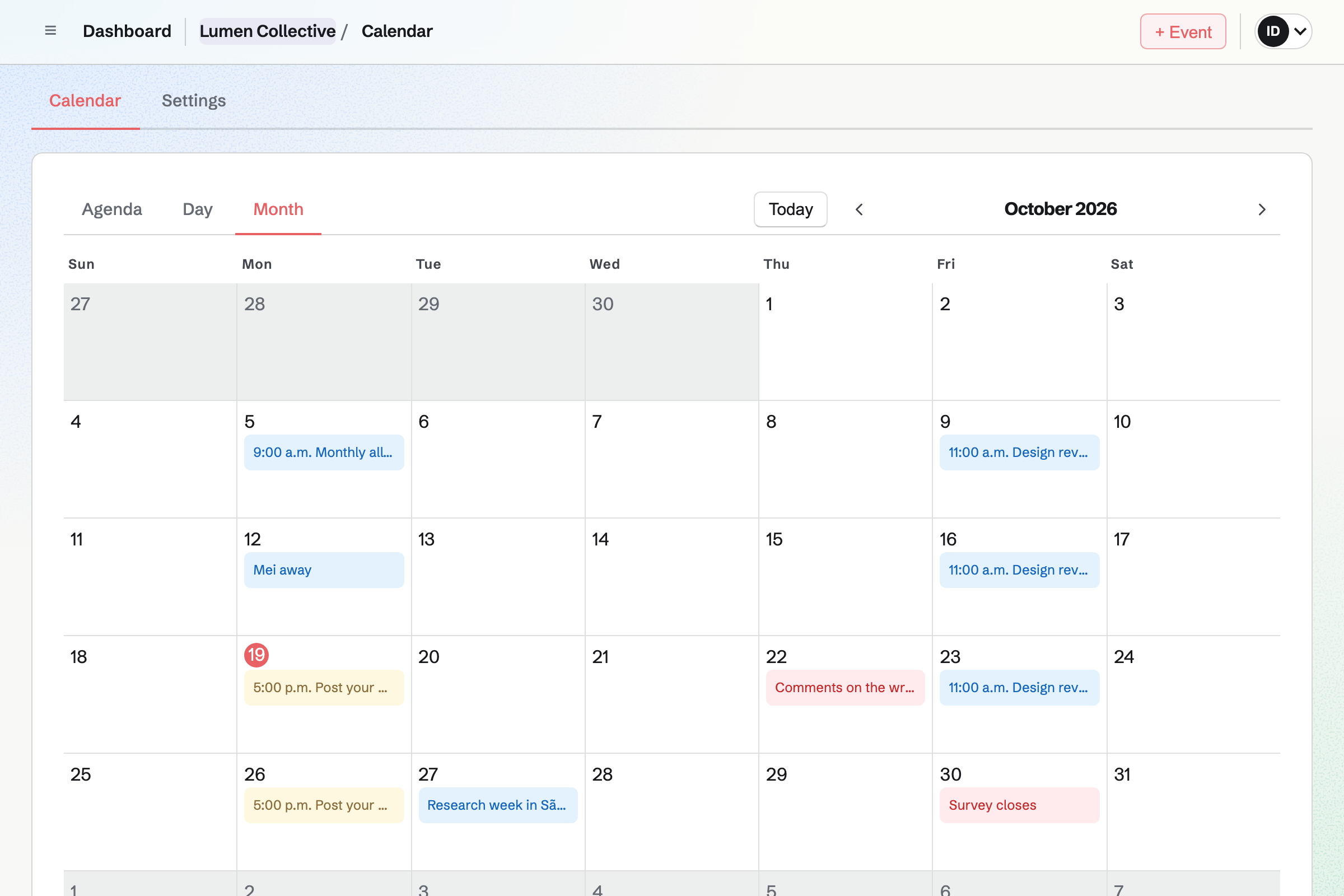
Calendar holds the team's events, To-dos and deadlines. Times show in the time zone of the device you are using.
A team calendar never shows a member's own meetings or Google Calendar events. A private event is seen only by the person who made it.
Someone writes the proposal in a document.
Each person comments in their own working hours.
A short recording shows what the change looks like.
Quick questions go back and forth as voice messages.
The writer accepts the changes and names the final version.
New cards go on the board, and the deadline on the calendar.
You invite everyone, wherever they are. Help: Create and manage a team.
You make a channel for each topic. Help: Use Team chat.
Everyone allows the microphone once. Help: Talk with Walkie Talkie.
You share it with the team to comment on. Help: Share and review a document.
A remote team fits the Team plan, with each person a member. A contractor in one channel or one document joins as a guest. A guest takes no member place.
Recordings run up to 30 minutes on a paid plan. Prices are on the Pricing page.
A team inside a larger company works in its own space.
A small agency wins, runs and bills client work.
A software startup plans, builds and ships as a small team.
Yes. Documents take comments, chat keeps threads, and voice messages and recordings wait to be heard. Each person picks them up in their own hours.
Yes. Walkie Talkie works on the website. You hold Talk to record, and a message can be up to 60 minutes.
Yes. Play unheard plays every voice message you have not heard, oldest first. You choose the playback speed, and it applies to every message.
Yes. Times show in the time zone of the device you are using. A teammate in another country sees the same event at their own time.
Yes. Meetings gives you a page with your available hours, checked against your Google Calendar. A booked call can carry a Zoom or Google Meet link.
Yes, between two people. Video Chat calls run 2, 5 or 10 minutes on a paid plan.
Yes. Screen Recorder records your screen with your camera beside it. The share page can carry a transcript, and analytics shows how far people watched.
Yes. A guest uses only what you give them, such as one document or one channel. A guest takes no member place.
Yes. The handbook is a document with headings, a table of contents and named versions. Everyone in the team can open it.
Create a Magpie account and make a team.