Builders and renovators
A builder quotes, schedules and bills each job.
Small workshops and manufacturers (cabinet makers, fabricators, print shops)
A workshop works in one Magpie team, with each person in the shop as a member.
Get started free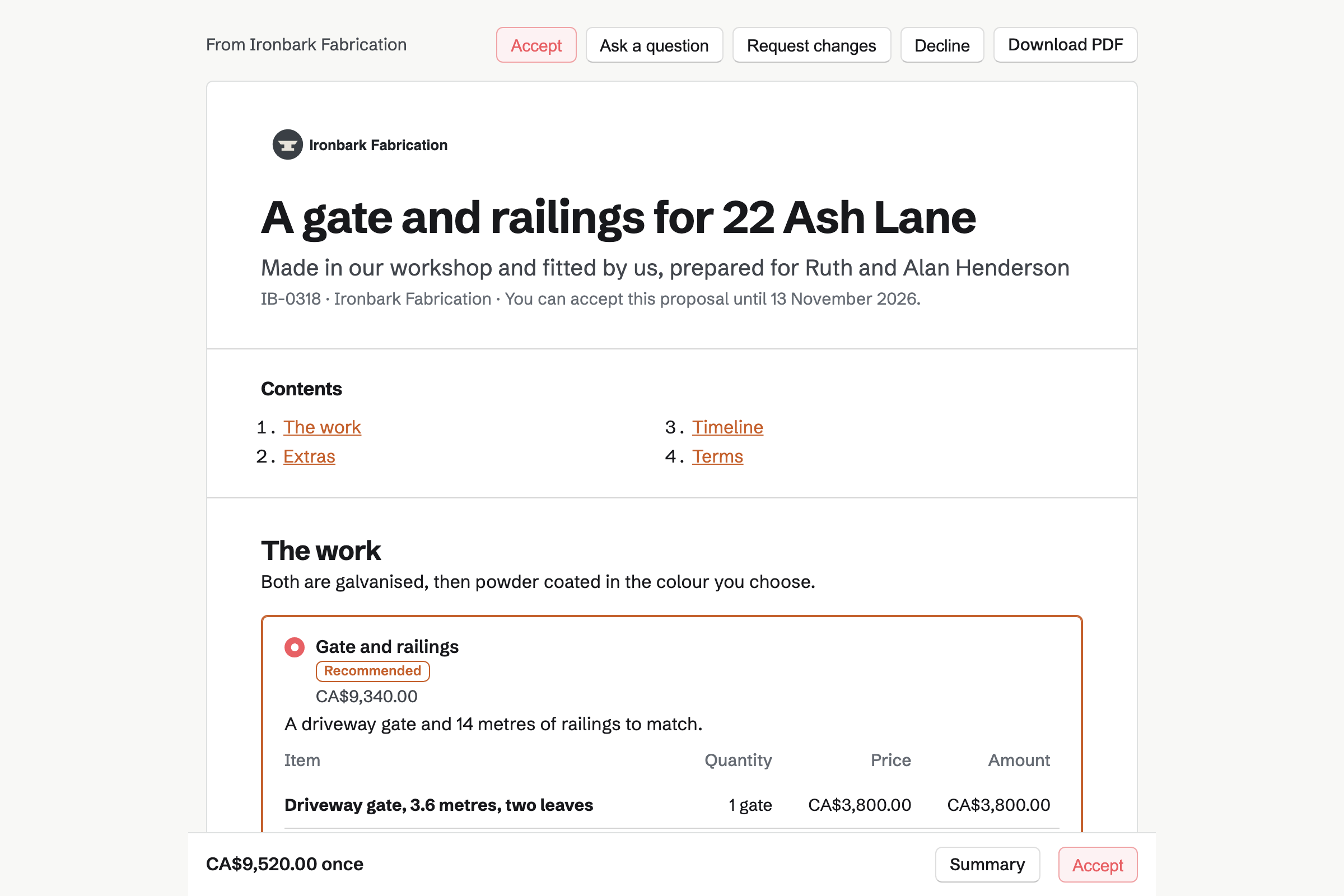
Proposals builds each quote from sections: the work, the extras, a timeline and terms. A pricing section can offer two packages, and an optional line lets the customer add it.
The customer signs and pays the deposit by card. You see when the quote is opened.
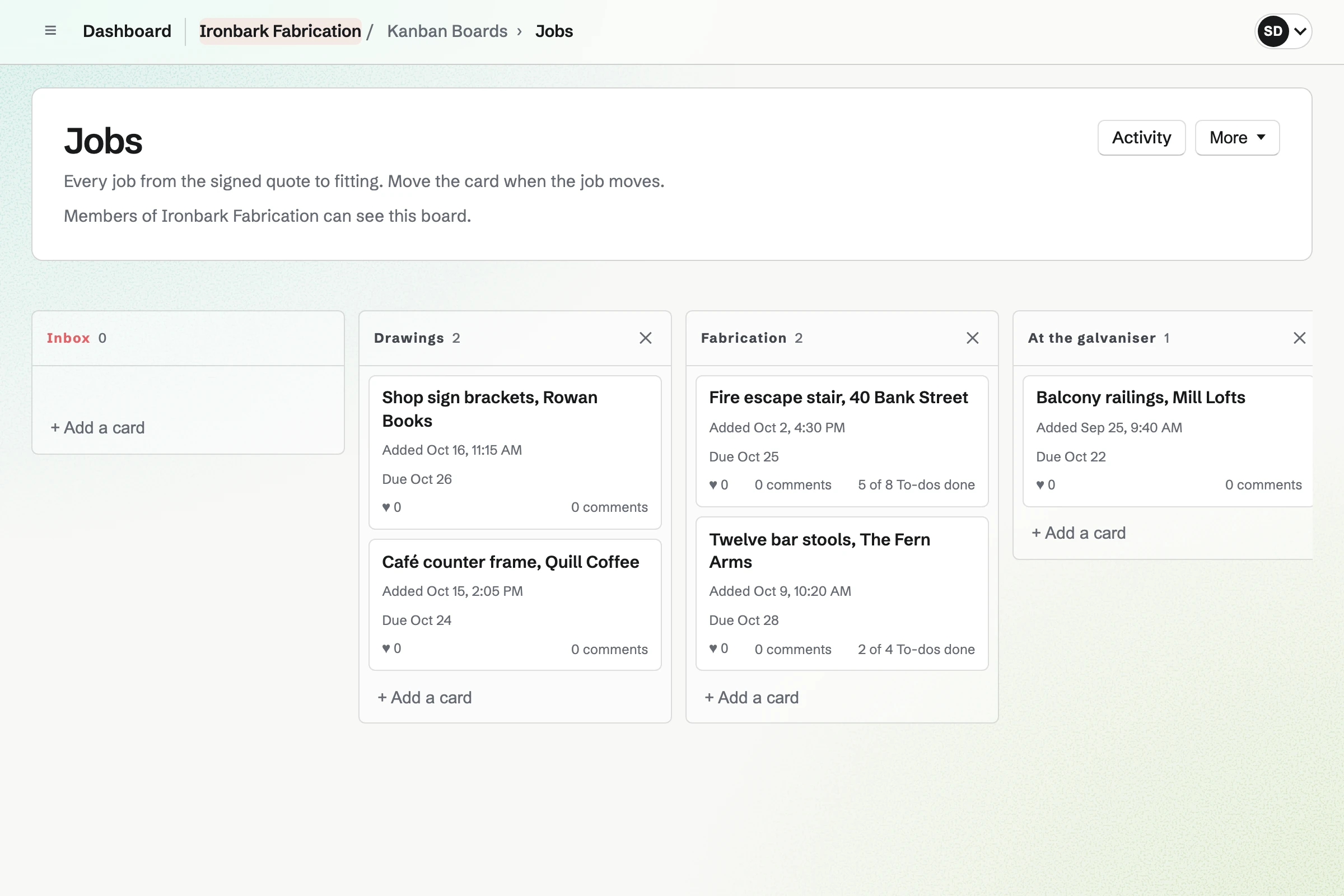
Kanban Boards holds the jobs as cards in columns you name, such as Drawings and Fitted. Each card has an assignee, a due date and To-dos.
Photos and comments stay on the card, so the whole shop sees where a job stands.
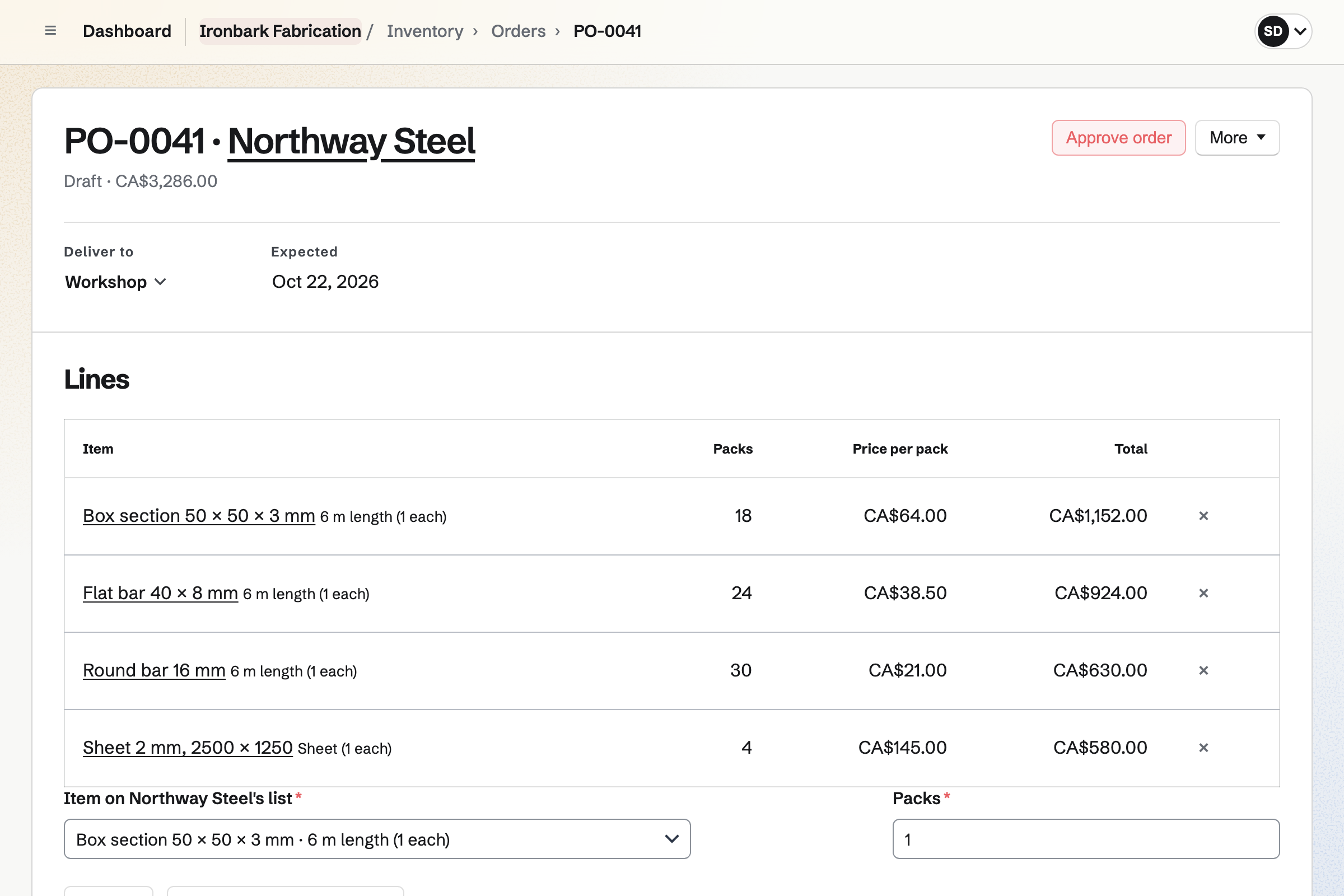
Inventory keeps each material in pools, such as the workshop and the yard. A count corrects a pool to what is there.
Draft orders turns low stock into an order for each supplier, in its lengths and prices. A delivery adds stock, and short lines wait under Differences.
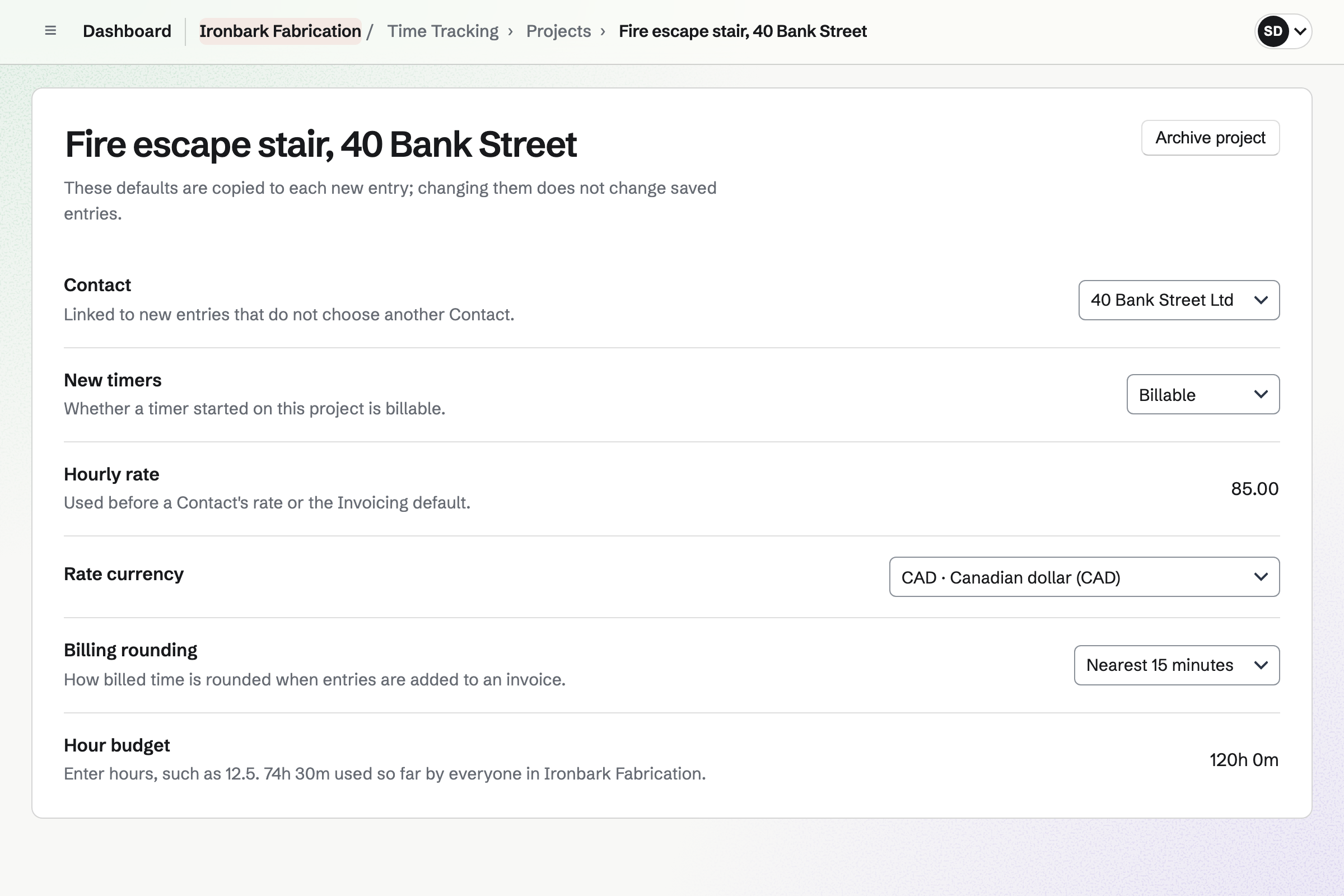
Time Tracking runs a timer for each job, with its rate, rounding and budget of hours. The timer keeps going after the browser closes.
Reports total the hours by job and by person, and export as a CSV file.
Each payment in the quote's schedule becomes an invoice. The deposit is invoiced on acceptance, and the balance when you bill it. Add unbilled time puts extra hours onto an invoice.
Customers pay by card from the email, into your own Stripe account, with no Magpie fee.
Asset Tracker keeps each machine and tool with its tag, serial number and location. A machine can be marked in maintenance until it is back.
A welding kit can go out to a fitter for an install, with a due date.
The customer chooses the package, signs and pays the deposit.
The job's card goes on the board.
Low materials become an order to the supplier.
Timers record the hours on the job.
The card moves to Fitted, and the balance is invoiced.
You invite everyone in the shop. Help: Create and manage a team.
You connect your Stripe account for deposits. Help: Connect Stripe to receive money.
You start from a starter or a past quote. Help: Prices, packages and payments in a proposal.
You add each material and supplier. Help: Order from suppliers and receive deliveries.
A workshop fits the Team plan, with each person in the shop a member. Customers who accept quotes and pay invoices are not added to the team.
Magpie takes no fee on deposits or invoice payments. Stripe's processing fee applies to each card payment. Prices are on the Pricing page.
A builder quotes, schedules and bills each job.
A potter or maker sells their work online and at markets.
A food producer makes batches and sells to shops.
A wholesale maker sells to shops at trade prices.
Yes. A pricing section can offer packages, and optional lines the customer adds. The total updates as they choose.
Yes. The payment schedule splits the total into a deposit, later payments and the balance. The deposit is paid by card as they accept.
Yes. The jobs board shows each job's card in its stage, with its due date and assignee. Cards move as the work moves.
Yes. Draft orders turns what is running low into an order for each supplier. You email it, or mark it sent.
Yes. A team admin can require approval for orders at or above a total you set.
Yes. Each job is a project with a budget of hours, and shows how many are used. Reports total the hours by job and by person.
Yes. Daily Operations has a workshop starter with checks such as machine guards and emergency stops. Each check appears when it is due.
Create a Magpie account and make a team for the workshop.