Dog walkers and pet sitters
A dog walker walks the same dogs every week, and sends owners voice messages.
Dog trainers and behaviourists
Each owner is a contact in Magpie, with their dog's notes and sessions. The dog's training plan is in the owner's own portal.
Get started free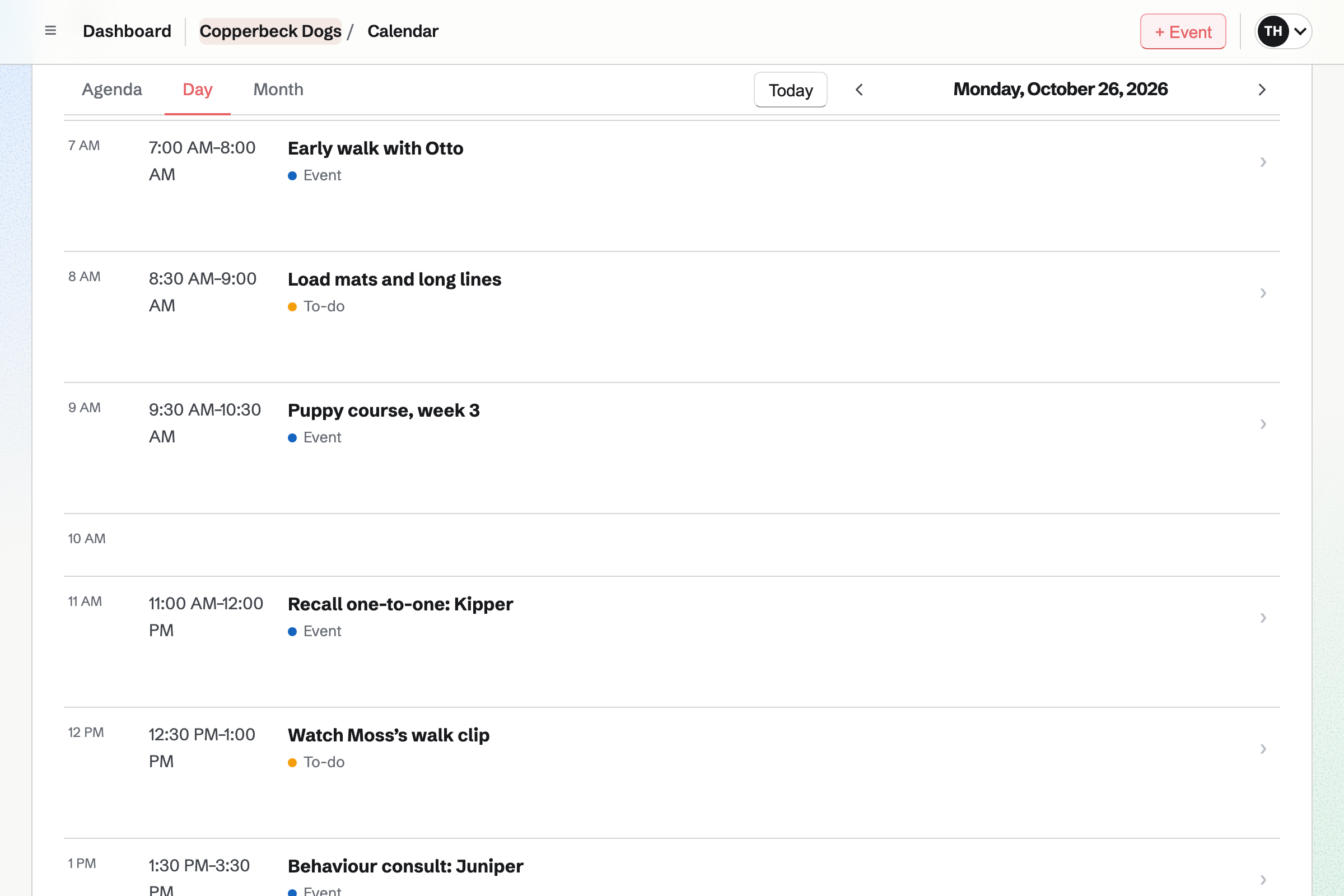
The owner's contact lists the consult, the invoice and every recording you send.
The owner describes the dog's reactions on your behaviour questionnaire. Magpie will email you their answers.
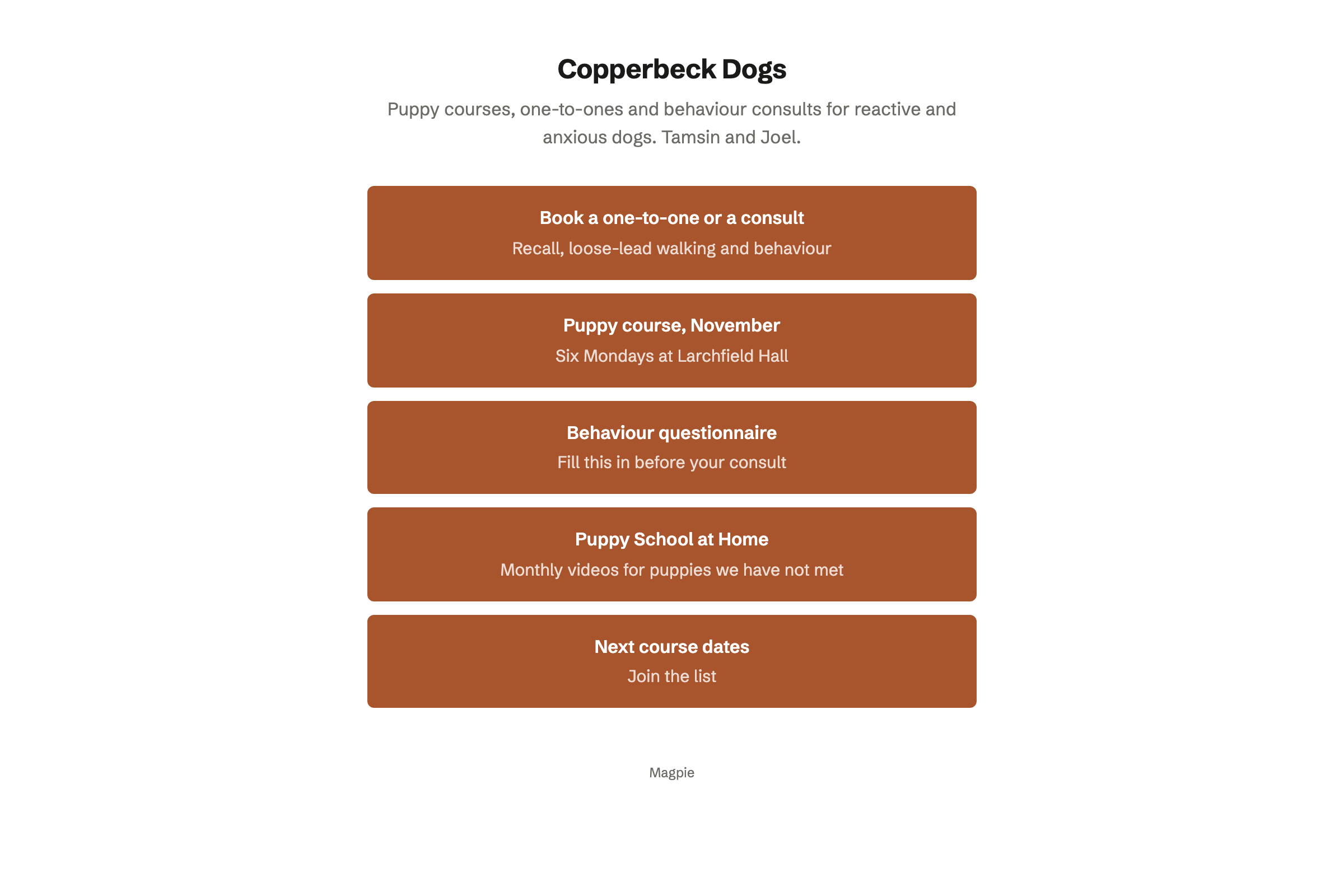
They book a two-hour consult on your booking page. Only times your classes leave free are offered. The booking will add them to your contacts.
You send your training agreement, linked to the consult invoice. Once the owner signs, the same page will let them pay by card.
After the consult, you start the dog's plan from your reactivity starter. You share it in the owner's portal.
The owner ticks off each game, and records how near another dog could pass calmly. They upload a clip of a walk.
You record yourself talking over the clip as it plays, and email the recording. Their contact will show when they opened it.
The follow-up sessions go on one invoice, which the owner pays in their portal.
Calendar holds each class as an event, with its hall or field and a description. A six-week course is six events, one for each week. Classes set to Public calendar are listed on your public calendar.
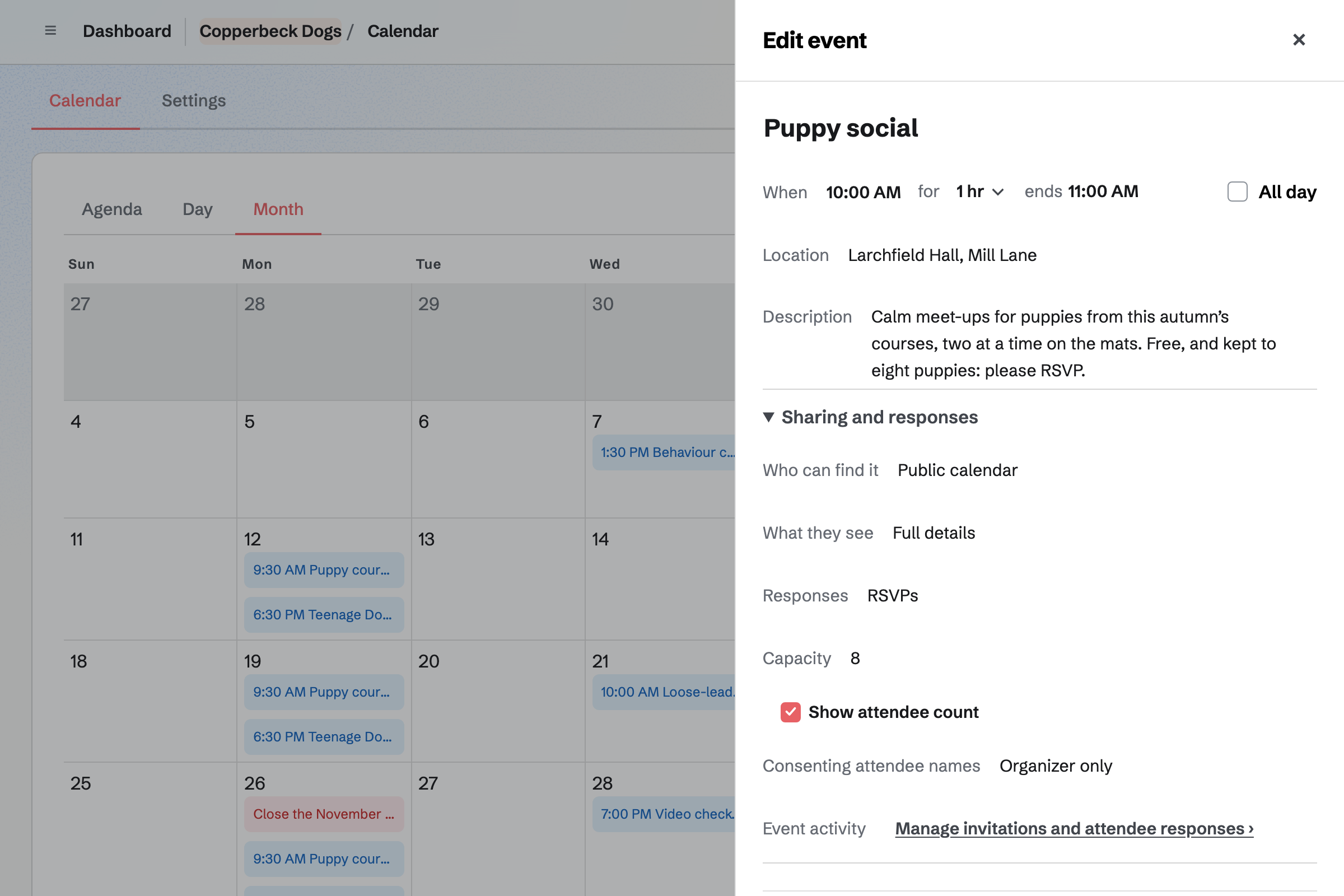
A puppy social can take RSVPs up to the capacity you set, such as eight puppies. When it is full, its page will say so. Your booking page also leaves out the time of every class.
Forms builds your course form, which charges one fee by card on Stripe's page. It can ask the puppy's name and age. You close it when the course is full.
Your behaviour questionnaire can run over several pages, such as history, triggers and a normal day. A question can appear only when an earlier answer calls for it. Magpie will email you each response.
Appointments gives you a booking page, with each session's length, price and place. A behaviour consult can say you come to the owner's home. A buffer keeps time free to drive there.
Owners choose a free time and give their name and email address, without signing up. Each booking will add the session to your calendar and link the owner's contact. Their confirmation email lets them move or cancel until the notice you set.
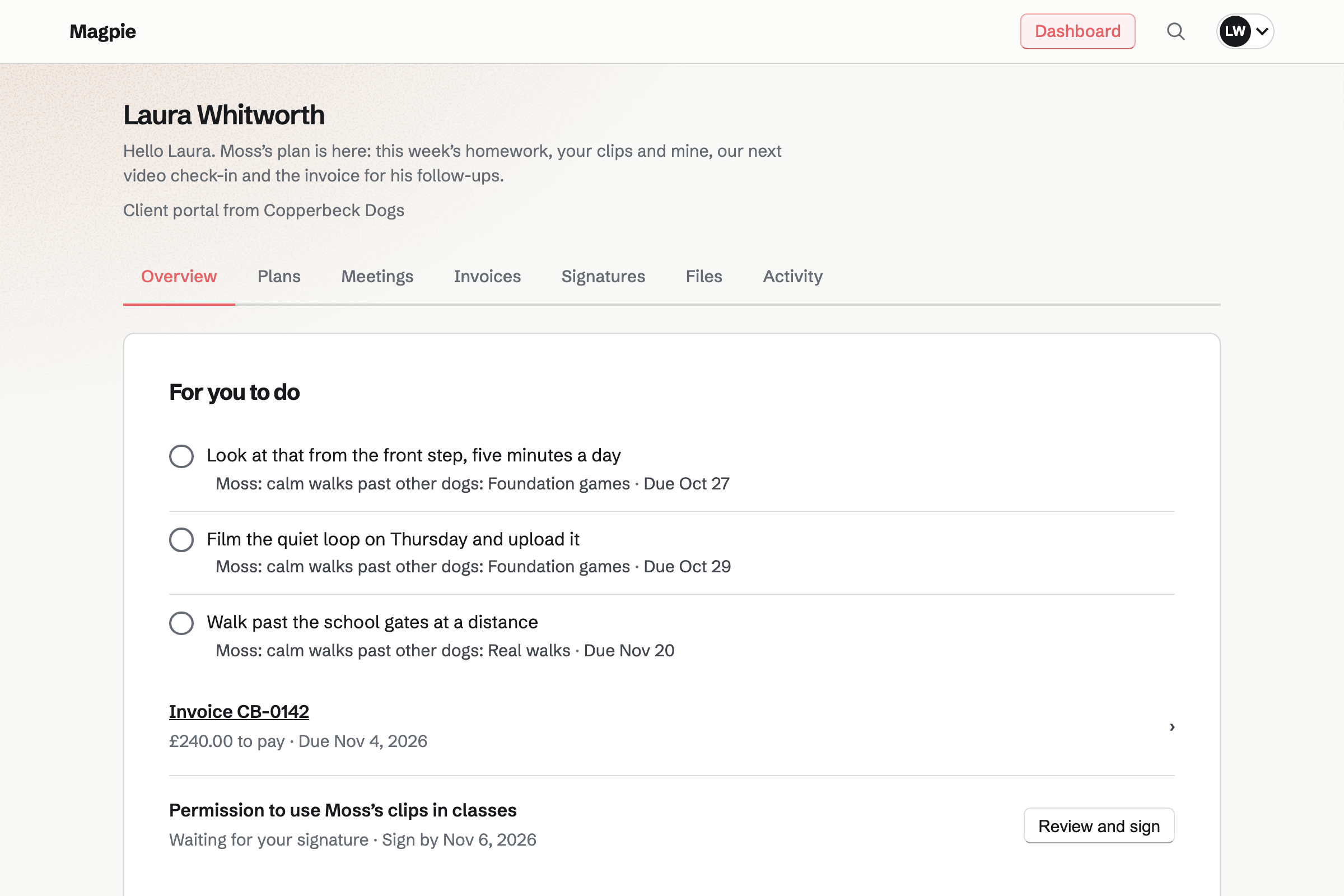
Client Portal gives each owner a private page for their dog's plan. Stages such as management at home, foundation games and real walks hold the steps. Each step is homework for the owner or a job for you.
A goal can be a number to bring down. For a reactive dog, it can be the distance it needs from other dogs. Owners record that distance after walks, and upload clips of their homework. The portal also lists their invoices and anything to sign.
Contacts holds a record for each owner. A pinned note keeps the dog's name, age and triggers near the top. Every consult and one-to-one is listed, with cancellations and no-shows.
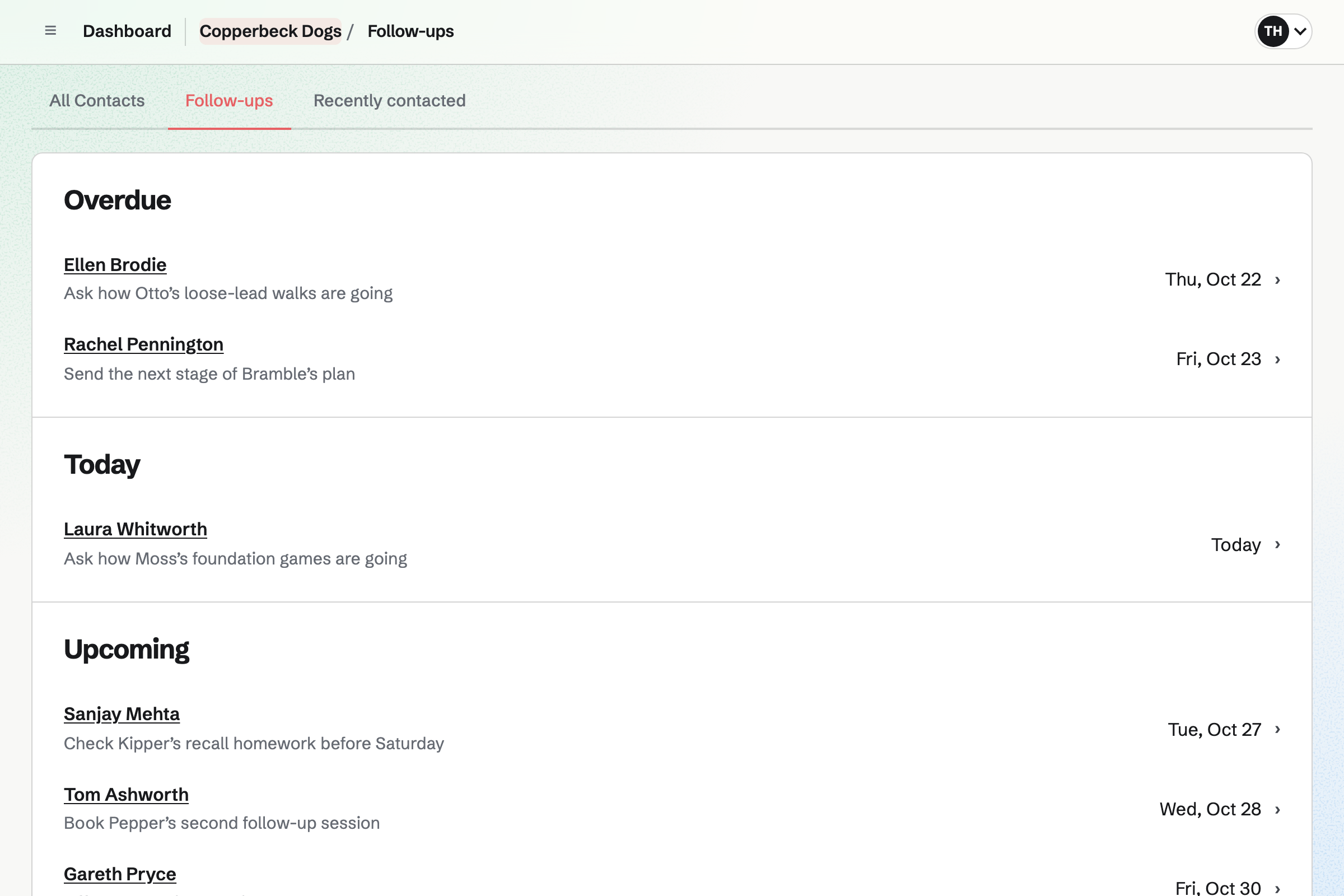
After each session, you add a dated note. A follow-up reminds you to call, such as two weeks after a consult. Recordings you email are listed with when the owner opened them.
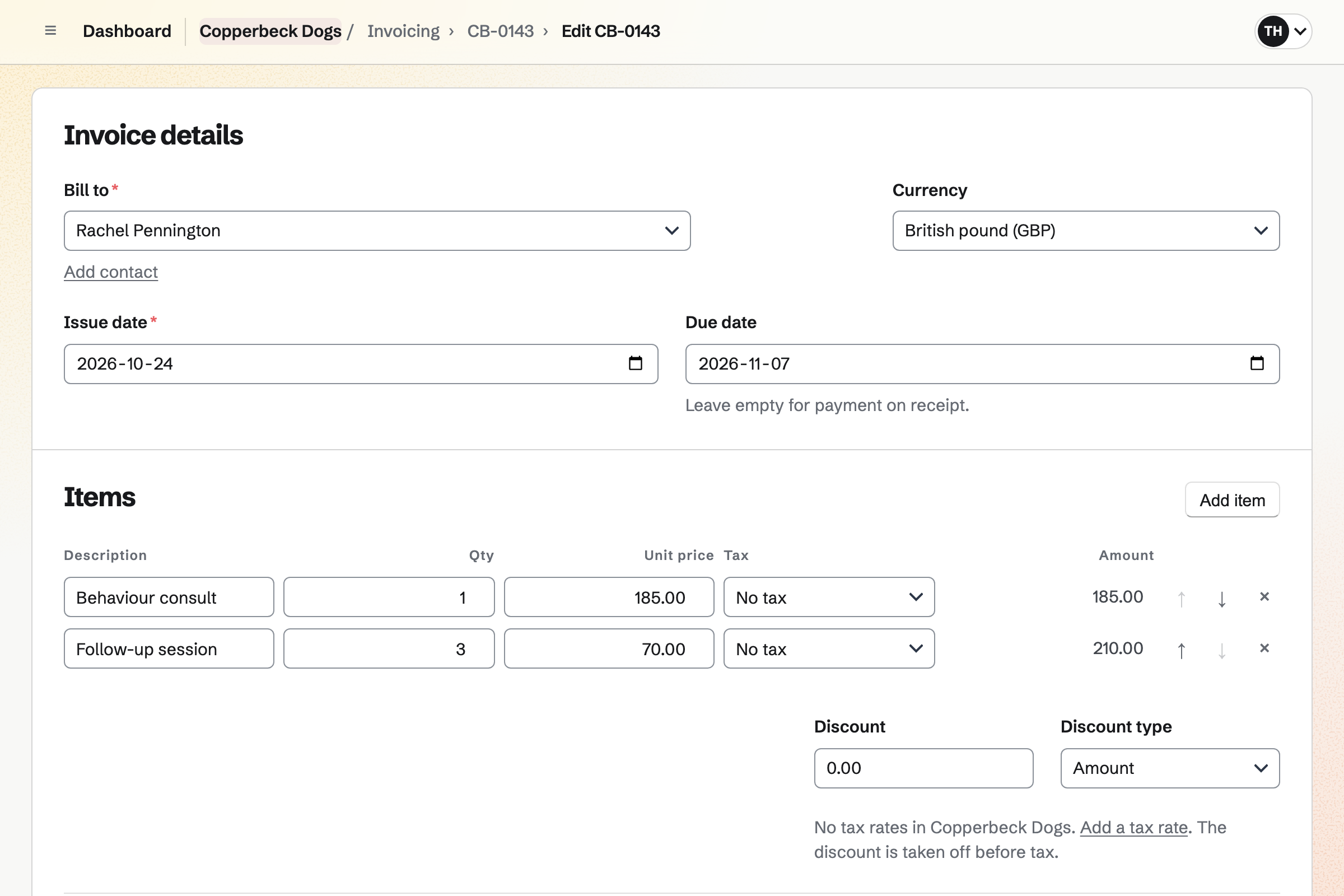
Invoicing bills a package as lines on one invoice, such as a consult and three follow-ups. The owner pays by card from its email or in their portal. The money goes to your own Stripe account.
Reminders will go out until it is paid. You can record a bank transfer or cash by hand, in part or in full. A part payment leaves the invoice partly paid, with what is left to pay.
You add each class with the hall's address, set to Public calendar. Help: Create public and private calendar events.
You connect Stripe, then add the course fee and your questions. Help: Require payment for a Form response.
You add the questions you ask before a consult, over as many pages as you need. Help: Build, publish, and share a form.
You add your consult and one-to-one sessions with their places, then your weekly hours. Help: Set up Appointments.
You build the plans you use most, such as puppy foundations and reactivity. Help: Reuse your process with starter plans.
A trainer working alone can use Magpie without a team. The Free plan has room for 100 contacts, 5 invoices a month and 100 calendar events. Pro, the paid plan for your own work, raises them and the storage for owners' clips.
In a team, each trainer owners can book takes a member place. A free team has 3 places, and the Team plan 25 at one price. Owners invited to their portal get a free Magpie account, and take no place.
Magpie adds no fee to invoice payments. A paid Form's fee is 1%, and Supporters' is 3%. Stripe's processing fee is taken from each card payment. Emailing a recording needs a paid plan.
A dog walker walks the same dogs every week, and sends owners voice messages.
A groomer books grooms on a booking page, and sells food and treats in a shop.
A kennel or cattery takes stay requests on a form, and ticks off daily feeding rounds.
A personal trainer coaches the client in person, and bills monthly clients on a recurring invoice.
Yes. Your course form charges one fee, which owners pay by card on Stripe's page. It can ask for the puppy's name and age, and what they want to work on. Each booking shows whether it was paid. You close the form when the course is full, and the bookings made are kept.
Yes. The class is an event with RSVPs and a capacity of eight. Owners answer while signed in to Magpie. Once eight are going, RSVPs will stop and its page will say it is full. Someone who changes their answer gives the place back.
Yes. Your booking page leaves out the times of events you add to your calendar. A Saturday class blocks those hours. It also leaves out your other bookings and the buffers around them. The class's details are never shown on the booking page.
Yes. Your questionnaire can have several pages, such as history, triggers and a normal day. A question can show only when an earlier answer calls for it. Owners answer from its link, without signing up first. Magpie will email you each response, and they download as a CSV file.
Yes, in their portal. Owners upload clips of up to 500 MB each, such as the dog at the front window. Each upload is listed in the portal's activity. On your questionnaire, a file question takes photos and PDFs of up to 10 MB.
Yes. The consult's location can say that you come to the owner. A buffer before and after it keeps time free to drive there and back. Your questionnaire can ask for the address.
Yes. Meetings gives you a meeting page, where owners book a 90-minute video consult. With Zoom connected, each booking will get a Zoom call. Without Zoom, a meeting added to Google Calendar will get a Google Meet link. Shared in the owner's portal, it has a Join meeting button.
Yes. They choose a session and a free time on your booking page. Then they give their name and email address. Each session shows its length, price and place, such as your field. Their confirmation email has a link to move or cancel, until the notice you set.
Yes. You can send your training agreement linked to the consult invoice. Once the owner signs, the signing page will offer Pay, and they pay by card. The invoice can also be paid from its email, or in their portal.
Yes. The owner's portal holds the dog's plan, in stages such as management and foundation games. Each step is homework for the owner or a job for you. A step can have a due date. The owner sees their open steps first, under For you to do.
Yes. Owners tick their own steps and record numbers on goals, such as a recall distance. They can upload a clip of the session too. Each tick, value and upload is listed under Client activity on the portal's page.
Yes. A goal can be a number to bring down, such as from 30 metres to 5. The owner records the distance after a walk. A bar shows how far the dog has come. Every value is listed on the goal's page, with who recorded it and when.
Yes. You can share a video of a settle on a mat in the owner's portal. Magpie will email them about it. Screen Recorder can also record you talking over the owner's own clip as it plays. You email that recording from Magpie, and their contact will show when they opened it.
Yes. You keep a plan as a starter, with its goals, stages and steps. A new plan from it gets its own copy. Each step is due a set number of days after the plan starts. Changing the starter later leaves earlier plans as they are.
On its owner's contact. A pinned note keeps the dog's name, age and triggers near the top. After each session, you add a dated note. A search for the dog's name finds its owner. The contact also lists every session, invoice and recording you sent.
Both dogs go on their owner's contact, with a pinned note for each. Their portal can hold a plan for each dog, with its own goals and homework. The portal's Overview lists each active plan.
Yes. You set a follow-up on the owner's contact, such as two weeks after the consult. It will become a To-do with the usual reminders. Contacts lists every open follow-up as Overdue, Today, Upcoming or No date.
Yes. You put the package on one invoice, such as a consult and three follow-up sessions. The owner pays by card from the email or in their portal. A part payment, such as half at the consult, is recorded by hand. Each session they book is then listed on their contact, beside the invoice.
Magpie adds no fee to invoice payments. On a paid course form, its fee is 1% of each payment. The Supporters fee is 3%. Stripe's processing fee is taken from each card payment. The rest goes to your own Stripe account.
Yes. Supporters gives you a page with a free tier and monthly paid tiers. You write posts with training videos, and choose which tiers can read each one. Supporters join with a Magpie account and pay by card into your Stripe account.
Yes. Newsletter gives you a sign-up page, and each subscriber confirms by email. When the next course has dates, you can email the list now or schedule it.
Yes. On a public class, Share event starts a Social Media post that names it. For Instagram, Magpie will email you a reminder at the time you choose. On a phone, it copies the text and opens the share sheet. Posts to Bluesky, Mastodon and LinkedIn will be published at the time you choose.
Yes. You make a team and invite them. Each trainer has their own weekly hours and sessions. Owners can choose a trainer by name. The team's calendar shows everyone's classes and bookings.
Yes. Your classes and sessions can be added to your Google calendar. Changes will follow within about a minute. Your Google events can show on your Personal calendar, seen only by you. Times busy in Google are kept off your meeting page.
Create a Magpie account and put the course's first class on your calendar.