
Lawyers and small law practices
A small law practice drafts agreements, sends them for signature and bills its hours.
Notaries and commissioners
Your bookings, signers, regular clients and receipts are in your own Magpie account. A second notary can join you in a team.
Create account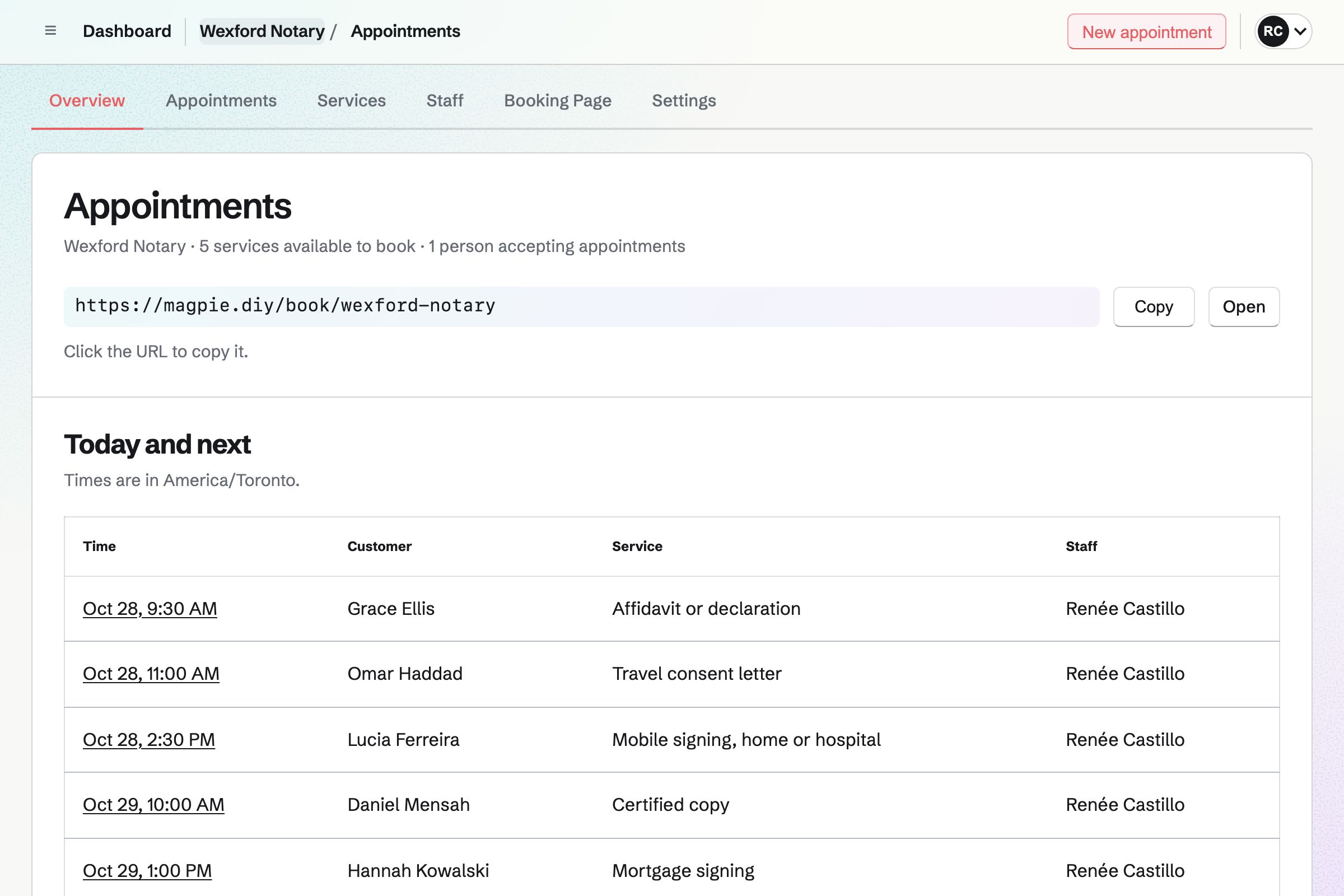
Appointments gives you a booking page with your services, each with its length and fee. An affidavit, a certified copy and a travel consent letter are three services. A description can say which ID to bring. Signers book without signing up first.
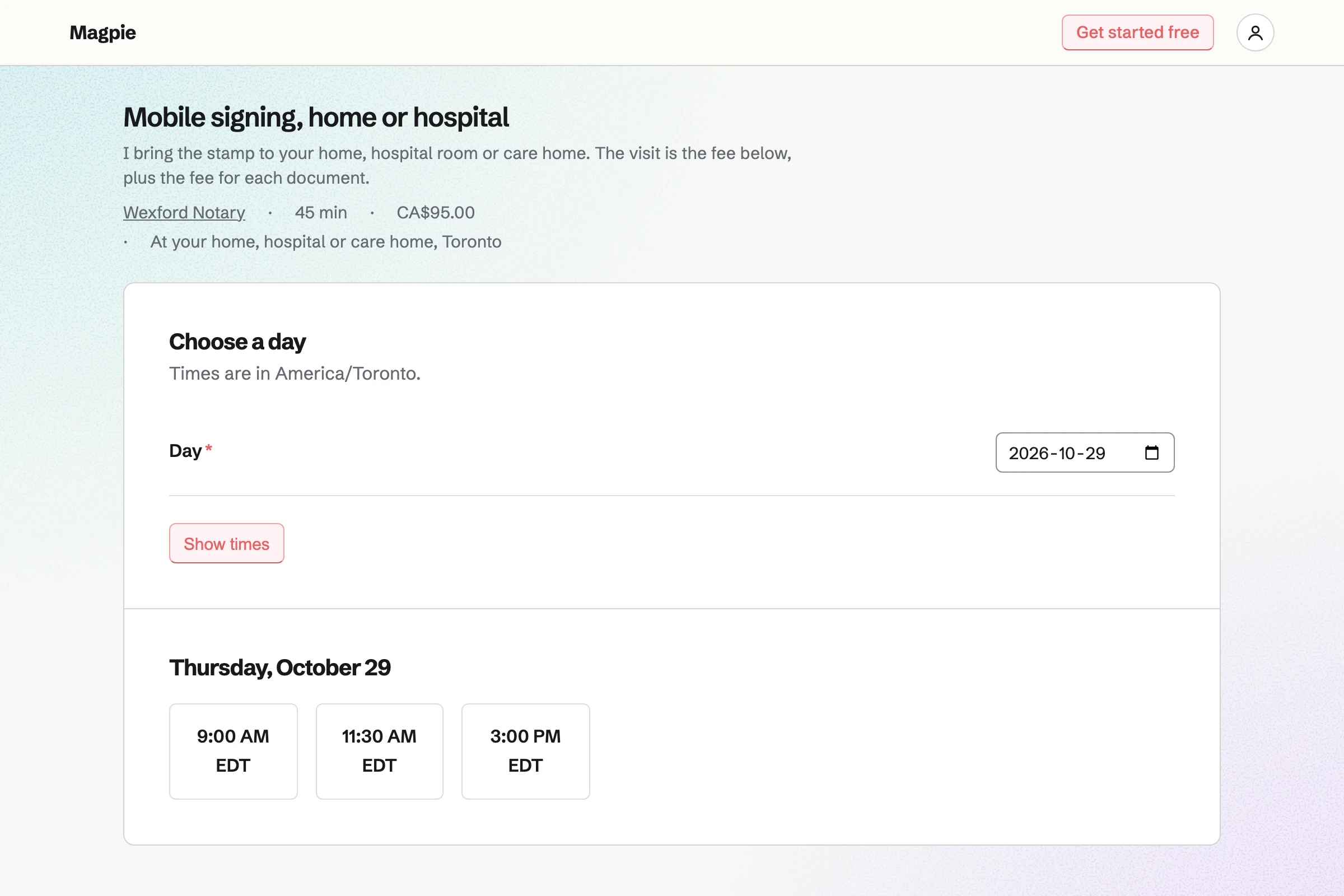
A mobile signing is a service whose location says you come to the signer. A buffer after it keeps time free to drive to the next one. The page offers only the times your hours and calendar leave free.
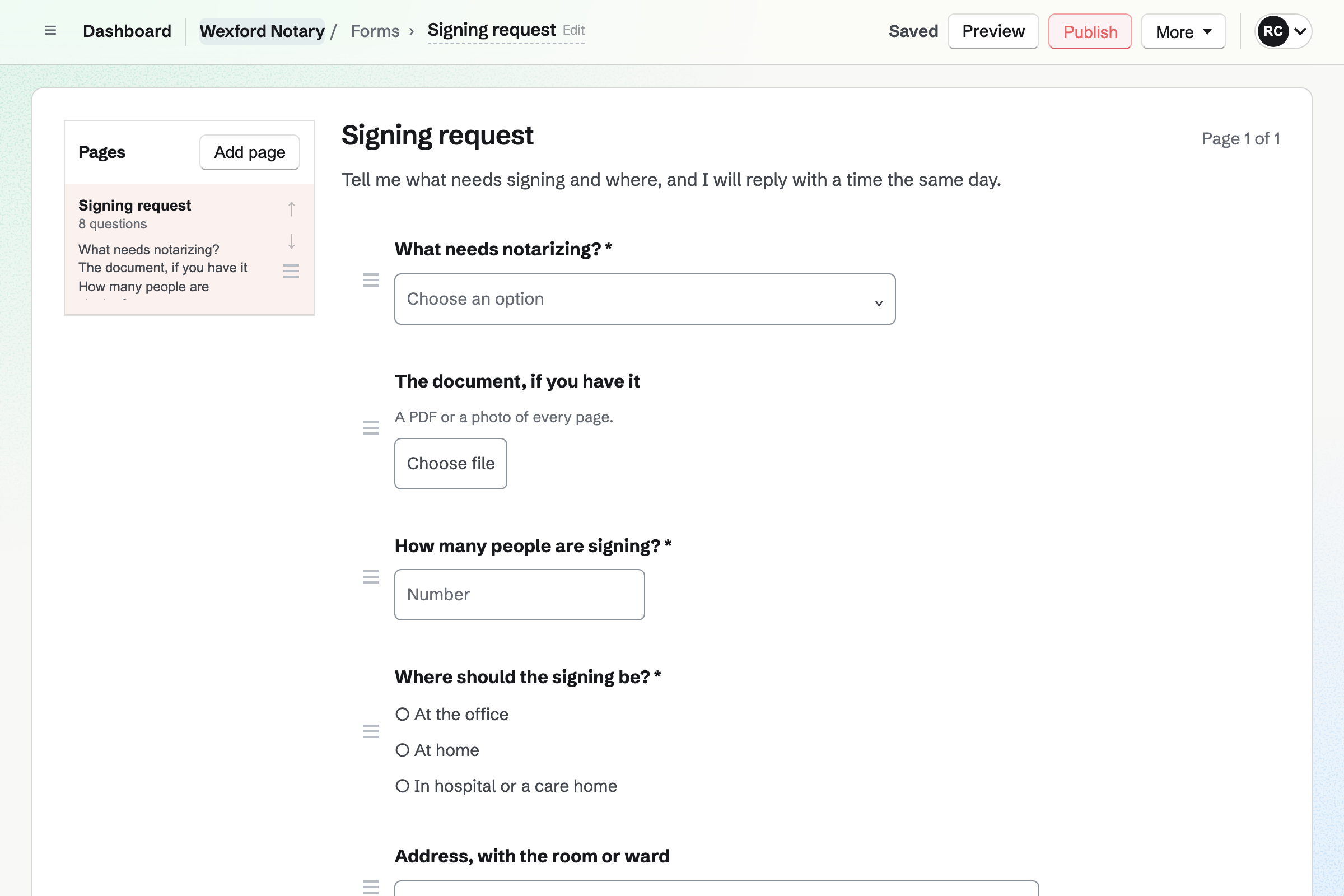
Forms builds your signing request. It asks what needs notarizing, how many people are signing and where. A File question takes the document as a PDF or a photo. You see it before the day.
Each request is emailed to you, and the responses are kept in one list. You reply with a time, and add the appointment yourself.
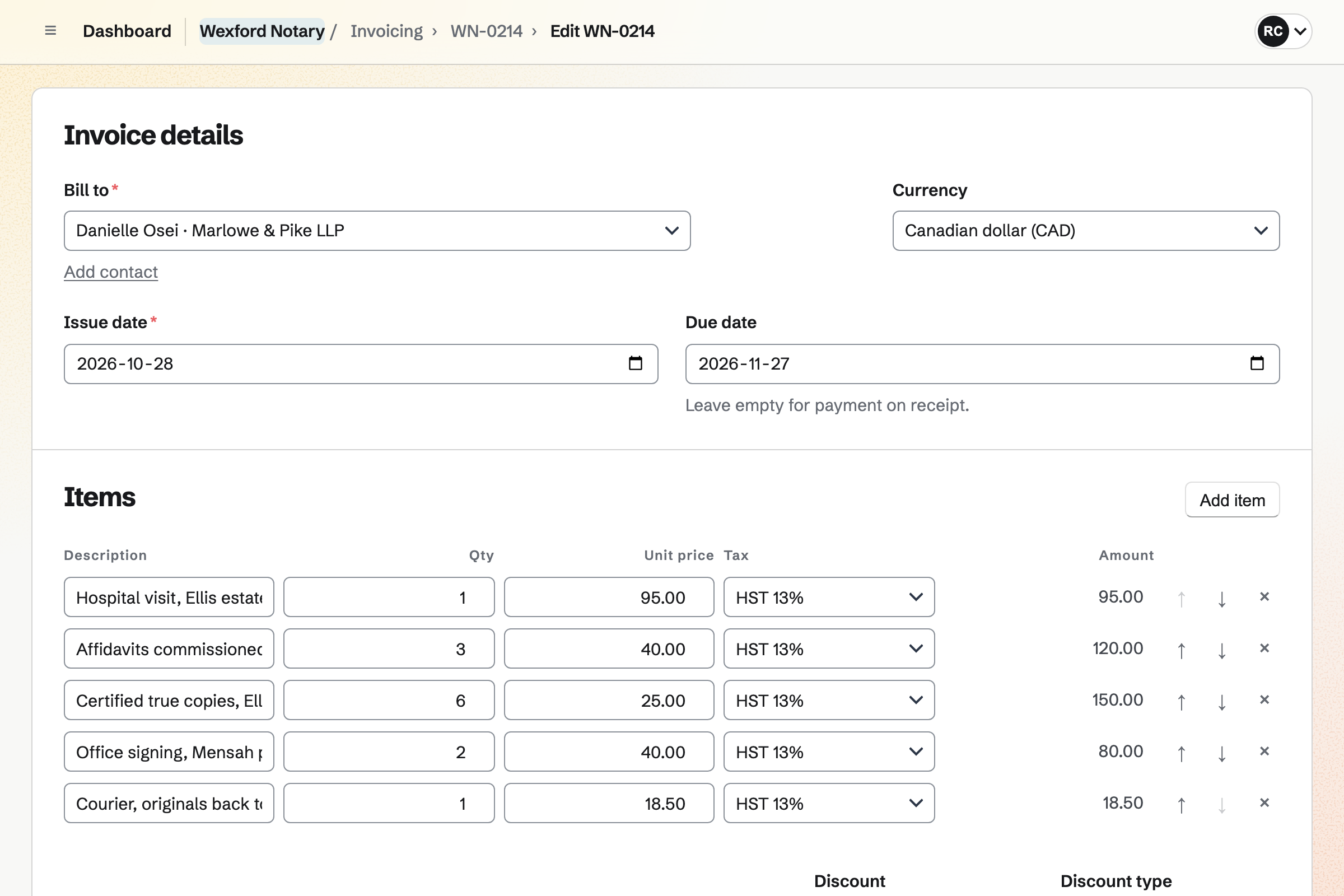
Invoicing bills each signing with your fees as lines. Six certified copies are one line, with 6 as the quantity. The travel fee and the courier are lines of their own. Your tax rate applies to each line.
A signer pays by card from the invoice's payment link, on their own phone. The money goes to your own Stripe account, and Magpie adds no fee. Cash or a cheque is recorded by hand.
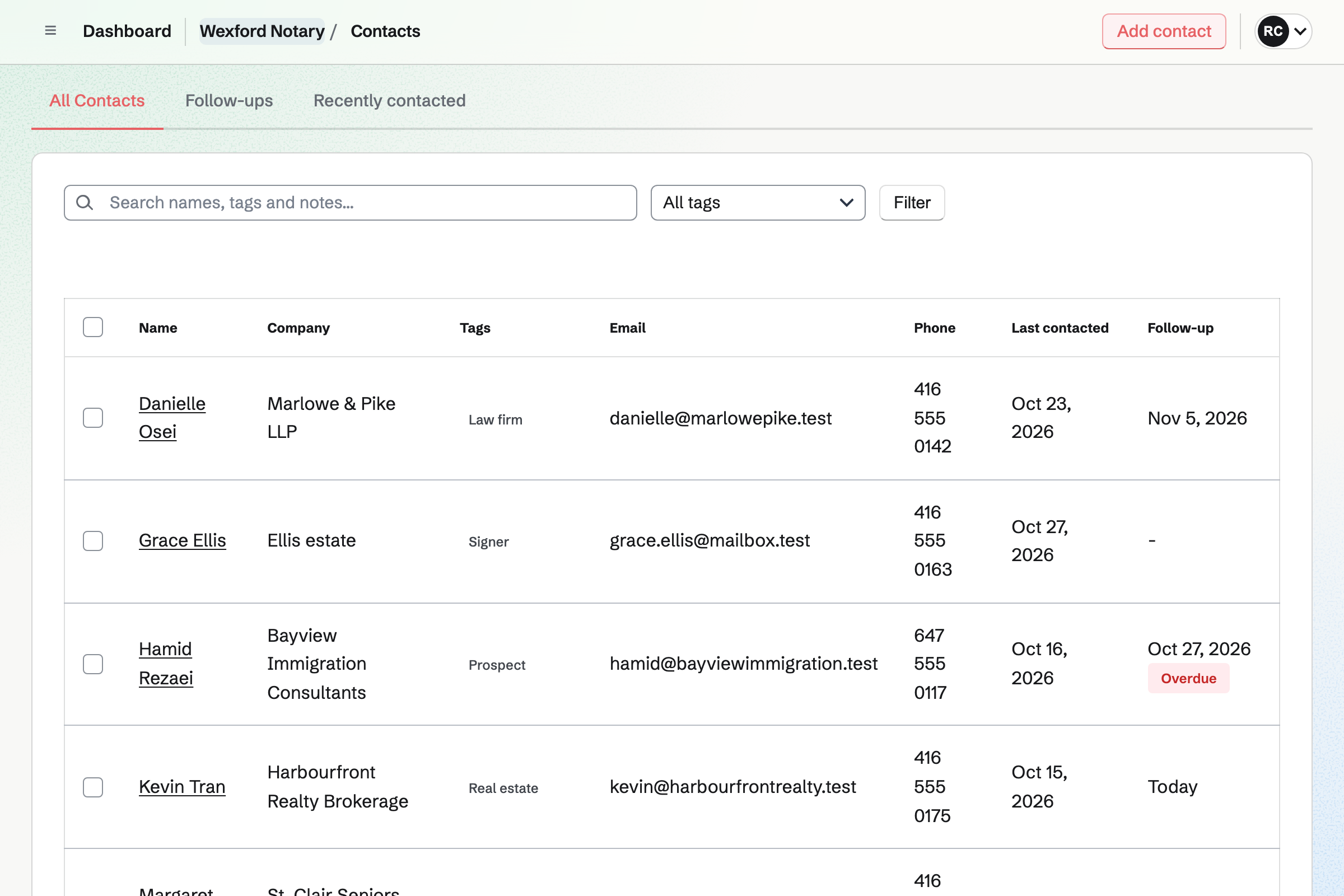
Contacts keeps each law clerk and agent with their company and tags. A Customer tag adds their billing address and payment terms, such as 30 days. Their invoices fall due on those terms.
Their page lists the appointments booked with their email address, and every invoice. A follow-up is a To-do with a date, such as calling a new law clerk.
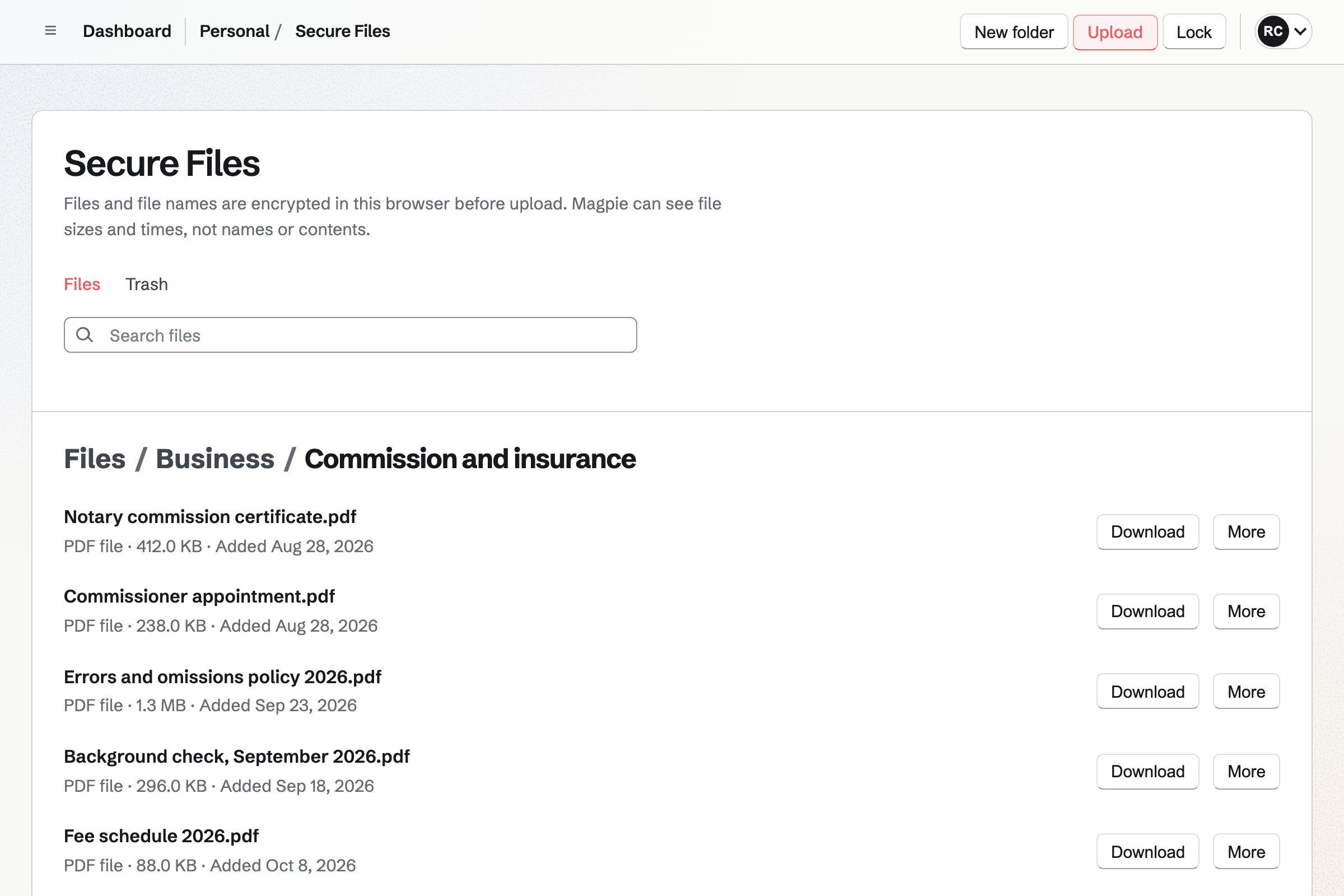
Secure Files keeps your commission certificate, your errors and omissions policy and your background check. Each file is encrypted in your browser before it is saved, and Magpie cannot open it.
A title company gets a link that expires in a day, a week or 30 days. A passphrase can be added. You see when the link was opened and when the file was downloaded.
Expenses keeps each receipt with its category, such as Printing, Supplies or Travel. A receipt can wait in Receipt Inbox until you add its details. Reports total the month by category.
A courier or a printed loan package can be charged to a client. Marked reimbursable, it is listed for their next invoice, and becomes a line.
Each step starts from what the one before it made.
The signer sends the document and their address on your Form.
You add the appointment. Magpie emails the signer, and adds them as a contact.
The signing is a Calendar event, with time kept free to drive.
Afterwards, you mark the appointment Completed, and it is on the signer's page.
Each stamp and the travel fee are lines, and the signer pays by card.
The payment and your parking receipt are in the books.
You add your notarial services with their fees, and a mobile signing with a buffer. Help: Set up Appointments.
You write the questions and add a File question for the document. Help: Build, publish, and share a form.
You add each law firm and agent, with their payment terms. Help: Keep a contact list.
You connect your Stripe account, so signers can pay by card. Help: Connect Stripe to receive money.
A notary working alone fits Pro, for your own work in Personal. The free plan includes 5 invoices a month and 100 contacts, and Pro has no limit. Secure Files uses your storage: 1 GB free, or 20 GB with Pro.
A second notary who takes bookings is a member of your team. Magpie adds no fee to invoices. Stripe's processing fee is taken from each card payment. Prices are on the Pricing page.
A small law practice drafts agreements, sends them for signature and bills its hours.
A real estate agent books viewings, follows up with buyers and sends documents for signature.
A bookkeeping practice shares documents through each client's portal and bills every month.
A translator bills each job and sends the finished translation by a secure link.
A private investigator quotes each case, bills the hours and mileage, and sends footage securely.
A wedding officiant books consultations and takes a deposit when the couple signs.
Yes. Your booking page lists your services with their length and fee. A signer picks a day and a time your hours leave free. They enter a name, an email address and, if they like, a phone number. They book without signing up first, and get a confirmation email.
Yes. Each service has its own length and price, shown on the booking page. A 15-minute certified copy and a 45-minute home visit are two services. The fee is paid on your invoice, by card or by hand.
Yes. A service's location can say that you come to the signer. Your signing request Form takes the address and the room or ward. A buffer after each booking keeps time free to drive to the next one.
Yes. A service's description is shown on the booking page before they book. It can say that each signer brings a government photo ID. Your request Form can say it too, as text above the questions.
Yes. Your request Form can have a File question for the document. It takes a PDF, a JPG, a PNG or a WebP file of up to 10 MB. Only the people who can see the Form's responses can open it.
Yes. A Form asks the questions you write, as a choice, a number or text. The address question can show only when the signer chooses a home visit. Each response is emailed to you and kept in a list.
Yes. A minimum notice sets how soon before a start time a signing can still be booked. A maximum range sets how far ahead. Both are in the booking rules every booking follows.
Yes. The confirmation email has a link to choose another free time or to cancel. Once the notice you set has begun, the page asks them to contact you instead.
Yes. New appointment takes the service, the day, the time and the signer's name and email address. Internal notes hold what the firm told you, and the signer never sees them. Magpie emails the signer the confirmation.
Yes. Each booking adds an event to your Magpie Calendar. With Google Calendar connected, Magpie adds it to your Google calendar within about a minute. An event you add to your Magpie calendar takes that time off your booking page.
Each fee is a line on the invoice with a quantity. Four notarized signatures at your fee are one line, with 4 as the quantity. The travel fee, the printing and a courier are lines of their own.
Yes. The travel fee is a line on the invoice, beside the fee for each stamp. The mobile service's price can be the travel fee. The signer sees it on the booking page before booking.
Yes. Each invoice has a payment link on its page, which you can send by text. The signer pays by card on their own phone, without signing in. The payment is recorded on the invoice.
Magpie adds no fee. Stripe's processing fee is taken from each payment. The rest goes to your own Stripe account, and Stripe pays it out to your bank.
Yes. Record payment takes the amount, the date and the method, such as Cash or Cheque. A reference, such as the cheque number, is optional. A part payment leaves the rest due.
Yes. A client tagged Customer has their own payment terms in days and a billing address. Their invoices fall due on those terms. Reminders are emailed on your schedule until the invoice is paid.
Yes. One invoice can have a line for each signing. Each line's description can hold the date and the firm's file number. Duplicate starts next month's invoice with the same client, lines and terms.
Yes. The signing is one line at your flat fee, and printing the package is another. The invoice falls due on the company's terms. They can pay it by card from the email, or by bank transfer.
Yes. Invoicing has named tax rates, such as HST or VAT, each with a percentage. Each line uses one of them or no tax. A combined rate such as GST + PST shows each tax on its own line.
Yes. Each person is a contact with their company, email addresses and phone numbers. Tags, such as Law firm or Real estate, group them. Their page lists the appointments booked with their email address, and every invoice.
Yes. A follow-up on the contact has a date and a reason. It is a To-do with the usual reminders. Follow-ups lists every open one as Overdue, Today or Upcoming.
Yes. Secure Files sends a file by a link that expires. It can last an hour, a day, a week or 30 days. It can allow one download and ask for a passphrase. You see when the link was opened and when the file was downloaded.
Yes. Secure Files encrypts each file, and its name, in your browser before it is saved. Magpie does not have your Password Vault password, so it cannot open them. The files belong to your own account.
Yes. You photograph each receipt on your phone, up to 10 MB each. Totals export as CSV, with the receipts as a ZIP file.
Yes. You mark the expense reimbursable and choose the client. Add unbilled expenses then puts it on their next invoice as a line. It is marked billed when the invoice is issued.
Yes. A To-do can be dated weeks before the expiry, with a reminder emailed that day. A To-do for your insurance renewal can repeat every year.
Yes. Each person who takes appointments has their own weekly hours. Signers choose one of you or Anyone available. Then Magpie books whoever is free. A second notary works with you in a team.
Yes. A dynamic QR code opens any address, such as your booking page. You can point it somewhere else after the cards are printed. Its page counts the scans.
Create a Magpie account and publish your booking page.