
Dog walkers and pet sitters
A dog walker takes the same dogs out each week, and bills each household every month.
House sitters and pet sitters
A sitter working alone uses Magpie in their own account, with no team to set up.
Create account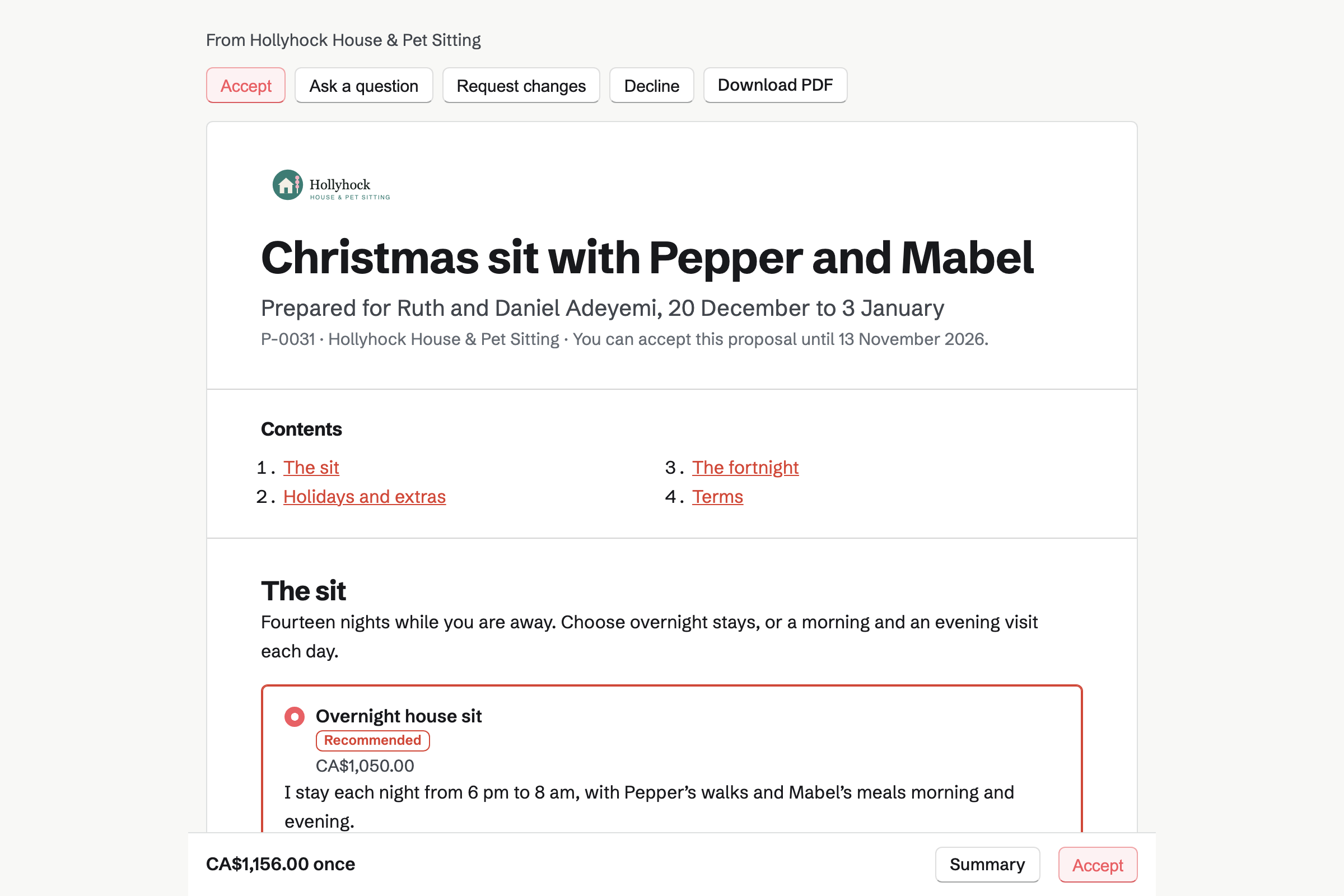
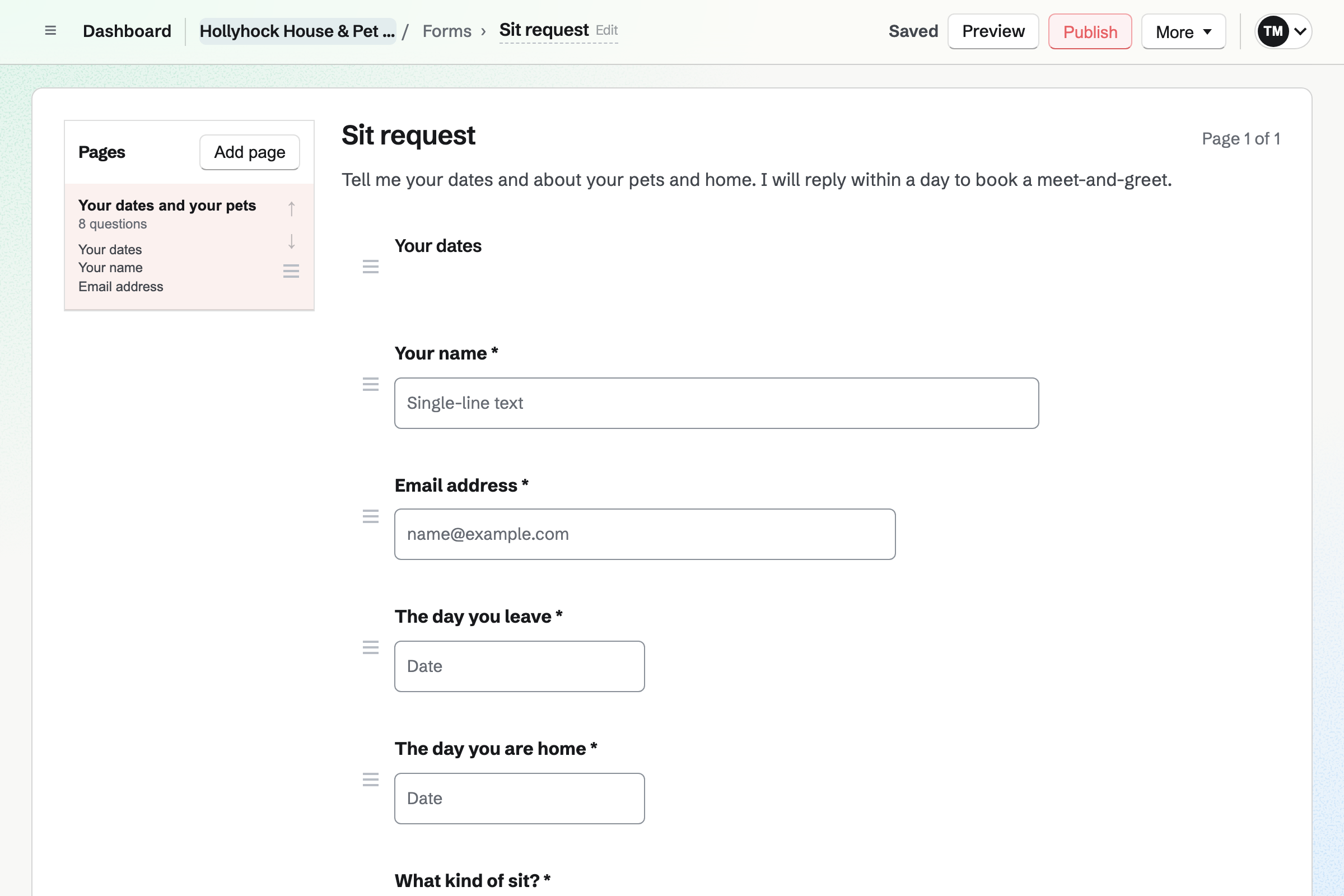
Forms builds your sit request. Date questions take the day the owners leave and the day they are home. They choose drop-in visits or an overnight sit.
A longer answer holds each pet's feeding, medicine and vet. A File question takes a photo of the medicine label. Each request is emailed to you.
Meetings gives you a meeting page with your Meeting Types. A 45-minute meet-and-greet and a 15-minute key handover can be two of them. Owners pick a time and book without signing up first.
Times that clash with your meetings or your Calendar are not offered. Each Meeting Type's description can say that you come to the house. Owners get a confirmation email with a calendar file.
Proposals sets out a sit as packages, such as overnight stays or two visits a day. Christmas Day can be a line of its own at your holiday rate. The owner chooses, signs on the page and pays the deposit by card.
The balance is invoiced when you bill it, such as on the sit's first day. You see when the proposal is opened, and the owner can ask a question on it.
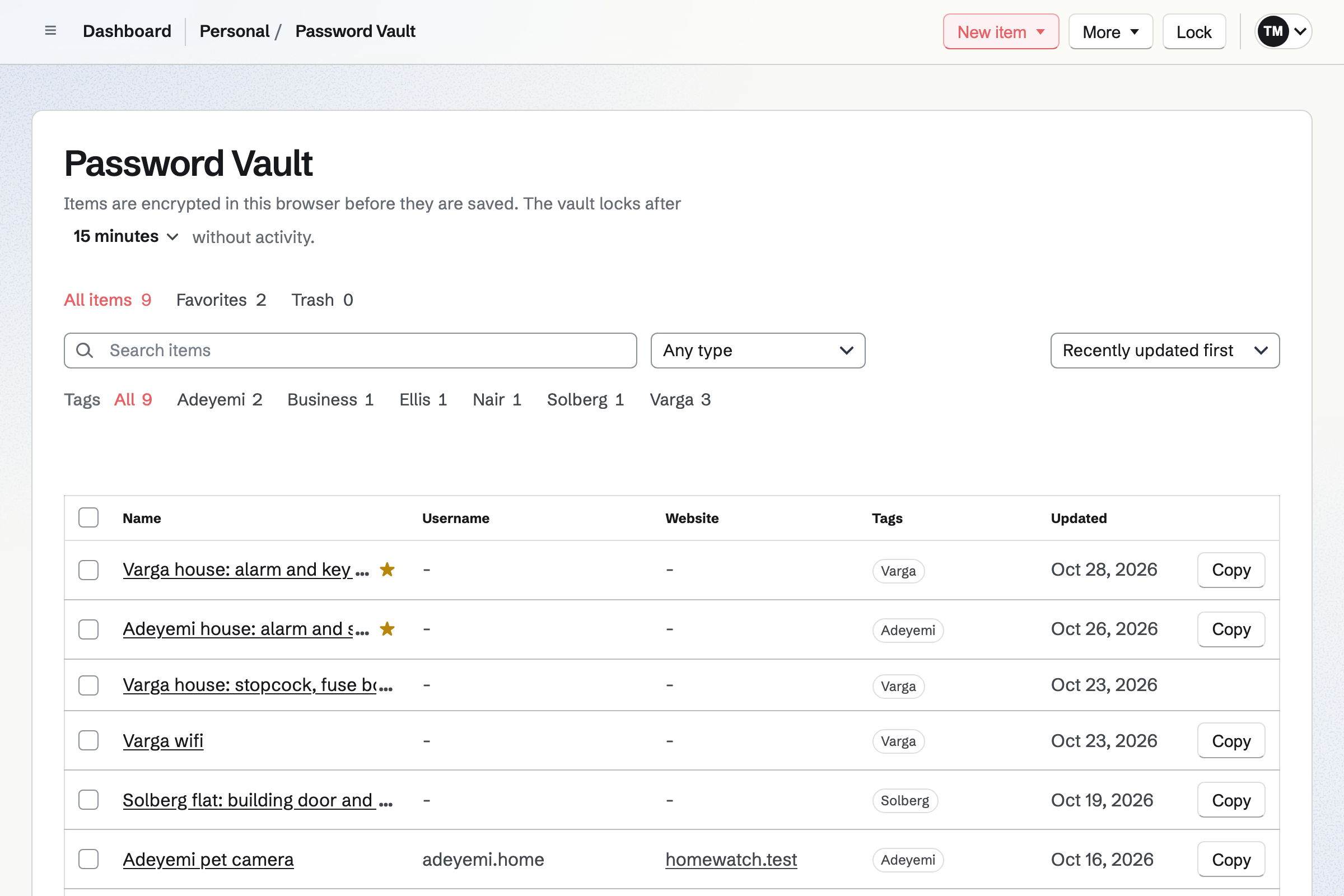
Password Vault is your own vault, with a password of its own. A custom item holds a home's alarm code, key safe code and wifi. Each code stays hidden until you choose Reveal.
Your browser encrypts each item before it reaches Magpie, so Magpie cannot read the codes. A tag for each family groups its items.
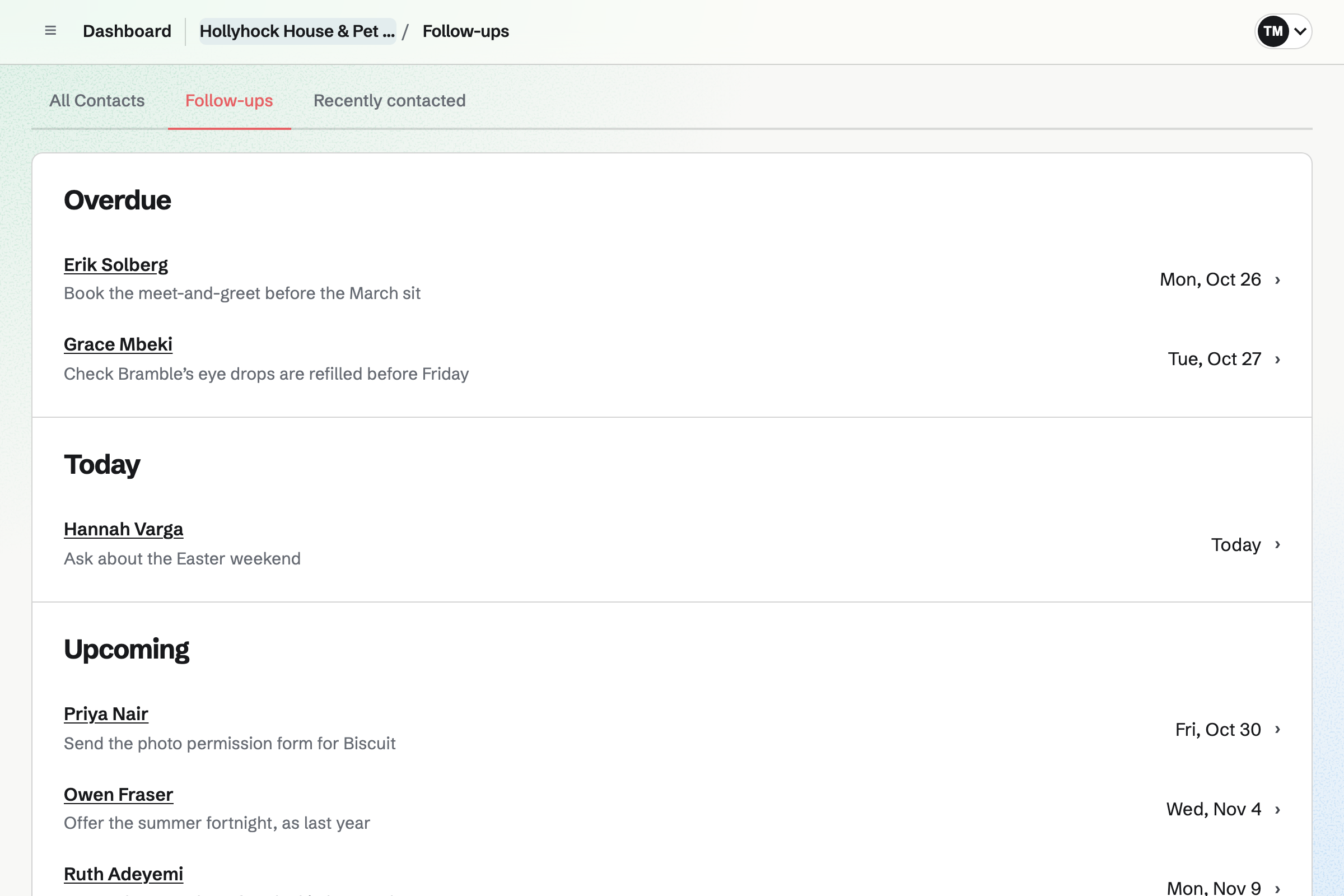
Contacts keeps each owner with their address and phone numbers. A pinned note holds each pet's food, medicine times and vet. Their page lists every meeting, proposal and invoice.
A follow-up reminds you on a date, such as asking a regular client about next summer. Follow-ups lists every open one as Overdue, Today or Upcoming.
To-dos gives each visit a time, such as 7:30 for the morning walk. A reminder is emailed 15 minutes or an hour before. A checklist on the visit lists the feed, the tablet and the plants.
A visit can repeat every day of the sit. You stop the repeat when the owners are home. Each visit shows on your calendar on its day.
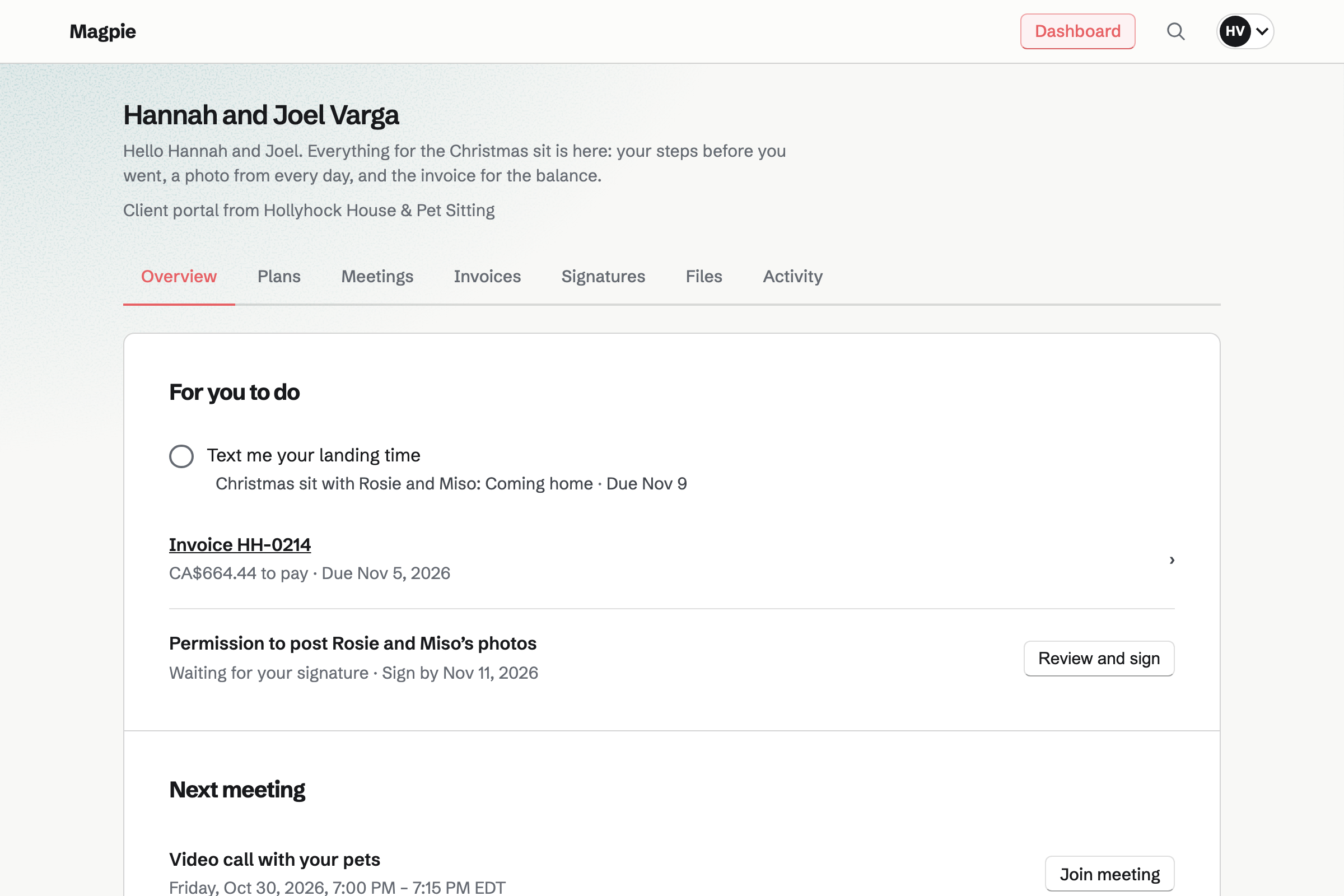
Client Portal gives each household a portal. It lists what waits for the owners, such as the balance and a form to sign. Their next video call with the pets is under it.
You share the day's photos in it, and Magpie emails the owners a list. A plan holds their steps, such as leaving the tablets out. Only the owners you invite can open it.
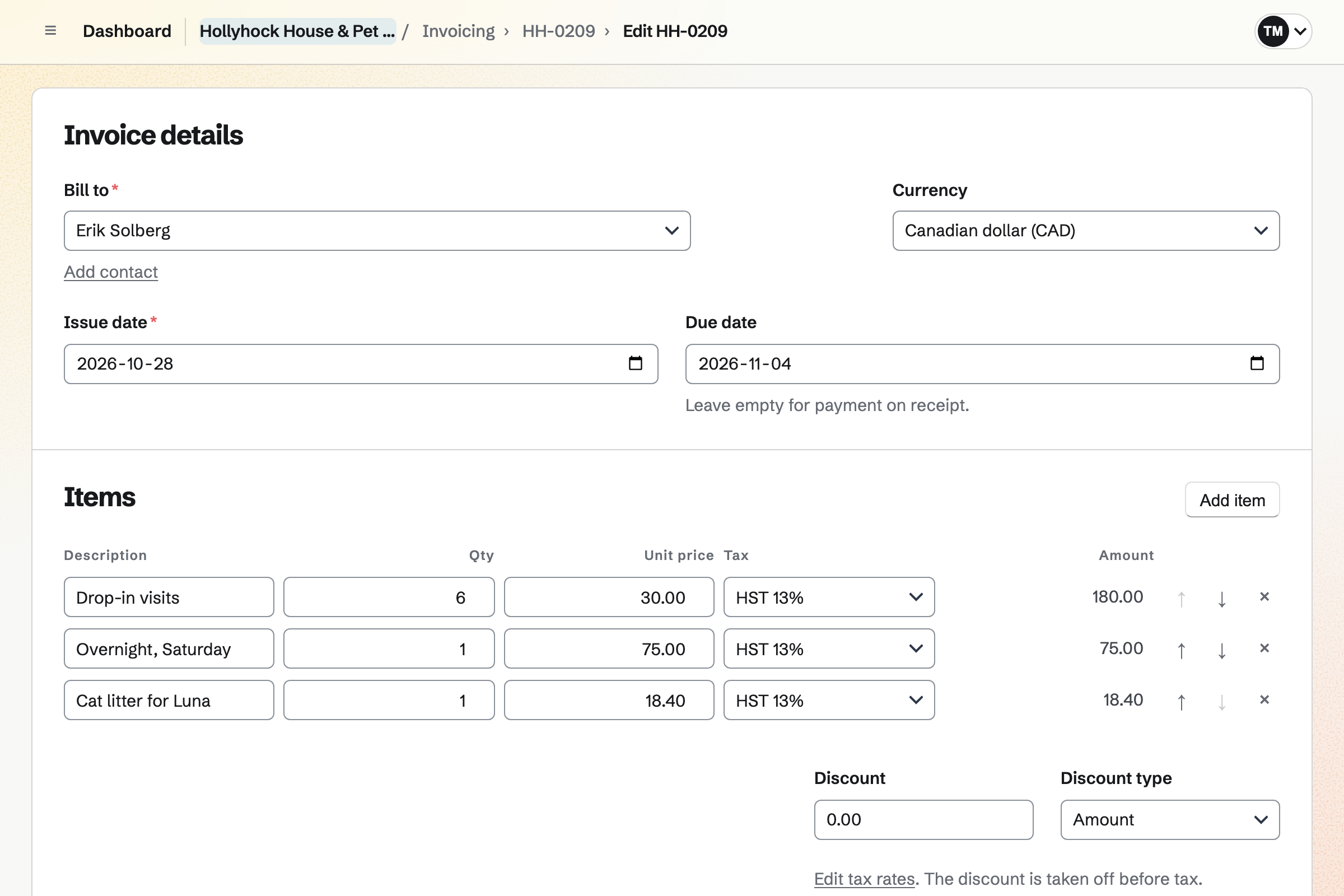
Invoicing bills a short sit without a proposal, with a line for each visit and night. Litter or food you bought for the pets goes on as a line from your receipts. Owners pay by card from the email.
Card payments go to your own Stripe account, with no Magpie fee. Reminders go out until the invoice is paid. Cash or a bank transfer is recorded by hand.
The owners' contact page lists the meetings, the proposal and the invoices as you go.
The owners send their dates and the pets' notes on your Form.
They book it on your meeting page, and you meet the pets at home.
They choose overnight stays, sign the proposal and pay the deposit by card.
Once they accept, the proposal goes to their portal, and they book the key handover.
The alarm code goes into your vault, and the key gets its tag.
Each visit is ticked off, and the day's photos go to the portal.
The balance is invoiced, and the owners pay it by card.
You choose the questions about the dates, the pets and the house. Help: Build, publish, and share a form.
You add your hours and a meet-and-greet as a Meeting Type. Help: Availability and Meeting Types.
You choose a vault password and save the recovery key. Help: Password Vault: passwords and private information.
You connect your Stripe account, so owners can pay deposits and invoices by card. Help: Connect Stripe to receive money.
You create the household's portal and invite the owners. Help: Create a Client Portal.
A sitter working alone fits Pro, the paid plan for your own work. Pro has no limit on invoices, proposals, contacts or Meeting Types.
On the free plan, you can create 5 invoices and send 5 proposals a month. It has room for 100 contacts and 2 Meeting Types. Photos you share in a portal use your plan's file storage.
Magpie adds no fee to deposits or invoices. Stripe's processing fee is taken from each card payment.
A dog walker takes the same dogs out each week, and bills each household every month.
Kennels and catteries look after pets at their own premises, with staff on a rota.
A mobile groomer grooms dogs at the owner's home, priced by the dog's size.
A dog trainer runs puppy courses and behaviour consults, with homework for the owner.
A pet shop sells food and toys, and books grooming appointments.
A cleaning company schedules cleaners at clients' homes, with a checklist for every visit.
A B&B or vacation rental host takes guests' stay requests and runs each changeover.
A side business starts with a website, email at its own name and its first payment.
Yes. Your sit request asks for the day they leave and the day they are home. It asks your own questions about the pets and the house. Each request is emailed to you, and you mark it Reviewed once you reply.
Yes. A longer answer on your Form holds each pet's food, medicine times and vet. A question can show only when an earlier answer calls for it, such as medicine. A File question takes a photo of the label, up to 10 MB.
Yes. Your meeting page lists your Meeting Types, such as a 45-minute meet-and-greet. An owner picks a free time and enters a name and an email address. They book without signing up first. Magpie emails them a confirmation with a calendar file.
Yes. A time is not offered when it overlaps your meetings or a Calendar event you made. An event for a day of the sit takes that time off the page. Busy times in a connected Google Calendar are left off too.
Yes. You send a proposal with the nights or visits and your rate. Its payment schedule starts with a deposit, invoiced when the owner accepts. They pay it by card on the proposal's page. The balance is invoiced when you bill it.
Yes. A proposal can offer two packages, such as overnight stays or two visits a day. Each has its own price. The owner chooses one before they sign. The totals change with their choice.
Yes. A holiday rate can be a line of its own, with the number of days. Extras, such as plants and post, can be optional lines the owner adds or removes. The total follows their choices.
Magpie emails both of you the signed PDF, and the deposit invoice goes to the owner. You can have the proposal shared in their portal, made for them if they have none. Their acceptance email can offer your key handover on your meeting page.
In Password Vault, your own vault with a password of its own. A custom item holds the alarm code, the key safe code and the wifi. Each code stays hidden until you choose Reveal. A tag for each family groups its items.
Yes. Your browser encrypts each item before it reaches Magpie. Magpie stores the encrypted result and cannot read an item's title or any value in it. Search runs in your browser too.
Yes. Asset Tracker keeps each house key under a tag number. Its page says whose key it is. You check a key out to yourself with the day it is due back. After that day it shows as Overdue.
Yes. A note on the owner's contact can be pinned near the top of their page. It can hold each pet's food, medicine times and vet. The page also lists their meetings, proposals and invoices.
Yes. Each visit is a To-do with its time. A reminder is emailed at that time, 15 minutes before or an hour before. A checklist on the visit lists its jobs, such as the tablet with breakfast.
Yes. A To-do can repeat every day, and each day's visit keeps its own history. Choosing Never stops the repeat when the owners are home. The visits already done are kept.
Yes. You share the day's photos in the household's portal, up to 20 at once. Magpie emails the owners a list of them, with a button that opens the portal. Only the owners you invite can download them.
Inviting an owner makes them a free Magpie account at their email address. The invitation signs them in the first time. After that, they sign in with a link or a six-digit code Magpie emails them. The account cannot see anything else of yours.
Yes. Walkie Talkie sends voice messages, recorded as you hold to talk, and text messages too. You invite the owner from outside your team, and they see only their conversation with you.
Yes. A short Meeting Type, such as a 15-minute video call, goes on your meeting page. With Google Calendar connected, each meeting gets a Google Meet link. A meeting shared in their portal has Join meeting beside it.
Yes. E-Signatures sends a PDF to be signed, with the owner's fields placed on its pages. Shared in their portal, it is listed under For you to do, with Review and sign. When they have signed, Magpie emails each of you.
By card, from the Pay online button in each invoice email, or in their portal. A deposit is paid on the proposal's page as they accept. The money goes to your own Stripe account. You can also record cash or a bank transfer by hand.
Yes. You send an invoice with a line for the visits and one for each night. Reminders go out until it is paid. The invoice's payment link can be sent another way, such as a text.
Yes. You record the receipt as an expense, mark it reimbursable and choose the owner. Add unbilled expenses then puts it on their invoice as a line, at the amount recorded.
Yes. A follow-up on the owner's contact has a date and a reason, such as Easter. It is a To-do with the usual reminders. Follow-ups lists every open one as Overdue, Today or Upcoming.
Yes. Newsletter gives you a sign-up page with double opt-in. You write each email, send yourself a test and schedule it. A sent issue has a web copy you can share.
Yes. Invoicing has named tax rates, such as HST or VAT, each with a percentage. Each line uses one of them or no tax. A proposal's lines use the same rates.
Magpie adds no fee to deposits or invoices. Stripe's processing fee is taken from each card payment. The rest goes to your own Stripe account, and Stripe pays it out to your bank.
Yes. Calendar shows your meetings, your events and each visit on its day. It has Day and Month views. Selecting a visit opens it.
Create a Magpie account and publish your sit request.