Clubs, meetups and community groups
A community group lists events, signs up volunteers and talks on a board.
University clubs and student societies
The committee works in one Magpie team. Members use the event pages, forms, board and newsletter you publish.
Get started free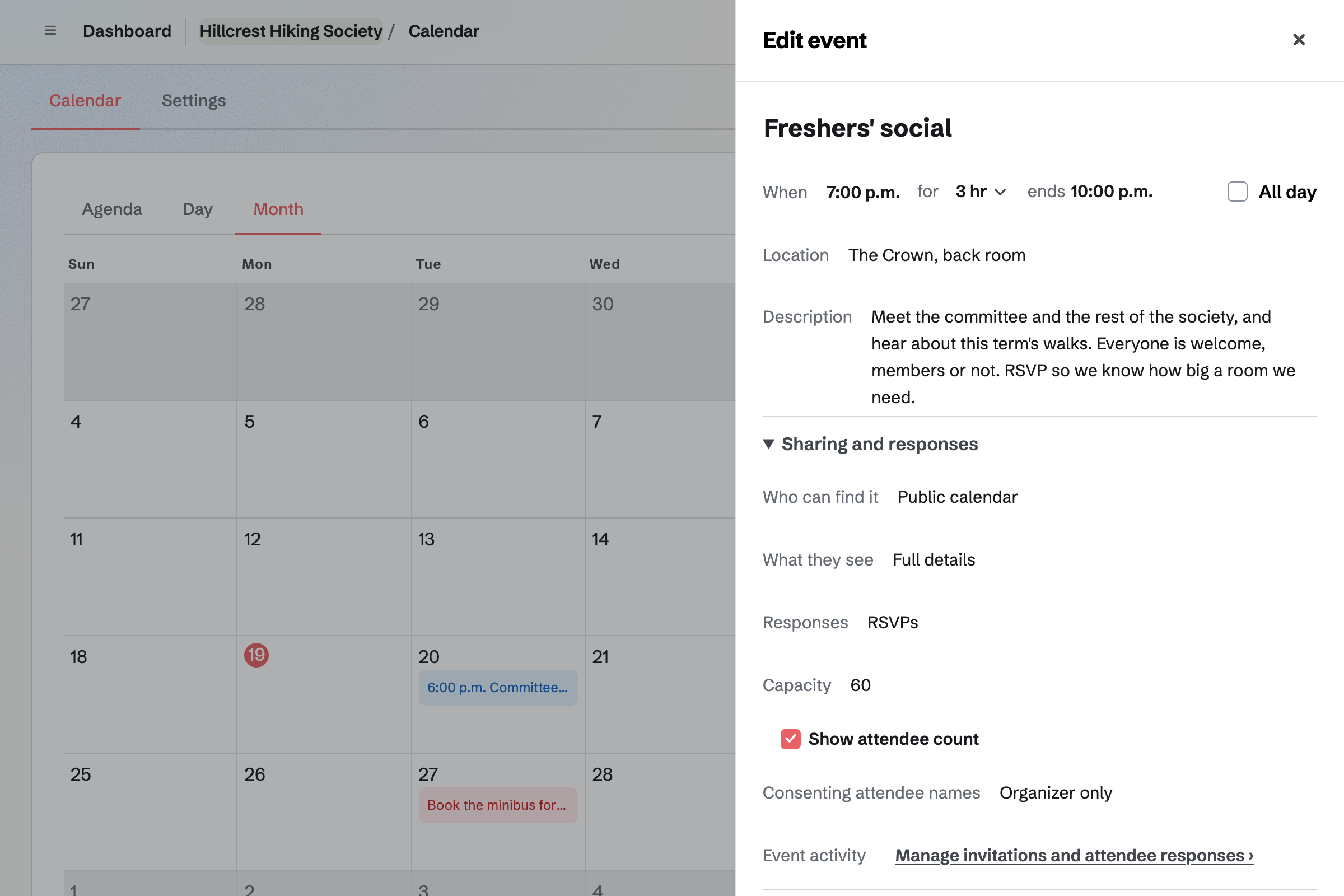
Calendar lists each social, talk and meeting on your public calendar. Members choose Going, and RSVPs stop at the capacity you set.
The event's page can show how many are going. You can invite members by email, or share a link with a set number of uses.
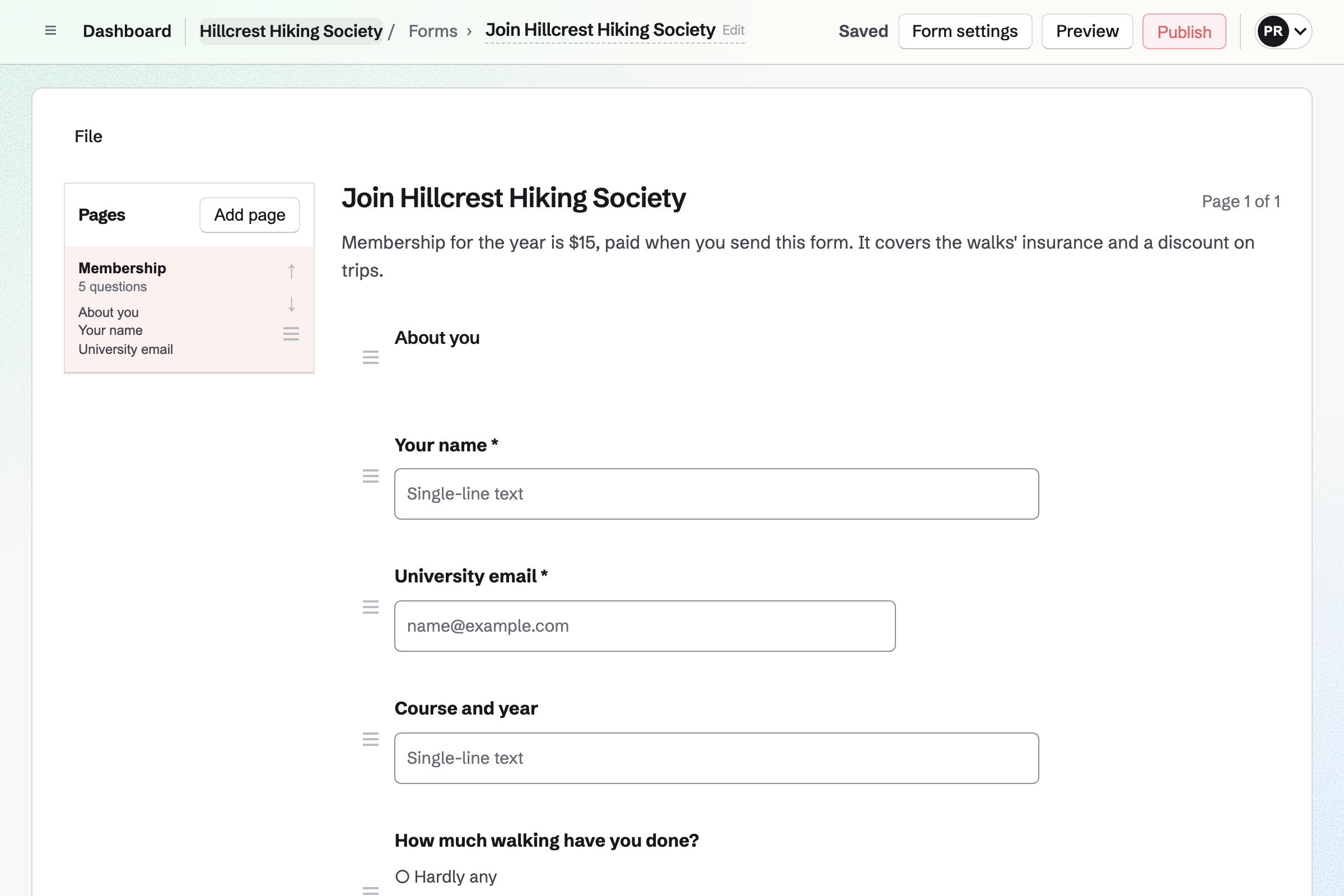
Forms builds a membership form with your questions, such as each member's course. A paid form takes the fee by card, through Stripe.
Every member comes into one list you can export. Each response shows whether it has been paid.
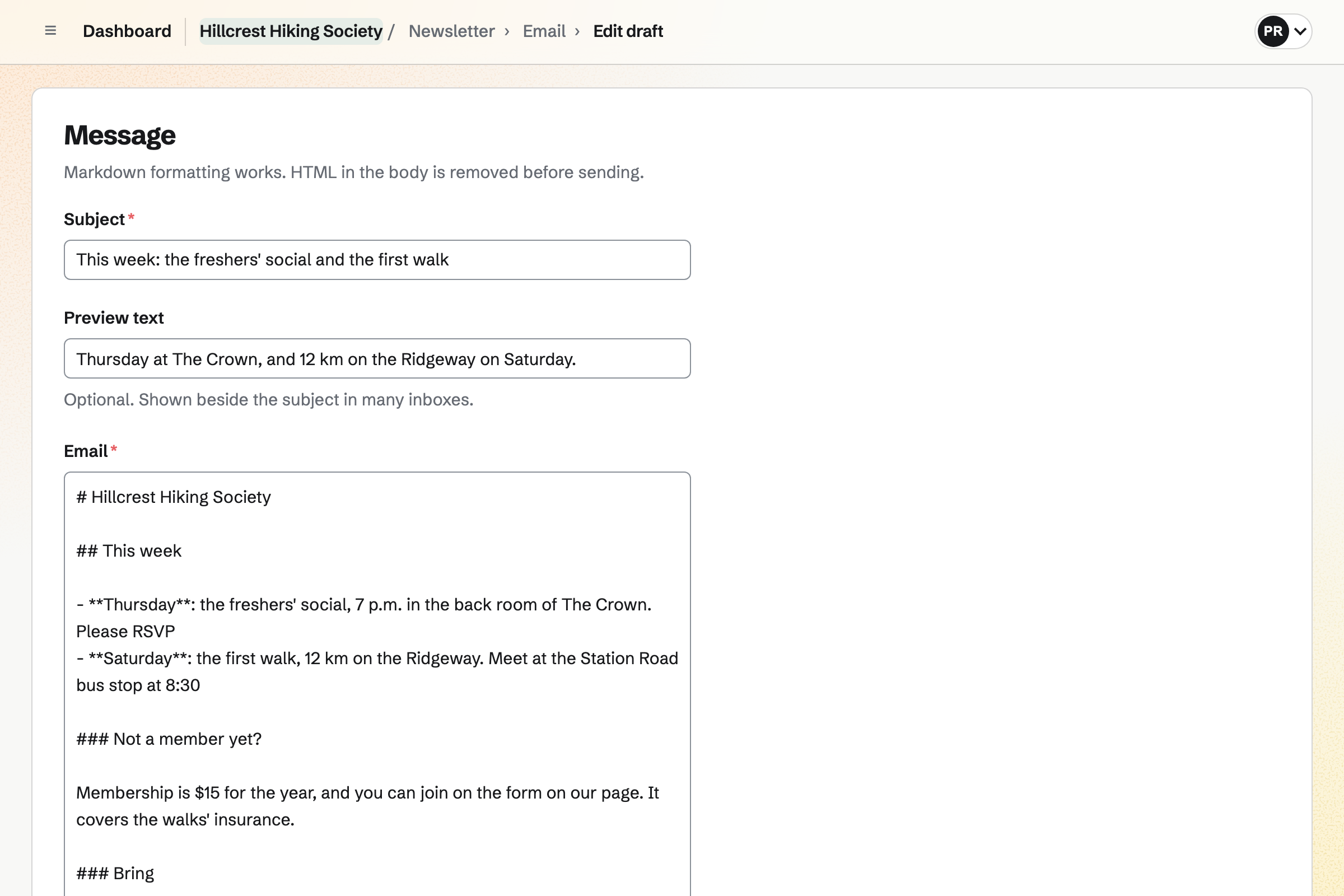
Newsletter keeps the members' mailing list, with double opt-in on its sign-up page. Last year's list can be brought in from a CSV file.
You write each issue, send yourself a test and schedule it. A sent issue has a web copy, which can start a social media post.
Message Boards gives the society a public board, which anyone can read. Members who sign in can post, reply and vote.
Votes bring the popular ideas up, such as next term's trip. The committee can keep a private board of its own.
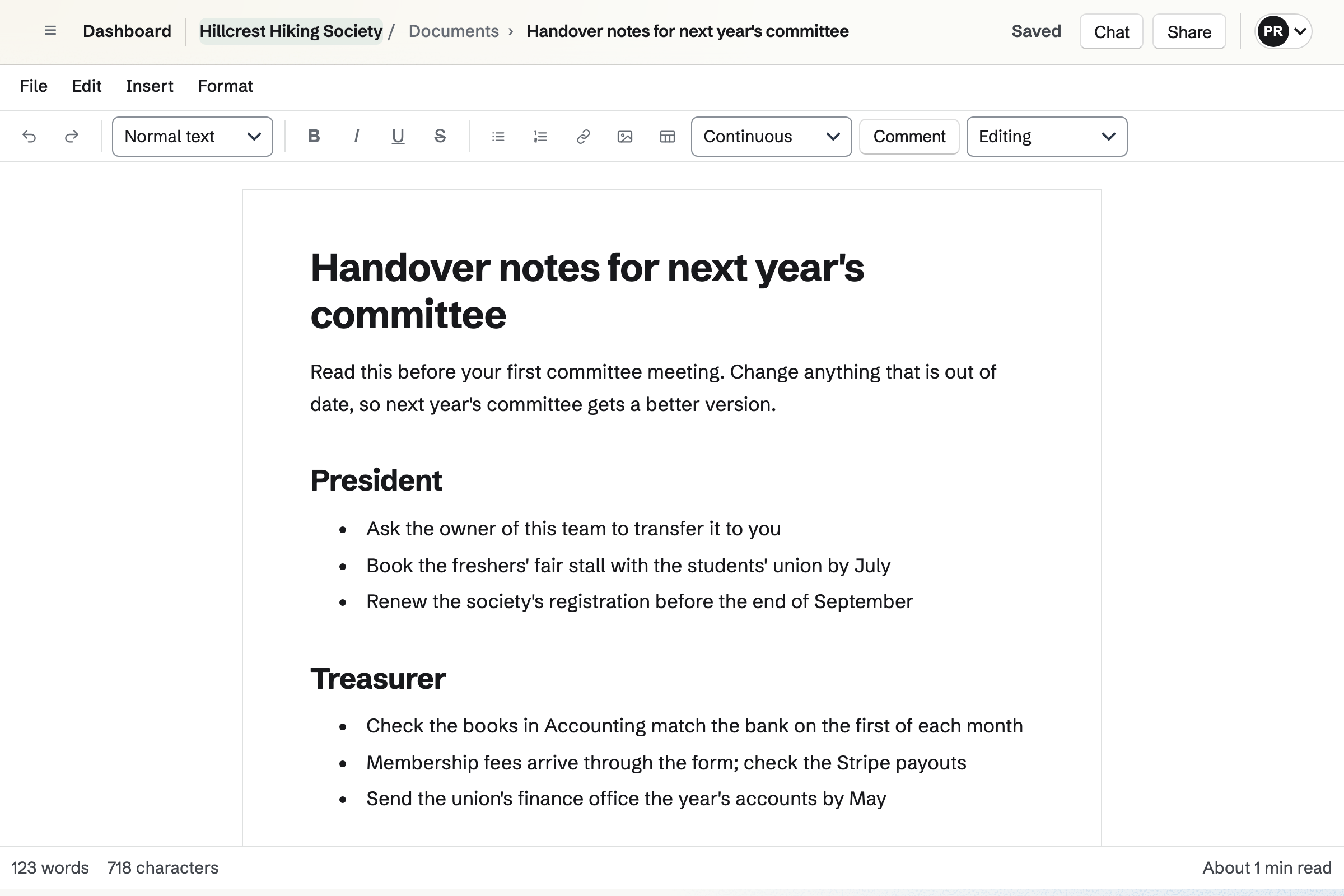
Documents keeps the constitution, the minutes and the handover notes in the society's team. They stay there when a committee member leaves.
The committee can comment and suggest changes. A link lets anyone read a document, such as the constitution.
Accounting keeps the society's books. Form payments, shop sales and invoice payments are posted automatically.
Your students' union's finance office can be given Accounting only, as a guest. The books pass to the next treasurer with the team.
Students scan the code on your stall and join.
Members RSVP until the bar's back room is full.
The newsletter says what is on.
The new committee is elected, and the minutes go in Documents.
The team passes to the new president, with the books and the notes.
You invite the committee as members. Help: Create and manage a team.
Members can then pay by card. Help: Connect Stripe to receive money.
You choose its questions and the fee. Help: Require payment for a Form response.
You set its capacity and turn on RSVPs. Help: Create public and private calendar events.
A committee fits the Team plan, which stays with the society when the committee changes. Members who join, RSVP or buy merch are not added to it.
Magpie's fee on a paid Form is 1% of each payment. Shop sales carry no Magpie fee. Prices are on the Pricing page.
A community group lists events, signs up volunteers and talks on a board.
A sports club registers players and runs its matches.
Yes. A QR code on your stall opens the membership form. A paid form takes the fee by card as they join.
Yes. Each event's page takes Going or Not going, up to the capacity you set. Its page then says it is full.
Yes. Newsletter sends each issue to everyone on the list. You can bring in last year's list as a CSV file.
The society's team stays, with its documents, books, forms and plan. The owner can transfer it to the new president once they are an admin. Old members can leave.
Yes. Its finance office can be a guest with Accounting only. A guest takes no place on the plan.
Yes. A hoodie can have a size option, each size with its own stock. Members pay online and collect their order.
Yes. Team chat gives the committee channels and threads. A channel can be for one event.
Yes. Link-In-Bio List gives the society a page of links, such as the membership form.
Create a Magpie account and make a team for the society.