Community gardens and allotment societies
A community garden lets plots, lends tools and runs work days.
Tool libraries and community lending
The volunteers who run the library work in one Magpie team. Members join on the form, borrow at the counter and support you online.
Get started free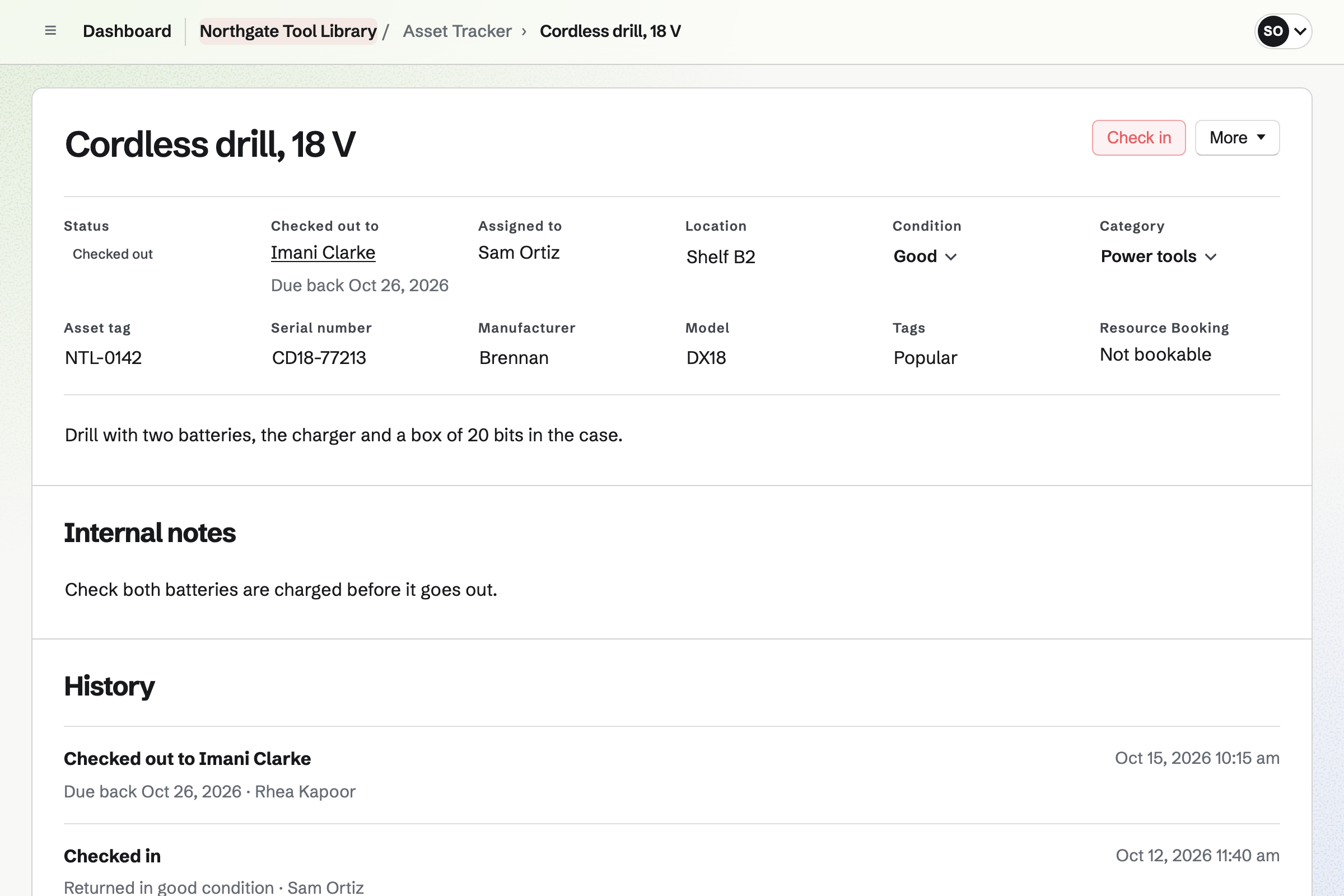
Forms builds a membership form with your questions, such as agreeing to the lending rules. A paid form can take a yearly fee by card.
Every new member comes into one list, and you get an email for each one.
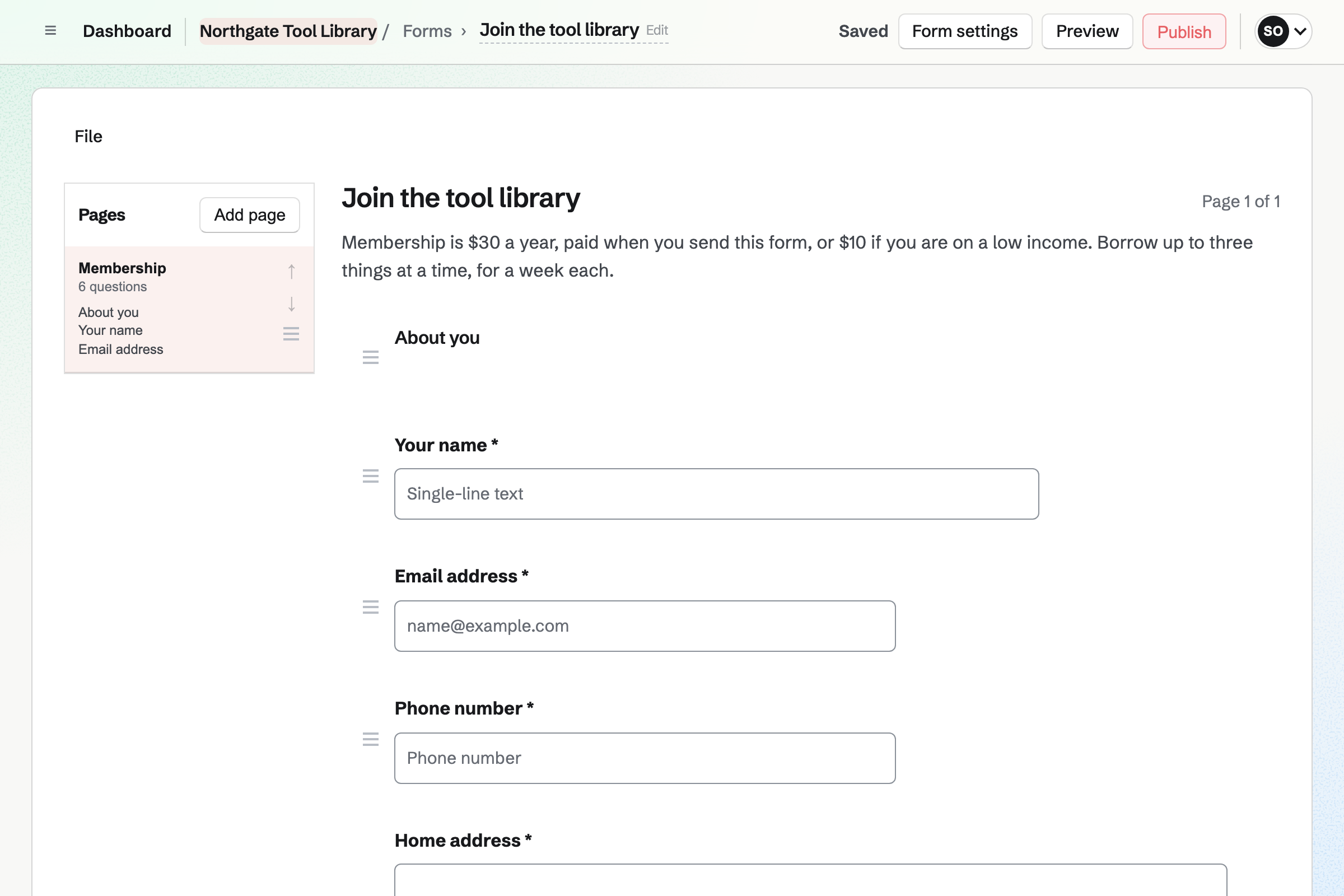
Contacts keeps each member, with tags such as Volunteer and notes such as an ID check. A follow-up becomes a To-do, such as a reminder about a late return.
Search finds a member by name, tag or note at the counter.
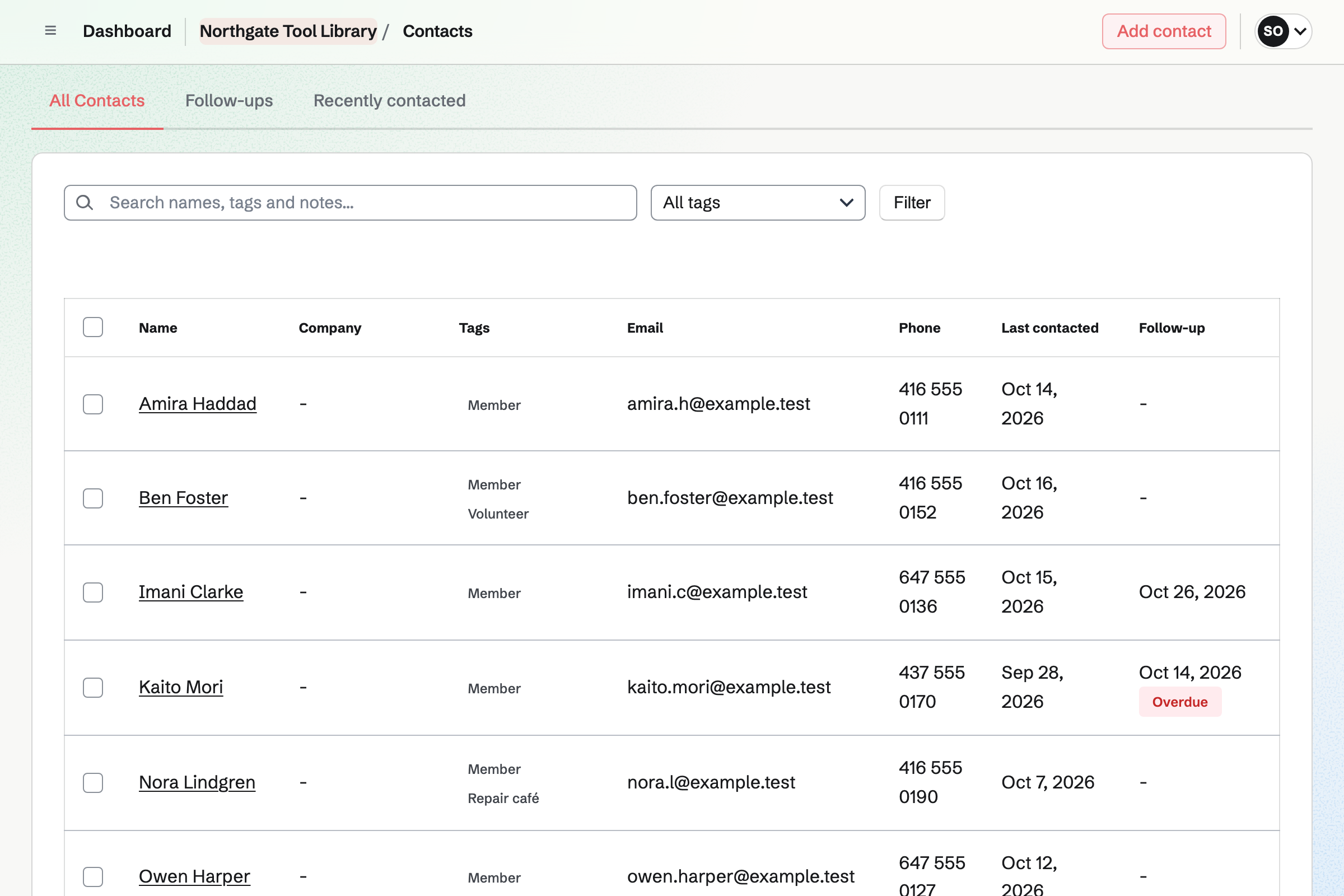
Asset Tracker keeps each drill, ladder and carpet cleaner, with its tag, condition and photos. Lending one checks it out to a member, with a due date.
Checking it back in records its condition. An item in for repair is marked as in maintenance, so it is not lent.
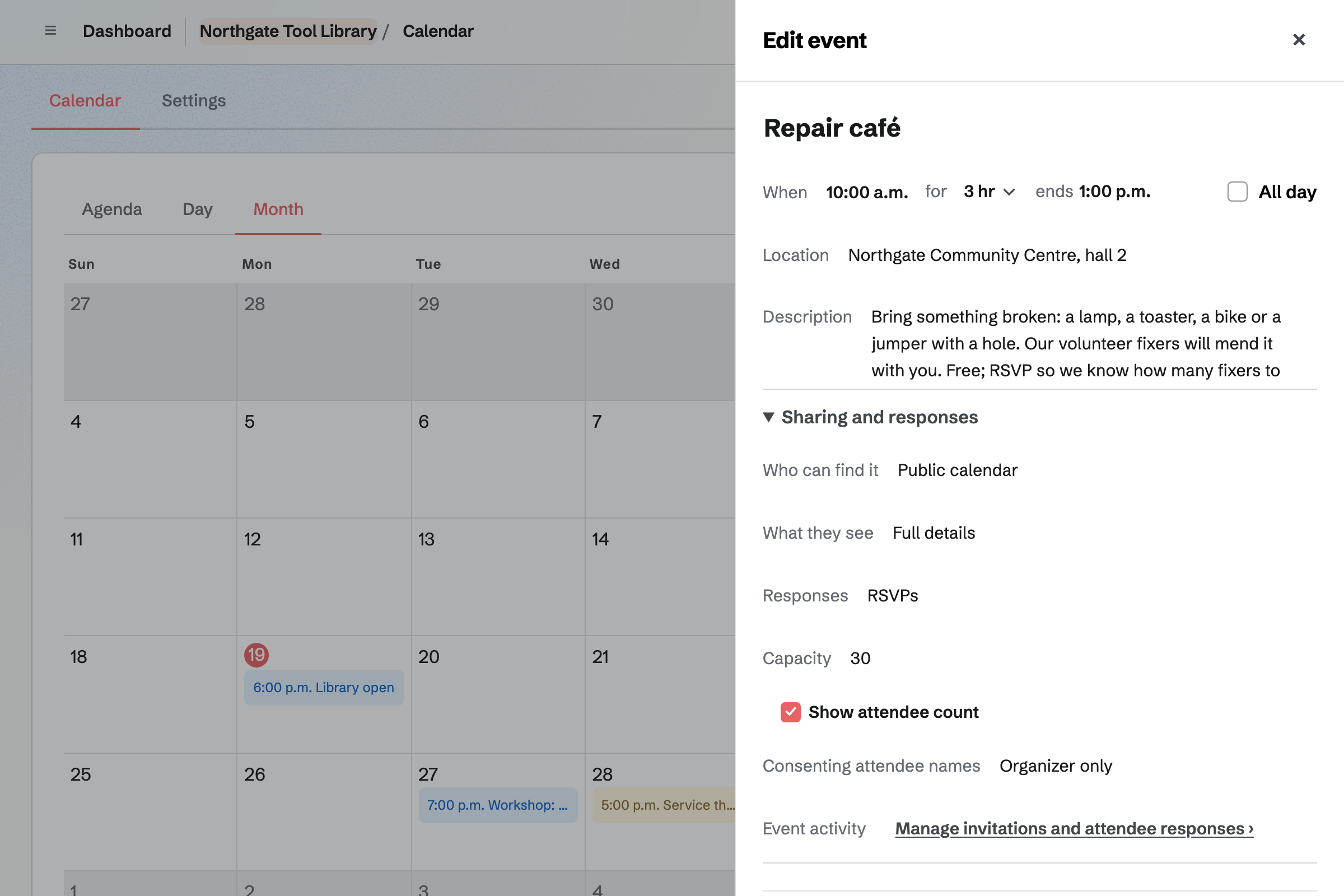
Calendar holds each repair café and workshop on your public calendar. People reply Going, and RSVPs stop at the capacity you set.
You see every reply, with the person's email address. A workshop page can show how many are going.
Newsletter keeps the members' mailing list, with double opt-in on its sign-up page. A list can be brought in from a CSV file.
You write each issue, send yourself a test and schedule it. Each issue's page counts the copies delivered.
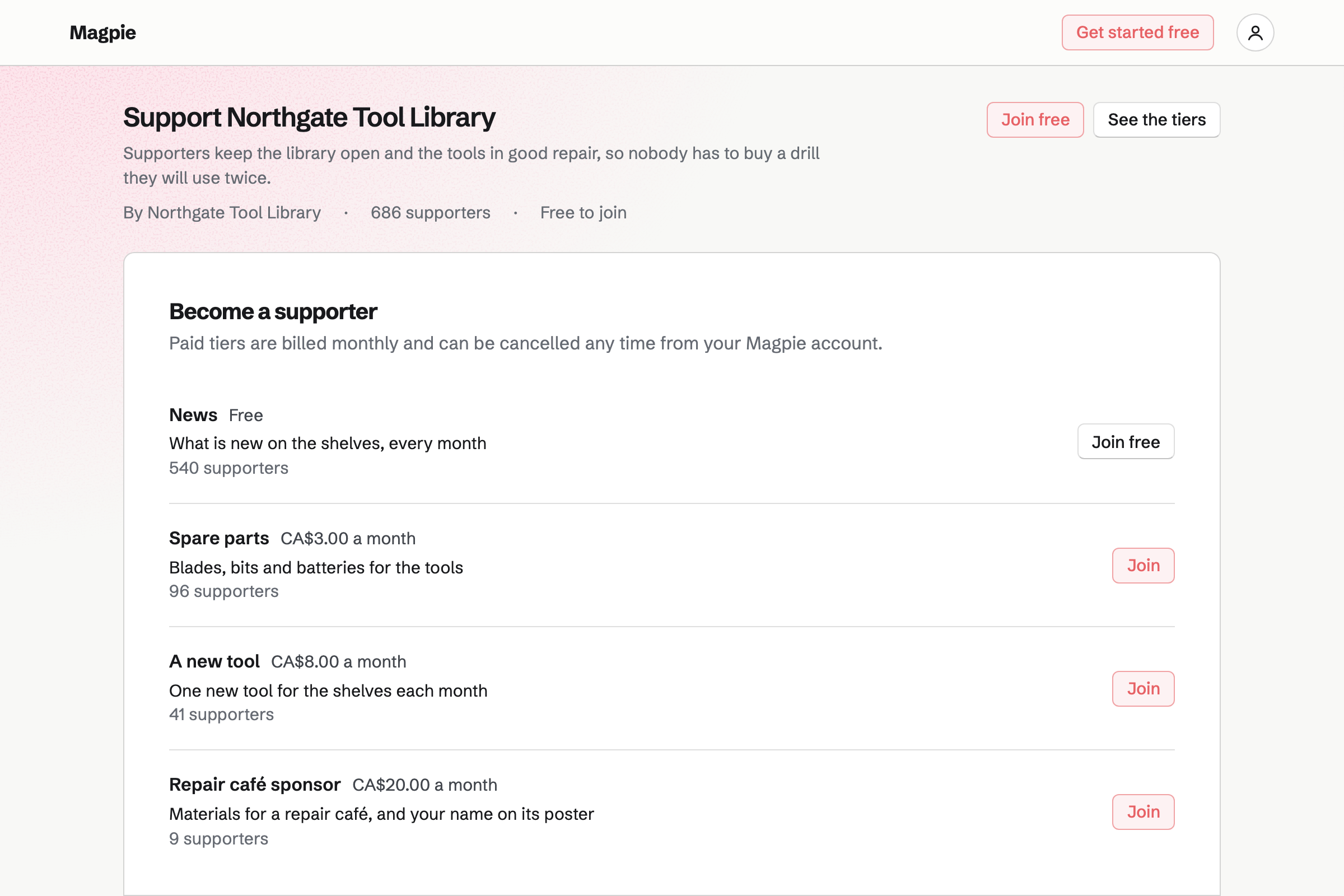
Supporters gives the library a public page, with a free tier and monthly paid tiers. Payments go to your own Stripe account.
Posts can go to everyone or to paying supporters, with photos, a video or a poll.
A neighbour joins on the form.
The drill is checked out to them for a week.
A follow-up reminds you the day it is due.
It is checked back in, with its condition.
A worn chuck is fixed at the next one.
You can import the list from a CSV file. Help: Import and export assets as CSV.
You choose its questions and any fee. Help: Build, publish, and share a form.
Members and supporters can then pay by card. Help: Connect Stripe to receive money.
You set the tiers. Help: Set up Supporters.
A library fits the Team plan, with each volunteer who lends items a member. Members who borrow are not added to the team.
Magpie's fee on supporters' payments is 3%, and on a paid Form 1%. Prices are on the Pricing page.
A community garden lets plots, lends tools and runs work days.
A coworking space runs memberships, rooms and the front desk.
A community group lists events, signs up volunteers and talks on a board.
Yes. The drill is checked out to the member, with a due date. After that date it shows as overdue, in its own list.
Yes. Each item shows who has it, and its history lists every loan. Searching the list for a member's name finds what they have, because search matches people.
Yes. Checking it in records its condition, with notes. A damaged item can be marked as in maintenance until it is repaired.
Yes. A membership form asks your questions. A paid form can take a yearly fee by card.
Yes. Items can be imported from a CSV file, and exported the same way.
Yes. Each repair café's page takes Going or Not going, up to the capacity you set.
Yes. Supporters gives you monthly paid tiers, paid by card through Stripe. Supporters change their card or cancel themselves.
Create a Magpie account and make a team for the library.