
Sports clubs and youth leagues
A sports club registers players for a season, plans coaches and referees and books pitches.
Run clubs
You and your run leads work in one Magpie team. Runners use the run pages, sign-up form and shop you publish.
Create account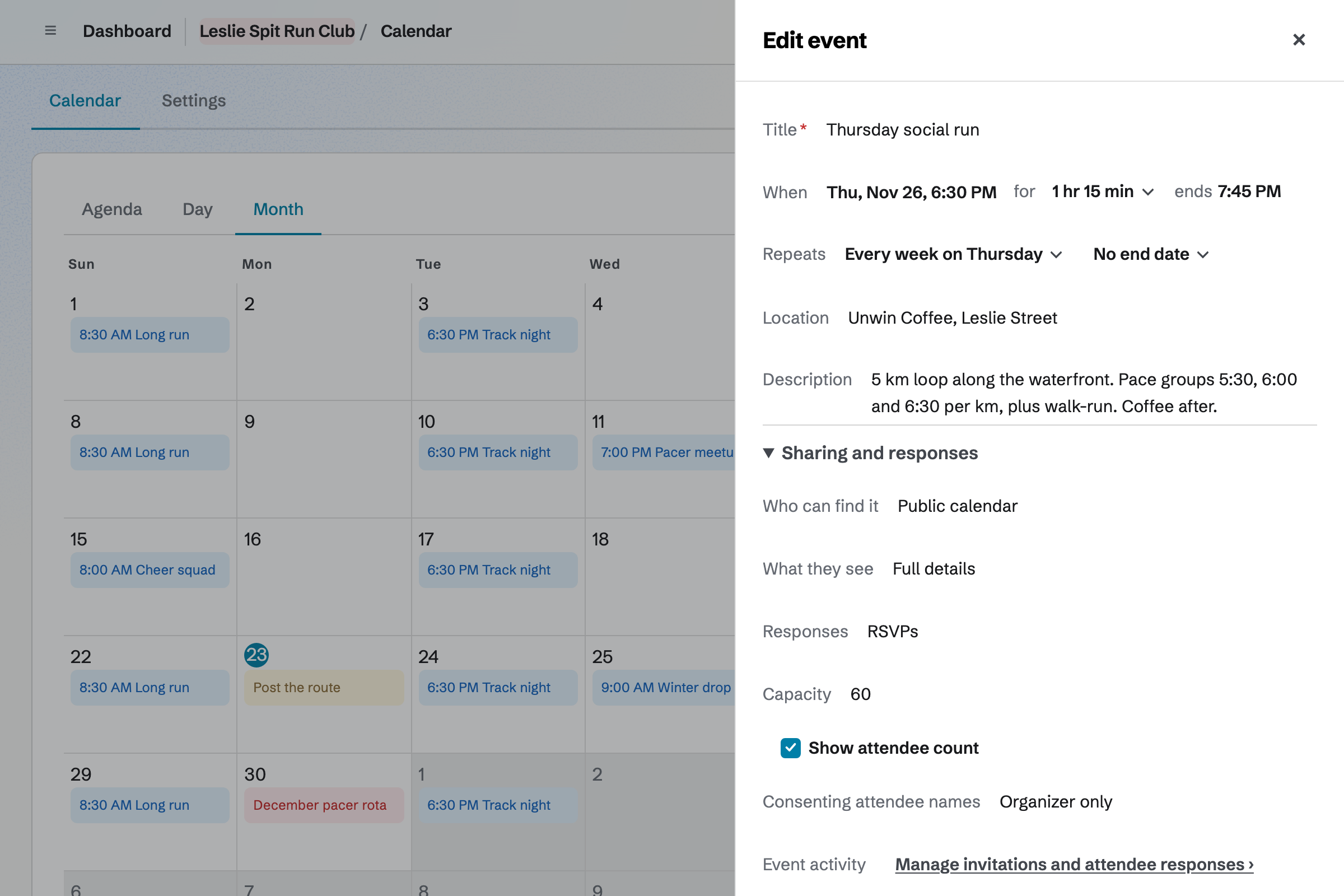
Calendar holds the club's runs. The Thursday social run repeats every week. Each week is its own event, with its own RSVPs. The meeting point and the route go on the event.
Runners reply Going or Not going on the run's page. A capacity caps the Sunday long run, and its page then says it is full. Your public calendar lists every run, so a new runner can find the next one.

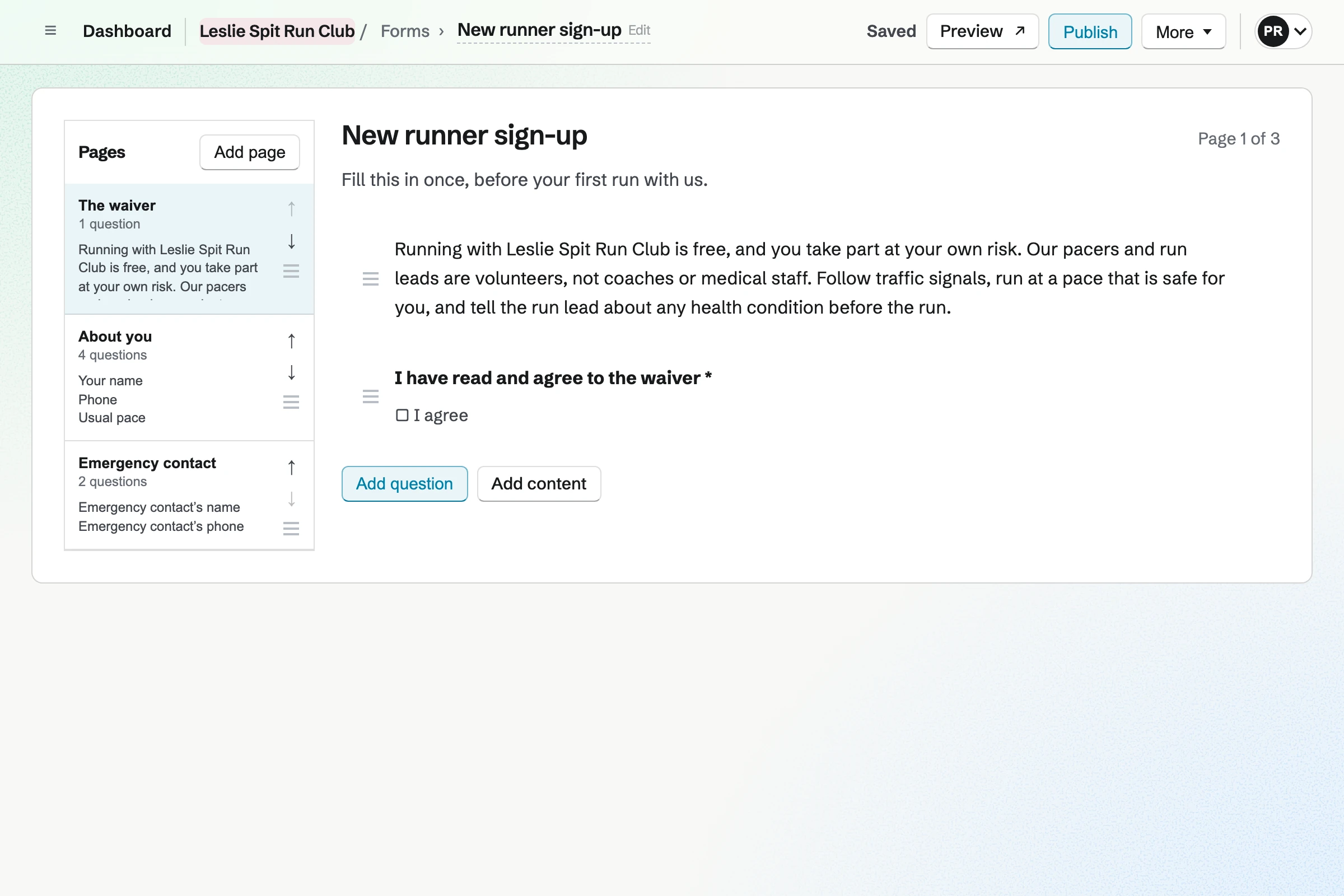
Forms builds the form a new runner fills in before their first run. It asks for their phone, an emergency contact and their usual pace. A required tick box records that they agree to your waiver.
Each sign-up comes into one list you can search and export. Magpie emails you each one as it arrives. A form can also take a fee, such as entry to the club's summer 5K.
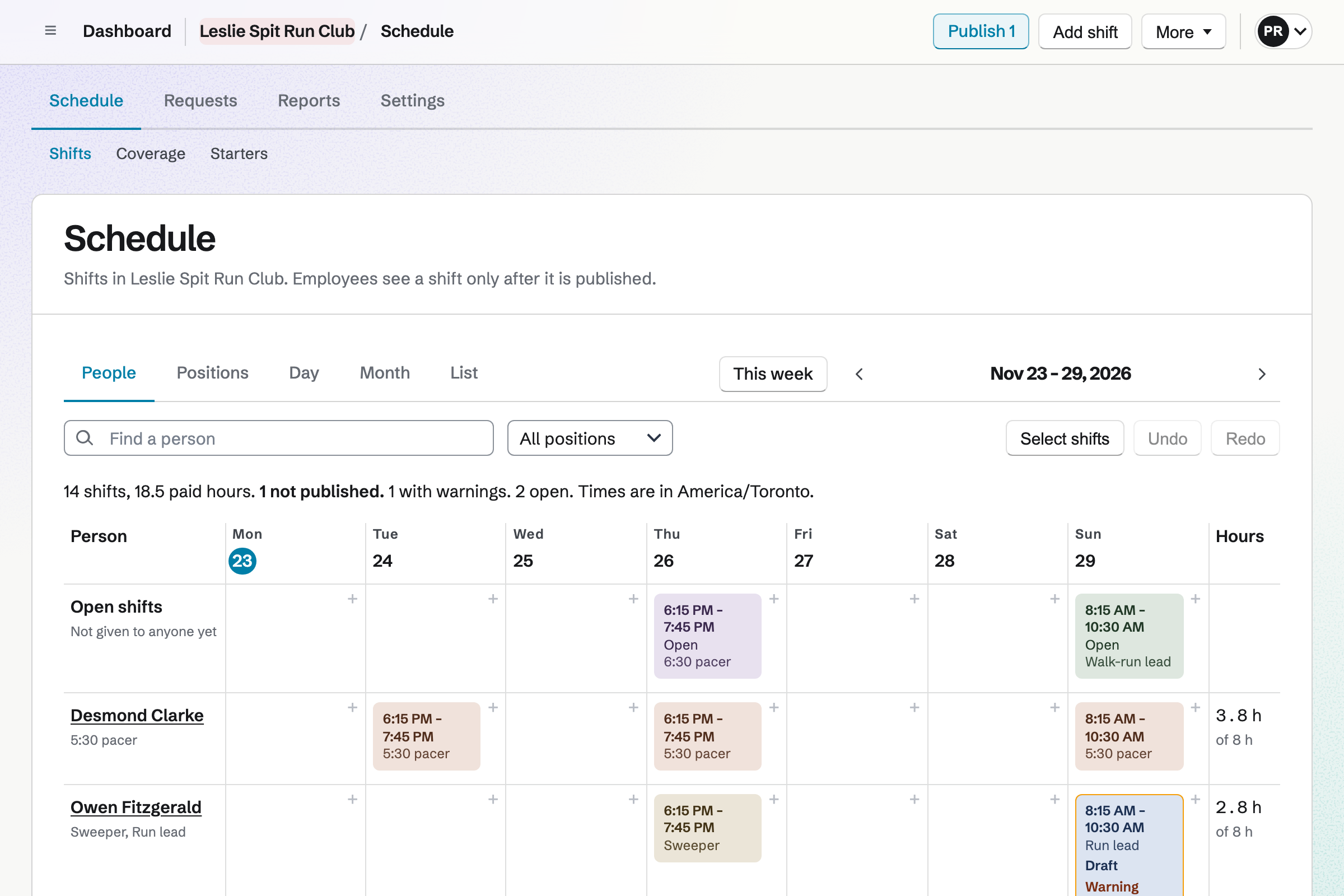
Staff Scheduling plans who leads each run. Each pace group is a role on the rota. So is the sweeper at the back. A pacer you invite sees their own runs, and can ask for cover.
An open slot shows a group still without a pacer. The run lead's role can require first aid. A run given to someone whose certificate has expired is flagged.
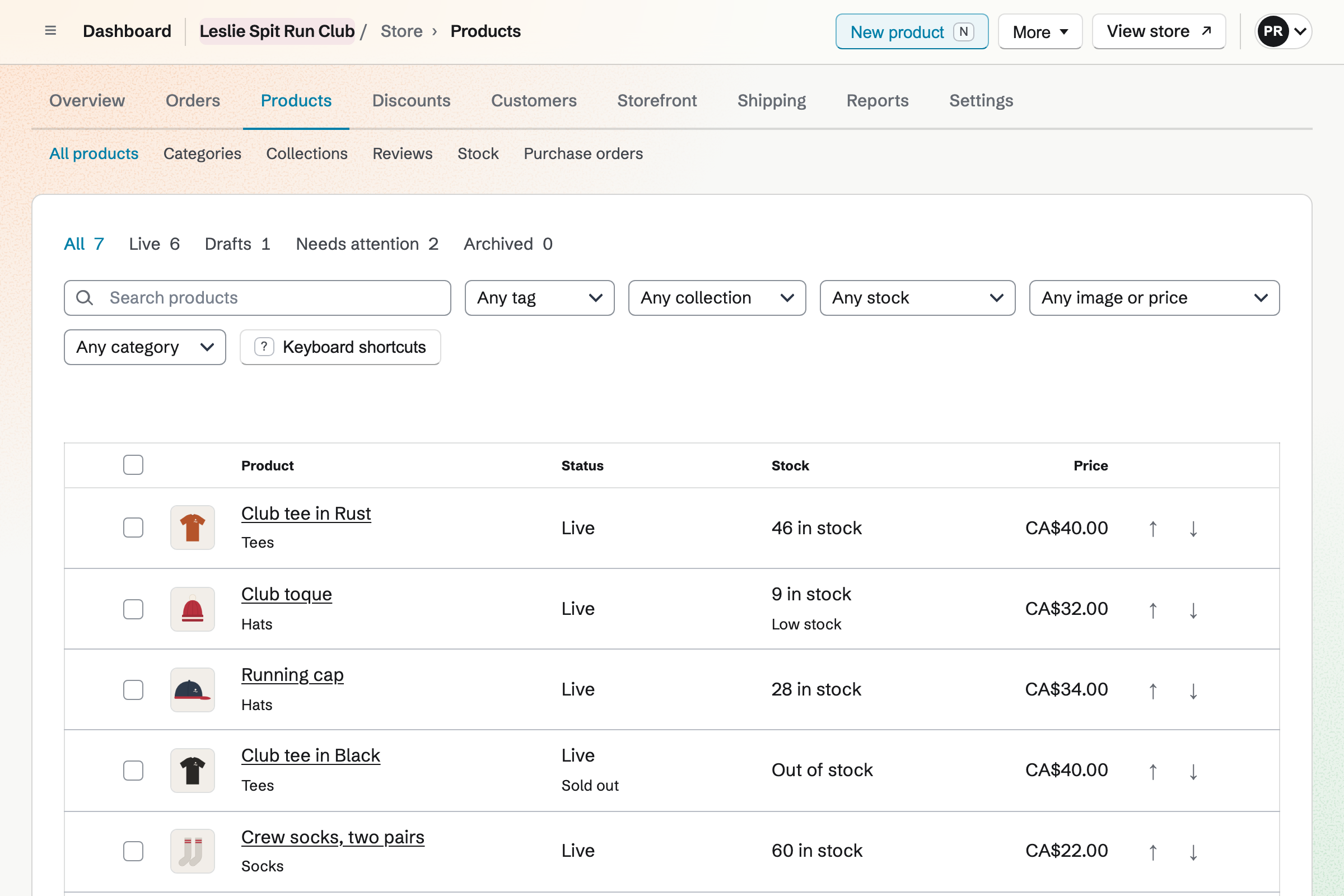
Store is the club's online shop. A tee has a size for each option, with its own stock. A new colourway can go live at a set time. A limit caps how many one runner buys.
Runners pay by card into the club's own Stripe account. They can collect their order at Thursday's run. Magpie emails them when you mark it ready. A sold-out size can take pre-orders.
Newsletter keeps the club's mailing list. Its sign-up page confirms each address by email. You write each issue, send yourself a test and schedule it.
An issue can announce Sunday's route or the date of the spring drop. Checkout in the club shop can ask runners to join the list.

Link-In-Bio List is a single public page of links. It is made for the one link a social profile allows. Headings group the links, such as Runs, Merch and Partners.
Each link counts its clicks, so you can see what runners open. Its colours can follow the club's own accent colour.
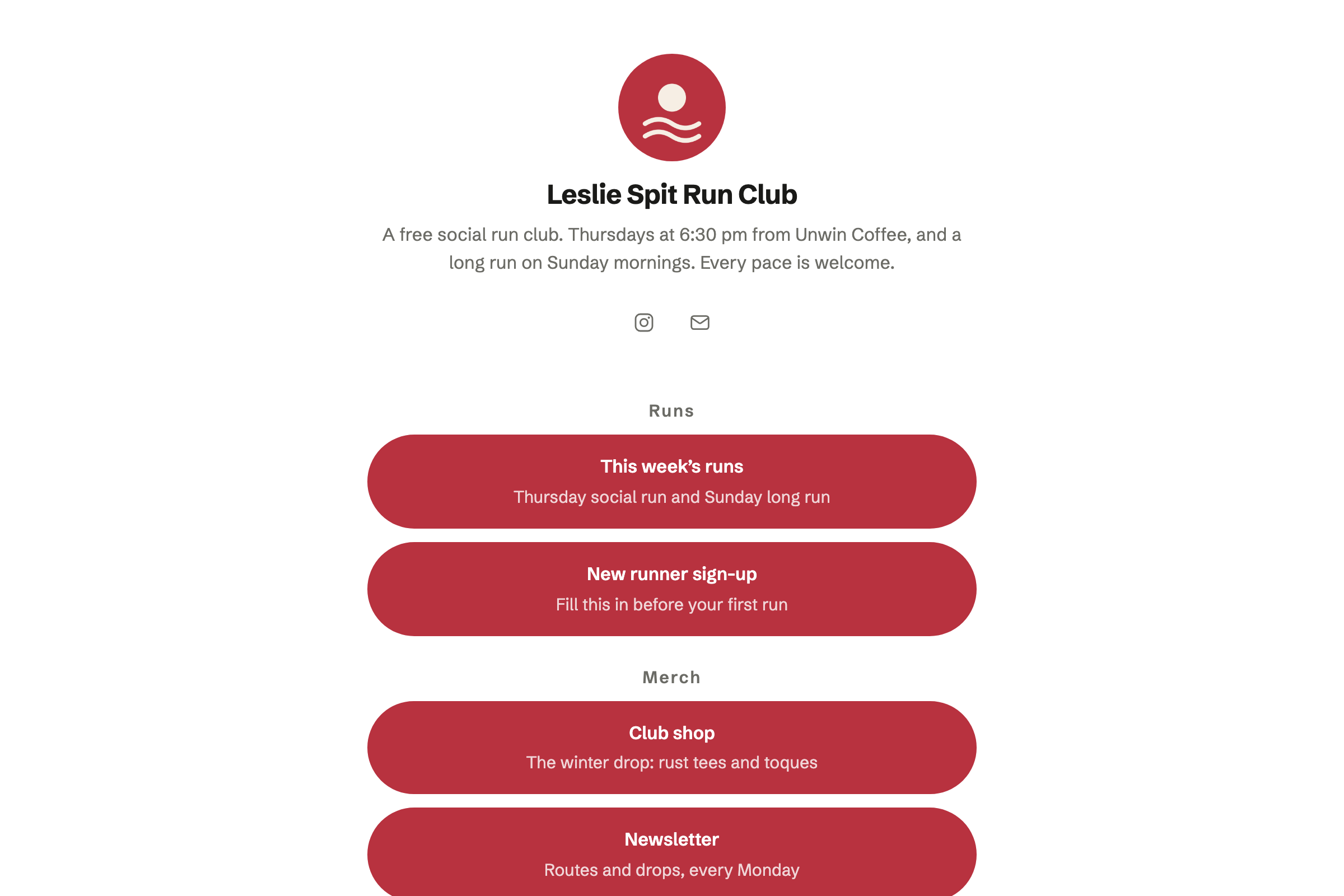
They open your page of links and choose the runs.
Your public calendar shows Thursday's social run and Sunday's long run.
They fill in the new runner form, with an emergency contact and the waiver. Magpie emails you their answers.
They reply Going on Thursday's run, and the count on its page goes up.
Their pace group has a pacer from the rota, and the sweeper runs at the back.
They order the club tee and collect it at the next run.
You create a team and invite your run leads. Help: Create and manage a team.
You add Thursday's run, set it to repeat every week and turn on RSVPs. Help: Create public and private calendar events.
You start from the Registration form and add your waiver. Help: Build, publish, and share a form.
You connect the club's Stripe account before the first drop. Help: Connect Stripe to receive money.
A club run by up to 3 people fits a free team. With more run leads and pacers, the Team plan has 25 member places at one price. Each pacer you invite to see their runs takes a place.
Runners who RSVP, sign up or buy merch are not added to the team. Magpie's fee is 4% on a paid form and 4% on shop sales. Prices are on the Pricing page.
A sports club registers players for a season, plans coaches and referees and books pitches.
A coach working alone books private lessons, runs small groups and fills holiday camps.
A personal trainer books one-to-one sessions and bills clients for them.
A gym runs classes, members and the front desk.
A student society signs up members with their fee, and hands on to next year's committee.
A community group lists events, signs up volunteers and talks on a board.
An event organizer takes paid registrations for one big day, like a festival.
A tour company takes bookings for guided departures, and every guest signs the waiver.
Yes. Each week's run has its own page, where runners reply Going or Not going. They sign in to reply, and a runner without a Magpie account makes a free one. You see every reply, with the runner's email address.
Yes. A run can repeat every week, every two weeks or on the days you choose. Each week is an event of its own, with its own RSVPs. Repeats are made about a year ahead. A run that repeats counts as one event toward your plan's limit.
Yes. When you change a run that repeats, Magpie asks which runs the change is for. This event changes that week only, such as a new meeting point. This and following events changes every run after it.
Yes. A capacity stops RSVPs once that many runners are going. The run's page then says it is full. The page can also show how many are going.
Yes. Your public calendar lists every run you put on it, and anyone can open it. Each run's page shows the time, the meeting point and how many are going. You can share a run's address anywhere.
In the run's description, with the pace groups. The meeting point goes in its location. A new route for one week changes that week's run only.
Yes. The meetup is an event of its own, with the cheer spot as its location. Runners RSVP as they do for a run. It can be on your public calendar, or only for people with its link.
Yes. The sign-up form can show your waiver's text and a required box to tick. The form will not send until it is ticked. Each sign-up keeps the version of the form the runner saw. A later change does not rewrite it.
Yes. The form asks the questions you choose. An emergency contact is a name question and a phone question. A usual pace can be a choice, such as 5:30 or 6:30 per kilometre. Every answer comes into one list you can export.
Yes. Magpie emails you each new sign-up as it arrives, with a link to the answers. You can turn this off in the form's settings. The list of sign-ups can be searched by name.
Yes. A form can take a payment, the same amount for every response. Runners pay by card into the club's own Stripe account. Magpie's fee on a paid form is 4%, and Stripe takes its processing fee.
Yes. Each pacer you invite sees their own runs once you publish the week. They can swap a run with another pacer or ask for cover. Each pacer you invite takes a member place in the team.
Yes. Each pace group is a role on the rota, such as 5:30 or walk-run. The sweeper is a role too. A group with nobody on it is an open slot. It is offered to every pacer who can lead it.
They ask for cover from their own page. Pacers who could lead that group are asked, and they can offer to take it. You choose who takes it, or the first to offer does. You are reminded if nobody has covered it.
Yes. A role such as run lead can require a first aid qualification. You record each person's certificate with its expiry date. A run given to someone without it, or with an expired one, is flagged.
Yes. A tee has an option for each size, with its own stock. Runners pay by card into the club's Stripe account. Magpie's fee on shop sales is 4%.
Yes. A new product can go live at a date and time you choose. It appears in the shop at that moment. A limit per customer caps how many one email address can buy.
Yes. Local pickup can be a free choice at checkout, with the meeting point's address and times. When an order is ready, you mark it, and the runner is emailed. You mark it collected when they take it.
Yes. A size can keep selling after its stock runs out, with an expected ship date. Those orders are listed under Pre-orders. A sold-out size can instead offer to email runners when it is back.
Yes. Newsletter keeps the club's list, and each address confirms its sign-up by email. You write an issue, send yourself a test and schedule it. Runners who buy merch can join the list at checkout.
Yes. A list you already have comes in as a CSV file. Only addresses that gave permission are imported.
The address of your Link-In-Bio List. It is one public page of links. It can hold the run calendar, the new runner form and the shop. Each link counts its clicks.
Yes. QR Codes makes a code that opens your run calendar or sign-up form. A dynamic code can point somewhere new later, without reprinting the flyer.
Yes. A public message board can be read by anyone, without an account. Runners signed in to Magpie can post, comment and vote. Each posts under a handle they choose.
Yes. Contacts keeps each partner with your notes. A follow-up reminds you when to get back to them, such as before the spring drop.
Yes. Accounting keeps the club's books. Merch sales and paid forms are added automatically, with their Stripe fees. Bank statements come in as CSV files.
Create a Magpie account and make a team for the club.