1Password compared with Magpie

1Password vs Magpie: an in-depth comparison

1Password and Magpie both keep passwords encrypted so that only you can read them. They are built around different things.

  1. 1Password is a password manager with apps for computers and phones and extensions for the main browsers. It is built for anyone who wants passwords, passkeys and cards saved and filled for them. It has plans for one person, a family and a company.
  2. Magpie is one subscription for a small business's software, and Password Vault is one part of it. Beside the vault it includes Secure Files, Mail, booking pages, invoicing, a website and more. It is built for someone whose passwords are one part of running the business.
Create account
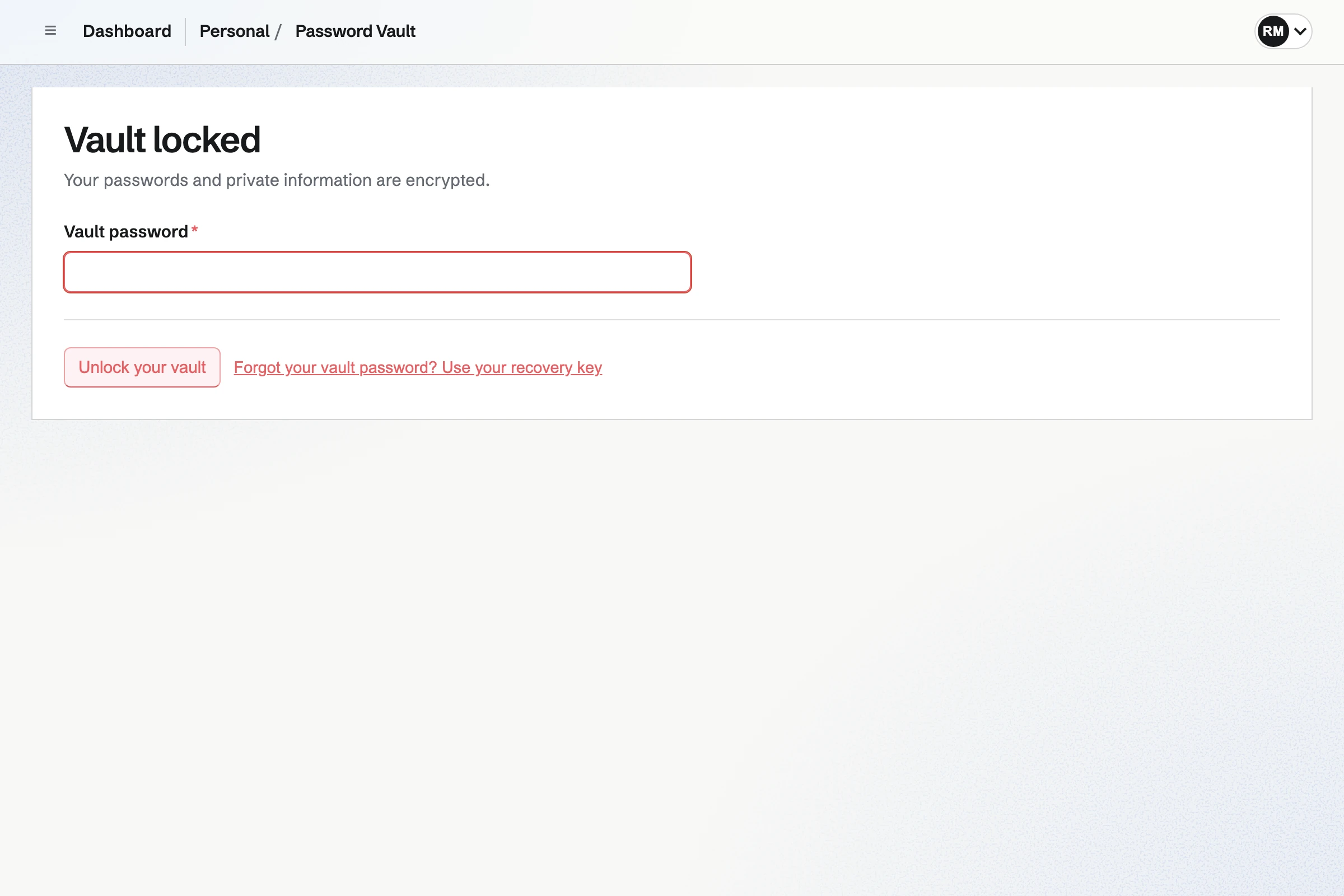
Password Vault locked, asking for the vault password before anything is decrypted.

How is Magpie different?

1. Password Vault comes with the rest of the business

One Magpie subscription includes the areas a small business would otherwise buy one at a time:

  • Password Vault for logins, notes, two-factor codes, API credentials and SSH keys
  • Secure Files for files encrypted with the same key, sent by links that expire
  • Mail for email addresses at your domain, with aliases and a catch-all
  • Meetings, Appointments and Invoicing for booking pages and invoices paid online
  • Websites, Store, Newsletter, Documents, Notes and the other areas, in the same team

Everything is in one account with one bill.

2. Password Vault is included on the Free plan

Password Vault is on every Magpie plan, Free included, with no limit on items. Two-factor codes, version history and the recovery key come with it. Secure Files keeps files within the plan's storage, 5 GB on Free and 100 GB on Pro.

3. Passwords and files open with one key

Secure Files encrypts each file with the same key as Password Vault. Unlocking Password Vault in a browser tab unlocks Secure Files too. A document can go out by an encrypted link that expires, and so can a copy of any Password Vault item. Git Repositories can send a new access token to Password Vault.

Comparing Magpie and 1Password

1Password does more to fill and watch your passwords; Magpie puts the vault beside the rest of the business. Every line in the tables below was checked against 1Password's own pages, linked from each row, and against Magpie's code and Help.

Platform

What1PasswordMagpie
Encrypted password vaultLogins and notes only you can read Yes Yes
Two-factor codesA site's codes kept with its login Yes Yes
Filling in the browserAn extension that fills and saves logins Yes No
Phone apps with autofillLogins filled into apps and websites on a phone Yes No
Desktop appsMac, Windows and Linux, with a shortcut from any app Yes No
PasskeysSave a site's passkey and sign in with it Yes No
Shared vaultsPasswords shared with a family or a team Yes No
Password health and breach alertsWeak, reused and breached passwords listed Watchtower No
Encrypted filesFiles kept with the same encryption Yes Secure Files
Share one item by linkA password sent to someone safely Yes Yes
Stand-in email addressesA different address for each website With Fastmail Aliases at your domain
Developer toolsAn SSH agent and a command-line tool Yes No
Company sign-in and directory syncOkta, Entra ID and others Business No
Independent security auditsPublished certificates and test reports Yes No
Free planA password manager without paying 14-day trial Yes
Email at your domainMailboxes at the business's own domain No Paid plans
Booking pages and invoicingClients book a time and pay invoices online No Yes

Good to know: Where Magpie says No or Partly, the line under the row says what Magpie does instead. Each gap has an item on Magpie's roadmap, and the line changes on the day it ships.

Security and unlocking

Both encrypt everything in a vault before it leaves your device. 1Password adds a Secret Key to the account password, and unlocks with a fingerprint or a face.

What1PasswordMagpie
Keep my passwords encrypted so that even the company running the service cannot read them Source Yes Yes
Get back into my passwords if I forget the main password Source Yes Yes
Protect my account with two-factor sign-in or a passkey Source Yes Yes
Unlock with my fingerprint or face instead of typing the password Source Magpie: The website asks for the vault password in each new browser tab, and cannot unlock with a fingerprint or face. The Magpie app offers Face ID, Touch ID or the fingerprint after the first unlock with the vault password, but it is not yet in the App Store or Google Play. Yes No
Have my passwords lock themselves when I stop using them Source Yes Yes
Have a copied password taken off the clipboard again Source Magpie: The website tries to empty the clipboard 30 seconds after a copy, which browsers allow only in some cases, such as while the Password Vault tab is still in front. The Magpie app removes a copied value after 90 seconds, a time you can change, but it is not yet in the App Store or Google Play. Yes Partly

Good to know: Password Vault locks after 15 minutes without activity unless you change it, and a new browser tab starts locked. Its password is separate from your Magpie sign-in password.

Saving and filling

1Password fills logins, cards and addresses in the browser and on phones, saves new logins and keeps passkeys. They do it better than we do today: on Magpie's website you copy a value and paste it.

What1PasswordMagpie
Fill my username and password into a website's sign-in form Source Magpie: Magpie's browser extension for Chrome, Edge and Firefox, which fills a login or a two-factor code on the site it is saved for, is built but not published in any browser's store, so members cannot install it yet. On the website you copy the username and password and paste them. Yes No
Save a new login when I sign up or sign in on a website Source Magpie: Nothing notices a sign-in. You add a login in Password Vault yourself; the unpublished extension has an Add a login form with the site's address filled in. Yes No
Fill my logins into apps and websites on my phone Source Magpie: On a phone, the website copies a value to paste into another app. The Magpie app, not yet in the App Store or Google Play, does not fill other apps either; how filling could work is planned, and none of it is built. Yes No
Fill my card number and address into a checkout form Source Magpie: Password Vault has no card or address item, and nothing fills a form. A card kept as a custom item is copied one field at a time. Yes No
Make a strong, random password for a new account Source Yes Yes
Make a memorable password out of words Source Magpie: The generator makes random characters only, with no words option. Yes No
Save a passkey for a website and sign in with it Source Magpie: Password Vault cannot store passkeys. Magpie accepts passkeys only for signing in to Magpie itself, kept by the device or another password manager. Yes No
Keep a site's two-factor codes with its login Source Yes Yes
Remember which sites I sign in to with Google, Apple or Facebook Source Magpie: A login holds a username, password and website. Which provider a site uses can only be written in its notes. Yes No
Sign up to a website with a stand-in email address that passes mail on to me Source Magpie: Mail takes aliases and a catch-all at a domain you own, so an address made up for a site arrives in a Magpie mailbox without being set up first, and one can be refused later. It needs your own domain, nothing makes a random address while you sign up, and mail cannot be passed on to an address elsewhere. Yes Partly

Good to know: Generate password makes a password of 8 to 64 characters in your browser. A login with a two-factor code shows the current code and its countdown, ready to copy.

What a vault holds

Both keep logins, notes, API credentials and SSH keys. 1Password has ready-made kinds for cards, passports and bank accounts, and files inside any item.

What1PasswordMagpie
Keep logins and private notes Source Yes Yes
Keep cards, bank accounts, passports and other records, each with the right fields Source Magpie: A custom item takes fields you name, each of which can be concealed, so a card or a passport can be kept that way. There are no ready-made kinds for them, so each field is added by hand. Yes Partly
Add fields of my own, such as security questions, to any item Source Magpie: Only a custom item has fields you add, rename and remove, as text or concealed values, with Add, rename or remove fields. A login keeps its username, password and website, with notes and tags. Yes Partly
Keep important files, such as a scan of my passport, encrypted with my passwords Source Magpie: Secure Files keeps files encrypted with the same key as Password Vault, in folders, up to 2 GB each within the plan's storage (5 GB on Free, 100 GB on Pro). A file cannot be attached to a Password Vault item. Yes Partly
Keep SSH keys and API keys Source Yes Yes

Good to know: A custom item takes fields you name, and any of them can be concealed. Secure Files keeps files encrypted with the same key, up to 2 GB each.

Finding, history and devices

Both search, tag and favourite items, keep earlier versions and restore deleted items. 1Password adds apps that work offline, several vaults and an export other apps can read.

What1PasswordMagpie
Find items with search, tags and favourites Source Yes Yes
Keep separate vaults, such as one for work and one for home Source Magpie: Each account has one Password Vault, and tags group the items in it. Yes Partly
Go back to an earlier version of an item Source Yes Yes
Get back an item I deleted Source Yes Yes
Bring my passwords over from another password manager or browser Source Yes Yes
Export my passwords to a file another password manager can read Source Magpie: Export encrypted backup downloads a .magpievault file that only the vault password or recovery key can decrypt, but nothing reads it yet, Magpie included. There is no export another app can read. Yes No
Get to my passwords with no internet connection Source Magpie: The website needs a connection to open Password Vault. The Magpie app keeps an encrypted copy on the phone and opens from it with no connection, but it is not yet in the App Store or Google Play. Yes No
Use my passwords on my phone and my computer, kept in step Source Yes Yes
Use it as an app on my computer, with a shortcut that finds a login from any app Source Magpie: There is no desktop app: on a computer, Password Vault is a page on the website. Yes No

Good to know: Version history keeps each earlier version for at least 30 days, then the 10 most recent. Import passwords reads a CSV file in your browser and flags duplicates.

Watchtower

1Password's Watchtower lists weak and reused passwords, breached sites, and sites that offer two-factor codes. Magpie's website has none of these reports.

What1PasswordMagpie
See which of my passwords are weak or used more than once Source Magpie: The website has no list of weak or reused passwords and does not rate a password's strength. Password health in the Magpie app lists weak, reused and year-old passwords, but the app is not yet in the App Store or Google Play. Yes No
Be warned when a site I use is breached or my password shows up in a breach Source Magpie: Password Vault checks nothing against reported breaches, in the app or on the website. Yes No
Be told which of my sites offer two-factor codes or passkeys that I have not set up Source Magpie: Nothing checks what a site supports, on the website or in the Magpie app's Password health. Yes No

Good to know: The Magpie app has Password health, which lists weak, reused and year-old passwords on the phone. The app is not yet in the App Store or Google Play.

Sharing, families and travel

Both send one item by a link that expires. 1Password also shares vaults with a family or a team, and gives a guest one vault. Password Vault is personal to each Magpie account.

What1PasswordMagpie
Send one password to someone safely, even if they do not use the same app Source Yes Yes
Share passwords with my family or my team, choosing who can see or change them Source Magpie: Password Vault is personal to each account. Team password vaults are not available, so changing the selected team does not change which vault opens. Yes No
Give someone outside the family or team, such as an accountant, one shared vault Source Magpie: Magpie's team guests use only the areas and records they are given, but Password Vault has no shared vault to give them. Yes No
Let a family organiser or team admin get someone back in after they forget their password Source Magpie: Only the person's own recovery key resets their vault password; nobody in a team can do it for them. Yes No
Hide some of my passwords from my devices while I cross a border Source Magpie: Locking Password Vault clears its keys, but every item is there again for anyone who unlocks it. Yes No

Good to know: Share securely encrypts a copy of the item in your browser, and the key is only in the link. The link can need a passphrase and allow one view. The person opening it needs no Magpie account.

Developers

1Password hands SSH keys to SSH and Git, and gives secrets to scripts through its command-line tool. Magpie stores the keys, and you copy them out.

What1PasswordMagpie
Use my SSH keys from the vault for SSH and Git, and sign commits, without a key file on my computer Source Magpie: To use a key, you save it to a file on the computer; Help says how. Nothing hands keys to SSH or Git from the vault. Yes No
Use secrets from the vault in scripts, apps and deployments Source Magpie: There is no command-line tool; an API credential is copied by hand. Yes No

Good to know: Generate key makes an Ed25519 SSH key in your browser and shows its fingerprint. Git Repositories can send a new access token to Password Vault.

Teams and Business

1Password Business sets policies, keeps an activity log and reports on the team's passwords. It connects to Okta or Entra ID. Magpie has none of these for Password Vault.

What1PasswordMagpie
Require everyone in the team to use two-factor sign-in and a strong password Source Magpie: Each member turns on two-factor sign-in for themselves, and a team admin cannot require it. Yes No
See who in the team did what with our passwords, and when Source Magpie: Password Vault is personal to each account, so there are no team passwords for a log to cover. A team's audit log lists who changed its members, guests and API keys, and when. Yes No
Unlock with our company's sign-in, such as Okta or Microsoft Entra ID Source Magpie: Members sign in to Magpie with a password, a passkey, or Apple, Google, LinkedIn or GitHub, and Password Vault still needs its own password. No company identity provider can be connected. Yes No
Add and remove people automatically from our company directory Source Magpie: A team admin invites and removes members by hand. Yes No
See the team's password health, and which passwords to change when someone leaves Source Magpie: There are no team reports. Password health covers one person's own vault, and only in the Magpie app, which is not yet in the App Store or Google Play. Yes No
Give each employee a password manager of their own for home Source Yes Yes

Good to know: Every Magpie account has its own Password Vault, apart from any team. It stays with the person when they leave a team.

Plans and trust

1Password has no free plan, and publishes SOC 2 and ISO 27001 certificates and penetration test reports. Magpie includes Password Vault on Free and has no independent audit yet.

What1PasswordMagpie
Use a password manager without paying Source 1Password: There is no free plan. Individual is for one person and Families for 5 people, both paid, with a lower price in the first year when paid yearly, after a 14-day trial. No Yes
See independent security audits before trusting it with my passwords Source Magpie: Magpie has no SOC 2 report, ISO 27001 certificate or published independent review of Password Vault. Yes No

Good to know: Password Vault has no limit on items on any plan. Secure Files counts against the plan's storage: 5 GB on Free and 100 GB on Pro.

Price comparison

How 1Password charges

1Password charges by plan, with a 14-day trial and no free plan. For people there are Individual, and Families for up to 5. For a business there are Teams Starter Pack, for up to 10 people, and Business, priced per person. Business adds single sign-on, directory sync, policies, the activity log and reports. Prices are on 1Password's pricing pages.

How Magpie charges

Magpie charges by plan, Free or a paid plan, for everything in the account. Password Vault is on every plan with no limit on items. The plan sets storage, team size and other areas' limits. Mail needs a paid plan. Prices are on Magpie's pricing page.

On top of the plan1PasswordMagpie
A password manager without payingA 14-day trialPassword Vault on Free, with no limit on items
Sharing with a familyFamilies, for up to 5 people and 5 guestsNot available; each account's vault is personal
A teamTeams Starter Pack for up to 10 people, or Business per personThe Team plan for up to 25 people; Password Vault stays personal
File storage1 GB a person, 5 GB on BusinessSecure Files within the plan's storage: 5 GB on Free, 100 GB on Pro
A vault at home for each employeeA free Families membership for each Business memberEvery Magpie account has its own Password Vault
Single sign-on and directory syncBusinessNot available
Booking pages, invoicing and email at your domainNot offeredIncluded; Mail needs a paid plan

When to choose Magpie or 1Password

  • Want an encrypted vault for passwords, two-factor codes and files at no cost, beside your bookings, invoices and email, and do not mind copying and pasting? Go with Magpie.
  • Want passwords and passkeys filled in for you on every device, shared with your family or team, and watched for breaches? 1Password is the right choice.

Recommendations by kind of business

For anyone who wants passwords filled in for them
1Password. Its extensions and apps fill logins, cards and passkeys on every device. They save new logins as you sign up. Magpie's browser extension is not in any store yet, so on the website you copy and paste.
For a family
1Password. Families shares vaults between up to 5 people and gives guests one vault each. Password Vault in Magpie is personal to each account.
For a company with an IT department
1Password. Business connects to Okta or Entra ID and requires two-factor sign-in. It keeps an activity log and reports on the team's passwords. Magpie has none of these for Password Vault.
For a developer
1Password. Its SSH agent hands keys to SSH and Git, and its command-line tool gives secrets to scripts and deployments. Magpie stores SSH keys and API credentials, and you copy them out.
For a sole trader who runs the business on Magpie
Magpie. Password Vault, Secure Files, Mail, booking pages and invoicing are in one account. The vault costs nothing extra on any plan.
For someone keeping recovery codes, SSH keys and private notes
Either. Both encrypt them end to end, keep earlier versions and restore deleted items. Choose 1Password to have them on every device. Choose Magpie to keep them at no cost beside the rest of your work.

Frequently asked questions

What is the difference between 1Password and Magpie?

1Password is a password manager with apps and browser extensions that fill and save your logins on every device. Magpie is one subscription for a small business's software. Its Password Vault is one area beside Secure Files, Mail, booking pages, invoicing and a website. 1Password does more for your passwords; Magpie does more around them.

Does Magpie replace 1Password?

No, if you want passwords filled into websites and apps for you. Yes, if you keep logins, notes, two-factor codes and SSH keys encrypted, and copy them when you need them. Password Vault does that on every plan, Free included.

Consider keeping 1Password if you want filling in the browser or on your phone, or passkeys. Keep it for shared family or team vaults, or breach alerts. Keep it too if your company signs in through Okta or Entra ID. 1Password does each of these better than Magpie does today.

How much does 1Password cost?

1Password has Individual and Families plans for people, and Teams Starter Pack and Business for companies. Families covers up to 5 people, Teams Starter Pack up to 10, and Business is priced per person. There is a 14-day trial and no free plan. The prices are on 1Password's pricing pages.

How much does Magpie cost?

Magpie has a Free plan and paid plans, each covering every area. Password Vault is on every plan, with no limit on items. A paid plan adds storage, email at your domain and, on the Team plan, up to 25 people. The prices are on Magpie's pricing page.

Does Magpie have a browser extension that fills passwords?

No. Magpie's browser extension for Chrome, Edge and Firefox is built. It is not in any browser's store, so it cannot be installed yet. On the website you copy the username and password from Password Vault and paste them. The extension is on Magpie's roadmap. 1Password's extension fills logins and saves new ones as you sign in.

Can Magpie fill passwords on my phone?

No. On a phone, Password Vault on the website copies a value to paste into another app. The Magpie app does not fill other apps either, and it is not yet in the App Store or Google Play. 1Password fills logins through the phone's own AutoFill on iPhone and Android.

Does Magpie store passkeys?

No. Password Vault cannot save a passkey for a website. Magpie accepts passkeys only for signing in to Magpie itself. Storing passkeys is on Magpie's roadmap. 1Password saves a site's passkey and signs you in with it.

Can I share passwords with my family or team in Magpie?

No. Password Vault is personal to each Magpie account, and there are no shared vaults yet. Share securely sends a copy of one item by an encrypted link that expires. Shared vaults are on Magpie's roadmap. 1Password shares vaults with a family or a team, with permissions for each.

Can I send one password to someone who does not use Magpie?

Yes. Share securely on a Password Vault item makes a link to a copy of it, encrypted in your browser. The link expires after 1 hour to 30 days, can allow one view and can need a passphrase. The person opening it needs no Magpie account, and you are emailed when they view it. 1Password shares an item by link too, for anyone or for named email addresses.

Does Magpie warn me about weak, reused or breached passwords?

No, not on the website. The Magpie app lists weak, reused and year-old passwords. It is not yet in the App Store or Google Play. Nothing in Magpie checks passwords against reported breaches. 1Password's Watchtower does all of these in every app.

Does 1Password have a free plan?

No. 1Password has a 14-day trial, then a paid plan. Magpie's Password Vault is on the Free plan, with no limit on items.

Does 1Password have booking pages, invoicing or email?

No. 1Password keeps passwords, passkeys, cards and files, and links to Fastmail for Masked Email addresses. Magpie includes Meetings, Appointments and Invoicing in every plan, in the same account as Password Vault. Mail needs a paid plan.

Is Magpie's Password Vault end-to-end encrypted?

Yes. Every item, with its title and tags, is encrypted in your browser. The key is made from your Password Vault password. Magpie stores only the result and cannot read it. There is no second key like 1Password's Secret Key, so the vault password alone protects a stolen copy.

What if I forget my Password Vault password?

Use your recovery key. Setting up Password Vault shows it once, and you have to save it before going on. With it you set a new vault password and keep every item. Magpie keeps no copy, so if both are lost the vault cannot be opened. In 1Password, a recovery code or a family organiser or team administrator gets you back in.

Can Magpie keep my two-factor codes?

Yes. Set up two-factor code on a login scans the site's QR code or takes its setup key. The login then shows the current code and its countdown, and Copy current code copies it. 1Password does the same, and fills the code into the page.

Can I move my passwords from 1Password to Magpie?

Yes. Export a CSV file from 1Password's desktop app, then use Import passwords in Password Vault. The file is read in your browser, two-factor secrets are kept, and a review flags duplicates. 1Password's own .1pux file is read only by the Magpie app. The app is not yet in the App Store or Google Play.

Can I export my passwords from Magpie to another password manager?

No. Export encrypted backup downloads a file that only your vault password or recovery key can decrypt. No other app reads it. A readable export is on Magpie's roadmap. 1Password exports a CSV or 1PUX file.

Can I use Magpie's Password Vault offline?

No. The website needs a connection to open Password Vault. The Magpie app opens an encrypted copy with no connection. It is not yet in the App Store or Google Play. 1Password keeps your data on each device once it has synced.

Has Magpie's Password Vault been independently audited?

No. Magpie has no SOC 2 report, ISO 27001 certificate or published independent review of Password Vault. An audit is on Magpie's roadmap. 1Password publishes SOC 2 Type 2 and ISO 27001 certificates, yearly penetration test reports and a public bug bounty.

Does Magpie have single sign-on for Password Vault?

No. Members sign in to Magpie with a password, a passkey, or Apple, Google, LinkedIn or GitHub. Password Vault then asks for its own password. No company identity provider can be connected. 1Password Business unlocks through Okta, Entra ID, Google Workspace and others.

Can I keep files in Magpie's Password Vault?

Not inside an item. Secure Files keeps files encrypted with the same key as Password Vault, in folders, up to 2 GB each. 1Password attaches files to any item, with 1 GB a person and 5 GB on Business.

Can I use 1Password and Magpie together?

Yes. 1Password can fill your Magpie sign-in and store a passkey for it. Magpie runs your bookings, invoices, website and email. You can keep 1Password for filling and use Magpie for the rest of the business.

What is included in Magpie's Free plan?

Password Vault with no limit on items, Secure Files within 5 GB of storage, booking pages, Invoicing, Store, a website, the Newsletter, Forms and a team of 3. Mail is not on the Free plan: email at your domain needs a paid plan.
If a line on this page is wrong, tell us and we will correct it.

1Password changes, and so does Magpie. If a line is out of date about either product, email support@magpie.diy with the page that shows it. We check the line against that page, change it, and give it the new date. That goes for 1Password's own team as much as for anyone who uses it.

Set up Password Vault on Magpie's Free plan.

Create a Magpie account, then open Password Vault and choose its password.

Create account