What is the difference between Smallpdf and Magpie?
Smallpdf is a set of PDF tools on the web and in apps, with AI and signing through Sign.com. Magpie is one subscription for a small business's software. Its PDF Editor is one area beside E-Signatures, Secure Files, Documents and Invoicing. Smallpdf does more with a PDF's contents; Magpie does more around the PDF.
Does Magpie replace Smallpdf?
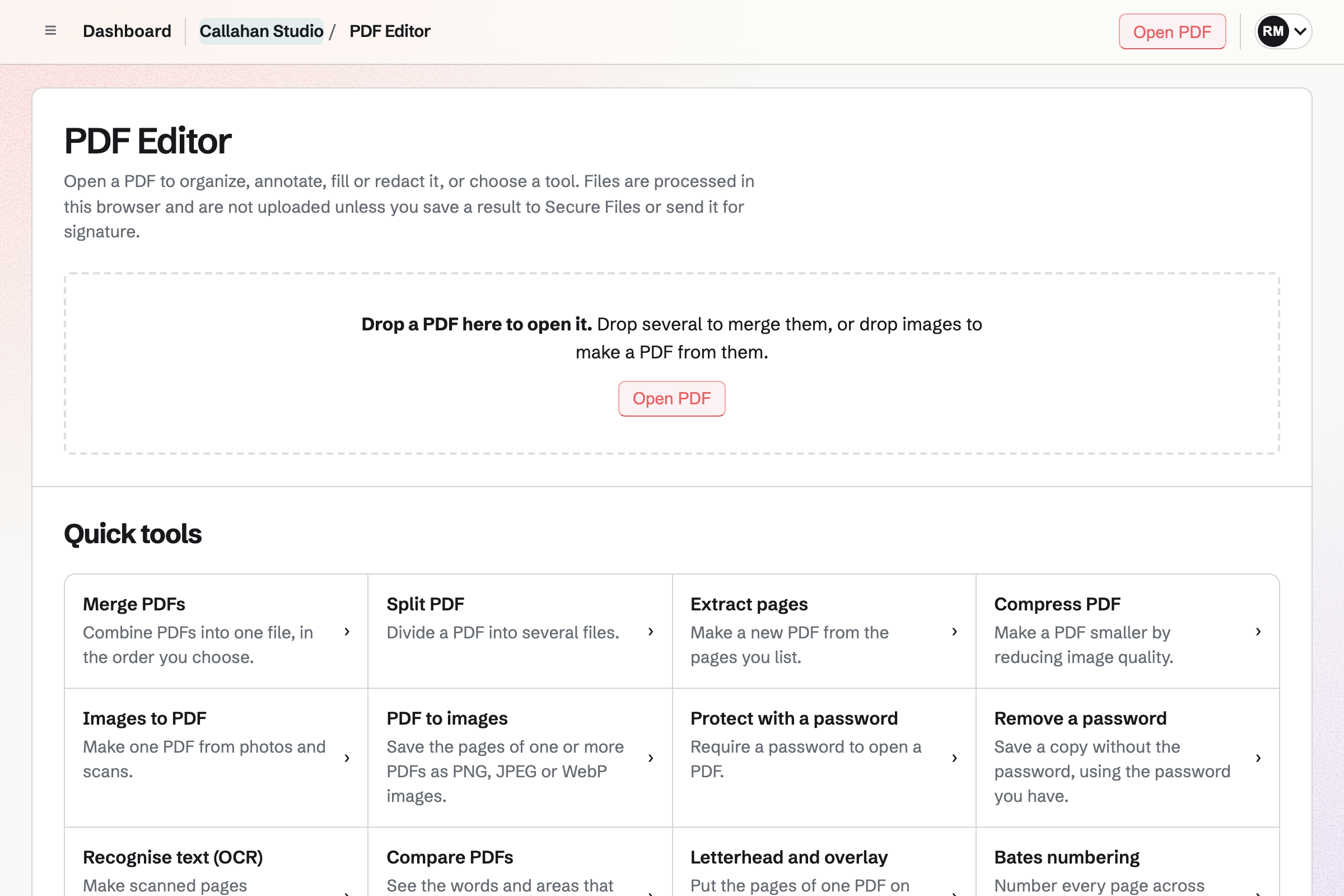
Yes, for a business that merges, compresses, marks up, redacts, protects and signs PDFs. PDF Editor does each of these in the browser, with no limit on any plan. E-Signatures sends a PDF to signers in order, with reminders and a certificate.
Consider keeping Smallpdf if you turn PDFs into Office files or change the words already in them. Keep it too if you use its AI tools, its phone or Windows app, or its Chrome extension. Smallpdf does each of these better than Magpie does today.
How much does Smallpdf cost?
Smallpdf has a Free plan with limited use, Pro for one person and Team priced per seat. Business is priced on request. Pro has a 7-day free trial and includes Sign.com Premium. The prices are on Smallpdf's pricing page.
How much does Magpie cost?
Magpie has a Free plan and paid plans, each covering every area. PDF Editor and E-Signatures have no limit on any plan. The Team plan is one price for up to 25 people, not a price per seat. The prices are on Magpie's pricing page.
Can Magpie turn a PDF into a Word file?
No. PDF Editor turns PDF pages into pictures only, and Documents cannot import a PDF. Turning a PDF into a document is on Magpie's roadmap. Smallpdf turns a PDF into a Word, Excel or PowerPoint file, with OCR for scans on Pro.
Can I change the text already in a PDF with Magpie?
No. Add text types new words on top of the page, and Redact removes old words for good. So a typo is covered or removed, not corrected. Smallpdf's Edit Text changes the words already there, on Pro.
Does Magpie have AI to summarise a PDF?
No. PDF Editor has no AI, and the assistant cannot read a PDF. PDF Editor keeps nothing on Magpie's servers, and Secure Files are encrypted. Smallpdf summarises a PDF, answers questions about it and translates it, with limits on Free.
Does Magpie have a phone app for PDFs?
PDF Editor works in a phone's browser, with each toolbar in one row to swipe through. Images to PDF takes photos with the camera and makes a PDF. The Magpie app has a document scanner, not yet in the App Store or Google Play. Smallpdf's app for iPhone and Android scans, edits and converts PDFs.
Does Magpie work offline or on the desktop?
No. PDF Editor runs in the browser and needs a connection to open. There is no app for Windows or Mac. The Magpie app's PDF tools work without a connection, but the app is not yet in the App Store or Google Play. Smallpdf's Windows app reads, compresses, converts and merges PDFs offline.
Does Magpie have a browser extension for PDFs?
No. Magpie's browser extension fills Password Vault logins only, and it is not yet in the browsers' stores. A PDF is downloaded first and then opened in PDF Editor. Smallpdf's free Chrome extension opens the tools from a PDF in the browser.
Can I open PDFs from Google Drive or Dropbox in Magpie?
No. PDF Editor opens PDFs from your device and from Secure Files, Mail, Invoicing, Expenses and Client Portal. Smallpdf's Google Workspace and Dropbox apps open files kept in those services.
Can I use Magpie's PDF Editor without an account?
No. PDF Editor needs a Magpie account, which is free. Smallpdf's tools, such as PDF to Word, work without an account within the free limits.
Are my PDFs uploaded?
Not in Magpie. Every PDF Editor tool runs in the browser tab, recognising text included. A PDF reaches Magpie only when you save it to Secure Files, encrypted first, or send it for signature. Smallpdf's online tools upload files over TLS and delete them after an hour unless you save them.
Can I sign a PDF myself in Magpie?
Yes, in more steps than Smallpdf. Choose Send for signature in PDF Editor and add yourself with Add me. Place your fields, then sign in your account. Smallpdf's Sign PDF adds a signature in a few clicks, without an account. Quicker signing for yourself is on Magpie's roadmap.
Can I send a PDF to other people to sign?
Yes, in both. Magpie's E-Signatures sets the signing order, tracks each signer and sends reminders, on every plan with no limit. Smallpdf does this through Sign.com, which comes with Pro. A free Sign.com account sends 2 documents a month.
Does Smallpdf compare two PDFs or add Bates numbers?
No. Neither is among Smallpdf's tools; Number Pages adds plain page numbers to each file. Magpie's Compare PDFs lists the words removed and added on each page. Its Bates numbering continues from file to file.
Can Magpie turn a Word file into a PDF?
Partly. A Word, OpenDocument, Markdown, HTML or text file imported into Documents downloads as a PDF. A deck made in Presentations exports one too. A spreadsheet or a PowerPoint file cannot be turned into a PDF. Smallpdf converts Word, Excel, PowerPoint and many other files.
Does Magpie make PDF/A files?
No. PDF Editor saves ordinary PDFs and does not make or check PDF/A. Smallpdf converts a file to PDF/A at the conformance level you choose.
Does Magpie have a security certification?
No. Magpie has no independent security certification or audit report to show, and one is on its roadmap. Smallpdf is ISO/IEC 27001 certified.
Can I use Smallpdf and Magpie together?
Yes. Smallpdf can turn a PDF into a Word file or change its text. The result can then be stored in Secure Files and sent for signature in Magpie. Each works on its own files, with no connection between them.
How do I move from Smallpdf to Magpie?
Download the PDFs you keep in Smallpdf's storage. Then upload them to Secure Files, or open them in PDF Editor. Download your signed documents from Sign.com too.
What is included in Magpie's Free plan?
PDF Editor with every quick tool, and E-Signatures with no limit on requests. Secure Files has 5 GB of storage, and a team has up to 3 members. Invoicing sends 5 invoices a month, and most of the other areas are included too.