What is the difference between Excel and Magpie?
Excel is Microsoft's spreadsheet, on the desktop, the web and phones, free in a browser and fuller in Microsoft 365. Magpie is one subscription for a small business's software. Its Spreadsheets area is one of many, beside invoicing, booking pages, email and a shop. Excel does much more inside a spreadsheet; Magpie does more around it.
Does Magpie replace Excel?
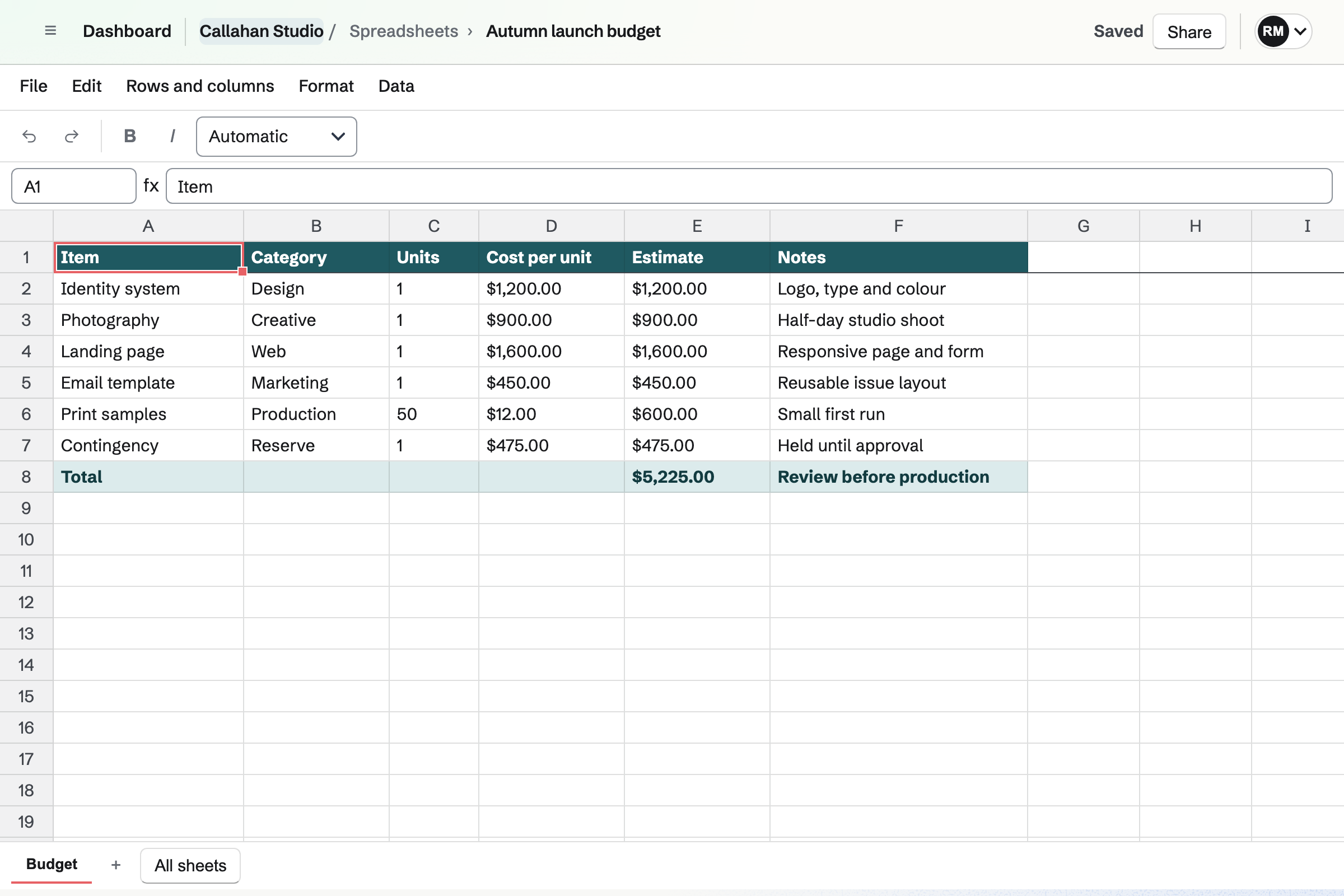
Yes, for lists and calculations: a price list, a budget, a stock count or a rota. Magpie has formulas, several sheets, tables, dropdowns, conditional formatting and filter views. It adds the invoicing, booking and email the business was buying elsewhere.
Consider keeping Excel if you need charts, PivotTables, Power Query or macros. Keep it if you send Excel files to others, print sheets, or work with several people at once. Excel does each of these better than Magpie does today.
How much does Excel cost?
Excel for the web is free with a Microsoft account and 5 GB of OneDrive. Microsoft 365 Personal, Family and the plans above them add the desktop app and Copilot. Python in Excel comes with Business and Enterprise plans. The prices are on Microsoft's pricing page.
How much does Magpie cost?
Magpie has a Free plan and paid plans, each covering every area. Personal is on Free or Pro. A team is on Free or the Team plan, one price for up to 25 people. Magpie takes 4% of Store sales and 4% of paid forms. The prices are on Magpie's pricing page.
Can Magpie make charts?
No. Neither the website nor the Magpie app has a way to make or show a chart. Charts in Spreadsheets are on Magpie's roadmap. Excel makes column, line, pie, bar, area, scatter, waterfall, funnel, histogram, treemap, combo and map charts. Recommended Charts suggests one for the selection.
Does Magpie have PivotTables?
No. Totals by group are written with SUMIFS, COUNTIFS or UNIQUE formulas instead. Pivot tables are on Magpie's roadmap. Excel sums up a range by the rows, columns and values you choose, and takes in new rows when refreshed.
Can several people edit a Magpie spreadsheet at once?
No. Each save is checked against the latest version. When someone else has changed the spreadsheet, you reload before carrying on. Live editing together is on Magpie's roadmap. Excel's co-authoring shows others' changes within seconds, for workbooks in OneDrive or SharePoint.
Can I comment on cells in Magpie?
No. Spreadsheets have no comments, so the Commenter role can do what a Viewer can. Comments are on Magpie's roadmap. Excel's threaded comments take replies, email the people you mention, and are resolved when done.
Does Magpie keep a history of a spreadsheet?
No. Undo and Redo reach the changes made since you opened the spreadsheet. There is no list of earlier versions. Version history is on Magpie's roadmap. Excel restores earlier versions of a workbook kept in OneDrive or SharePoint.
Can I open an Excel file in Magpie?
Not as an Excel file. Import makes a spreadsheet from a CSV or TSV file of one sheet, up to 5 MB. Save each Excel sheet as CSV first; formulas, formatting and the other sheets are left behind. Excel import is on Magpie's roadmap.
Can I download a Magpie spreadsheet as Excel or PDF?
No. File, Export CSV downloads the sheet you are on as CSV, with each formula's last result. There is no Excel download, print layout or PDF. Both are on Magpie's roadmap. Excel saves .xlsx, .xls, .ods and PDF files, and prints with headings repeated on every page.
Can I share a Magpie spreadsheet with a link?
No. A spreadsheet opens for its team's members and the people added under Share. Someone outside the team is emailed an invitation and gets a free account if needed. They join as a guest who sees only that spreadsheet. Excel makes a view or edit link that opens in Excel for the web.
Does Magpie have AI like Copilot in Excel?
Partly. The assistant on Dashboard makes a spreadsheet from CSV text it writes, or changes cells, sheets, filters and tables, once you confirm it. It cannot read a sheet's cells, so it cannot explain your data. Copilot works inside an Excel workbook where the Microsoft 365 plan includes it.
Does Magpie have the functions I use in Excel?
Most everyday ones. Magpie has about 170 functions, including SUMIFS, XLOOKUP, INDEX and MATCH, FILTER, UNIQUE, LET and LAMBDA. INDIRECT, OFFSET, SUBTOTAL, HYPERLINK, GROUPBY and PIVOTBY are missing, and a cell using one shows #NAME?. Excel has about 500.
Can I run macros or VBA in Magpie?
No. Spreadsheets has no macros or scripts. Named functions reuse a calculation, and Magpie's API changes cells from another program on a paid plan. Macros are on Magpie's roadmap. Excel records macros as VBA on the desktop and runs Office Scripts on the web.
Does Magpie have Python in cells?
No. Formulas use Magpie's own functions only. Python in Excel runs Python formulas in cells on Business and Enterprise plans, and in preview on Personal and Family.
Does Magpie have Goal Seek or Solver?
No. Trying values means changing the input cell and watching the result. Working back from a result is on Magpie's roadmap. Excel's Goal Seek changes one input until a formula reaches the result you want, and Solver handles several inputs.
Is there a Magpie desktop app?
No. Spreadsheets is used in a browser on a computer, and every part of it is there. A desktop app is on Magpie's roadmap. Microsoft 365 plans include desktop Excel for Windows and Mac.
Does Magpie have an app for my phone?
No. Spreadsheets opens in a phone's browser, but the editor is laid out for a computer. The Magpie app edits spreadsheets and calculates formulas on the phone. It is not yet in the App Store or Google Play. Excel has apps for iPhone, iPad and Android that work offline.
Does Excel for the web do everything the desktop app does?
No. Excel for the web edits most workbooks, but macros do not run there. Protected sheets can only be viewed, and some changes need the desktop app. In Magpie, everything Spreadsheets does is on the website.
Can I use Excel and Magpie together?
Yes. A team can keep its models in Excel while Magpie runs its bookings, invoices, email and shop. A CSV file saved from Excel imports into Magpie, and a Magpie sheet exported as CSV opens in Excel.
How do I move from Excel to Magpie?
Save each sheet as a CSV file; Excel keeps only the active sheet in a CSV. Then select Import on Magpie's Spreadsheets page and choose the file. Each file becomes a spreadsheet of one sheet. Formulas come across as their results, so write the ones you need again in Magpie.
What is included in Magpie's Free plan?
Spreadsheets, Documents, Notes, Kanban Boards, To-dos, Forms, Calendar, booking pages, Invoicing and most other areas. It has a team of 3, 10 guests and 5 GB of storage. Mail is not on the Free plan: email at your domain needs Pro or the Team plan.