What is the difference between Adobe Express and Magpie?
Adobe Express is a design app for quick content, with templates, stock, AI, video and a social scheduler. Magpie is one subscription for a small business's software. Its Image Converter and Design Canvas are areas beside QR Codes, PDF Editor, Social Media, bookings, invoicing and mail. Adobe Express does more inside a design; Magpie does more around it.
Does Magpie replace Adobe Express?
Yes, for a business that resizes, converts and designs its own pictures. Magpie crops, resizes and converts single pictures or whole folders. Design Canvas makes posts, flyers and cards.
Consider keeping Adobe Express if you rely on its templates, stock photos or AI pictures. Keep it too if you edit video for social media or remove busy backgrounds from any photo. Adobe Express does each of these better than Magpie does today.
How much does Adobe Express cost?
Adobe Express has a Free plan, and Premium, Firefly Pro, Teams and Enterprise. Free includes templates, stock and 250 generative credits a month. Teams is priced per person, paid yearly, for two people or more. The prices are on Adobe Express's pricing page.
How much does Magpie cost?
Magpie has a Free plan and paid plans, each covering every area. Image Converter, Design Canvas, QR Codes and PDF Editor are on every plan. Storage is 5 GB on Free and 100 GB on Pro. The Team plan is one price for up to 25 people, with 1 TB for the team. The prices are on Magpie's pricing page.
Can Magpie remove the background from a photo?
Partly. Make a colour transparent in Image Converter clears one colour, such as the white behind a logo. On a paid plan, Store cuts the product in a product photo out of any background, and you check each cutout first. Other pictures cannot have a busy background removed. Adobe Express removes the background from any photo. Doing that for every picture is on Magpie's roadmap.
Does Magpie make pictures with AI?
No. Nothing in Magpie makes a picture from a description or removes an object from a photo. Pictures come from Your images or an upload. Adobe Express does both with Adobe Firefly, using generative credits.
Does Magpie have templates?
Yes, a smaller set. Design Canvas has starters for social posts, print, work and screens. Among them are a sale post, an event flyer, a business card and a resume. A team administrator can add the team's own files as Team starters. Adobe Express has more than 100,000 templates on Free.
Does Magpie have stock photos?
No. Pictures come from Your images, uploaded by you, and Design Canvas draws shapes such as stars and arrows. Adobe Express includes Adobe Stock photos, videos and graphics, more on Premium. Stock photos are on Magpie's roadmap.
Can Magpie edit videos?
Partly. Screen Recorder's editor trims recordings made in the browser, cuts parts out and places a logo over them. It adds no music, text or transitions, and the website cannot upload a video made elsewhere. Adobe Express trims, joins, resizes and adds music to any video.
Can Magpie add captions to a video?
No. Nothing in Magpie transcribes a video. A recording's share page can show a Document you choose as its transcript. Adobe Express writes captions in the language spoken, which you can correct and style.
Can Magpie schedule social media posts?
Yes, for some networks. Social Media schedules posts on a calendar and publishes to Bluesky, Mastodon and LinkedIn. It reminds you to post to X and Instagram by hand, and has no video posts. Adobe Express's Content Scheduler publishes to TikTok, Instagram, Facebook, X, Pinterest and LinkedIn.
Does Magpie have a brand kit?
Partly. A Design System's Brand section keeps logos, colours, typography and guidance, and shares them as a page. Design Canvas does not read it, so nothing applies the brand to a design. Adobe Express applies a brand kit's logos, fonts and colours to designs.
Can I resize and convert many pictures at once?
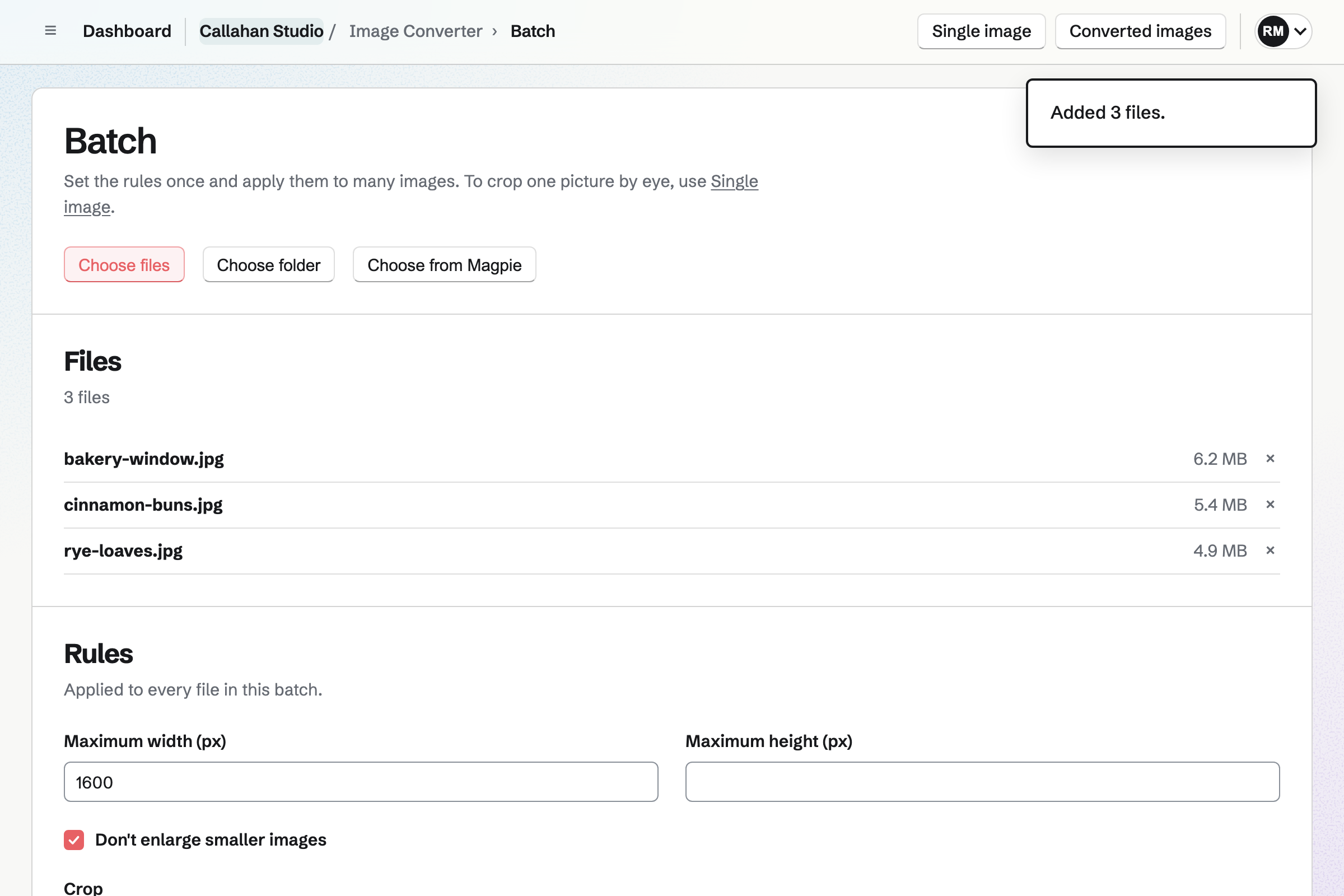
In Magpie, yes. Batch takes a whole folder, then scales, crops, converts and renames each picture. It previews the first few. The results download as a ZIP or go to Your images. Adobe Express's resize and conversion pages take one file at a time.
Can I get a picture under a maximum file size?
In Magpie, yes. With Set a maximum file size, Image Converter tries quality levels, and smaller dimensions if you allow it. It keeps the best result under the limit, or says when it cannot. Adobe Express's resize page gives no way to ask for a file size.
Does Adobe Express have dynamic QR codes?
No. Adobe Express's QR codes are static, so the address is fixed once the code is made. Magpie's dynamic codes can point somewhere new after printing, keep a history of earlier destinations and count scans.
Does Magpie have a logo maker?
No. Nothing in Magpie suggests logos from a business name. You can draw a logo in Design Canvas from shapes and text, and keep it in a Design System. Adobe Express's Logo Maker suggests designs from a name, a slogan and a style.
Can Magpie edit a PDF?
Partly. PDF Editor merges PDFs, reorders and turns pages, and adds text, highlights, notes, a watermark and redactions. The words and pictures already in the PDF cannot be changed. Adobe Express's Edit PDF changes them.
Can I open Photoshop or Illustrator files in Magpie?
No. Design Canvas cannot open PSD or AI files. A Design file starts blank, from a starter or from Magpie's own JSON layout. Adobe Express Premium syncs these files with Photoshop and Illustrator.
Does Magpie have a phone app?
Image Converter and Design Canvas work in a phone's browser. Image Converter resizes, crops and converts a photo from the phone. The Magpie app is not yet in the App Store or Google Play. Adobe Express has apps for iPhone and Android.
Can I order prints from Magpie?
No. Design Canvas exports a PDF or a picture, which you take to a printer yourself. Print with Adobe Express orders cards, flyers, posters and T-shirts. It delivers in the United States, the United Kingdom, Australia and Canada.
Can I use Adobe Express and Magpie together?
Yes. Make a post or a flyer in Adobe Express, then add it to Your images. From there it goes into a website, a Social Media post or a deck. Image Converter can resize and convert what Adobe Express downloads.
How do I move from Adobe Express to Magpie?
Download your designs from Adobe Express as pictures or PDFs, and add them to Your images. Make the designs you will change again in Design Canvas, from a starter or a blank file. Keep your Adobe account until every design you need is rebuilt.
What is included in Magpie's Free plan?
Image Converter with Batch, Design Canvas, QR Codes, PDF Editor and Social Media. Also a website, booking pages, Invoicing, Store and a team of 3, with 5 GB of storage.