What is the difference between TickTick and Magpie?
TickTick is a task manager and planner with apps for every device. Beside the lists it has a calendar, a focus timer, habits and the Eisenhower Matrix. Magpie is one subscription for a small business's software. Its To-dos is one area beside Calendar, Kanban Boards, Contacts, Time Tracking and Invoicing. TickTick does more for planning your own day; Magpie does more around the task list.
Does Magpie replace TickTick?
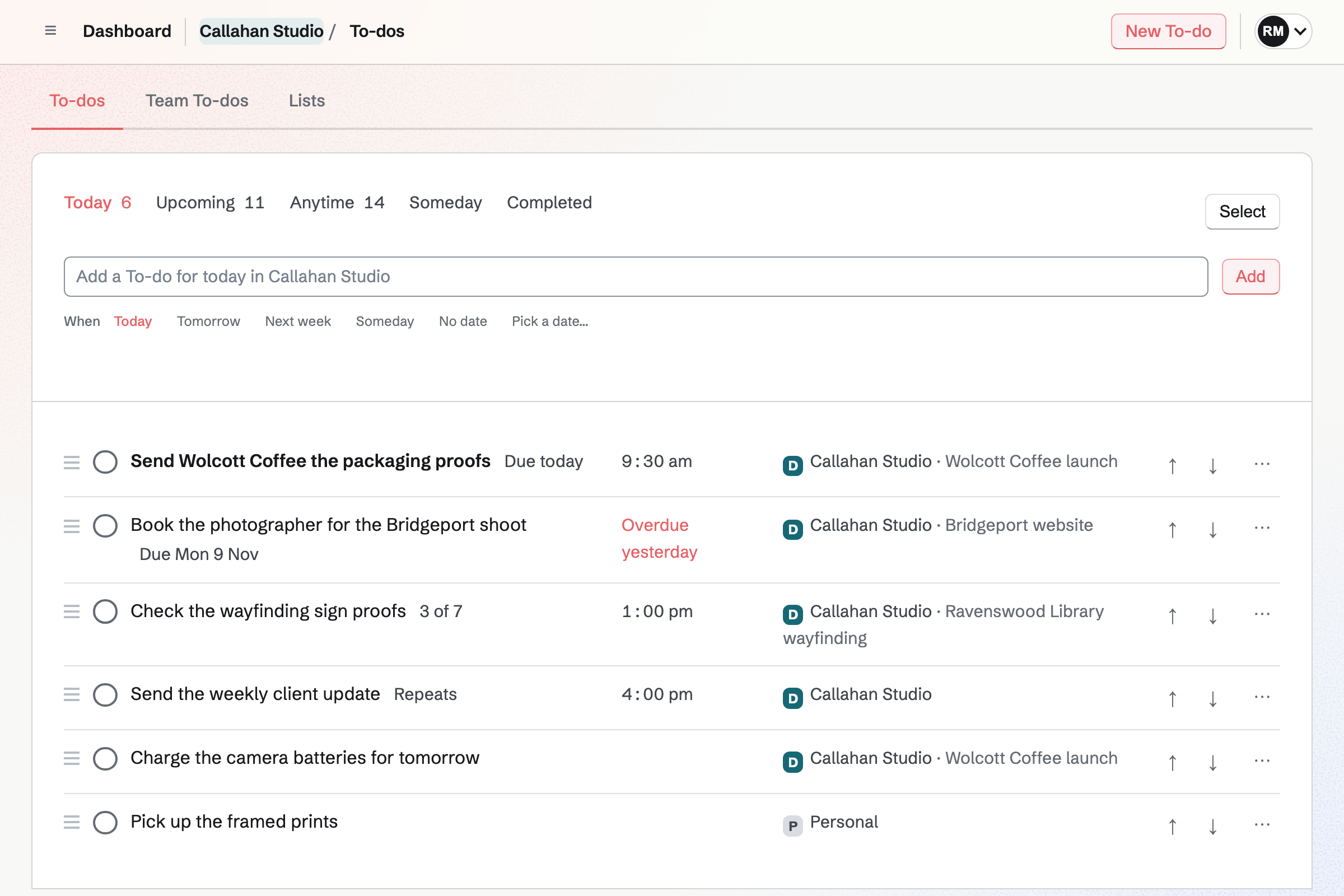
Yes, for a small business whose tasks come from its clients, its boards and its notes. Magpie has Today, Upcoming, Lists, Deadlines, reminders, repeats and shared Lists, all on the Free plan.
Consider keeping TickTick if you use its focus timer, habits or Eisenhower Matrix every day. Keep it too if you add tasks by voice or email, or want apps on your watch and computer. TickTick does each of these better than Magpie does today.
How much does TickTick cost?
TickTick has two plans: Free, and Premium, billed yearly. Free has 9 lists of 99 tasks, 5 habits and a shared list for 2 people. Premium has 299 lists of 999 tasks. It adds filters, task durations, Timeline view and the AI features. There is no team plan; each person needs Premium. The price is on TickTick's pricing page.
How much does Magpie cost?
Magpie has a Free plan and paid plans, each covering every area. To-dos has no plan limit, so Lists, Deadlines, reminders and sharing are on Free. A free team has 3 people, and the Team plan is one price for up to 25. The prices are on Magpie's pricing page.
Does Magpie have a habit tracker?
No. Habits are only in Coaching, where a coach gives a client habits to log. Nothing tracks habits of your own. TickTick's Habit Tracker has check-ins, goals, reminders and a heat map of the year, with 5 habits on Free. A habit tracker is on Magpie's roadmap.
Does Magpie have a Pomodoro or focus timer?
Partly. Start timer on a To-do's page starts a Time Tracking stopwatch linked to the To-do. There are no timed sessions with breaks, and no focus statistics by task. TickTick's Focus timer runs 25 minute Pomodoro sessions and charts the time by task, list and tag. Pomodoro sessions are on Magpie's roadmap.
Does Magpie have an Eisenhower Matrix or countdowns?
No. A To-do is Normal or Important and can have a Deadline, but no view sorts To-dos by both. Nothing counts the days to a date or since one. TickTick has a basic matrix on Free, and 5 countdowns. Both are on Magpie's roadmap.
Does Magpie have sections and subtasks?
No. A List's To-dos are one list in the order you set, with no sections. A To-do has a checklist of steps, and Make it a To-do turns a step into a To-do of its own. A step has no date, person or reminder. TickTick has sections, and subtasks up to five levels deep. Both are on Magpie's roadmap.
Can I comment on a To-do or attach a file?
No. A To-do has notes and a checklist, which anyone who can change it edits. It has no comments or mentions, and a file cannot be attached. TickTick has comments with mentions on every plan. It takes 1 file a day on Free and 199 a day on Premium. Both are on Magpie's roadmap.
Can I see my To-dos on a calendar?
Yes, in Calendar. Its Agenda, Day and Month views show each To-do and Deadline on its date, beside your events. There is no week or year view. A To-do has no length and cannot be dragged to another time there. TickTick's calendar has year, week and multi-day views. On Premium, a task gets a length to drag into free time.
Does Magpie sync To-dos with Google Calendar?
No. Calendar shows your Google Calendar events beside scheduled To-dos on your Personal Calendar. To-dos are not added to Google Calendar, and Magpie has no calendar address for other apps to follow. TickTick keeps chosen lists and a Google calendar in step both ways. A calendar address is on Magpie's roadmap.
Does Magpie have phone, watch and desktop apps?
To-dos works in the browser on a computer, a phone or a tablet. The Magpie app has To-dos with its views, Lists, sharing and reminders. It is not yet in the App Store or Google Play. There is no watch or desktop app. TickTick has apps for iPhone, iPad, Android, Apple Watch, Windows, Mac and Linux.
Can I add a To-do by voice, by email or from the browser?
No. To-dos are added on the To-dos pages, on Dashboard with the T key, or by asking the assistant in writing. TickTick adds tasks by voice, from a forwarded email, from its browser extension and from Siri. A keyboard shortcut adds one from any app on a computer. Adding To-dos from other places is on Magpie's roadmap.
Does Magpie have priority levels and filters?
Partly. A To-do is Normal or Important, and it can have tags. No list is sorted by priority, no page lists the To-dos with a tag, and no view can be saved. The assistant finds To-dos by priority, tag, person or words when asked. TickTick has four priorities on every plan and saved filters on Premium.
Does Magpie have AI for To-dos?
Yes, on every plan. The assistant on Dashboard finds To-dos by date, priority, person, List, tag or words. It adds, changes, completes and moves them, and makes a List for a goal. It takes typed text only. TickTick's AI Assistant, voice capture and recording summaries are on Premium, with a monthly allowance.
Can I use my To-dos from Claude or ChatGPT?
Yes. Connected apps such as Claude, ChatGPT or Cursor use To-dos through MCP. Free connects 2 apps and Pro 10. Scripts use the API with a key, which needs Pro. TickTick has an MCP server, a command line tool and an open API.
Can TickTick bill a client for time spent on a task?
No. TickTick's focus records count the time spent on each task, but nothing turns that time into a bill. In Magpie, a timer started from a To-do makes a Time Tracking entry linked to it. Billable time with a Contact and an hourly rate goes on an invoice for that Contact.
Does TickTick have team accounts?
No. Teamwork in TickTick happens in shared lists inside each person's own account. Premium for a team is bought for each person, as gift cards. In Magpie, a team keeps its own To-dos and Lists, with admins, members and guests, and pays once. A free team has 3 people, and the Team plan 25.
Can I share a List with someone outside my team?
Yes. Share on a List invites a person by handle or email with Can edit or Can view. They join as a guest who sees only that List. Someone with no Magpie account gets a free one. Free has places for 10 guests and a paid plan for 100.
Can I use TickTick and Magpie together?
Yes, side by side; they do not connect to each other. You can keep your own day, habits and focus sessions in TickTick. Magpie's To-dos then holds the work that starts from a contact, a Kanban card or a Note. Each of those To-dos links back to the record it came from.
How do I move from TickTick to Magpie?
TickTick's web app makes a backup file of your tasks. Magpie imports a List from a JSON document, with dates, Deadlines, tags and checklists. Copy the prompt gives an AI app the format to write it in. Magpie cannot read TickTick's backup itself, so the AI app turns it into that document first. Comments, files, habits and focus records do not come across.
What is included in Magpie's Free plan?
Every part of To-dos, with no limit on Lists. Calendar with 100 events, 1 Kanban board, Notes, booking pages, Invoicing, Store, a website and Forms. A free team has 3 people, and Lists can be shared with 10 guests. A paid plan adds Mail and raises the limits.