What is the difference between Qwilr and Magpie?
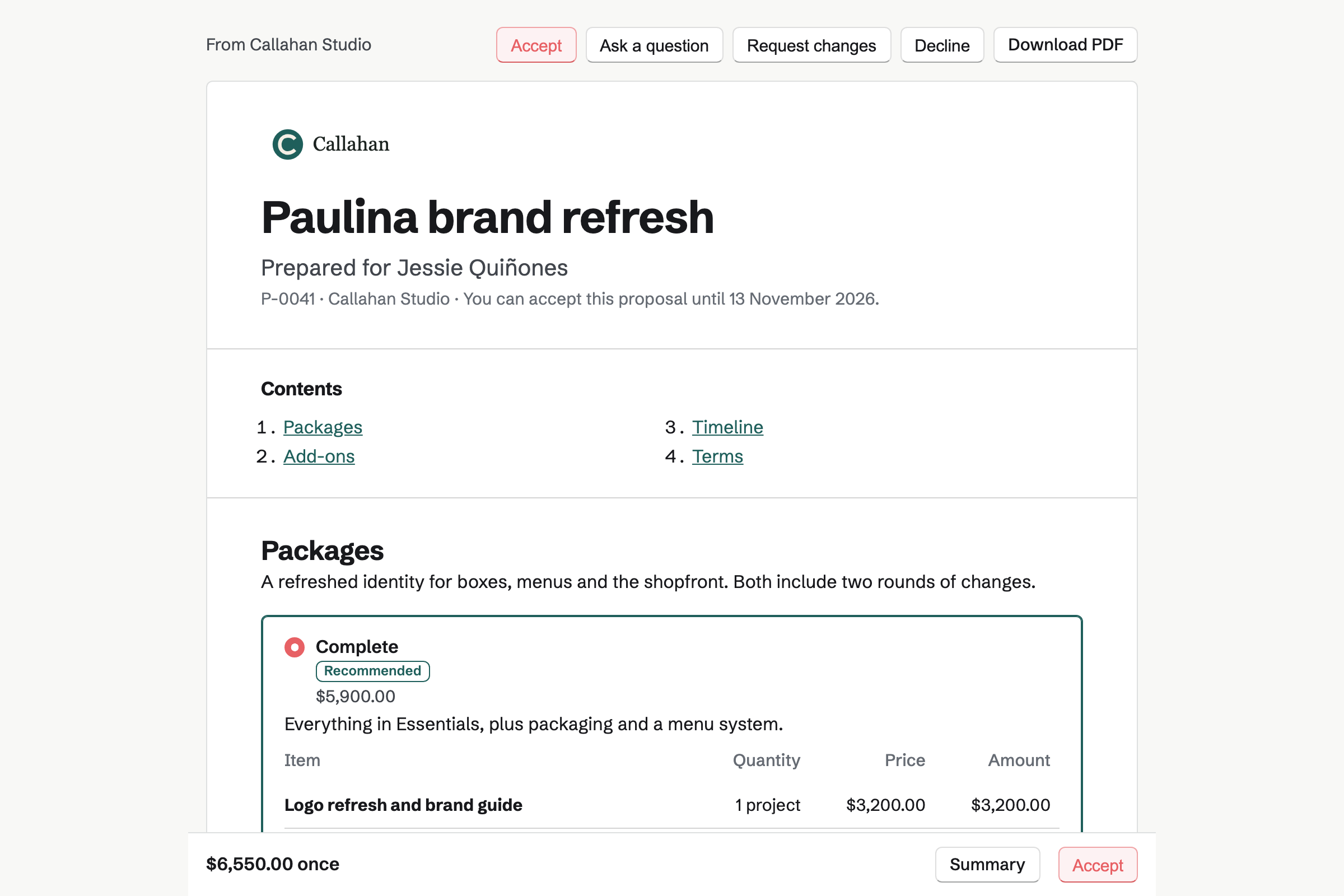
Qwilr is proposal software that makes each proposal a web page, built for sales teams that work from a CRM. Magpie is one subscription for a small business's software. Its Proposals area sits beside E-Signatures, Invoicing, Contacts and Client Portal. Qwilr does more on the page; Magpie does more before and after it is signed.
Does Magpie replace Qwilr?
Yes, for a business that writes its own proposals and sends them a few at a time. Magpie emails priced proposals with packages and options, and follows them up. It takes the deposit and turns the proposal into invoices.
Consider keeping Qwilr if your pages need columns, backgrounds, tables or embeds. Keep it if you sell with an ROI calculator, or make proposals from a CRM or a spreadsheet. Keep it too for your own domain or acceptance with one click. Qwilr does each of these better than Magpie does today.
How much does Qwilr cost?
Qwilr has three plans, Starter, Growth and Scale, priced for each user, and a 14-day trial. Growth starts at 5 users and Scale at 10, both paid yearly. Each plan includes a number of generated documents, with a charge for each one beyond it. The prices are on Qwilr's pricing page.
How much does Magpie cost?
Magpie has a Free plan and paid plans, each covering every area. The Free plan sends 5 proposals a month, and a paid plan has no limit. The Team plan is one price for up to 25 people, not a price for each user. The prices are on Magpie's pricing page.
Does Qwilr have a free plan?
No. Qwilr has a 14-day Starter trial, then a paid plan for each user. Its AI proposal creator builds a page from a website address without an account. Magpie's Free plan sends 5 proposals a month with packages, deposits, approvals and reports.
Does Qwilr email the proposal to my client?
No. In Qwilr you set the page Live, copy its link and send it yourself, so nothing follows up for you. Magpie emails each recipient a button to the proposal, now or at a time you choose. Its follow-ups remind anyone who has not opened it or answered, up to 3 times.
Does Qwilr make invoices?
Not of its own. With QuickBooks connected, a draft invoice of the quote is made in QuickBooks on acceptance. Magpie's Invoicing makes an invoice for each payment in the schedule, and recurring lines become recurring invoices.
Does Qwilr have approvals?
No. Qwilr's own comparison page says it has no multi-step approval routing. Locked blocks and permissions keep prices and wording fixed instead. In Magpie, team admins can require approval for every proposal, or from a total or a discount. A change after approval asks again.
Can I lay out a Magpie proposal in columns, with a video background?
No. A Magpie proposal is a column of sections in order: cover, text, pricing, timeline, pictures, video, team, testimonials, questions, terms and files. Magpie lays them out with your accent colour, fonts and logo, and a cover can have a picture. A free page layout is on Magpie's roadmap. Qwilr adds columns, buttons and colour, picture or video backgrounds inside a block.
Can I put a table in a Magpie proposal?
No. Proposal text has headings, lists, checklists and quotes, but no tables. Prices go in pricing sections and dates in a timeline section. Tables are on Magpie's roadmap. Qwilr adds a table inside any block.
Can I embed a booking calendar, a form or a spreadsheet in a Magpie proposal?
No. A Magpie proposal shows its own sections and videos from YouTube, Vimeo, Loom and Screen Recorder. A Files section offers a PDF or another file to download. After acceptance, a kickoff booking link offers one of your Meeting types. Qwilr's Embed shows Calendly, Typeform, Google Sheets, maps and any page that allows it.
Does Magpie have an ROI calculator?
No. A Magpie pricing section lets the client choose packages, options and quantities and works out the price. Nothing works out a saving or a return from figures the client enters. A calculator is on Magpie's roadmap. Qwilr's ROI calculator has sliders and values the buyer changes, worked out by your formula.
Does Magpie have custom variables?
No. Insert field adds a fixed set of the client's, the proposal's, the business's and the writer's details. Anything else, such as a start date, is typed into the text. Fields you name yourself are on Magpie's roadmap. Qwilr lets you add your own variables to a template, including pictures, videos and buttons.
Can Magpie make many proposals at once from a spreadsheet?
No. Magpie makes proposals one at a time, from New proposal or a contact's page. A starter makes each one quicker. Bulk creation is on Magpie's roadmap. Qwilr's Blueprint makes up to 50 pages at a time from one template and a CSV file.
Can a client accept a Magpie proposal with one click?
No. Every Magpie signer types their full name and draws or types a signature. There is no acceptance without a signature. Qwilr's Accept block can accept with a single click. It can also ask for details such as a purchase order number.
Can Magpie proposals show at my own domain?
No. Proposals open at Magpie's address, and their emails come from your business name via Magpie, with replies to you. Your own domain is on Magpie's roadmap. Qwilr shows pages at a subdomain such as proposals.example.com on Growth and Scale.
Does Magpie connect to HubSpot or Salesforce?
No. Proposals use Magpie's own Contacts, which show each client's proposals and what happened to them. A CRM connection is on Magpie's roadmap. Qwilr connects to HubSpot, Zoho and Pipedrive on every plan, Microsoft Dynamics from Growth and Salesforce on Scale.
Can a client pay by bank debit?
Not in Magpie. Deposits and invoices from a proposal are paid by card through your Stripe account. A bank transfer is recorded on the invoice by hand. QwilrPay takes cards, Apple Pay and Google Pay, and ACH, BECS and SEPA bank debits, depending on the country.
Can AI write a proposal in Magpie?
Not in the editor. Copy the prompt gives an assistant you use what it needs to write a proposal as JSON. You paste that in as a draft. Nothing in Magpie writes or rewrites a proposal with AI. Qwilr builds a page from a website address, and on Scale from your rules and your CRM.
Can several people edit a Magpie proposal at once?
Partly. Two people can edit one draft, and changes to different sections are both kept. A change to a section someone else changed first is refused, and their version is shown. The editor does not show who else has it open. Qwilr shows each editor's name and locks the block they are editing.
Do my clients need an account?
In Magpie, yes, and Magpie makes it. When a proposal is sent, each recipient gets a free Magpie account at that address. The email's button signs them in the first time. A Qwilr page opens from its link. On Growth and Scale it can ask the viewer to confirm their email address.
Can I use Qwilr and Magpie together?
Yes, side by side, though they do not connect. A business might send its CRM proposals from Qwilr, and its invoices and client work from Magpie.
How do I move from Qwilr to Magpie?
For each template you send often, start a proposal in Magpie and paste in its text. Add your prices to the price list, then use Save as starter. Keep your Qwilr account until you have the accepted pages and audit trails you need from it.
What is included in Magpie's Free plan?
Proposals sends 5 a month, with packages, deposits, approvals and reports. E-Signatures has no limit, and Invoicing sends 5 invoices a month. Contacts, Client Portal, a team of 3 and the other areas are included too.