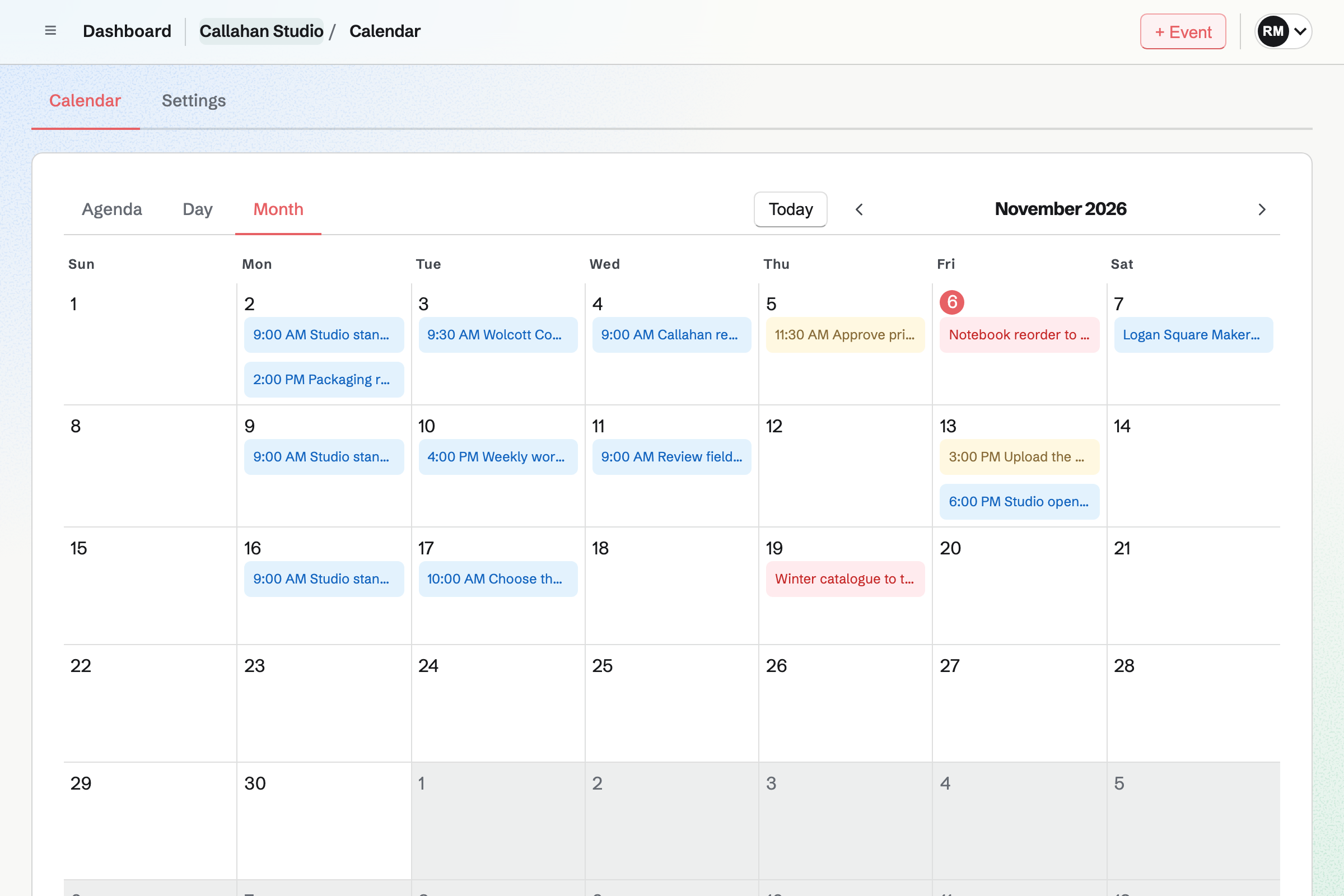
What is the difference between Outlook Calendar and Magpie?
Outlook Calendar is the calendar in Microsoft's Outlook. It is free with a Microsoft account and part of Microsoft 365. Magpie is one subscription for a small business's software. Its Calendar is one area beside booking pages, To-dos, shifts, Invoicing and a website. Outlook Calendar does more inside the calendar; Magpie does more around it.
Does Magpie replace Outlook Calendar?
Yes, for a team that wants one shared calendar beside its bookings, To-dos and shifts. Magpie's Calendar takes repeating events, invitations and RSVPs, and other areas add their dates to it.
Consider keeping Outlook Calendar if you need reminders, a week view or free and busy times. Keep it too if your company runs on Microsoft 365, with delegates, Teams calls and rooms. Outlook Calendar does each of these better than Magpie does today.
How much does Outlook Calendar cost?
Outlook is free with a Microsoft account, with ads. Microsoft 365 Personal, Family and Premium are plans for home. A business pays for a Microsoft 365 business plan, such as Business Standard or Business Premium. Bookings with me needs a Bookings licence, and Scheduling Poll needs Exchange Online. The prices are on Microsoft's pricing page.
How much does Magpie cost?
Magpie has a Free plan and paid plans, each covering every area. Personal and each team hold 100 events on Free and 5,000 on a paid plan. The Team plan is one price for up to 25 people, not a price per user. The prices are on Magpie's pricing page.
Can I connect my Outlook calendar to Magpie?
No, not yet. Google Calendar is the only calendar members can connect today. A connection to Outlook and Microsoft 365 is built but not yet switched on. Until then, Magpie does not read your Outlook events. Their times are not kept off your meeting page.
Can I see my Magpie calendar in Outlook?
Only through Google. Magpie adds its events to your Google calendar. Outlook can subscribe to a Google calendar's secret address. A subscribed calendar can take more than a day to show a change. A single Magpie meeting also downloads as a calendar file that Outlook opens. Magpie has no calendar address of its own.
Can Magpie Calendar events repeat?
Yes, since 11 November 2026. Under Repeats, an event can repeat daily, on weekdays, weekly, monthly or yearly. Custom sets other patterns and a last date. A change applies to one event, to it and the later ones, or to all. Outlook's Recurrence repeats appointments, meetings and events on similar patterns.
Does Magpie send reminders before an event?
No. A Calendar event sends no reminder. To-dos have reminders of their own. Event reminders are on Magpie's roadmap. Outlook Calendar reminds you a chosen time before each event. A default applies to the events you create.
Does Magpie have a week view?
No. Magpie's Calendar shows Agenda, 14 days at a time, Day and Month. A Week view is on Magpie's roadmap. Outlook Calendar shows Day, Work week, Week and Month, and can add a second time zone.
Can I show as busy, tentative or out of office in Magpie?
No. A Magpie event cannot be marked free, tentative or away. Every event you make, or say Going to, keeps its time off your meeting page. Outlook Calendar marks each appointment free, busy, tentative, out of office or working elsewhere.
Can I find a time when everyone is free in Magpie?
No. Calendar shows one person's or one team's events, not when each guest is free. Hiring finds times when every interviewer is free, for interviews only. Outlook's Scheduling Assistant shows each invitee's free and busy times beside yours. It is for work and school accounts.
Does Magpie have booking pages like Bookings with me?
Yes. Meetings gives you a meeting page. People choose a Meeting Type and a free time without an account. Each meeting appears on your Personal Calendar. Both email the person who booked a reminder. Bookings with me also makes private links that work once, which Magpie's meeting page does not.
Does Magpie have a scheduling poll?
No. A meeting page books one time chosen by one person, and nothing collects votes. Meeting polls are on Magpie's roadmap. Outlook's Scheduling Poll offers up to 15 times and holds them on everyone's calendar. It books the one you pick, and needs a business plan with Exchange Online.
Can I add a Teams or video call to a Magpie event?
Partly. A meeting booked from your meeting page gets a Zoom or Google Meet link. A Calendar event gets no call of its own; a call link goes in its Location. Outlook adds a Teams call to an event, or to every meeting on a Microsoft 365 account.
Can someone manage my Magpie calendar for me?
No. Team members, and guests given Calendar, add and change events in that Calendar. No one can answer invitations or run meetings for another person. Outlook's delegates send and answer invitations for you, on work accounts within your organization.
Does Outlook Calendar limit how many people can come to an event?
No. Outlook shows the organizer each invitee's answer. Its help names no limit on how many can come. Magpie's Capacity stops RSVPs once that many people are going and marks the event full. Show attendee count puts the number on the event's page.
Can I share my Magpie calendar with someone?
Partly. A team's Calendar is shared with its members. View only members see it without changing it. To share your Personal Calendar, give someone Calendar as a guest of Personal. No whole calendar can be shared as busy times only. Outlook shares a calendar by email address, with a choice of what each person sees.
Can I import an .ics file or subscribe to a calendar in Magpie?
No. Calendar imports no calendar file and reads no calendar address. Both are on Magpie's roadmap. Outlook Calendar imports .ics files. It subscribes to calendars on the web, such as a team's fixtures.
Does Magpie show holidays or birthdays?
Partly. A team's holidays in Staff show on the Personal Calendar of each person on its staff. Staff suggests the public holidays of several countries to start from. Contacts keeps no birthday. Outlook Calendar adds the holidays of the countries you choose and shows your contacts' birthdays.
Can I get back an event I deleted in Magpie?
No. Delete event asks first, then removes the event with its invitations and responses. It does not go to Trash. Restoring deleted events is on Magpie's roadmap. Outlook puts a deleted event in Deleted Items, where Restore puts it back.
Does Outlook Calendar show work shifts or scheduled social posts?
No. Outlook shows your calendars, shared and group calendars, and calendars you subscribe to. Magpie's Personal Calendar shows your published Staff Scheduling shifts from every team. Calendar settings add Social Media posts from Personal and your teams.
Does Magpie have an app for its calendar?
Calendar works in a phone's browser, with Agenda, Day and Month, events, invitations and RSVPs. The Magpie app is not yet in the App Store or Google Play. Magpie has no Windows or Mac app. Outlook's calendar has apps for Windows, iPhone and Android.
How do I move from Outlook Calendar to Magpie?
Magpie cannot import a calendar file, so your Outlook events stay in Outlook. You add your upcoming events in Magpie's Calendar, and a repeating one is added once. Your meeting page can take the place of Bookings with me. Meetings booked there appear on your Personal Calendar.
Can I use Outlook Calendar and Magpie together?
Yes, side by side. Magpie does not read your Outlook calendar. Outlook's busy times are not kept off your meeting page. Each Magpie meeting downloads as a calendar file that Outlook opens. Magpie adds its events to Google Calendar, and Outlook can subscribe to that Google calendar.
What is included in Magpie's Free plan?
Calendar holds 100 events in Personal and each team, beside To-dos. Booking pages have 2 Meeting Types. Invoicing, Store, a website, the Newsletter, Forms and a team of 3 are included too. A paid plan raises Calendar to 5,000 events and adds email at your domain.