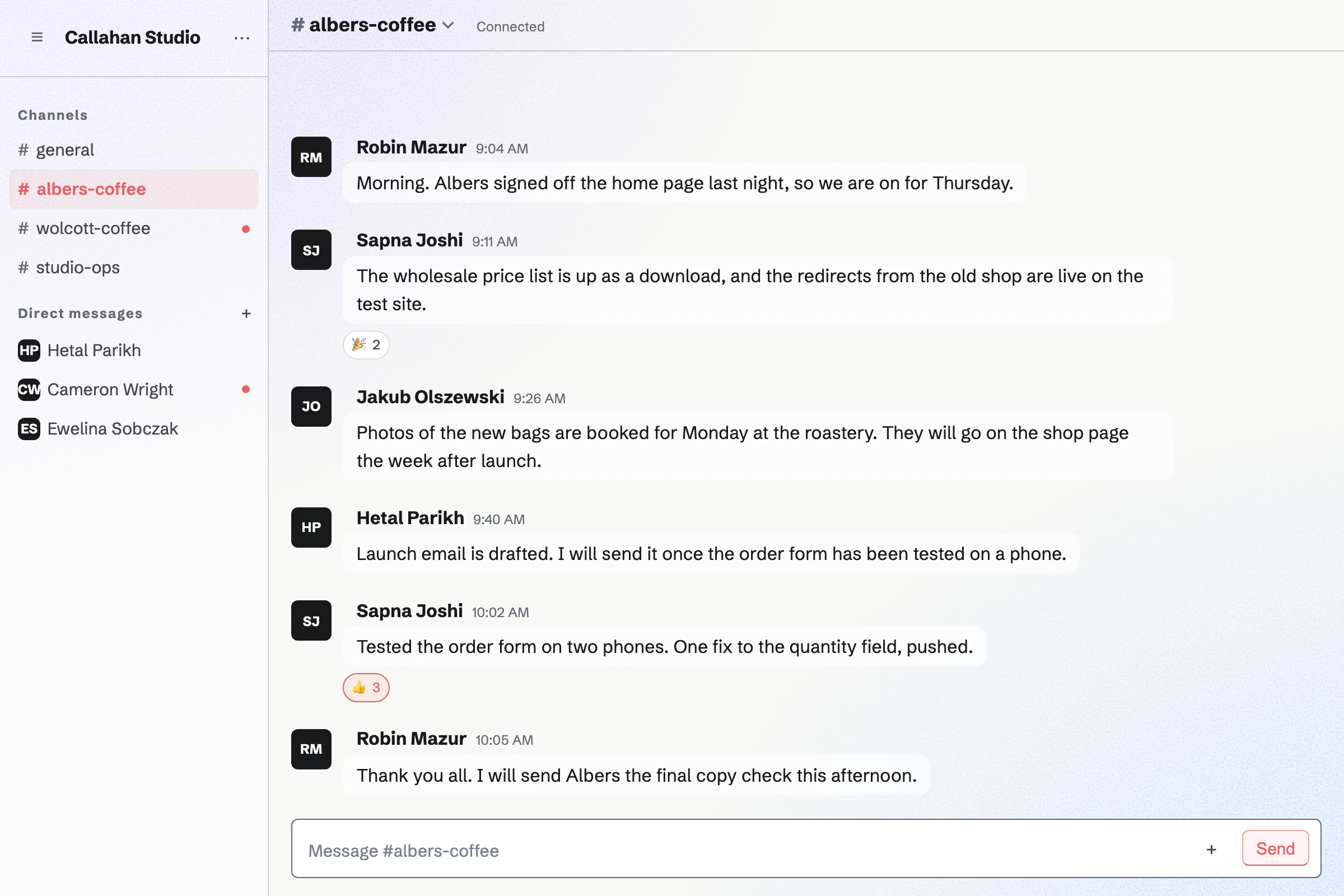
What is the difference between Slack and Magpie?
Slack is a messaging platform for work, with huddles, lists, workflows and more than 2,600 apps. Magpie is one subscription for a small business's software. Its Team chat is one area beside Walkie Talkie, Video Chat, To-dos, Mail, Invoicing and booking pages. Slack does more inside the conversation; Magpie does more around it.
Does Magpie replace Slack?
Yes, for a small team that wants channels and direct messages beside the rest of its work. Magpie has channels, threads, reactions, guests and read receipts, and the same team holds the bookings, invoices and email.
Consider keeping Slack if you mention groups of people or start group calls from a channel. Keep it too if you run workflows or rely on apps posting into channels. Slack does each of these better than Magpie does today.
How much does Slack cost?
Slack has four plans: Free, Pro, Business+ and Enterprise+, priced per person. Free shows 90 days of messages and connects 10 apps. Pro adds unlimited history, group huddles and guests; Business+ adds single sign-on and translation. The prices are on Slack's pricing page.
How much does Magpie cost?
Magpie has a Free plan and paid plans, each covering every area. A free team has 3 members and 5 channels. The Team plan is one price for up to 25 people, with 100 channels and every message kept. The prices are on Magpie's pricing page.
Does Magpie have @mentions?
Partly. An @handle mentions one person who can read the conversation. On the website they get the dot on their avatar and a sound; the Magpie app sends a notification. A group of people or a whole channel cannot be mentioned at once. In Slack, @ and a name notifies that person, and @channel or a user group notifies many.
Can I format messages or post links in Magpie's Team chat?
Yes. Bold, italic, code and blocks of code typed as in Markdown show formatted, and a web address opens with one click. Lists and quotes stay plain text, and a link shows no preview. Slack formats bold, lists, quotes and code, and shows a preview under a link.
Can I edit a message I sent in Magpie?
Yes. Edit message, in your message's menu, changes its words, and the message shows Edited. Its author can delete it too, and a team admin can delete any message in the team's channels. Slack edits and deletes sent messages too.
Can I search Team chat?
Yes, for messages. Search messages, at the top of Chat on the website and in the app, finds messages by their words in the team's channels and your own conversations. Files are not searched, and the Search page does not cover chat. Slack searches every message and file, with filters such as from: and in:.
Does Magpie have huddles?
No. A call is not started from a conversation. Video Chat starts a call for two people, and you send its code or link; it lasts 2, 5 or 10 minutes on a paid plan. Walkie Talkie lets people talk live in a conversation by pressing Talk. Slack's huddles start from any channel, for up to 50 people on a paid plan.
Can I share my screen in a Magpie call?
Yes, from a browser on a computer. Share screen shows everyone in the call a screen, a window or a tab in place of your camera. Nobody can draw on it. Slack's huddles share a screen, and people can draw on it.
Does Magpie have workflows like Slack's Workflow Builder?
No. Nothing in Team chat runs by itself. Forms collects requests, and the assistant does one task at a time when asked. Automations, which can post a message in a channel, is not open to members yet. Slack's Workflow Builder runs steps from a link, on a schedule or when someone joins a channel.
Can my other software post into Magpie's Team chat?
Partly. Team chat has no app directory, bots or incoming webhooks. A script with a Pro API key can post a message through the API. A connected app such as Claude can post in a channel you name. Slack connects to more than 2,600 apps.
Does Slack have push-to-talk?
No. A Slack huddle is a call people choose to join, and a clip is recorded before it is sent. Magpie's Walkie Talkie speaks live to everyone listening and keeps each message to play later.
Does Slack have booking pages, invoicing or email?
No. Slack is for conversations, and its apps connect it to other software for the rest. Magpie includes Meetings, Appointments, Invoicing and Mail in the same team as Team chat. Mail needs a paid plan.
Does Magpie have a phone or desktop app?
Not yet. Team chat works in a phone's browser, but the website sends a phone no notifications. The Magpie app has Team chat with push notifications. It is not yet in the App Store or Google Play. There is no Mac or Windows app. Slack has apps for iPhone, Android, Mac, Windows and Linux.
Can I chat with people at another company?
Yes, one at a time. A team admin lets someone into a channel as a guest, by handle or with an invite link. Anyone with a Magpie account can be sent a direct message. Slack Connect shares a whole channel with another company on a paid plan, and that company manages its own people.
Does Magpie have private channels?
Partly. Every Team chat channel is read by the whole team. A group of three or more people is private to them. A channel opened to guests becomes members only, but anyone in the team can still join it. Slack's private channels are read only by the people in them.
How long does Magpie keep messages?
Every message is kept until someone deletes it. On the free plan each channel shows its 2,000 most recent messages; older ones are hidden, not deleted, and show again on a paid plan. Slack's Free plan shows 90 days and deletes messages after a year.
Does Magpie have single sign-on?
No. People sign in with a password, a passkey, an emailed link or code, or Google, Apple, LinkedIn or GitHub. SAML single sign-on is on Magpie's roadmap. Slack has it on Business+ and Enterprise+.
Can I use Slack and Magpie together?
Yes. Meetings can post each new, confirmed, cancelled or moved booking to a Slack channel or a direct message. A team can keep Slack for chat and use Magpie for bookings, invoices, email and the rest.
How do I move from Slack to Magpie?
Create a team, invite your people, and add a channel for each one you use. Magpie does not read Slack's export, so your messages stay in Slack; keep it until you no longer need them.
What is included in Magpie's Free plan?
A team of 3, with Team chat in 5 channels. It also includes Walkie Talkie, Video Chat, To-dos, booking pages, Invoicing, Store, a website and the Newsletter. Mail is not on the Free plan: email at your domain needs Pro or the Team plan.