What is the difference between Deputy and Magpie?
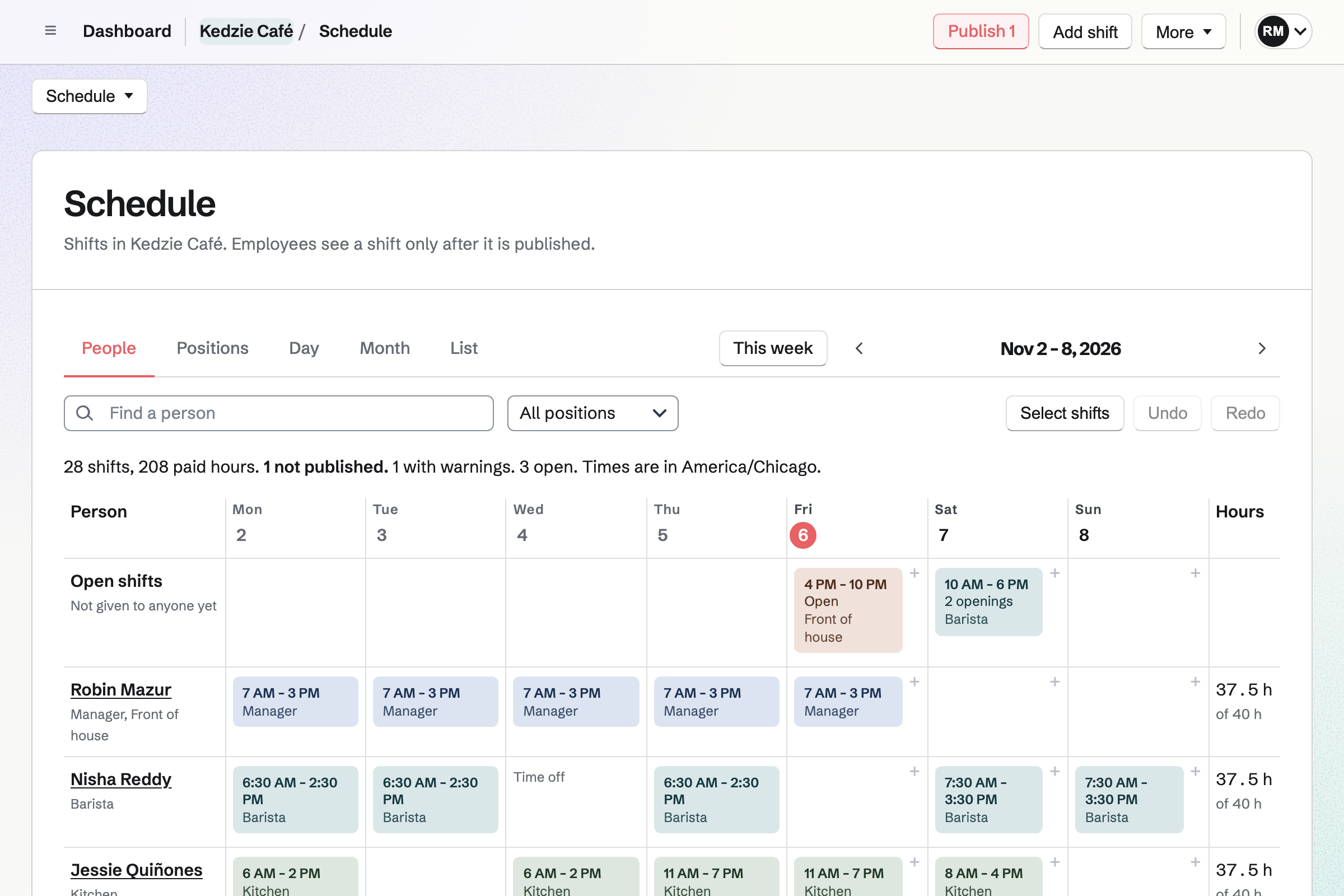
Deputy is a workforce service for shift-based businesses: scheduling, time clocks, timesheets and labour law compliance. HR and payroll are add-ons. Magpie is one subscription for a small business's software. Its Staff Scheduling is one area beside Payroll, Hiring, Daily Operations, Restaurant Reservations and the books. Deputy does more around the clock-in and the timesheet; Magpie does more around the rota.
Does Magpie replace Deputy?
Yes, for a small team that plans a weekly rota and pays from its own bank. Staff Scheduling handles open shifts, swaps, availability, time off and scheduling rules. Payroll pays from the worked shifts.
Consider keeping Deputy if staff clock in on a kiosk or managers approve timesheets. Keep it too if you forecast from sales or text schedules to staff. Deputy does each of these better than Magpie does today.
How much does Deputy cost?
Deputy has three plans, Lite, Core and Pro, priced for each user each month. Managers and admins count as users, and monthly plans have a minimum spend. Deputy HR, Deputy Payroll, Messaging+ and Analytics+ cost extra, and so do text messages. The prices are on Deputy's pricing page.
How much does Magpie cost?
Magpie has a Free plan and paid plans, each covering every area. Staff Scheduling is on every plan, with no price for each person. People invited to see their shifts take a member place: 3 in a free team, 25 on the Team plan. The prices are on Magpie's pricing page.
How many staff can I schedule in Magpie?
Staff files have no limit, and a file needs no Magpie account. Each person invited to see their own shifts joins the team and takes a member place. A free team has 3 and the Team plan 25. Deputy charges for each user instead.
Does Magpie have a time clock?
Partly. From two hours before a published shift, Start tracking time starts a timer for it. The Scheduled and worked report compares that time with the shift. There is no kiosk for a shared tablet, and no face or location check. Deputy has all three.
Does Magpie approve timesheets before payroll?
No. Time Tracking entries are not approved or locked. A team admin cannot correct someone else's time. The pay run itself is approved before anyone is paid. Deputy's managers approve timesheets, and Core and Pro approve the routine ones automatically.
Does Magpie forecast staffing from sales?
No. Coverage requirements say how many people each time needs, but you type them in. Estimated pay shows on the publish review and in the labour cost report. There is no budget to plan against. On Core and Pro, Deputy forecasts from a connected till's sales and plans against wage budgets.
Does Magpie fill the schedule automatically?
Yes. Auto-fill open shifts proposes people by availability, preferred hours, qualifications and fairness. Every scheduling rule is checked. Nothing changes until you choose Apply as drafts. It does not aim for the lowest cost, which Deputy's auto-scheduling can.
Does Magpie send schedules by text message?
No. Schedule changes and shift reminders go by email. The Magpie app sends phone notifications, but it is not yet in the app stores. Deputy publishes schedules by text, charged for each message.
Can staff confirm they have seen their shifts in Magpie?
No. Each person is told about every published change, but nobody confirms it. Managers see the notifications that could not be delivered. Deputy can ask for confirmation by an email link or a reply to the text.
Does Magpie track leave balances?
Yes. Staff's time-off policies give each person an allowance that builds up yearly, monthly or by hours worked. Part-time allowances are pro rata, and unused time can carry over. A request that would take a balance too low is refused. Deputy keeps balances on Core and Pro, with more rules in Leave Management+.
Does Magpie help with predictive scheduling laws?
No. A setting stops schedule editors changing a shift close to its start. Publication history records every change. Nothing tracks notice, consent or predictability pay. Deputy does, for Chicago, Los Angeles, Philadelphia and New York City.
Does Magpie have a phone app for staff?
Every Staff Scheduling page works in a phone's browser. Staff see their shifts, take open shifts, swap and ask for time off. Managers build, publish and approve. The Magpie app does the same, but it is not yet in the app stores. Deputy has apps for iPhone and Android.
Does Magpie have an AI assistant for scheduling?
No. The assistant reads nothing from Staff Scheduling yet. It cannot yet keep to each person's scheduling role and locations. Deputy AI builds schedules, finds cover and approves timesheets, with a summary to confirm first.
Does Magpie run payroll?
Yes. Payroll pays employees from their worked shifts, with overtime, and releases a payslip to each. The team pays from its own bank. The Free plan pays 2 employees a pay run. Deputy Payroll, run with Paycor, is an add-on for annual Core and Pro. It is for the United States.
Does Magpie have onboarding and staff documents?
Yes. Staff starts an Onboarding checklist when someone is added with a start date. It keeps documents on each person's file and publishes policies for staff to acknowledge. Hiring takes a candidate into Staff in one step. Both areas are on every plan, and Deputy HR does all of this as an add-on.
Does Magpie connect to payroll or HR software?
No. Staff Scheduling's reports and Time Tracking's reports download as CSV for a payroll service to import. On Pro, an API key reaches the Staff Scheduling routes, with no webhooks. Deputy connects to payroll services, HR systems such as BambooHR and HiBob, and Zapier.
Does Deputy take restaurant reservations or keep stock?
No. Deputy covers scheduling, time and attendance, compliance, HR and payroll. Its till connections bring in sales for forecasting. Magpie's Restaurant Reservations and Inventory are in the same team as the rota.
Can I use Deputy and Magpie together?
Yes. Deputy can run the schedule and timesheets while Magpie runs the reservations, stock, invoices and books. Nothing passes between them by itself. Deputy's payroll export keeps sending approved hours to your payroll service.
How do I move from Deputy to Magpie?
Add your locations and positions in Staff Scheduling, or start from a business type. Import your staff from a CSV file, up to 1,000 people at a time. Plan your usual week and save it as a starter week. Then invite each person to see their shifts. Keep Deputy until your last timesheets are paid.
What is included in Magpie's Free plan?
Staff Scheduling, Staff, Time Tracking, Hiring, Daily Operations and Team chat are included. Payroll pays 2 employees a pay run. A free team has 3 members. A paid plan pays every employee and raises the other limits.