What is the difference between Harvest and Magpie?
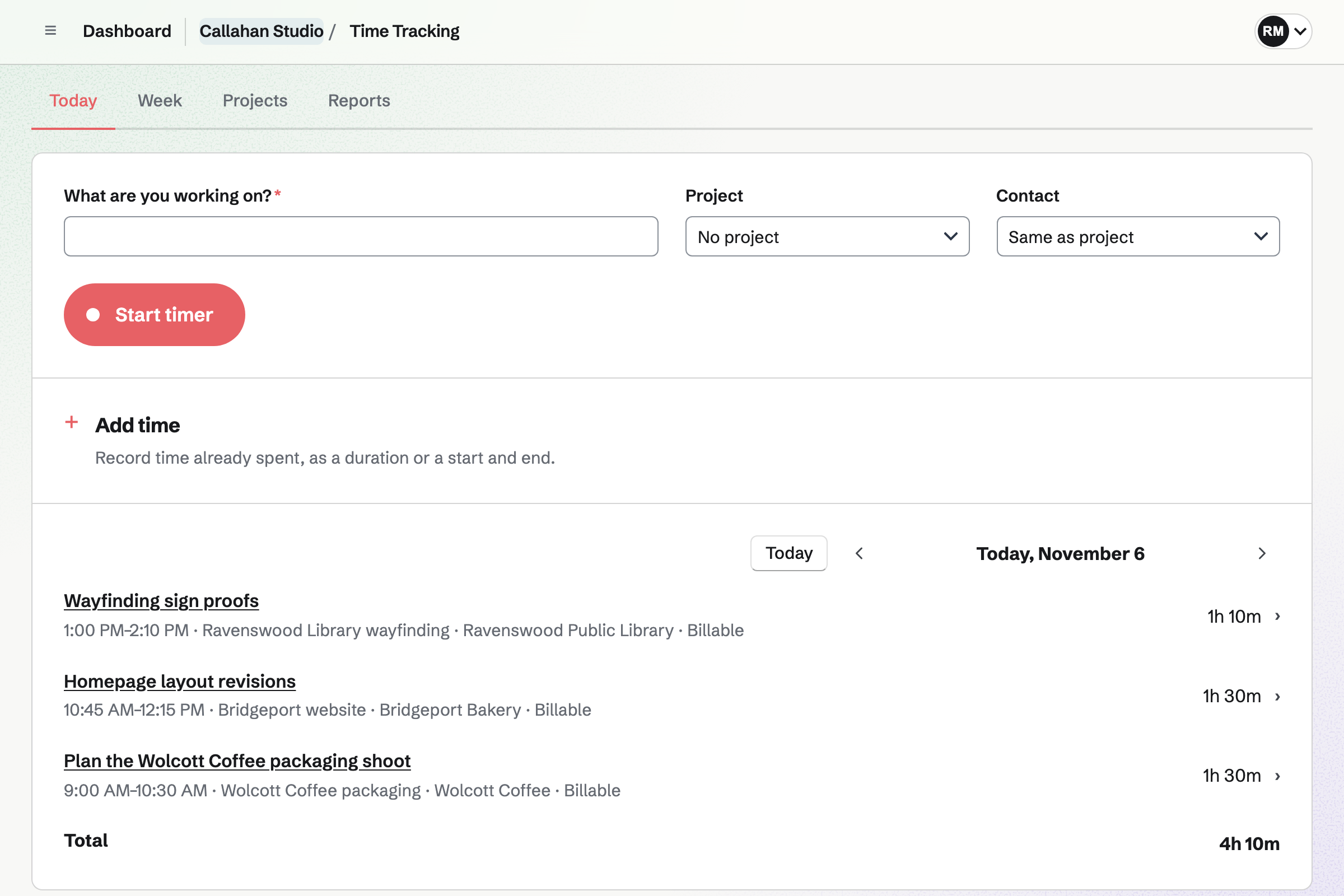
Harvest is a time tracker with project budgets, expenses, invoicing and reports, and apps on every device. Magpie is one subscription for a small business's software. Its Time Tracking is one area beside proposals, invoices paid online, the books and payroll. Harvest does more inside time tracking; Magpie does more with the time once it is tracked.
Does Magpie replace Harvest?
Yes, for a business that tracks its own time and bills clients for it. Magpie runs the timer and groups time by project and client. Billable time goes on an invoice the client pays online.
Consider keeping Harvest if your team fills in a weekly timesheet and has it approved. Keep it if you work to budgets in money. Keep it too for the phone and desktop apps, reminders to track, or timers inside Asana or Jira. Harvest does each of these better than Magpie does today.
How much does Harvest cost?
Harvest has a Free plan for one person and 2 projects. Its paid plans, Teams and Enterprise, are priced for each person each month. Paying yearly costs less. Approvals, the Profitability report and single sign-on need Enterprise. The prices are on Harvest's pricing page.
How much does Magpie cost?
Magpie has a Free plan and paid plans, each covering every area. Time Tracking has no plan limit, and a team has 3 members on Free. The Team plan is one price for up to 25 people. The prices are on Magpie's pricing page.
Does Magpie have a weekly timesheet?
Partly. Week shows time by project and day, and selecting a cell opens that day to add an entry. Hours cannot be typed into the grid, and last week's rows cannot be copied. Harvest's Week view takes hours typed into each day and copies the last timesheet's rows.
Does Magpie remind people to track their time?
No. Magpie asks only about a timer left running for several hours. Reminders are on Magpie's roadmap. Harvest sends each person email or browser reminders on the days they choose.
Does Magpie have tasks on projects?
Partly. Tags label the kind of work across every project, and Reports totals time by tag. A tag cannot be kept to some projects, and it sets no rate or billing. Harvest's tasks are chosen for each project, each billable or not, with a rate of its own.
Does Magpie have project budgets in money?
No. A Magpie project's budget is in hours, counting all the time recorded on it. There is no budget in money, no fixed fee and no alert. The budget does not start again each month. Harvest has all four on every plan.
Can I set a different hourly rate for each person?
No. A Magpie entry's rate comes from its project, its Contact or the Invoicing default. A team admin can change it on the entry. No rate depends on who did the work. Harvest sets rates for the project, each person or each task.
Can I invoice the time my whole team tracked?
Not yet in Magpie. Add unbilled time lists only the invoicing admin's own entries. Harvest's invoice brings in the billable hours everyone tracked on the project in the chosen dates.
Does Magpie have timesheet approvals?
No. Tracked time is not submitted or approved. Staff Scheduling approves shift changes and time off, and Expenses approves expense reports. Harvest has people submit each period's time and expenses for approval, on Enterprise.
Can I see the profit on each project?
Partly. Accounting's Profit by project shows each project's income from invoices and its costs from expenses and bills. A person's time has no cost rate, so it is not counted as a cost. Harvest's Profitability report counts each person's cost rate, on Enterprise.
Can clients pay a Magpie invoice by bank payment or PayPal?
Not online. Pay online takes a card through your Stripe account, and Magpie takes no fee. A bank payment is recorded on the invoice by hand. Harvest takes card and ACH through Stripe, and PayPal.
Does Harvest have proposals or accounting?
Harvest sends estimates the client accepts online, and an accepted estimate becomes an invoice, not a project. It copies invoices and payments to QuickBooks Online or Xero. Magpie's Proposals turn an accepted offer into a Time Tracking project, and Accounting keeps the books.
Does Magpie have a phone or desktop app for time tracking?
Time Tracking works in a phone's or a computer's browser, and the running timer carries between them. The Magpie app tracks time on a phone. It is not yet in the App Store or Google Play. There is no desktop app or browser extension. Harvest has apps for iPhone, Android, Mac and Windows, and extensions for Chrome and Edge.
Can I track time from Asana, Trello or Jira?
Not in Magpie. A timer starts inside Magpie from a Contact, an Issue, a To-do, a Calendar event or a shift. Harvest puts a timer inside Asana, Basecamp, Trello, Jira, ClickUp and Slack.
Can a manager add or correct a teammate's time in Magpie?
No. Each person adds and changes only their own entries, and team admins see everyone's time in Reports. Harvest lets admins, and managers given permission, change a teammate's timesheet.
Can I import my Harvest time into Magpie?
No. Magpie has no import of entries or projects. Time is added in Magpie, or through the API on Pro. Importing time is on Magpie's roadmap. Harvest exports reports as CSV, Excel or PDF, so earlier time can be kept as files.
How do I move from Harvest to Magpie?
Add your projects and tags in Time Tracking, and link each project to its client in Contacts. Set each project's rate and billing, then start tracking in Magpie. Export your Harvest reports before you stop paying for it.
Can I use Harvest and Magpie together?
Yes. A team can track time in Harvest and use Magpie for proposals, booking pages, payroll or the books. Harvest's time does not reach Magpie by itself, so each invoice's lines are added by hand.
Does Magpie have an API for time tracking?
Yes, on Pro. An API key reaches entries, the timer, splitting, projects, tags and reports. Harvest's API covers time, expenses and projects, with OAuth2 or a personal access token.
What is included in Magpie's Free plan?
Time Tracking with rates, billing and reports, and Invoicing with 5 invoices a month. Proposals with 5 a month, 100 contacts, Expenses and Accounting are included. So are Payroll for 2 employees, booking pages and a team of 3.