Pitch compared with Magpie

Pitch vs Magpie: an in-depth comparison

Pitch and Magpie both make slide decks in the browser, present them and share them by link. They are built around different things.

  1. Pitch is presentation software for teams, with templates, AI, live editing, recordings and pitch rooms for clients. It is built for a team whose decks are a main part of the work: sales, marketing, startups and agencies.
  2. Magpie is one subscription for a small business's software, and Presentations is one part of it. Beside the decks it includes proposals, a client portal, screen recording, invoicing, booking pages and the rest. It is built for someone whose decks are one part of running the business.
Create account
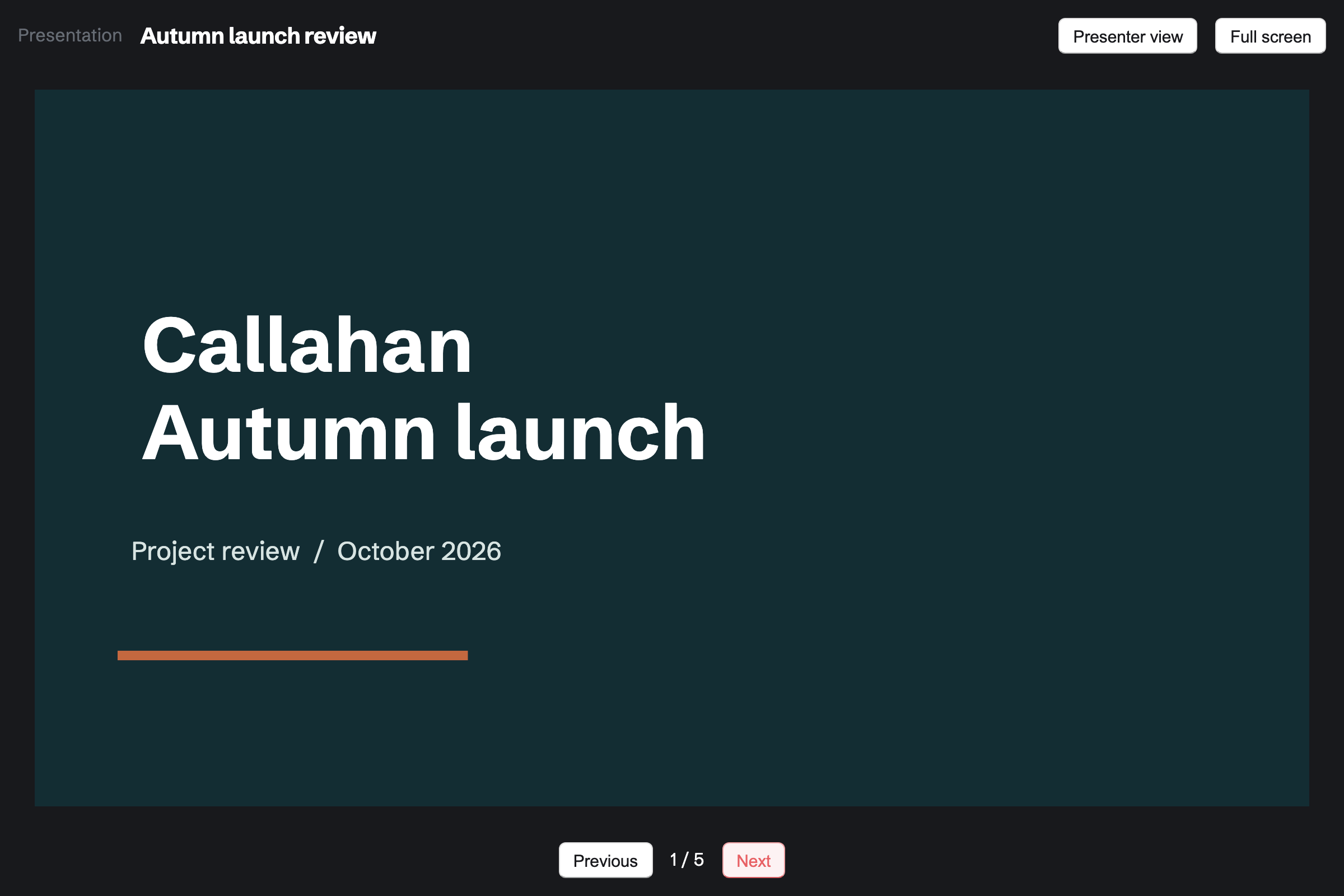
The cover slide of Callahan Studio’s autumn launch review in presentation mode, with Presenter view and Full screen above it and Previous and Next below.

How is Magpie different?

1. The deck comes with the rest of the business

One Magpie subscription includes the areas a small business would otherwise buy one at a time:

  • Presentations, the area this page is about, with a presenter view and PDF export
  • Proposals that a client opens, accepts, signs and pays a deposit on
  • Client Portal, a private page for each client's meetings, files, proposals and invoices
  • Screen Recorder for a recorded walk-through of a deck, with who watched and how far
  • Documents, Spreadsheets, Meetings, Invoicing, Contacts, Team chat and the other areas, in the same team

Everything is in one account with one bill. Pitch covers decks, recordings and pitch rooms. Its pages describe no proposals a client signs or pays.

2. People see the finished deck while you keep working

Editing a Magpie deck changes a draft. The shared link shows the published version until you select Publish changes. A Pitch link shows the deck as it is now. Each change reaches its viewers as soon as it is made.

3. A team pays one price

The Team plan is one price for up to 25 people, and Presentations has no limit on decks. Guests from outside the team see only the deck shared with them. Pitch's paid plans are priced per person.

Comparing Magpie and Pitch

Pitch does more inside the deck; Magpie does more around it. Every line in the tables below was checked against Pitch's own pages, linked from each row, and against Magpie's code and Help.

Platform

WhatPitchMagpie
Slide editor in the browserMake a deck with nothing to install Yes Yes
Designed templatesStart from a ready-made deck Yes Three starters
AI that builds a deckDescribe a deck and get its slides Yes Yes
Charts and tablesNumbers shown on a slide Yes No
Video and live embedsA video, map or web page inside a slide Yes No
Live co-editingSeveral people in one deck at once Yes No
Comments on slidesDiscuss a slide and resolve it Yes No
Presenter viewNotes, the next slide and a timer for the presenter Yes Yes
Recorded walk-throughsTalk through the slides for people to watch later Yes Screen Recorder
Viewer analyticsWho opened a deck and how far they got Team and Business No
A page of decks and files for a clientOne link with everything a client needs Pitch rooms Client Portal
Proposals a client signs and paysAccept, sign and pay a deposit No Yes
PowerPoint import and exportOpen and save .pptx files Yes No
PDF exportDownload the deck as a PDF Yes Yes
Draft and published versionsKeep editing while people see the finished deck No Yes
Desktop apps and offline editingWork on decks on a computer without a connection Yes No
Phone appsDecks on a phone Viewing and sharing In the browser
Invoicing and booking pagesBill clients and let them book a time No Yes

Good to know: Where Magpie says No or Partly, the line under the row says what Magpie does instead. Each gap has an item on Magpie's roadmap, and the line changes on the day it ships.

Getting started and organising decks

Pitch starts a deck from more than 150 templates, from AI or from a PowerPoint file. Magpie starts from three starters or a pasted JSON document, and cannot open a PowerPoint file.

WhatPitchMagpie
Make a slide deck in the browser, with nothing to install Source Yes Yes
Start a deck from a ready-made design Source Magpie: Create presentation offers three starters, Blank deck, Project update and Pitch deck, in plain dark text on white; Pitch deck has a slide for each part of an investor pitch. Nine styles come only through Paste JSON, written by hand or by an AI chat with Copy the prompt. Yes Partly
Open a PowerPoint file and keep working on it Source Magpie: A deck can be imported only from Magpie's own JSON format; a PowerPoint or Keynote file cannot be opened. Yes No
Find a deck by searching, and go back to what I worked on recently Source Yes Yes
Sort decks into folders, with a space for each team and a private space of my own Source Magpie: Each deck belongs to Personal, which only you see, or to a team, and the team's members see it. Within Personal or a team, Presentations is one list, most recently changed first, with no folders. Yes Partly

Good to know: Magpie's Pitch deck starter has a slide for each part of an investor pitch. Each slide's speaker notes list the questions to answer on it.

Creating slides

Both place text, pictures, shapes and arrows on a slide. Pitch also styles single words, adds links and slide numbers, and animates. They do it better than we do today.

WhatPitchMagpie
Add, reorder, duplicate, skip and delete slides Source Yes Yes
Add a slide in a ready-made layout, such as a timeline, a quote or pricing Source Magpie: The editor adds a title slide or a two-column slide; pasted JSON has thirteen layouts, from bullets to timelines and stats. A slide's layout cannot be changed once it is made. Yes Partly
Style some words in a text box differently, with lists and links Source Magpie: A text box has one style: its text style, font, size, weight, colour and italic apply to all of its words, so a word in bold needs its own box. List adds bullet markers to the selected text; there are no numbered lists and no links. Yes Partly
Put shapes, lines and arrows on a slide and style them Source Yes Yes
Line up, space out and group items on a slide Source Magpie: Items snap to the slide's edges and centre as they move, several can be selected with Shift and moved together, and Bring forward and Send back set their order. Nothing aligns, spaces out or groups them. Yes Partly
Number the slides Source Magpie: Nothing numbers the slides; a number is a text box typed onto each slide, and it does not change when slides move. Yes No
Link words or a picture on a slide to a web page or another slide Source Magpie: Text on a slide is plain text, and nothing on a slide can hold a link. Yes No
Find and replace words across a deck Source Magpie: The editor has no find or replace; each text box is changed by hand. Yes No
Animate text and pictures, and the change from one slide to the next Source Magpie: Slides change at once when presenting, and nothing on a slide moves. Yes No

Good to know: A new item in Magpie goes into a clear part of the slide, so it covers nothing. Items snap to the slide's edges and centre as you drag.

Pictures, video, charts and tables

Pitch puts video, live embeds, tables and charts on a slide, and searches stock photos, GIFs and logos. A Magpie slide holds text, pictures, shapes and lines.

WhatPitchMagpie
Put my own pictures on a slide Source Yes Yes
Search for a photo, GIF, icon or logo to add without leaving the deck Source Magpie: The image picker shows only Your images and what you upload; it cannot search stock photos, GIFs, icons or logos. Yes No
Crop a picture on a slide and give it a filter, a shadow or round corners Source Magpie: A picture fills the box it is given and is cut to it, and Format sets its opacity and rotation. There is no crop to choose the part shown, and no filters, shadow or rounded corners. Yes Partly
Play a video on a slide while presenting Source Magpie: A slide holds text, pictures, shapes and lines only; a video or sound cannot be added. Yes No
Show a live web page, map, form or design inside a slide Source Magpie: A slide cannot show another site's page; a picture of it can be uploaded instead. Yes No
Put a table on a slide Source Magpie: A slide has no tables; side-by-side text is made from separate text boxes, or a JSON import's columns or cards. Yes No
Show a chart on a slide from my numbers Source Magpie: Presentations has no charts, and Spreadsheets cannot make one either. A picture of a chart made elsewhere can be placed on a slide with Image. Yes No

Good to know: Image in Magpie opens the image picker. Several pictures can be chosen from Your images or uploaded at once.

Brand: styles, fonts and library

Pitch keeps a deck's look in slide styles, with uploaded fonts and a library the team shares. Magpie sets a deck's fonts and backgrounds in one place, from its own list of fonts.

WhatPitchMagpie
Change the look of the whole deck in one place Source Magpie: Theme sets the deck's heading and text fonts, and every text in them changes on every slide at once; its Colour of shapes and arrows recolours every shape and arrow on every slide. Background sets the current slide's colour or gradient, and Use on every slide copies it to all of them. A text's colour is changed one item at a time. Yes Partly
Keep our own decks as starters the team's new decks start from Source Magpie: Create presentation offers Magpie's three starters only; More, then Duplicate copies one of the team's decks to start from. Yes Partly
Use my brand's own fonts on my slides Source Magpie: Text uses one of about two dozen fonts, such as Inter, Montserrat, Playfair Display and Georgia. A Design System's Brand section can keep a font file, but Presentations does not offer it. Yes Partly
Keep our logos and approved pictures in one library the whole team uses Source Magpie: A Design System's Brand section keeps the team's logos, pictures, colours and fonts, and every member of the team can open it. Image in Presentations does not offer them: the image picker shows only each person's own Your images, so a teammate downloads the logo and uploads it again. Yes Partly
Have AI write in our brand's tone of voice Source Magpie: A Design System's Brand section can hold the team's tone of voice as text, but the assistant does not follow it: it writes slides from what you ask each time. Yes No

Good to know: Theme in Magpie sets the deck's heading and text fonts and the colour of its shapes and arrows. Every text in a text style follows the fonts. Use on every slide copies a background to all slides.

Pitch Agent, MCP and API

Both build a deck from a description. Pitch Agent also works inside the deck and makes pictures. It fills in a copy of a deck for each client.

WhatPitchMagpie
Describe a deck and have AI build it Source Yes Yes
Turn a PDF or a file of notes into a deck with AI Source Magpie: Asked on Dashboard, the assistant can read a Magpie Document or Note and write a new deck's slides from it, but it cannot be given a PDF or another file. An AI chat given the file and Create presentation's Copy the prompt writes a deck to paste back. Yes Partly
Ask AI inside a deck to add slides, rewrite words or answer questions about it Source Magpie: Import JSON, then Change what I have, copies the deck into a prompt for an AI chat you use; the chat's changed deck, pasted back, replaces the slides and can keep every word as it was. Nothing inside the editor asks AI, and the assistant cannot read a deck's slides. Yes Partly
Make or change a picture for a slide with AI Source Magpie: Pictures come from Your images or an upload; Magpie does not make or change them with AI. Yes No
Make and change my decks from Claude or ChatGPT Source Magpie: Connected apps lets Claude, ChatGPT or Cursor make a deck, write its slides, publish and share it, through the assistant's tools: 2 apps on Free and 10 on Pro. The connected app is not given a deck's slides, so it cannot read a deck or change part of one; it replaces the whole draft. Yes Partly
Make decks from our own software Source Yes Yes
Make a personalised copy of a deck for each client, with their name and logo filled in Source Magpie: A deck has no placeholders; each client's copy is made with Duplicate and changed by hand. Yes No

Good to know: Change what I have hands a Magpie deck to an AI chat you use. Magpie checks that the words come back unchanged before it loads the new slides.

Collaborating

Pitch is built for a team editing a deck at once, with comments, slide assignments and version history. In Magpie one person edits at a time, and Pitch does this better than we do today.

WhatPitchMagpie
Several people editing one deck at the same time Source Magpie: One person edits a deck at a time. When someone else saves while you edit, the editor stops saving and offers Keep my version, Save mine as a new presentation or Show the saved version. Nobody sees another person's changes as they happen. Yes No
Comment on a slide, mention a teammate and resolve the discussion Source Magpie: Presentations has no comments; a deck is discussed in Team chat or elsewhere. Yes No
Give a slide to a teammate to work on, and mark it to do, in progress or done Source Magpie: Slides have no owner or status; who does which slide is agreed elsewhere, such as in To-dos or Team chat. Yes No
Invite someone outside the team to view or edit one deck Source Yes Yes
See earlier versions of a slide and bring one back Source Magpie: Undo works while the editor is open, and the published version stays until the next Publish; earlier drafts are not kept. Yes No
Keep working on a deck while people see the finished version Source Pitch: A shared link shows the deck as it is now: changes reach the people who have the link as soon as they are made. No Yes

Good to know: Share adds someone outside the team as a guest who sees that deck only. A team has up to 10 guests on Free and 100 on a paid plan.

Presenting and recording

Both present full screen with a presenter view of the notes, the next slide and a timer. Pitch adds presenting together and recordings inside the deck.

WhatPitchMagpie
Present the deck full screen Source Yes Yes
Write speaker notes for each slide Source Yes Yes
See my notes, the next slide and a timer while the audience sees only the slides Source Yes Yes
Present together with teammates, each taking over the slides in turn Source Magpie: One person presents from their own tab; the others follow on a shared screen, such as Share screen in a Video Chat call. Nobody else can take over the slides. Yes No
Record myself talking through the slides for people to watch later Source Yes Yes

Good to know: Screen Recorder records Magpie's Present tab with your camera and a teleprompter. Its analytics show who watched and how far.

Sharing, rooms and analytics

Pitch shares a live link with passcodes, end dates, analytics, rooms and embeds. Magpie shares the published version with signed-in viewers, and sends proposals a client signs and pays.

WhatPitchMagpie
Share a link anyone can open without an account Source Yes Yes
Set a shared link's end date, a passcode, and whether viewers may download it Source Magpie: Everyone who opens a shared deck signs in to a Magpie account first, which stands in for asking for an email address, though the deck does not show who opened it; Stop sharing turns the link off. A link cannot end on a date, ask for a passcode or offer a download. Yes Partly
See who opened my shared deck, how long they stayed and how far they got Source Magpie: A shared deck records no views. Proposals shows when each proposal was opened and how long each section was read, and Screen Recorder shows who watched a recorded walk-through and how far. Yes Partly
Give a client one page with my decks, files, links and next steps Source Magpie: Client Portal gives a client a private page, with your logo, for their meetings, projects, signature requests, proposals, invoices, files and plans with steps, and lists what the client did there. A deck cannot be shared in it except as a PDF file. Yes Partly
Send a client a proposal they can accept, sign and pay Source Pitch: A room or deck can hold a proposal for a client to read, with action items, but Pitch's pricing and help pages describe no way for the client to accept it, sign it or pay. No Yes
Show my shared decks at my own web address Source Magpie: A shared deck's link is always on Magpie's address. Yes No
Show a deck on my own website, or in Notion Source Magpie: A deck has no embed code, and its link asks the visitor to sign in to Magpie. Yes No
Download a deck as a PDF Source Yes Yes
Download a deck as a PowerPoint file Source Magpie: A deck downloads as a PDF only. Yes No

Good to know: Everyone who opens a shared Magpie deck signs in first. Someone without an account gets a free one. Export PDF adds no Magpie mark.

Apps, connections and admin

Pitch has desktop apps, offline editing, phone apps and connections to Slack, Notion and HubSpot. Enterprise adds single sign-on. Magpie works in the browser.

WhatPitchMagpie
Work on a deck and present it from a phone Source Pitch: The iPhone and Android apps open, search and share decks, invite people, show notifications and edit speaker notes; a deck cannot be made on a phone, and its slides are not edited there.Magpie: In a phone's browser, Presentations lists and makes decks, and Present moves between slides with a swipe. The editor fits a narrow screen, but items on a slide are moved and resized only by dragging with a mouse, not by touch. The Magpie app edits decks by touch and presents them, but it is not yet in the App Store or Google Play. Partly Partly
Work on decks in an app on my computer Source Magpie: Magpie works in a browser; it has no app for Mac or Windows. Yes No
Edit a deck with no internet connection Source Magpie: Presentations needs a connection to open or change a deck. Yes No
Connect the deck tool to Slack, Notion and HubSpot Source Magpie: Presentations connects to no other tools; a deck link pasted into another app opens in Magpie. Yes No
Let anyone with our company email address join the team without an invitation Source Magpie: Each person joins a team from an invitation sent by a team admin. Yes No
Sign in through our company identity provider Source Magpie: People sign in to Magpie with their own account; there is no single sign-on. Yes No

Good to know: The Magpie app edits decks by touch and presents them. It is not yet in the App Store or Google Play.

Price comparison

How Pitch charges

Pitch charges by plan: Free, Plus, Team, Business and Enterprise, with paid plans priced per person. Every plan has unlimited presentations and AI credits, and more credits can be bought. The plan sets the rest: uploaded fonts and PowerPoint export from Plus, viewer analytics, version history and pitch rooms from Team, and single sign-on on Enterprise. Prices are on Pitch's pricing page.

How Magpie charges

Magpie charges by plan, Free or a paid plan, for everything in the account. Personal is on Free or Pro, and a team on Free or the Team plan, one price for up to 25 people. Presentations has no limit on decks on any plan. The plan sets limits such as storage, guests and team members. Prices are on Magpie's pricing page.

On top of the planPitchMagpie
How a team paysPer person on paid plansOne Team plan for up to 25 people
PresentationsUnlimited on every planUnlimited on every plan
AICredits: 100 once on Free, 500 a month on Plus and Team, 750 on Business; more can be boughtThe assistant on Dashboard, and Copy the prompt for any AI chat
Guests2 on Free, 5 on Plus, 25 on Team, no limit on Business10 a team on Free, 100 on a paid plan
PowerPoint export and uploaded fontsPlus and aboveNot available
Viewer analytics and pitch roomsTeam and BusinessNot available for decks; Proposals and Screen Recorder show views
Version history30 days on Team, all on BusinessNot available; the published version stays until the next Publish
Mark on PDF exportsA small Pitch mark on FreeNone on any plan
Proposals, invoicing and booking pagesNot on Pitch's plansIncluded

When to choose Magpie or Pitch

  • Want your decks beside proposals clients sign and pay, a client portal, invoices and bookings, for one price for the whole team? Go with Magpie.
  • Want designed templates, charts, video, live editing with comments, and analytics on who read your deck? Pitch is the right choice.

Recommendations by kind of business

For a sales or marketing team
Pitch. Templates, charts, live editing, comments and viewer analytics are built for a team that makes many decks together. Magpie's editor is used by one person at a time, and a shared deck records no views.
For a startup raising money
Pitch. Pitch's pitch deck templates, charts and analytics on who opened the deck suit a fundraising round. Magpie has a Pitch deck starter and a presenter view, but no charts or viewer analytics.
For a consultant or an agency that pitches to clients
Magpie. A deck, a proposal the client signs and pays, and a client portal are in one team. Pitch's rooms gather decks and files, but its pages describe no signing or payment.
For a small team that pays per seat today
Magpie. The Team plan is one price for up to 25 people, with no limit on decks. Pitch's paid plans are priced per person.
For a teacher or a speaker who presents alone
Either. Both present full screen with speaker notes in a presenter view. Pitch has animations and video on slides; Magpie has the rest of the business beside the deck. Choose by which of the two matters more.

Frequently asked questions

What is the difference between Pitch and Magpie?

Pitch is presentation software for teams, with templates, AI, live editing, charts, recordings and viewer analytics. Magpie is one subscription for a small business's software. Its Presentations area is one part, beside proposals, a client portal, invoicing and booking pages. Pitch does more inside the deck; Magpie does more around it.

Does Magpie replace Pitch?

Yes, for a business that makes plain decks and presents them itself. Magpie builds slides with text, pictures and shapes, presents them with a presenter view and exports a PDF. It adds proposals, a client portal and invoices in the same team.

Consider keeping Pitch if several people edit decks at once. Keep it if your slides need charts, tables, video or animation. Keep it too if you open PowerPoint files or track who read a deck. Pitch does each of these better than Magpie does today.

How much does Pitch cost?

Pitch has Free, Plus, Team, Business and Enterprise plans, with paid plans priced per person. Every plan has unlimited presentations and AI credits. Analytics, version history and pitch rooms start on Team. The prices are on Pitch's pricing page.

How much does Magpie cost?

Magpie has a Free plan and paid plans, each covering every area. Personal is on Free or Pro. A team is on Free or the Team plan, one price for up to 25 people. Presentations has no limit on decks on any plan. The prices are on Magpie's pricing page.

Can several people edit a Magpie presentation at once?

No. One person edits a deck at a time. If someone else saves while you edit, the editor stops saving. You keep your version, save it as a new deck, or load theirs. Live co-editing is on Magpie's roadmap. Pitch is built for several people editing a deck live.

Does Magpie have comments on slides?

No. Presentations has no comments, so a deck is discussed in Team chat or elsewhere. Comments are on Magpie's roadmap. Pitch has comments on each slide, with mentions and resolving.

Can I open a PowerPoint file in Magpie?

No. Magpie imports a deck only from its own JSON format. Opening PowerPoint files is on Magpie's roadmap. Pitch imports a .pptx file with its slides, text, pictures, tables, charts and speaker notes.

Can I export a Magpie deck to PowerPoint?

No. A Magpie deck downloads as a PDF, one slide per page, without speaker notes or hidden slides. Pitch exports to PowerPoint on Plus and above.

Does Magpie have charts and tables on slides?

No. A Magpie slide holds text, pictures, shapes and lines. A picture of a chart made elsewhere can be added with Image. Charts and tables are on Magpie's roadmap. Pitch makes charts and tables from typed numbers, a CSV file or Google Sheets.

Can I put a video on a Magpie slide?

No. A slide cannot hold a video, a sound or a live web page. Screen Recorder can record you talking through the deck as a separate video. Pitch embeds YouTube, Vimeo and Loom on every plan and uploads video on paid plans.

Does Magpie have animations or slide transitions?

No. Slides change at once when presenting, and nothing on a slide moves. Animations are on Magpie's roadmap. Pitch animates items in steps and moves matching items from one slide to the next.

Does Magpie have a presenter view?

Yes. While presenting, Presenter view opens a second window. It shows the current slide, the next one, its speaker notes and a timer. Both windows stay on the same slide whichever one moves. The audience never sees the notes. Pitch's speaker view also shows the slide list and a clock.

Can Magpie make a deck with AI?

Yes. Asked on Dashboard, the assistant creates a deck and writes its slides. Copy the prompt gives any AI chat the format, and its answer pasted back builds the deck. Change what I have hands an existing deck to an AI chat for changes. Pitch Agent also works inside the editor, which Magpie does not.

Can I see who viewed my presentation in Magpie?

No. A shared Magpie deck records no views. Proposals shows when each proposal was opened and how long each section was read. Screen Recorder shows who watched a recording and how far. Pitch shows each visit to a tracked link on Team and Business.

Can people view a Magpie presentation without an account?

No. Anyone with the link views the published deck after signing in to Magpie. Someone without an account gets a free one first. A Pitch link opens for anyone. On Team and Business, an advanced link can ask for an email address or a passcode.

Does Pitch have proposals a client can sign and pay?

No. A Pitch room or deck can hold a proposal for a client to read, with action items. Pitch's pages describe no way for the client to accept, sign or pay. Magpie's Proposals lets a client ask questions, choose options, accept, sign and pay a deposit.

Does Pitch keep a draft apart from what people see?

No. A Pitch link shows the deck as it is now. Changes reach viewers as soon as they are made. In Magpie, editing changes a draft. The shared link shows the published version until you publish again.

Can I use my own fonts in Magpie?

No. Magpie's text uses one of its own fonts, such as Inter, Montserrat, Playfair Display and Georgia. Theme sets a heading font and a text font for the whole deck. Uploading fonts is on Magpie's roadmap. Pitch uploads .ttf and .otf files on Plus and above.

Does Magpie have a desktop app or work offline?

No. Magpie works in a browser and needs a connection to open or change a deck. Pitch has apps for Mac and Windows that edit and present offline.

Can I use Pitch and Magpie together?

Yes. A team can keep making decks in Pitch while Magpie runs its proposals, invoices and bookings. A Pitch deck exported as a PDF can be shared in a client's Client Portal.

How do I move from Pitch to Magpie?

Magpie cannot read a Pitch or PowerPoint file, so each deck is made again. Copy the prompt in Create presentation, and give it to an AI chat with the deck's text. Paste its answer back to build the slides. Pictures are uploaded through the image picker. Keep your Pitch account until every deck you need is moved.

What is included in Magpie's Free plan?

Presentations with no limit on decks, Documents, Spreadsheets, Proposals, Invoicing, booking pages and most other areas. It has a team of 3, 10 guests and 5 GB of storage. Free sends 5 proposals a month.
If a line on this page is wrong, tell us and we will correct it.

Pitch changes, and so does Magpie. If a line is out of date about either product, email support@magpie.diy with the page that shows it. We check the line against that page, change it, and give it the new date. That goes for Pitch's own team as much as for anyone who uses it.

Make your next deck on Magpie's Free plan.

Create a Magpie account, then create a presentation.

Create account