What is the difference between GitLab and Magpie?
GitLab is a platform for planning, writing, reviewing, testing, securing and shipping code. It runs on GitLab.com or on your own servers. Magpie is one subscription for a small business's software. Its Git Repositories and Issues are two areas beside Websites, Time Tracking, Invoicing and the rest. GitLab does more with the code itself; Magpie does more around it.
Does Magpie replace GitLab?
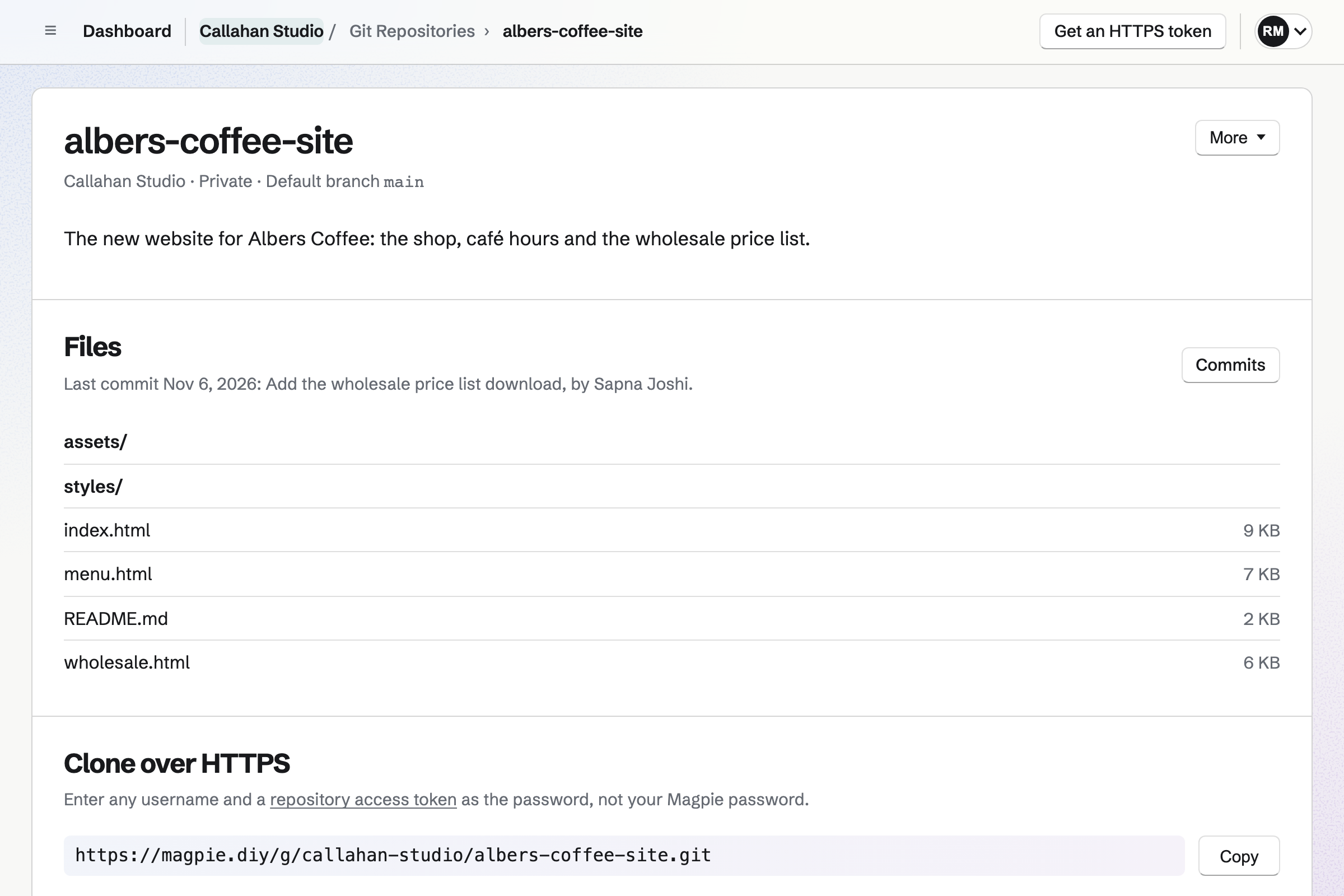
Yes, for a small team that pushes to private repositories and tracks work as issues. Magpie hosts the repositories, plans the work and publishes a website on each push.
Consider keeping GitLab if you review changes in merge requests or run a pipeline on every push. Keep it if you need security scanning or a package registry. Keep it too if your code must stay on your own servers. GitLab does each of these better than Magpie does today.
How much does GitLab cost?
GitLab has a Free plan, Premium priced per user, and Ultimate priced on request. Free on GitLab.com allows 5 users in a private group and 400 compute minutes a month. Premium includes 10,000 minutes, and Ultimate 50,000. GitLab Self-Managed is free to install. The prices are on GitLab's pricing page.
How much does Magpie cost?
Magpie has a Free plan and paid plans, each covering every area. Git Repositories and Issues are on every plan. A free team has places for 3 people. The Team plan has places for 25, at one price for the team. The prices are on Magpie's pricing page.
Does Magpie have merge requests?
No. Members merge with Git on their computer and push the result. Nothing in Magpie reviews a change or requires an approval before a merge. Merge requests are on Magpie's roadmap. GitLab's merge requests hold the change, its discussion, its pipeline and its approvals.
Does Magpie run CI/CD pipelines?
No. A push to a repository can rebuild a website made from it, and nothing else runs. Build jobs are on Magpie's roadmap. GitLab runs jobs from a .gitlab-ci.yml file, with 400 compute minutes a month on Free.
Can I see what a commit changed in Magpie?
No. Commits lists each commit's message, author, date and short ID, without the lines it changed. People read the changes with Git on their computer. GitLab shows every changed line of a commit or a merge request.
Does Magpie show branches other than the main one?
No, not on the website. Git pushes any branch to a Magpie repository, but its page shows only the default branch. The Magpie app can choose a branch to read. It is not yet in the App Store or Google Play. GitLab lets you choose any branch or tag.
Can I edit a file on Magpie's website?
No. Files are read-only on the website, and changes arrive by pushing with Git. GitLab's Web Editor changes one file, and its Web IDE changes several and commits them.
Does Magpie check my code for security problems?
No. Magpie does not scan the code, check pushes for keys or read a repository's dependencies. GitLab scans the code and its commits on every plan. Dependency scanning and push protection need Ultimate.
Does Magpie support Git LFS?
No. A Magpie repository holds only what ordinary Git pushes. GitLab's Git Large File Storage is on by default, on every plan.
Does Magpie have a wiki?
No. Markdown files in a repository, the README included, show as formatted documents on its page. Longer guides can go in Documents. GitLab gives every project a wiki, edited on the website or pushed with Git.
Can I run Magpie on my own server?
No. Magpie runs only as Magpie's own hosted service. GitLab Self-Managed installs on your own servers, free or on a paid plan. GitLab Dedicated is a hosted copy kept apart from other customers.
Does Magpie have epics and a roadmap?
Partly. A project groups issues with a lead, a status, dates and a count of completed issues. Any issue can have sub-issues, several levels deep. Roadmap lists dated projects, earliest first, not as bars on a timeline. GitLab's epics and roadmap need Premium.
Does GitLab have time tracking or invoicing?
GitLab has time tracking and no invoicing. Time spent is added to an issue by hand or with a /spend command, on every plan. Nothing turns it into an invoice. In Magpie, Start timer on an issue records time in Time Tracking. That time can go on an invoice.
Can customers report a bug without an account?
Yes, in both. GitLab's Service Desk gives a project an email address. Each email becomes a ticket, and the team replies by email. GitLab says Service Desk is no longer under active development. Magpie's public issue form takes a title, a description and an optional email address. Each report waits in Triage. Magpie cannot reply to the reporter from Issues.
Does Magpie have an AI that writes code?
No. The assistant reads a repository's branches, recent commits, file tree, README and a file you name. It answers questions about them, and does not write code, commit or review changes. GitLab Duo suggests code, answers questions, turns an issue into a merge request and reviews merge requests.
Does GitLab have a phone app?
No. GitLab has no official app; a request for one is open in GitLab's own issue tracker. People use the website or apps made by others. Magpie's Git Repositories and Issues work in a phone's browser, the issue board included.
Does Magpie have a phone app?
Git Repositories and Issues work in a phone's browser, the issue board included. The Magpie app has them too. It is not yet in the App Store or Google Play.
Can I publish a website from a repository on Magpie?
Yes. A files website takes its files from a repository in the team. Each push makes the site again. Markdown pages with Twig layouts are built; anything else is published as it is. A Jekyll or Hugo site is built on your computer first. GitLab Pages runs any generator in a pipeline job.
Can I use GitLab and Magpie together?
Yes. A team can keep merge requests and pipelines on GitLab and plan, bill and publish in Magpie. Git can push the same repository to both, so a Magpie files website builds from each push. Magpie's Issues links to GitHub, not to GitLab.
How do I move a repository from GitLab to Magpie?
Create a repository in Git Repositories without starter files and copy its clone address. In your clone, add that address as a remote. Push every branch and tag to it. Over HTTPS, Git asks for a password: paste a Magpie token. Over SSH, add your key in Magpie first. Merge requests, the wiki, pipelines and releases stay on GitLab.
Can I bring my GitLab issues into Magpie?
Partly. GitLab exports a project's issues as a CSV file on every plan. Import issues in Magpie reads a CSV file. You choose which columns fill the title, description, labels, assignee and due date. Labels and assignees must already exist in the team. GitLab writes its times in a different form, so created and closed times are left out. One import creates up to 200 issues.
What is included in Magpie's Free plan?
Git Repositories, Issues, 1 website, Time Tracking, Invoicing, Store, Meetings, Forms and a team of 3. A paid plan raises the limits and adds email at your domain.