What is the difference between Gusto and Magpie?
Gusto is a payroll, HR and benefits service for employers in the United States. It works out, pays and files payroll taxes. Magpie is one subscription for a small business's software. Its Payroll is one area beside the rota, time tracking, hiring and the books. Gusto does more inside payroll; Magpie does more around it.
Does Magpie replace Gusto?
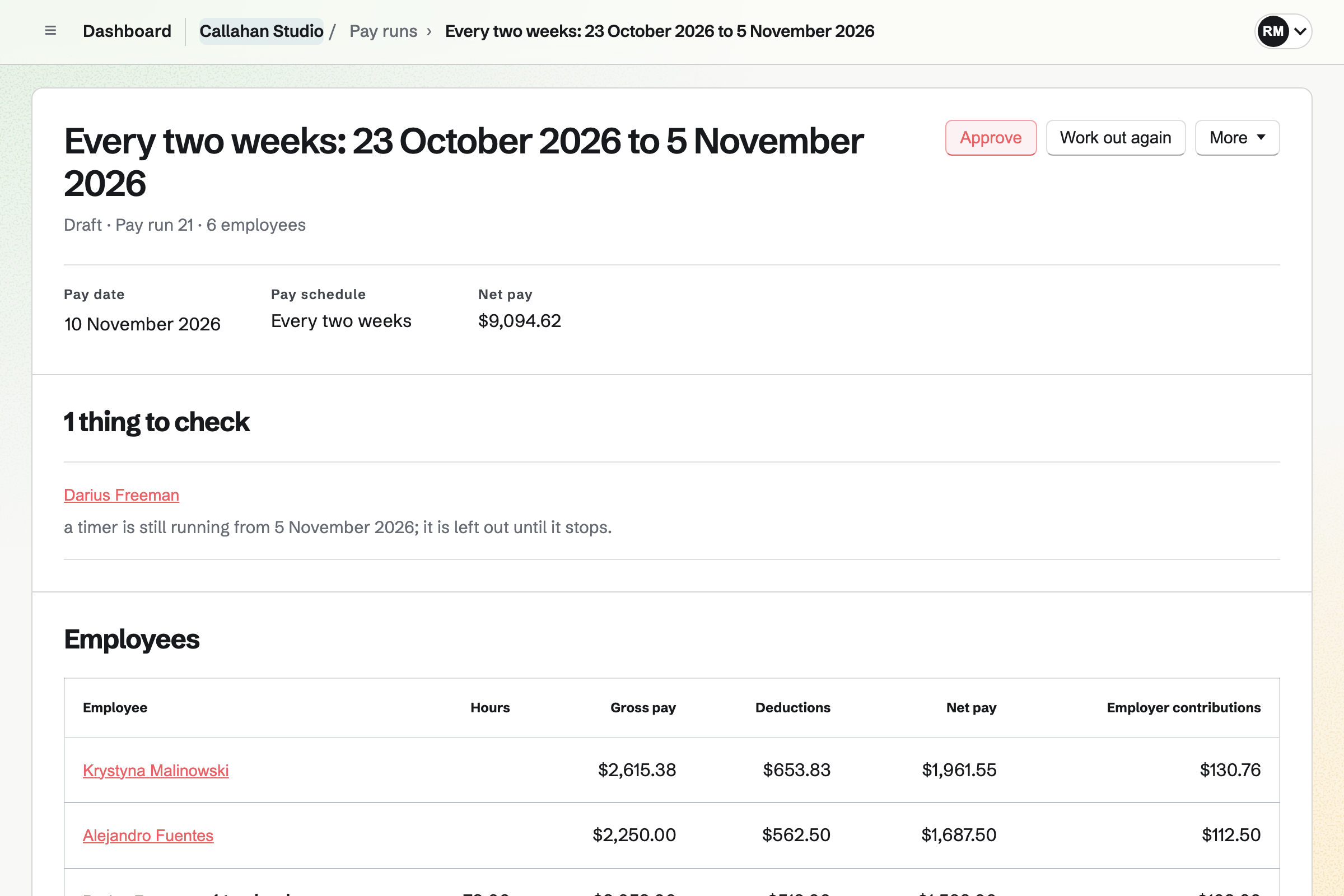
No, for an employer in the United States that wants its payroll taxes handled. Magpie's Payroll works out pay runs, overtime and payslips. It does not work out, pay or file tax, or pay by direct deposit.
Yes, for a business that pays a few employees from its own bank, or one outside the United States. It also suits a business whose accountant files the tax. Consider keeping Gusto if you want payroll taxes filed for you, W-2s and 1099s made, direct deposit, or benefits through payroll. Gusto does each of these better than Magpie does today.
How much does Gusto cost?
Gusto has three plans, Simple, Plus and Premium, each a monthly base price and a price for each person paid. Contractors are charged only in months they are paid. Next-day direct deposit, priority support and Business Compliance cost extra on some plans. The prices are on Gusto's pricing page.
How much does Magpie cost?
Magpie has a Free plan and paid plans, each covering every area. On the Free plan a pay run pays 2 employees. Paid plans pay everyone, with no price for each person paid. A free team has 3 members and the Team plan 25. The prices are on Magpie's pricing page.
Does Magpie calculate payroll taxes?
No. The tax to withhold is a standing line on each employee, as your accountant or your tax authority gives it. It is a percentage of gross pay or a fixed amount. Every pay run then takes it off and shows it on the payslip. Working out the tax is on Magpie's roadmap. Gusto works out federal, state and local payroll tax on every plan.
Does Magpie file payroll taxes or make W-2s?
No. Payroll's Summary totals what was withheld for a month, a quarter or a tax year, with a CSV for your accountant. You pay and report it yourself. Gusto pays and files payroll taxes on every plan and makes each employee's W-2.
Does Magpie pay employees by direct deposit?
No. Magpie moves no money: you pay employees from your bank, then mark the pay run paid. That releases each payslip to the employee. Gusto pays by direct deposit, next day on Plus and Premium.
Can Magpie pay contractors or file 1099s?
No. Payroll pays employees only, and a payment to a contractor is recorded in Accounting as a bill. Magpie makes no 1099 forms. Gusto pays contractors in the United States and more than 120 other countries and files their 1099s.
Does Magpie offer health insurance or a 401(k)?
No. Magpie arranges no insurance or retirement plan. A pension deduction and the team's contribution can be standing lines on each employee. Gusto offers medical, dental and vision plans, 401(k) plans and workers' comp through payroll.
Does Magpie have a time clock?
Partly. A person starts Time Tracking from their published shift, from two hours before it, in a phone's browser too. The Scheduled and worked report compares that time with the shift and marks a shift with no time entry. There is no kiosk for a shared tablet and no location on clock-in. Gusto has both on Plus and Premium.
Does Magpie approve timesheets before payroll?
No. A pay run reads each employee's hours from Time Tracking or their worked shifts, and works out overtime. Nobody approves the hours first, but the pay run is approved before it pays. Gusto's managers approve timesheets, which locks them.
Does Magpie track paid time off balances?
Yes. Staff keeps each person's balance for each time-off policy. A balance accrues at the start of the year, each month or by hours worked, with pro rata allowances and carryover. Gusto keeps balances that accrue by hours worked, each pay period or once a year.
Does Gusto have shift scheduling?
Yes, on Plus and Premium or with the Time and Attendance add-on. Managers build and publish a schedule, staff swap shifts and set their availability. A shift needs a person on it to be published. Magpie's Staff Scheduling is on every plan and can post an open shift for anyone who could work it.
Does Magpie have performance reviews?
No. Magpie has no review cycles. Performance reviews are on Magpie's roadmap. Gusto runs reviews with a self-evaluation and the manager's review on Plus and Premium.
Does Magpie have hiring?
Yes. Hiring publishes each job on the team's job board and its own page, and takes applications through a form. Candidates move through stages with notes, scorecards and interviews. A hired candidate goes into Payroll in one step. Gusto's Recruiting, on Plus and Premium, also posts to LinkedIn and Indeed and sends offer letters.
Does Gusto keep the books?
No. Gusto sends each payroll to QuickBooks Online or Xero as a journal entry. Magpie's Payroll adds each approved pay run to the team's books in Accounting, in the same team.
Can my accountant run payroll in Magpie?
Yes. A team admin can give an outside bookkeeper Payroll as a guest and name them a payroll administrator. They can do everything a team admin can in Payroll except name payroll administrators. Gusto adds an accountant through its partner dashboard.
Can Magpie pay employees outside the United States?
Yes. Payroll pays in the team's currency and counts from the tax year start you choose. It takes off the tax as you enter it. It does not employ anyone for you. Gusto's own payroll is for employees in the United States.
Does Magpie have an AI assistant for payroll?
No. The assistant and connected apps read nothing from Payroll, because pay is shown only to payroll administrators and each employee. Gusto's Gus answers questions, and Cofounder runs payroll after you confirm.
Can I use Gusto and Magpie together?
Yes. Gusto can run payroll and file the taxes while Magpie runs the rota, time tracking, hiring and the books. Staff Scheduling's reports download as CSV files for the hours. Magpie does not send anything to Gusto by itself.
How do I move from Gusto to Magpie?
Add your pay schedules in Payroll, then your employees one by one or with Import employees. An import takes each employee's pay, standing lines and what they were paid and had withheld so far this tax year. Payslips add those totals to the year to date. Keep Gusto until your tax filings for the year are done.
What is included in Magpie's Free plan?
Payroll for 2 employees a pay run, with Staff, Staff Scheduling, Time Tracking, Hiring, Expenses and Accounting. A free team has 3 members. Employees read their payslips with their own Magpie account without joining the team. A paid plan pays every employee and raises the other limits.