What is the difference between PandaDoc and Magpie?
PandaDoc is document software for proposals, quotes and contracts, built for sales teams that send many documents. Magpie is one subscription for a small business's software. Its Proposals area sits beside E-Signatures, Invoicing, Contacts and Client Portal. PandaDoc does more inside the document; Magpie does more after it is signed.
Does Magpie replace PandaDoc?
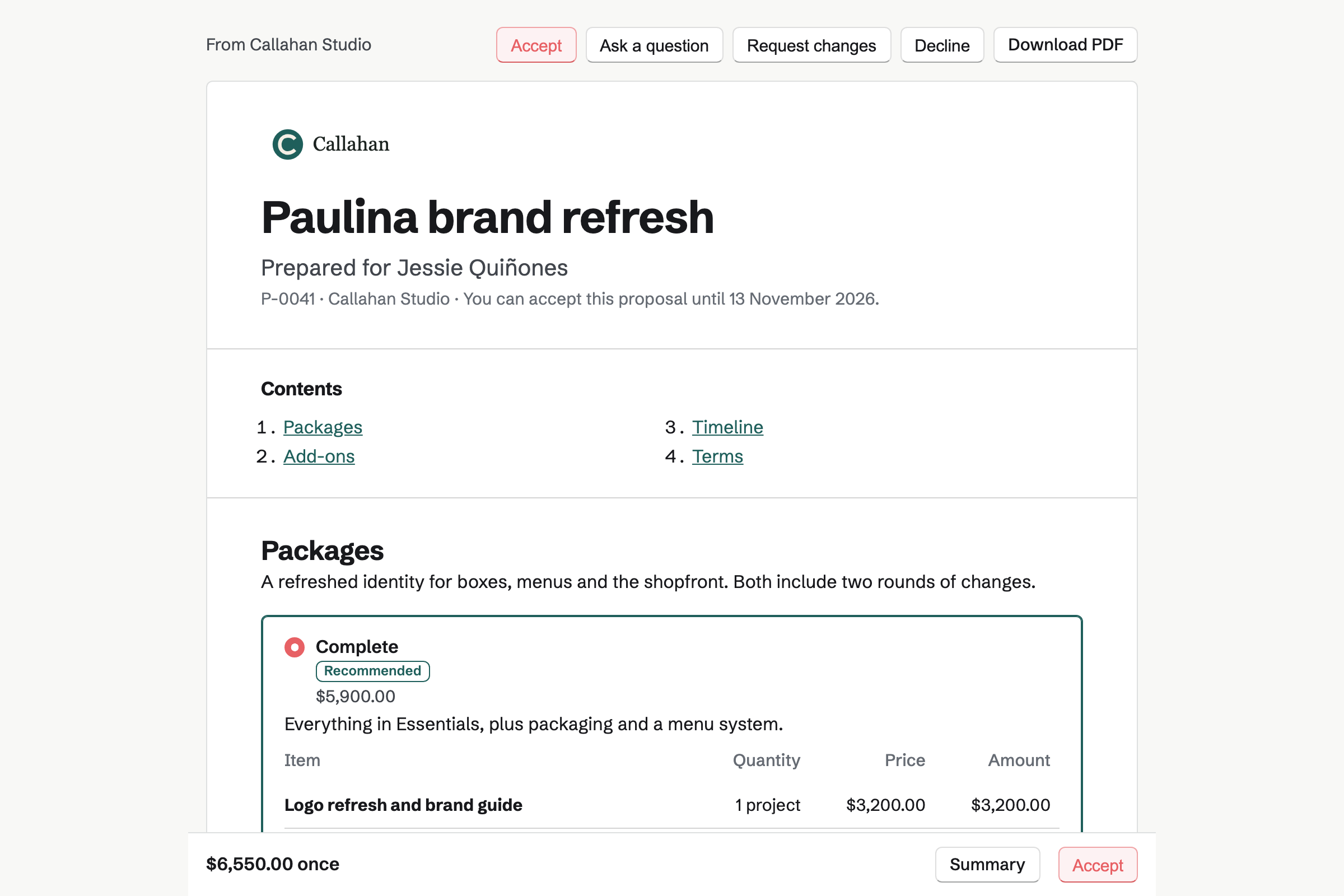
Yes, for a business that writes its own proposals and contracts and sends them a few at a time. Magpie sends priced proposals with packages and options, takes the deposit, and turns the proposal into invoices.
Consider keeping PandaDoc if you make documents from a CRM or send one to a list. Keep it if you need tables and fields you name yourself. Keep it too for identity checks, delivery by text message, qualified signatures or phone apps. PandaDoc does each of these better than Magpie does today.
How much does PandaDoc cost?
PandaDoc has Free, Starter, Business and Enterprise plans. Starter and Business are priced per seat, and Enterprise is priced on request. Free sends 5 documents a month. Bulk send, forms, the API and automations also use usage credits. The prices are on PandaDoc's pricing page.
How much does Magpie cost?
Magpie has a Free plan and paid plans, each covering every area. The Free plan sends 5 proposals a month, and a paid plan has no limit. The Team plan is one price for up to 25 people, not a price per seat. The prices are on Magpie's pricing page.
Can I send proposals for free?
Yes, in both. Magpie's Free plan sends 5 proposals a month with packages, deposits, approvals and reports. PandaDoc's Free plan sends 5 documents a month from up to 5 templates, with a simple one-section quote.
Does Magpie have a content library?
Yes. Keep as saved section stores any section under a name, and Add section copies it into a proposal. Pictures come from Your images. Saved sections have no folders, which PandaDoc's content library has.
Does Magpie have a product catalog?
Yes, the price list. It keeps each price with a name, description, unit, currency, tax rate and billing. Import prices adds many at once from JSON. It has no SKUs, pictures or categories. PandaDoc's catalog, on Business, has those, with bundles and tiered prices.
Can the client pay when they sign?
Yes, in both. In Magpie the deposit's invoice is issued on acceptance. The client pays it by card through your own Stripe account. PandaDoc takes payment on the document, at once, in instalments or as a subscription, on Business and Enterprise.
Does PandaDoc make invoices?
Not of its own. On Business and Enterprise, its QuickBooks Online connection makes an invoice in QuickBooks when a document is completed. Magpie's Invoicing makes an invoice for each payment in the schedule, and recurring lines become recurring invoices.
Can I put a table in a Magpie proposal?
No. Proposal text has headings, lists, checklists and quotes, but no tables. Prices go in pricing sections and dates in a timeline section. Tables are on Magpie's roadmap. PandaDoc has a table block on every plan.
Does Magpie have custom variables?
No. Insert field adds a fixed set of the client's, the proposal's, the business's and the writer's details. A detail such as a purchase order number is typed into the text. Fields you name yourself are on Magpie's roadmap. PandaDoc has custom variables on Starter and above.
Does Magpie have bulk send?
No. Each proposal and each signature request goes to its own recipients. Sending to many people takes one for each. A starter makes each one quicker. Bulk send is on Magpie's roadmap. PandaDoc's bulk send takes a spreadsheet of up to 1,000 recipients.
Can a client suggest changes to a proposal?
Partly, in Magpie. The client can Request changes, or ask about one section, in words. You revise the proposal and send a new version with a note on what changed. PandaDoc's Suggest edits, on Business, lets the client mark changes in the text for you to accept or reject.
Can several people edit a Magpie proposal at once?
Partly. Two people can edit one draft, and changes to different sections are both kept. A change to a section someone else changed first is refused, and their version is shown. The editor does not show who else has it open. PandaDoc shows each editor's picture as they work.
Does Magpie connect to Salesforce or HubSpot?
No. Proposals use Magpie's own Contacts, which show each client's proposals and what happened to them. A CRM connection is on Magpie's roadmap. PandaDoc connects to Salesforce, HubSpot, Pipedrive, Microsoft Dynamics, Zoho and others on Business and Enterprise.
Can AI write a proposal in Magpie?
Not in the editor. Copy the prompt gives an assistant you use, such as Claude or ChatGPT, what it needs to write a proposal as JSON. You paste that in as a draft. Nothing reads or rewrites a proposal's text with AI. PandaDoc's AI assistant writes and rewrites text, in a beta that is rolling out.
Does Magpie check a signer's identity?
No, beyond the signer's Magpie account at the invited address and an optional access code. The address is confirmed with a code before signing. Nothing checks a phone number or an ID document. PandaDoc offers a passcode, a code by text and a photo ID check on Business.
Can a form on my website make a document to sign?
Not in Magpie. Forms collects answers without a signature. Every proposal and signature request names its signers before it is sent. PandaDoc's forms, on Business and Enterprise, make a document from a template for whoever fills them in.
Does Magpie have SOC 2 or single sign-on?
No. Magpie has no independent security audit report and no SAML single sign-on yet; both are on its roadmap. Members sign in with a password, a passkey, an emailed link, or Google or Apple. PandaDoc has SOC 2 Type II on every plan, and single sign-on on Business and Enterprise.
Does Magpie have a phone app for proposals?
Proposals works in a phone's browser. The Magpie app writes, sends and revises proposals. It is not yet in the App Store or Google Play. PandaDoc has apps for iPhone and Android on every plan, except for EU accounts.
Do my clients need an account?
In Magpie, yes, and Magpie makes it. When a proposal is sent, each recipient gets a free Magpie account at that address. The email's button signs them in the first time. The proposal and its signed copy stay in that account.
Can I use PandaDoc and Magpie together?
Yes, side by side, though they do not connect. A business might send CRM and bulk documents from PandaDoc, and its proposals, invoices and client work from Magpie.
How do I move from PandaDoc to Magpie?
For each template you send often, start a proposal in Magpie and paste in its text. Add your prices to the price list, then use Save as starter. Keep your PandaDoc account until you have the signed copies you need from it.
What is included in Magpie's Free plan?
Proposals sends 5 a month, with packages, deposits, approvals and reports. E-Signatures has no limit, and Invoicing sends 5 invoices a month. Contacts, Client Portal, a team of 3 and the other areas are included too.