What is the difference between Workable and Magpie?
Workable is a recruiting system with an HR side. It posts jobs to job boards, screens applicants with AI and reports on every step. Magpie is one subscription for a small business's software. Its Hiring is one area beside the rota, payroll, e-signatures and the books. Workable does more inside hiring; Magpie does more around it.
Does Magpie replace Workable?
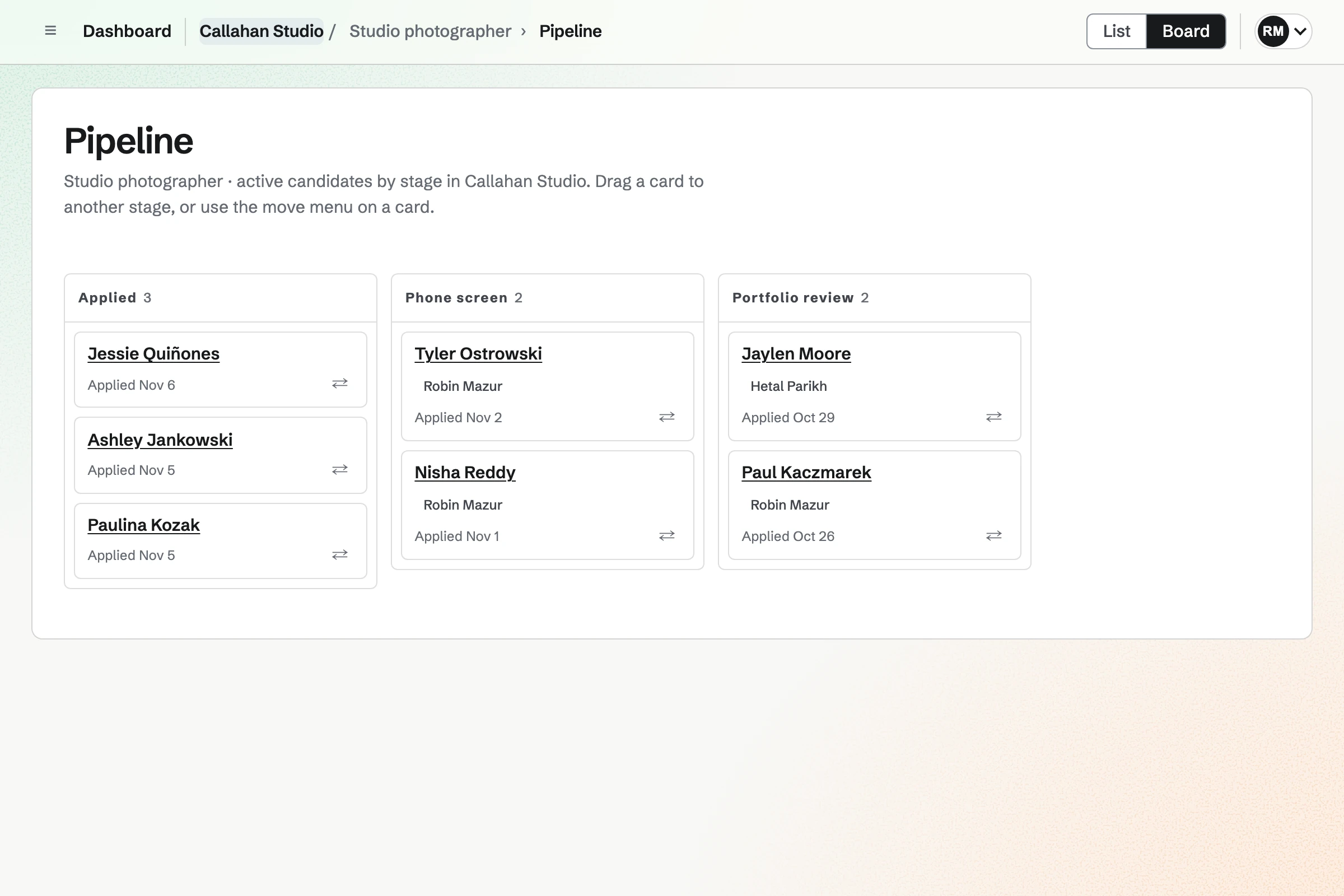
Yes, for a small business that hires a few people at a time. Hiring publishes jobs, takes applications, schedules interviews and collects scorecards. A hire goes into Staff and Payroll.
Consider keeping Workable if you post to Indeed and LinkedIn or screen many applicants. Keep it if candidates should choose their own interview time. Keep it too for offer letters from templates, automated emails and hiring reports. Workable does each of these better than Magpie does today.
How much does Workable cost?
Workable has three plans, Standard, Premier and Enterprise, priced by the size of the company. There is a 15-day trial and no free plan. One-way video, assessments, texting and performance reviews come with Premier, or as add-ons on Standard. The prices are on Workable's pricing page.
How much does Magpie cost?
Magpie has a Free plan and paid plans, each covering every area. Hiring is on every plan, with no limit on jobs. A free team has 3 members and the Team plan 25. Video Chat interviews need Pro or the Team plan. The prices are on Magpie's pricing page.
Can Magpie post jobs to Indeed and LinkedIn?
No. A Magpie job page carries the details job search engines read, such as Google for Jobs. Share job starts a Social Media post with the job's address. Workable sends a published job to Indeed, LinkedIn and a network of other boards.
Does Magpie screen applicants with AI?
No. People read each application, and nothing in Hiring scores or ranks candidates. The assistant does not read Hiring. The Workable Agent scores each candidate out of 100 against the job's criteria, using AI credits.
Can Magpie write a job description for me?
No. You write the description and requirements yourself, in Markdown. The Workable Agent writes them, with the application questions, after a short conversation about the role.
Can candidates choose their own interview time in Magpie?
No. The person scheduling picks the time from when every interviewer is free, and the candidate is sent an invitation. Workable sends a link that shows the candidate open times from the interviewers' calendars.
Does Magpie send offer letters?
Partly. E-Signatures sends any PDF for signature, such as an offer letter, and keeps the signed copy. Hiring has no offer step, so nothing fills the letter in from the candidate. Workable fills a template with the salary and start date and shows whether the offer was accepted.
Does Magpie send automatic emails to candidates?
Partly. The confirmation email to a new applicant is automatic and can be turned off. Every other email is sent by a person, from a starter message they can edit. Workable sends emails and texts by itself when a candidate applies, moves stage or is rejected.
Can Magpie reject many candidates at once?
Yes. Reject in Hiring's candidate list rejects up to 100 active candidates with one reason. Each can get their own copy of an email. Moving or emailing several candidates without rejecting them is not possible. Workable moves, emails or rejects any ticked candidates.
Does Magpie read resumes?
No. Applicants type their name, email address and phone number, and the resume is kept as a file to download. Workable reads each uploaded resume for the candidate's details, in any language.
Does Magpie have hiring reports?
Partly. The Hiring overview counts published jobs, active candidates and hires. Each job shows its active candidates and how many openings are filled. There are no reports over time, by source or by stage. Workable has ready-made reports, a report builder and dashboards.
Does Magpie have a careers page?
Yes. Each team has a job board at a Magpie address, with a name and an introduction above its published jobs. It has no pictures or colours of its own and cannot move to your domain. Your website links to it. Workable builds a branded careers page and puts the job list inside your own site.
Does Workable have its own video calls?
No. Workable adds a Google Meet, Microsoft Teams or Zoom link once that service is connected. Magpie's Video Chat holds the interview call on Pro and the Team plan. The candidate joins from the invitation without an account.
Does Workable have a free plan?
No. Workable has a 15-day trial, and its plans are priced by the size of the company. Magpie's Free plan includes Hiring, with no limit on jobs.
Does Magpie keep employee files and onboarding?
Yes. Staff keeps a file for each person, with their details, employment, pay, documents and time off. It starts an Onboarding checklist when someone is added with a start date, with tasks for them and their manager. Magpie draws no org chart. Every Workable plan includes employee profiles, a directory and an org chart, and Workable has an onboarding portal.
Does Magpie have performance reviews?
No. Magpie has no review cycles for staff. Performance reviews are on Magpie's roadmap. Workable runs reviews with self and manager forms, on Premier or as an add-on on Standard.
Does Magpie have single sign-on?
No. Members sign in with a password, an emailed link or code, a passkey, or an Apple, Google, LinkedIn or GitHub account. Workable lists single sign-on in every plan.
Can I hire from my phone with Magpie?
Yes, in a phone's browser. You can change a candidate's stage, add notes, schedule interviews, email them, submit a scorecard, and reject or hire. The Magpie app is not yet in the App Store or Google Play. Workable has apps for iPhone and Android.
Can I use Workable and Magpie together?
Yes. Workable can run the hiring while Magpie runs the rota, payroll and the books. A new hire is added to Staff or Payroll by hand. A developer could connect the two through each product's API. Magpie sends nothing to Workable by itself.
How do I move from Workable to Magpie?
Make each open job again in Hiring and publish it. Magpie has no candidate import. Add current candidates one at a time with Add candidate, or through the REST API with a Pro key. Workable's candidate report downloads as a CSV file, so you can keep a copy of the rest.
What is included in Magpie's Free plan?
Hiring, with no limit on jobs, Staff, Staff Scheduling and Time Tracking. Payroll pays 2 employees a pay run. Accounting, Invoicing and the other areas are in the same plan. A free team has 3 members. A paid plan adds Video Chat interviews and raises the limits.