What is the difference between Asana and Magpie?
Asana is a work management product for projects, tasks, goals and reporting. Magpie is one subscription for a small business's software. Its Kanban Boards is one area beside To-dos, Time Tracking, Invoicing, Mail and Documents. Asana does more inside the project; Magpie does more around it.
Does Magpie replace Asana?
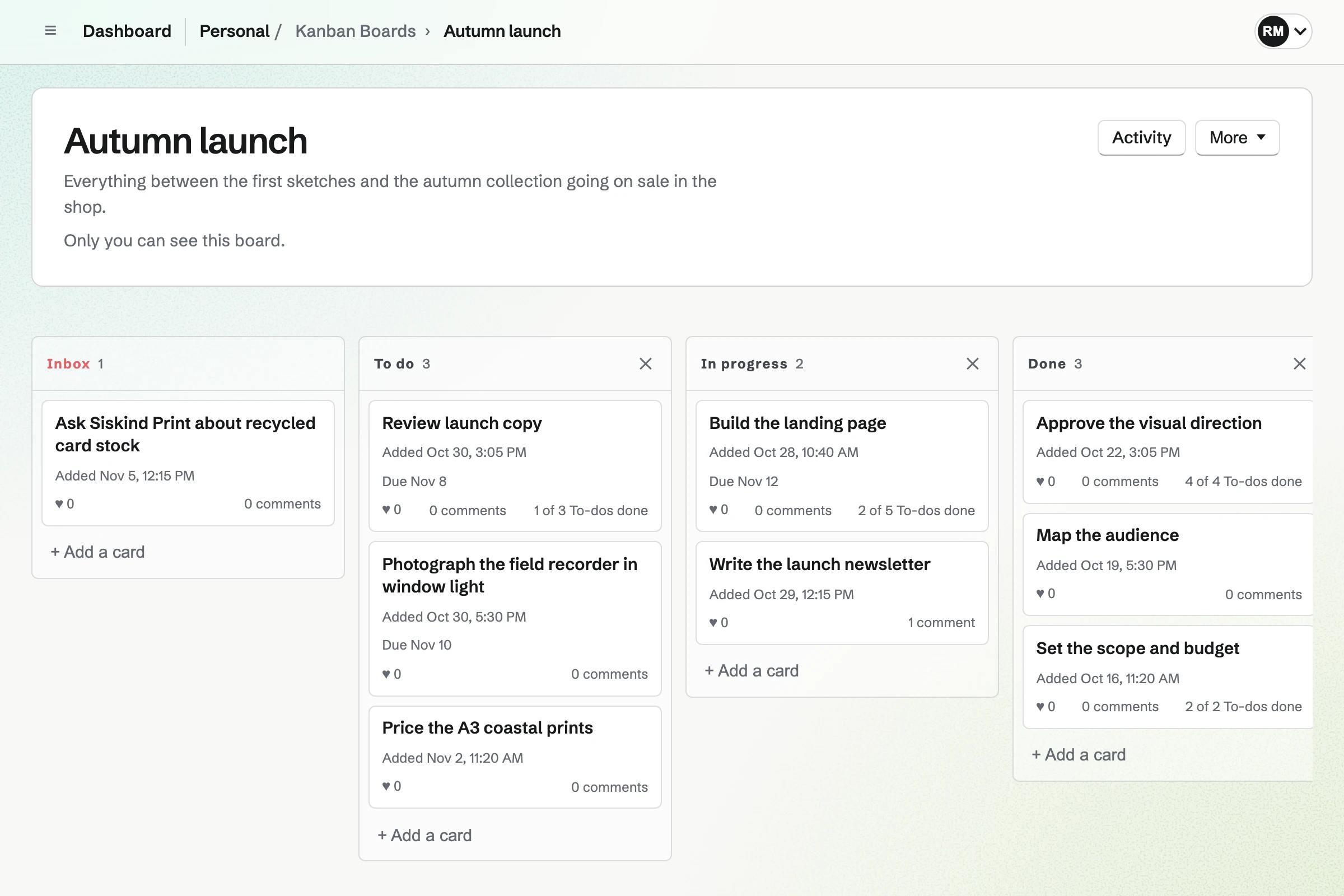
Yes, for a small team that runs its projects on boards. A Magpie card has an assignee, a due date, comments, images and To-dos, and the board keeps an activity log. The same team has Time Tracking, Invoicing, Mail, Documents and Calendar.
Consider keeping Asana if you plan work on a timeline, sort tasks by your own fields, or let rules move the work. Keep it too if you report on goals and portfolios, balance each person's workload, or need SAML sign-in. Asana does each of these better than Magpie does today.
How much does Asana cost?
Asana's Personal plan is free for 2 people. Starter, Advanced, Enterprise and Enterprise+ are priced per user, billed monthly or yearly, and Enterprise prices are quoted. Timesheets and Budgets is a separate add-on. The prices are on Asana's pricing page.
How much does Magpie cost?
Magpie has a Free plan and paid plans, each covering every area. Free includes 1 Kanban board and a team of 3. Pro and the Team plan have no limit on boards. The Team plan is one price for up to 25 people, not a price per user. The prices are on Magpie's pricing page.
Does Magpie have a list view or a timeline?
No. A Kanban board is seen only as columns of cards. A card has a due date but no start date. A To-do on a card shows on the team's Calendar on its date. Asana shows a project as a list, a board or a calendar on every plan. Its timeline is on Starter and above.
Does Magpie have custom fields on cards?
No. A card has a title, a description, a column, an assignee, a due date and a colour. Issues, in the same team, has custom fields of seven types for issues. Asana has text, number, date, choice, people and formula fields on Starter and above.
Does Magpie have automation rules?
No, not on boards. Cards move by hand or through the assistant. Issues has rules that set an issue's status or priority when it changes. Asana's rules pair a trigger, such as a date, with an action, such as assigning or moving a task.
Does Magpie have subtasks?
Yes, as To-dos on a card. Each has its own date, reminder, repeat and assignee, and shows in To-dos and on Calendar. The card shows how many are done, such as 2 of 5. Asana's subtasks are tasks inside a task, on every plan.
Does Magpie have task dependencies?
No. Cards have no links between them, and a board has no milestones. Issues can mark one issue as blocking another, and its projects have milestones. Asana marks a task as blocked by another on Starter and above, and tells the assignee once it can start.
Can I see everything assigned to me in Magpie?
Partly. To-dos lists every To-do assigned to you in Personal and every team, To-dos on cards included. A card assigned to you is shown only on its board. Asana's My tasks lists every task assigned to you, from every project, as a list, a board or a calendar.
Does Magpie tell me when someone mentions me on a card?
No. Cards have no mentions, and nobody can follow a card. The person who added a card gets one email about the changes others make to it, comments included. An assignee is not told. Asana's Inbox collects updates on the tasks you follow or are mentioned in.
Does Magpie have goals and portfolios?
No. Kanban Boards lists each board with its description and number of cards, without a status or progress. Issues' Projects page lists each project with its status and how many of its issues are complete. Asana's goals and portfolios are on Advanced and above.
Does Magpie show each person's workload?
No. Nothing adds up the cards assigned to each person across boards, and nothing plans people's time ahead. Time Tracking records the time already spent. Asana's Workload is on Advanced and above, and capacity planning on Enterprise and Enterprise+.
Can I track time on a task in Magpie?
Yes, through a To-do on a card or an issue, which starts a Time Tracking timer linked to it. Time Tracking reports totals by project, Contact or tag. A card has no timer of its own, and nothing records an estimate. Asana's time tracking, with estimates, is on Advanced and above.
Does Asana have invoicing?
No. Asana's Timesheets and Budgets add-on records billable time and rates, and invoices are made in another app. Magpie's Invoicing is in the same team as Kanban Boards. A team admin adds their own billable Time Tracking entries to a Contact's invoice. Each becomes a line at its rate.
Does Asana have email, documents or a calendar?
No. Asana manages projects and tasks. It connects to the apps that hold email, documents and calendars, such as Google and Microsoft 365. Magpie's Mail, Documents and Calendar are areas in the same account as Kanban Boards. Mail needs a paid plan.
Does Magpie have AI like Asana AI?
Partly. The assistant finds cards, reads their comments, makes boards and columns, and adds, edits and moves cards from a message. It deletes only after you confirm. Nothing inside a card writes for you, and nothing on a board runs AI by itself. Asana's AI Teammates do steps of the work on their own.
Can a client see one board without seeing the rest?
Partly. Guests take no place on the plan, up to 10 on Free and 100 on a paid plan. A guest given Kanban Boards opens every board in the team. A board's outside access lets anyone signed in to Magpie view it, or also suggest cards and comment. Asana's guests see only the projects shared with them.
Does Magpie have phone and desktop apps?
No. Kanban Boards works in a phone's browser, where a card opens to edit, comment and move. The Magpie app shows a board a column at a time. It is not yet in the App Store or Google Play. There is no app for Mac or Windows. Asana has apps for iPhone, iPad, Android, Mac and Windows on every plan.
Does Magpie connect to Slack, Google or Microsoft?
No. Kanban Boards connects to no other apps. Magpie's API and Connected apps reach its boards from outside, and Claude or ChatGPT can work on them through MCP. Asana has over 100 integrations, free on every plan.
Can I use Asana and Magpie together?
Yes. Asana can run the team's projects while Magpie runs the invoices, time tracking, mail, bookings and website. Nothing links the two by itself, so a task in Asana and an invoice in Magpie are not connected.
How do I move from Asana to Magpie?
Export each project from Asana as CSV or JSON. In Magpie, Import a board from JSON builds a board with its columns and cards. Each card keeps its title, description, due date and colour. A CSV file does not load as it is; Copy the prompt has an AI assistant turn it into the JSON. Cards arrive unassigned, without comments or attachments.
What is included in Magpie's Free plan?
1 Kanban board with up to 500 cards, To-dos, Issues, Time Tracking, Calendar and Invoicing. A team of 3, 10 guests and 2 connected apps. Pro and the Team plan have no limit on boards, and Mail needs a paid plan.