What is the difference between Homebase and Magpie?
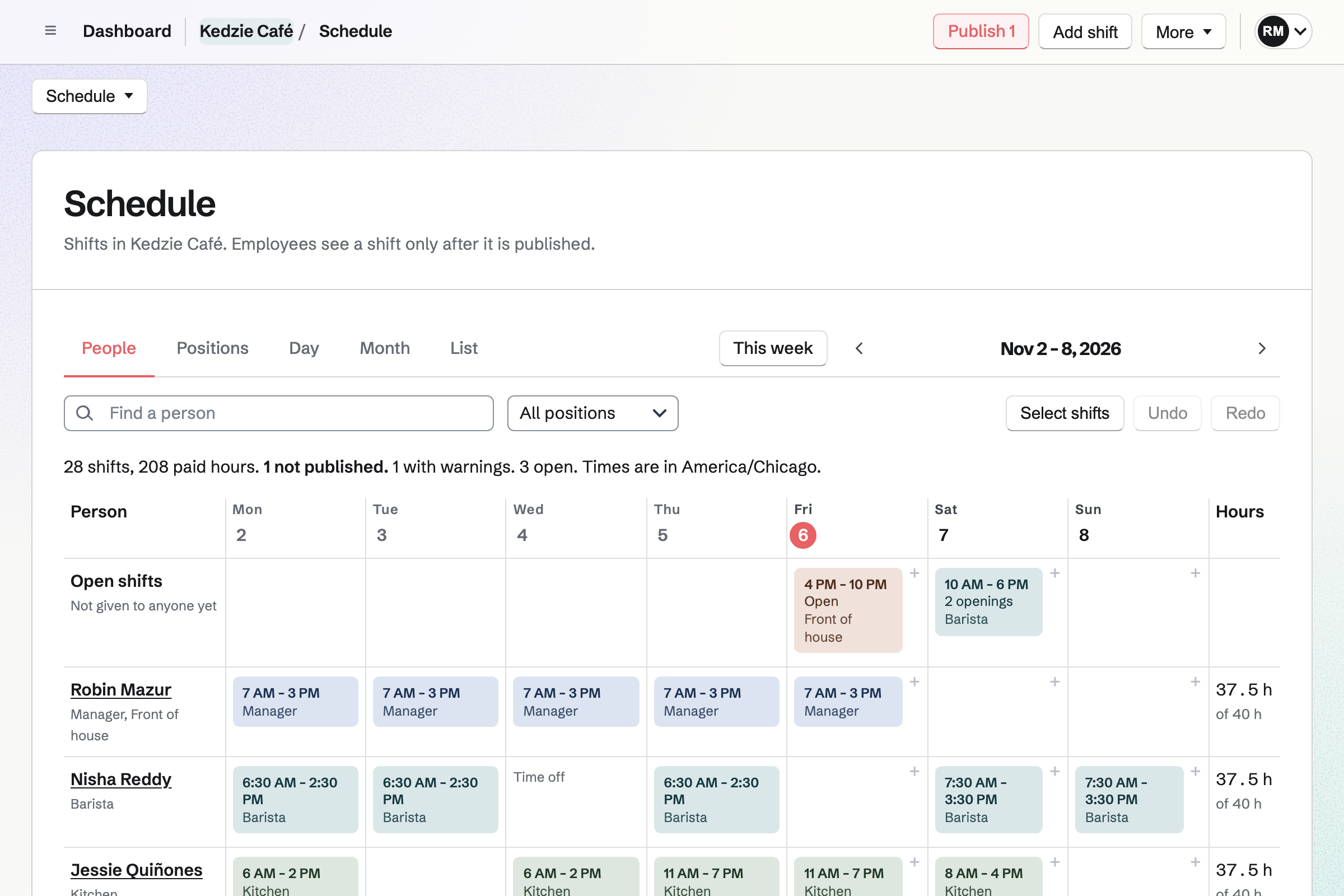
Homebase is a staff management service for hourly teams: scheduling, a time clock, timesheets, payroll, tips, hiring and HR. Magpie is one subscription for a small business's software. Its Staff Scheduling is one area beside Payroll, Hiring, Daily Operations, Restaurant Reservations and the books. Homebase does more around the clock and the pay; Magpie does more around the rota.
Does Magpie replace Homebase?
Yes, for a small team that plans a weekly rota and pays from its own bank. Staff Scheduling handles open shifts, swaps, availability, time off and scheduling rules. Staff keeps each person's file, documents and leave balances. Payroll pays from the worked shifts.
Consider keeping Homebase if staff clock in on a shared tablet or managers approve timesheets. Keep it too if you pool tips or want payroll taxes filed. It also suits a team where more than 25 people see their shifts. Homebase does each of these better than Magpie does today.
How much does Homebase cost?
Homebase's Basic plan is free for one location and up to 10 employees. Essentials, Plus and All-in-One are priced for each location, each month, with no limit on employees. Payroll, Tip Manager, Task Manager and background checks cost extra. The prices are on Homebase's pricing page.
How much does Magpie cost?
Magpie has a Free plan and paid plans, each covering every area. Staff Scheduling is on every plan, with no price for each location. People invited to see their shifts take a member place: 3 in a free team, 25 on the Team plan. The prices are on Magpie's pricing page.
How many staff can I schedule in Magpie?
Staff profiles have no limit, and a profile needs no Magpie account. Each person invited to see their own shifts takes a member place. A free team has 3 and the Team plan 25. Homebase's paid plans have no limit on employees.
Does Magpie have a time clock?
Partly. From two hours before a shift, Start tracking time starts a Time Tracking timer for it. The Scheduled and worked report compares that time with the shift. There is no clock on a shared tablet and no location or photo check. Homebase has all three.
Does Magpie approve timesheets before payroll?
No. Time Tracking entries are not approved or locked. A team admin cannot correct someone else's time. The pay run itself is approved before anyone is paid. Homebase's managers approve and lock timesheets, with every edit kept.
Does Magpie run payroll?
Yes. Payroll pays employees from their worked shifts, with overtime and a payslip for each. Magpie moves no money. The team pays from its own bank and marks the pay run paid. The Free plan pays 2 employees a pay run. Homebase Payroll pays by direct deposit or printed check.
Does Magpie file payroll taxes?
No. Payroll's Summary totals what was withheld for a month, a quarter or a tax year. You pay and report it yourself. Magpie makes no W-2 or 1099 forms. Homebase Payroll pays and files payroll taxes and makes both forms.
Does Magpie pool tips?
No. Nothing records or shares out tips. A tip can be added by hand as a line on a pay run. Homebase's Tip Manager brings card tips in from Clover, Toast or Square. It splits a pool by hours worked.
Can staff get paid early with Magpie?
No. Magpie moves no money, so staff are paid when the team pays them. Homebase's Cash Out lets employees take part of their earned pay early. It costs the business nothing.
Does Magpie connect to my point of sale?
No. Magpie shows estimated pay and the people each time needs while you plan. No sales come in from a till, and there is no labour target. Homebase connects to Square, Toast, Clover, Shopify, Lightspeed and others on every plan.
Does Magpie fill the schedule automatically?
Yes, on every plan. Auto-fill open shifts proposes people by availability, preferred hours, qualifications and fairness. Every scheduling rule is checked. Nothing changes until you choose Apply as drafts. Homebase's AI Scheduling Assistant is on Plus.
Does Magpie send schedules by text message?
No. Each person gets one email listing their published changes, and shift reminders before each shift. The Magpie app sends phone notifications, but it is not yet in the App Store or Google Play. Homebase sends schedules by text, email and app notification.
Does Magpie track paid time off balances?
Yes. Staff's time-off policies add each person's allowance at the start of the leave year, each month or for each hour worked. Part-time people get it pro rata, and unused time off carries over as the policy sets. Each file shows the balance, and Staff refuses a request that goes below what the policy allows. Homebase keeps balances on Plus and All-in-One.
Does Magpie have a phone app for staff?
Every Staff Scheduling page works in a phone's browser. Staff see their shifts, take open shifts, swap and ask for time off. The Magpie app does the same, but it is not yet in the App Store or Google Play. Homebase has a free app for iPhone and Android.
Does Magpie have opening and closing checklists?
Yes. Daily Operations routines make a checklist for each business day at a location. A routine can be tied to a Staff Scheduling position. Each answer records who gave it and when. Homebase's Task Manager is charged for each location.
Does Magpie post jobs to Indeed?
No. Each job's public page carries the details Google uses to list jobs in search. Share job starts a Social Media post. Nothing posts to Indeed or other job boards. Homebase sends one posting to Indeed, ZipRecruiter, Google, Facebook and Craigslist.
Does Magpie have onboarding paperwork?
Partly. Staff starts an Onboarding checklist when someone is added with a start date. It has items for the new hire and their manager, such as a contract sent from their file to sign. E-Signatures can have them fill in and sign a PDF such as a W-4. Magpie has no ready-made tax forms, and nothing puts the answers into Payroll. Homebase sends onboarding packets on All-in-One.
Does Magpie give HR advice?
No. Magpie has no HR advisors, handbook service or labour law alerts. Staff publishes the team's own policies, such as a handbook, and records who has acknowledged each one. Homebase's All-in-One plan has certified HR advisors, a custom handbook and alerts when labour laws change.
Does Homebase take restaurant reservations or keep stock?
No. Homebase manages staff: scheduling, the time clock, payroll, hiring, HR, messaging, tasks and tips. Magpie's Restaurant Reservations and Inventory are in the same team as the rota.
Can I use Homebase and Magpie together?
Yes. Homebase can run the schedule, the clock and payroll. Magpie can run the reservations, stock, invoices and books. Nothing passes between them by itself.
How do I move from Homebase to Magpie?
Add your locations and positions in Staff Scheduling. Import your staff from a CSV file, up to 1,000 people at a time. Plan your usual week and save it as a starter week. Then invite each person to see their shifts. Keep Homebase until your last timesheets are paid.
What is included in Magpie's Free plan?
Staff, Staff Scheduling, Time Tracking, Hiring, Daily Operations and Team chat are included. Payroll pays 2 employees a pay run. A free team has 3 members. A paid plan pays every employee and raises the other limits.