Comparing Magpie and Circle
Circle does far more for a community; Magpie does more around it. Every line in the tables below was checked against Circle's own pages, linked from each row, and against Magpie's code and Help.
Platform
| What | Circle | Magpie |
|---|
| Discussion spacesPosts and comments, grouped by topic |
✓Yes |
Message Boards |
| Pictures, video and files in postsUploads inside a post |
✓Yes |
✗No |
| Notifications and a weekly digestMembers told of replies, mentions and new posts |
✓Yes |
✗No |
| Chat and direct messagesReal-time chat beside the discussions |
✓Yes |
Team chat |
| EventsEvents members answer, with places limited |
✓Yes |
Partly |
| Live streamsStream to members and keep the recording |
✓Yes |
✗No |
| Group video roomsOffice hours or a coaching circle on video |
✓Yes |
Course and Coaching sessions |
| CoursesLessons, quizzes and drip release |
✓Yes |
✓Yes |
| Member directory and profile fieldsMembers find each other and fill in your questions |
✓Yes |
Partly |
| Points, levels and a leaderboardRewards for active members |
✓Yes |
✗No |
| ModerationModerators, reports and posts held for approval |
✓Yes |
Partly |
| Paid communityPeople pay to join the community or a space |
✓Yes |
Paid posts in Supporters |
| Your own domain and lookThe community at your domain, in your colours |
✓Yes |
Websites and the school only |
| Phone and desktop appsApps for iPhone, Android and computers |
✓Yes |
✗No |
| An app under your own nameA branded app in the app stores |
Circle Plus |
✗No |
| Website and landing pagesPages that sell the community |
✓Yes |
✓Yes |
| Email newslettersBroadcasts to members and others |
Email Hub, an add-on |
✓Yes |
| Email automationsA series of emails sent when someone joins |
Email Hub, an add-on |
✗No |
| AI agents for membersAnswers to members' questions, unattended |
Scale and Circle Plus |
✗No |
| WorkflowsWelcoming, tagging and access done by rules |
Business and above |
✗No |
| Community analyticsMembers, posts, events and payments in reports |
✓Yes |
✗No |
| Booking pagesMembers book a call with you |
Another service, embedded |
✓Yes |
| Free planA community without paying |
✗No |
✓Yes |
Good to know: Where Magpie says No or Partly, the line under the row says what Magpie does instead. Each gap has an item on Magpie's roadmap, and the line changes on the day it ships.
Spaces and posts
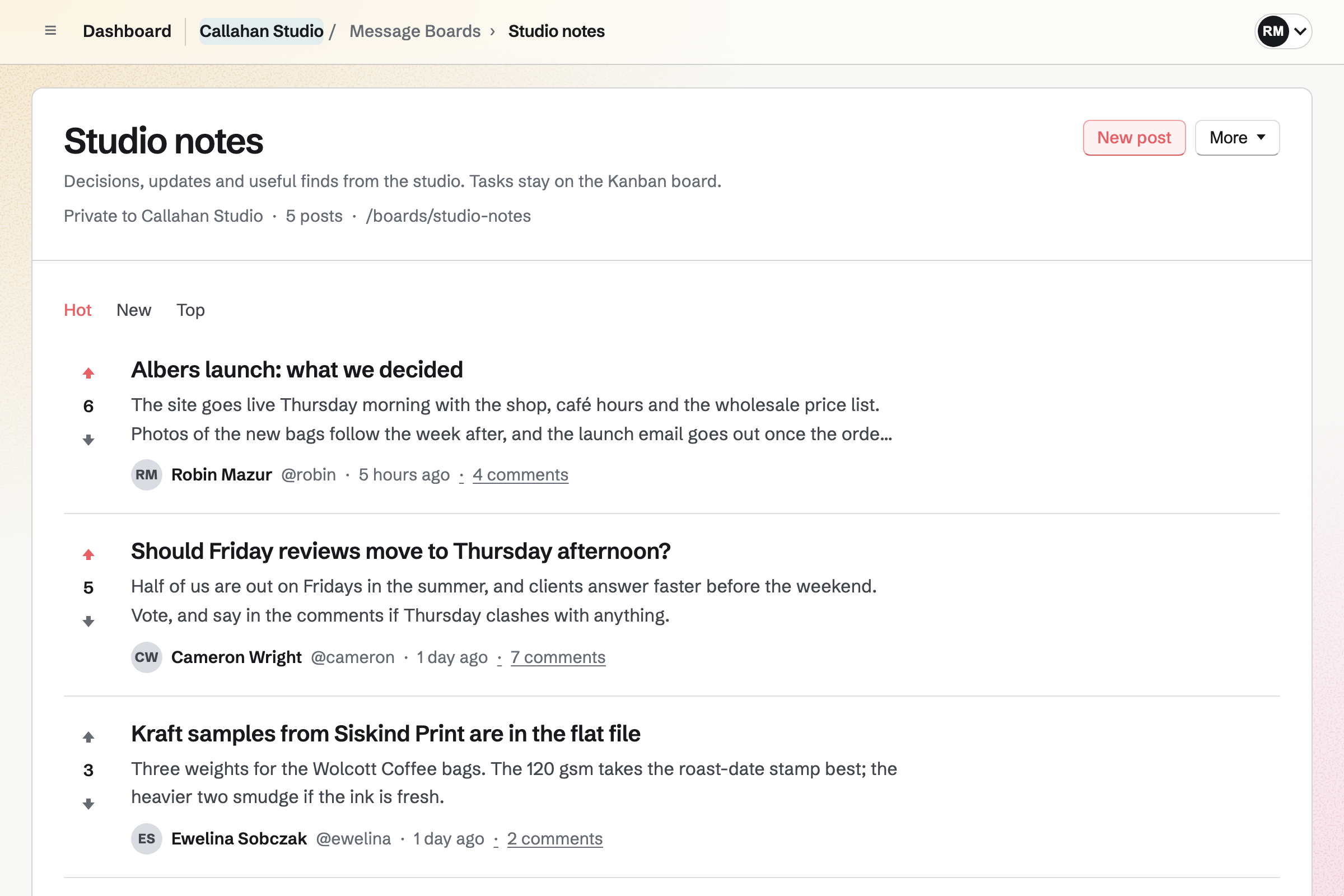
Circle's spaces hold posts with pictures, video, polls, topics and pins, in one feed. They do it better than we do today. A Magpie board holds posts in Markdown, with comments, replies and votes.
| What | Circle | Magpie |
|---|
|
Divide a community into separate spaces for different topics, grouped in a sidebar
Source Magpie: A team can have any number of Message Boards, each at its own address, listed together on Message Boards. Boards cannot be grouped into sections, and no page lists a team's public boards for visitors who are signed out. |
✓Yes |
Partly |
|
Keep some spaces private to the members I add, or hidden from everyone else
Source Magpie: A board is private to its whole team or public to anyone. It cannot be limited to some of the team, and a guest given Message Boards reads all of the team's private boards. |
✓Yes |
Partly |
|
Start a discussion with a title and formatted text
Source |
✓Yes |
✓Yes |
|
Comment on a post and reply to one particular comment
Source |
✓Yes |
✓Yes |
|
Show that I liked a post or a comment
Source |
✓Yes |
✓Yes |
|
Add pictures, video, audio and files to a post
Source Magpie: Nothing can be uploaded to a post or a comment. Their Markdown can show a picture that is already online by its address, and a post can carry one link. Team chat and Supporters posts take pictures; Supporters posts also take video. |
✓Yes |
✗No |
|
Paste a link to a video or another site and see it inside the post
Source Magpie: A post can carry one link: its title opens the page and the site's name is shown beside it. Nothing from the page is shown in the post. |
✓Yes |
✗No |
|
Mention someone with @ so they are told
Source Magpie: Posts and comments show each author's handle, but an @handle in the text is plain text and nobody is told. |
✓Yes |
✗No |
|
Change a post after publishing it
Source Magpie: A post or a comment cannot be edited once it is published. To change a post, its author deletes it, which deletes its comments too, and posts again. |
✓Yes |
✗No |
|
Run a poll inside a post
Source Magpie: A board post cannot hold a poll; people can only vote a post up or down. A Supporters post can show a published Form as a poll. |
✓Yes |
✗No |
|
Save a post as a draft and finish it later
Source Magpie: The new post page saves no draft, so leaving it loses the text. |
✓Yes |
✗No |
|
Write a post now and have it published at a time I choose
Source Magpie: A board post is published as soon as Publish post is chosen; nothing holds it for a later time. |
✓Yes |
✗No |
|
Label posts by topic and let members filter a space by topic
Source Magpie: Board posts have no topics or tags; a board lists its posts by Hot, New or Top. |
✓Yes |
✗No |
|
Keep a welcome post or an announcement at the top of a space
Source Magpie: A board orders its posts only by Hot, New or Top, so an announcement slides down as others are posted. |
✓Yes |
✗No |
|
Close one post to new comments, or hide its comments
Source Magpie: Archiving a board stops all posting, commenting and voting on it, but a single post cannot be closed or have its comments hidden. |
✓Yes |
Partly |
|
See what is new across all the spaces I belong to in one feed
Source Magpie: Message Boards lists the boards themselves, and each board lists only its own posts. Nothing gathers new posts from several boards in one place. |
✓Yes |
✗No |
|
Search the words of every post, comment and message
Source Magpie: Search finds a board by its name, not by what its posts say. The assistant searches a team's posts by title, text, board or date and reads their comments. |
✓Yes |
Partly |
|
Get a short summary of a long post or discussion
Source Circle: Long posts, threads of five or more comments and a whole space's last week or month get an AI summary. It is a beta on Circle Plus only.Magpie: The assistant reads a post's comments and answers questions about them when asked; a post has no summary of its own. |
Partly |
Partly |
|
Let anyone read public discussions and find them through search engines
Source |
✓Yes |
✓Yes |
Good to know: A board's Hot, New and Top tabs order its posts by votes and age. Anyone can read a public board and its posts without an account.
Chat and messages
Both have chat channels with threads and reactions, and private messages. Circle's chat is part of the community. Magpie's Team chat is for a team and its guests.
| What | Circle | Magpie |
|---|
|
Chat in real time beside the discussions
Source |
✓Yes |
✓Yes |
|
Send a private message to another member or a small group
Source |
✓Yes |
✓Yes |
Good to know: A Magpie invite link lets up to 25 people into one Team chat channel as guests, within 7 days.
Events and live video
Both make an event repeat. Circle's events also sell tickets, send reminders and stream live to members. Magpie's events are in Calendar, and they take RSVPs without reminders or tickets.
| What | Circle | Magpie |
|---|
|
Hold community events that members answer, with reminders
Source Magpie: Calendar events can be public or for the team, collect RSVPs up to a capacity and send invitations by email or link. Nothing reminds people before an event starts, and an event is not part of a board. |
✓Yes |
Partly |
|
Make an event repeat every week or month
Source |
✓Yes |
✓Yes |
|
Sell tickets to an event
Source Magpie: A paid Form charges one fixed price with each response, so it can sell places at an event. It is not tied to a Calendar event, does not stop when the event is full, and answering a Calendar event is free. |
✓Yes |
Partly |
|
Stream live to my members, take their questions and keep the recording
Source Magpie: Webinars is built but not yet open to members, so it counts as no for now. Video Chat calls are between two people and are not recorded. |
✓Yes |
✗No |
|
Meet a small group on video, such as office hours or a coaching circle
Source Magpie: A Video Chat call is for two people. A scheduled call for up to 6 people is made only by Hiring for an interview, Courses for a live session and Coaching for a session, on Pro and Team plans. |
✓Yes |
✗No |
Good to know: A Calendar event can be on your public calendar for anyone to open. Its capacity stops RSVPs once that many people are going.
Courses
Both teach lessons and quizzes that open on a schedule, with comments under each lesson. Circle's course is a space of the community; Magpie's is at a school of its own.
| What | Circle | Magpie |
|---|
|
Teach a course of lessons and quizzes inside the community
Source |
✓Yes |
✓Yes |
Good to know: Magpie's Courses adds assignments, cohorts, live sessions and certificates. A course sells at a price, in monthly payments or with a Supporters tier.
Members and sign-in
Circle has unlimited members, a searchable directory, profile fields and sign-in from your own site. Magpie's private boards are for a team's members and guests.
| What | Circle | Magpie |
|---|
|
Invite people to join by email or with a link
Source |
✓Yes |
✓Yes |
|
Run a private community with as many members as I need
Source Magpie: A private board is read by its team's members and guests: 3 members and 10 guests on the Free plan, 25 members and 100 guests on the Team plan. A larger community needs a public board, which anyone can read. |
✓Yes |
Partly |
|
Let members find each other in a directory of profiles
Source Magpie: A team's Members page lists its members and guests with their roles, and every profile has a name, picture, handle and bio. The list cannot be searched or filtered, and a public board has no list of the people who take part. |
✓Yes |
Partly |
|
Ask members for details of my own on their profile, such as their company or interests
Source Magpie: A profile has only Magpie's own details: name, picture, handle, bio and time zone. |
✓Yes |
✗No |
|
Let members sign in with the account they already have on my own website
Source Magpie: Everyone signs in with a Magpie account, by password, emailed link or code, passkey, or Apple, Google, LinkedIn or GitHub. Another website's sign-in cannot be used. |
✓Yes |
✗No |
|
Bring my members over from a spreadsheet
Source Magpie: A team's admins can paste several handles or email addresses into one invitation, but no file of members can be imported, and nothing brings posts over from another community. |
✓Yes |
Partly |
Good to know: A free Magpie team has 3 members and 10 guests. The Team plan has 25 members and 100 guests. A guest can be given only Message Boards.
Notifications and gamification
Circle tells members of replies, mentions and new posts, emails a weekly digest and awards points. Message Boards do none of these today.
| What | Circle | Magpie |
|---|
|
Be told about replies, mentions and new posts in the spaces I follow
Source Magpie: Message Boards send no notifications: nobody is told of a reply, a new post or a vote, on the website, by email or in the app. |
✓Yes |
✗No |
|
Send members a weekly email of what happened in the community
Source Magpie: Message Boards send no emails. |
✓Yes |
✗No |
|
Reward active members with points, levels and a leaderboard
Source Magpie: Members have a name, a handle and a picture; there are no points, levels or ranks. |
✓Yes |
✗No |
Good to know: Course students can get an email on each day lessons open for them. Each announcement is emailed to them too.
Moderation
Circle has moderators, an inbox for reported posts, approval of new posts and a word filter. On a Magpie board, its creator and the team's admins delete posts by hand.
| What | Circle | Magpie |
|---|
|
Name moderators who review the posts members report
Source Magpie: A board's creator and the team's admins can delete any post or comment. Nobody else can moderate one board, and the website has no Report. Report in the Magpie app, which is not yet in the App Store or Google Play, goes to the Magpie team, not to the board's creator or the team's admins. |
✓Yes |
Partly |
|
Hold new posts, or a newcomer's first post, until a moderator approves it, and filter out bad words
Source Magpie: A post appears as soon as it is published and is not checked for spam or words; the board's creator and the team's admins delete it by hand. |
✓Yes |
✗No |
|
Stop a troublemaker from taking part again
Source Magpie: A team's admins can remove a member or a guest, which ends their access to private boards. On a public board anyone signed in with a handle can post, and nobody can be stopped. Block, only in the Magpie app, which is not yet in the App Store or Google Play, keeps two people apart. |
✓Yes |
Partly |
Good to know: A course's Discussion can hold students' new comments and posts until they are approved. Students can report a comment, and it waits in To review.
Paywalls and payments
Circle's paywalls open the whole community or chosen spaces, with trials, coupons, instalments and affiliates. Magpie's Supporters opens paid posts, billed monthly or yearly.
| What | Circle | Magpie |
|---|
|
Charge people to join the community or some of its spaces
Source Magpie: Supporters charges a monthly price, or a yearly one where the tier offers it, through Stripe and shows posts to the tiers you choose, but supporters cannot comment, and paying opens no Message Board. |
✓Yes |
Partly |
|
Charge yearly, once, or in instalments as well as monthly
Source Magpie: A Supporters tier is charged monthly, and can offer a yearly price beside it that supporters choose when they join. It cannot be paid once or in instalments. Store sells a product for one payment, but buying it opens no posts or boards. |
✓Yes |
Partly |
|
Offer a free trial or a discount code to new members
Source Magpie: A Supporters tier has no trial or discount code; an admin can only give a supporter complimentary access by hand. |
✓Yes |
✗No |
|
Pay people a commission for the members they bring in
Source Magpie: Magpie runs an affiliate program for its own plans, but a member cannot run one for their Supporters, Store or anything else they sell. |
✓Yes |
✗No |
Good to know: Supporters has a free tier and paid tiers, billed monthly or yearly, through your own Stripe account. Magpie takes 4% of payments.
Branding, apps and website
Circle puts the community at your domain, in your colours, with apps on every device. Circle Plus adds a branded app. A Magpie board is at Magpie's address, in Magpie's look.
| What | Circle | Magpie |
|---|
|
Show the community at my own domain, with my logo and colours
Source Magpie: A public board is at Magpie's own address, /boards/ and its name, with Magpie's look; it has no logo, colours or domain of its own. |
✓Yes |
✗No |
|
Use the community from a phone app
Source Magpie: Message Boards works in a phone's browser. The Magpie app for iPhone and Android has Message Boards too, to read, post, comment, reply, vote, block and report, but it is not yet in the App Store or Google Play. |
✓Yes |
✗No |
|
Use the community from a desktop app
Source Magpie: Magpie runs in a browser; there is no desktop app. |
✓Yes |
✗No |
|
Publish a phone app under my own name
Source Magpie: Members and visitors use Magpie's website, under Magpie's name, and nothing publishes a phone app under yours. The Magpie app is not yet in the App Store or Google Play. |
✓Yes |
✗No |
|
Build a website, landing pages and sales pages for the community
Source |
✓Yes |
✓Yes |
|
Show the community, one space or one post's comments inside my own website
Source Magpie: Board posts show only on Magpie's own pages. |
✓Yes |
✗No |
Good to know: A Magpie school has its own logo, colour, fonts and domain. A website made in Websites can be at your domain too.
AI and workflows
Circle AI carries out requests in the community. On Scale, AI agents answer members by themselves. Magpie's assistant works for the person using it.
| What | Circle | Magpie |
|---|
|
Ask an AI assistant to set things up and write for me
Source |
✓Yes |
✓Yes |
|
Have an AI agent answer members' questions by itself, from what I have taught it
Source Magpie: The assistant answers only the person using it, in their own account. Nothing answers people on a public board by itself, and nobody outside Magpie can ask it. |
✓Yes |
✗No |
|
Have routine jobs done automatically, such as welcoming, tagging or giving access
Source Magpie: Message Boards and Supporters have no rules that act by themselves. |
✓Yes |
✗No |
Good to know: The assistant on Dashboard searches a team's board posts and comments and writes posts. It deletes only after you confirm.
Email Hub
Circle's Email Hub, an add-on, sends broadcasts, automations and emails to segments. Magpie's Newsletter is included in every plan and sends to every subscriber.
| What | Circle | Magpie |
|---|
|
Send email newsletters to members and to people who are not members yet
Source |
✓Yes |
✓Yes |
|
Send a series of emails automatically after someone joins or signs up
Source Magpie: The Newsletter sends each email by hand, now or at a scheduled time. |
✓Yes |
✗No |
|
Email only some of my audience, such as one tag or the members of one space
Source Magpie: A newsletter goes to every subscriber. |
✓Yes |
✗No |
Good to know: The Newsletter sends now or at a scheduled time. Free has 250 subscribers and a paid plan 5,000.
Reports, connections and data
Circle reports on members, posts, events and payments. It connects through Zapier and an API, and exports members. Magpie's boards have an API and no reports or export.
| What | Circle | Magpie |
|---|
|
See how the community is doing: members, posts, events and payments
Source Magpie: A board shows how many posts it has; there is no report of visits, new members or activity. |
✓Yes |
✗No |
|
Connect the community to my other apps through Zapier, an API or webhooks
Source Magpie: On Pro, an API key reads and writes boards, posts, comments and votes through the REST API, but Magpie sends no webhooks for board activity and has no Zapier app. |
✓Yes |
Partly |
|
Download my members, posts and comments
Source Magpie: Nothing downloads a board's posts or comments, or the people who take part. |
✓Yes |
✗No |
Good to know: A Pro API key reads and writes boards, posts, comments and votes. A course's Report exports students' progress, quiz scores and assignments as CSV.
Where Magpie does more
Magpie has a Free plan and booking pages of its own. Circle has neither.
| What | Circle | Magpie |
|---|
|
Run a community without paying
Source Circle: Circle has no free plan. Professional, Business and Scale start with a 14-day free trial. |
✗No |
✓Yes |
|
Let members book a one-to-one call with me
Source Circle: Booking is done by embedding Calendly or another scheduling tool in a page of a Circle website. |
Partly |
✓Yes |
Good to know: Every Magpie area is in the same team and on the same bill. A board, a course and a booking page share one account.