What is the difference between Cal.com and Magpie?
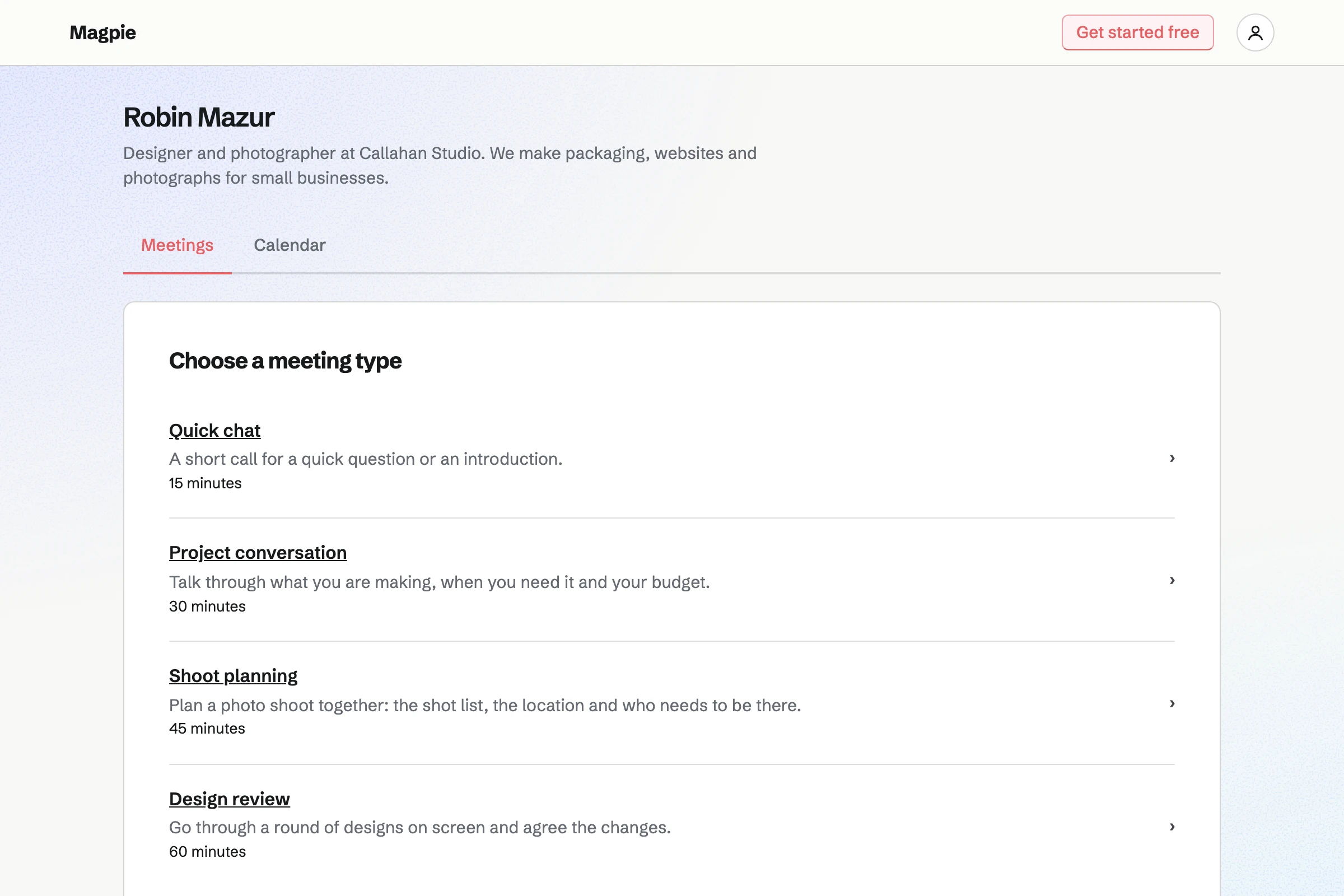
Cal.com is a scheduling service with an open-source edition, built around the booking page and what happens around each booking. Magpie is one subscription for a small business's software. Its Meetings and Appointments are areas beside Invoicing, Contacts, Calendar, a website and email. Cal.com does more around each booking; Magpie does more around the business.
Does Magpie replace Cal.com?
Yes, for a business that wants a booking page checked against Google Calendar, beside its invoices and contacts. Magpie gives each person a meeting page and books a team's staff and rooms through Appointments.
Consider keeping Cal.com if you ask your own booking questions or send your own messages through workflows. Keep it if a team shares its calls, or your calendar is in Outlook. Keep it too if you embed the booking page or run it on your own server. Cal.com does each of these better than Magpie does today.
How much does Cal.com cost?
Cal.com has a Free plan for one person, and Teams and Organizations plans priced per user. Enterprise is priced by Cal.com's sales team. Text messages and Cal.ai voice calls use credits on top. The prices are on Cal.com's pricing page.
How much does Magpie cost?
Magpie has a Free plan and paid plans, each covering every area. Free includes 2 Meeting Types and a team of 3; Pro has no limit on Meeting Types. The Team plan is one price for up to 25 people, not a price per user. The prices are on Magpie's pricing page.
Is Cal.com free?
Yes, for one person. Cal.com's Free plan includes unlimited Links and calendars, payments through Stripe or PayPal, and the phone apps. Team scheduling, workflows of your own and reports need Teams or above.
Can I ask my own questions on a Magpie booking page?
No. The booking form asks for a name and an email address, with an optional phone number and notes. Questions of your own are on Magpie's roadmap. Cal.com adds your own required or optional questions to each Link, on every plan.
Does Magpie send reminder emails before a meeting?
Yes. Meetings emails the person who booked a reminder 1 day before, or 1 hour, 2 hours or 2 days before, as you choose in Settings. Its wording is fixed. A text reminder also goes to an attendee who asks for one with a US or Canadian number. Cal.com sends email reminders through workflows, and texts with credits.
Does Magpie work with Outlook or Microsoft 365?
No, not yet. Google Calendar is the only calendar members can connect today, and calls come from Zoom or Google Meet. A Microsoft 365 connection with Teams links is built but not yet switched on. Cal.com connects Google, Outlook, Apple Calendar and CalDAV calendars, and Microsoft Teams calls.
Can I check more than one calendar in Magpie?
No. Magpie checks the primary calendar of one Google account. It also checks your other meetings and the Calendar events you created or are going to. Cal.com connects several calendar accounts on every plan and checks each calendar you choose.
Can I embed a Magpie booking page on my website?
No. Magpie's pages do not open inside another site's frame, so a website links to the meeting page instead. Embedding is on Magpie's roadmap. Cal.com has inline, floating button and pop-up embeds, and a WordPress app.
Can Magpie take payment when someone books?
Partly. Appointments takes a service's full price or a deposit by card as a customer books, with a Magpie fee of 4%. Meetings takes no payment, so a booking from a meeting page cannot be paid for. In Coaching, someone joins a program and pays its first invoice before booking its sessions. Cal.com takes payment through Cal Pay, Stripe or PayPal as someone books, on every plan.
Does Magpie have round robin or team scheduling?
Partly. Appointments' Anyone available gives each booking to the first staff member who is free. It does not take turns or even out counts. A Meetings page belongs to one person, and no page finds a time when several hosts are free. Cal.com has round robin, collective Links and routing forms on Teams and above.
Can people cancel or reschedule a Magpie booking themselves?
In Appointments, yes: the confirmation links to a page where the customer reschedules or cancels, until the notice you set. In Meetings, no: the email asks the person to contact you, and you make the change. Cal.com puts cancel and reschedule links in its emails and calendar invitations.
Can someone book a series of weekly meetings in Magpie?
No. Each booking is one meeting, so a weekly series is booked one meeting at a time. Repeat bookings are on Magpie's roadmap. Cal.com's recurring Links book up to 32 meetings in one go, on Teams and above.
Can Cal.com book a room with a meeting?
No. A Cal.com Link's location is an address, a link, a phone number or a call app. Magpie's Appointments can require a room from Resource Booking: a time is offered only when the room is free, and the room is reserved with the appointment.
Does Cal.com have invoicing, a website or email?
No. Cal.com is a scheduling service: it charges for bookings and event tickets, and connects to other software for the rest. Magpie includes Invoicing, Calendar, Websites, Mail, Forms and the other areas in the same subscription.
Does Magpie record meetings?
No. Video Chat calls are not recorded, and a Zoom meeting keeps its recording in Zoom. Recording calls is on Magpie's roadmap. Cal Video records calls and transcribes them, and keeps recordings for 30 days.
Can I run Magpie on my own server?
No. Magpie runs only as the hosted service at magpie.diy. Cal.com's open-source edition, Cal.diy, runs on your own server under the MIT licence. It leaves out teams, workflows, reports and single sign-on.
Can an assistant book meetings for me in Magpie?
Yes. Tell the assistant on Dashboard a person's name and a time, and it books the meeting. It also searches meetings and moves, confirms and cancels them. Connected apps give Claude, ChatGPT or Cursor the same meeting tools. Cal.com's agent answers ten questions a month for free, then uses credits.
Does Magpie have reports on meetings?
No. All Meetings lists upcoming and past meetings with their status, with no reports and no export on the website. Reports are on Magpie's roadmap. Cal.com's Insights shows meetings created, completed, rescheduled and cancelled for each member, on Teams and above.
Does Magpie connect to HubSpot, Salesforce or Zapier?
No. Magpie's own Contacts lists your meetings with each person. Signed webhooks on Pro can feed Zapier or any service that takes webhooks, but Magpie has no Zapier app to choose. Cal.com syncs with HubSpot and Salesforce on its Free plan, and has Zapier, Make and n8n apps.
Does Magpie have a phone app for bookings?
Meetings works in a phone's browser, where you share your page, confirm, move and cancel meetings and change your hours. Magpie emails you each booking. The Magpie app is not yet in the App Store or Google Play. Cal.com has apps for iPhone and Android on every plan.
Can I use Cal.com and Magpie together?
Yes. Cal.com can keep your booking page while Magpie runs your invoices, contacts, website and email at your domain. A Magpie website links to your Cal.com page. Bookings made in Cal.com do not appear in Magpie's Contacts by themselves.
How do I move from Cal.com to Magpie?
Add a Meeting Type for each Link, or paste them all at once with Import JSON on Meeting Types. Set your weekly hours and connect Google Calendar, so meetings already booked through Cal.com stay busy. Then share your Magpie meeting page's address. Magpie does not read Cal.com's bookings, so keep Cal.com until its booked meetings are past.
What is included in Magpie's Free plan?
2 Meeting Types on a meeting page of your own, Appointments, Calendar, Contacts, Invoicing, a website, the Newsletter, Forms and a team of 3. A paid plan removes the limit on Meeting Types and adds email at your domain and the API.