What is the difference between Trello and Magpie?
Trello is a product for boards, lists and cards, with views, automation and Power-Ups. Magpie is one subscription for a small business's software. Its Kanban Boards is one area beside To-dos, Calendar, Time Tracking, Invoicing and Mail. Trello does more inside the board; Magpie does more around it.
Does Magpie replace Trello?
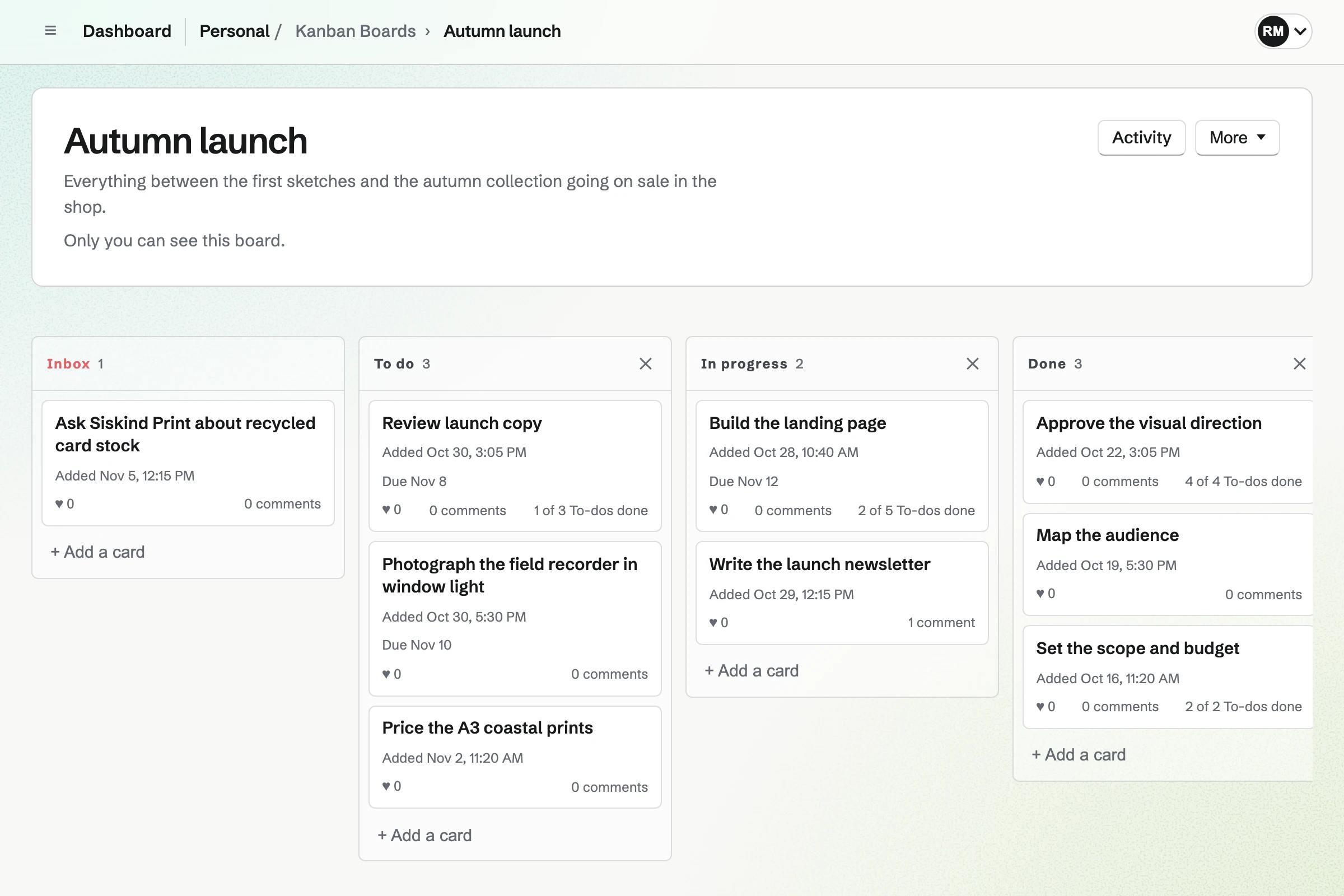
Yes, for a small team that runs its work on a few boards. A Magpie card has an assignee, a due date, a colour, comments, images and To-dos. The board keeps an activity log. The same team has Calendar, Time Tracking, Invoicing and Mail.
Consider keeping Trello if you sort cards with labels and custom fields, or let automation move them. Keep it too if you need calendar and timeline views, Power-Ups, or apps that work offline. Trello does each of these better than Magpie does today.
How much does Trello cost?
Trello's Free plan has 10 boards and 10 collaborators, with unlimited cards and Power-Ups. Standard, Premium and Enterprise are priced per user. Single sign-on needs Atlassian Guard, a separate subscription included with Enterprise. The prices are on Trello's pricing page.
How much does Magpie cost?
Magpie has a Free plan and paid plans, each covering every area. Free includes 1 Kanban board and a team of 3. Pro and the Team plan have no limit on boards. The Team plan is one price for up to 25 people, not a price per user. The prices are on Magpie's pricing page.
Does Magpie have labels on cards?
No. A card has one colour, which shades the whole card. The colour has no name, and a card cannot have several. Issues, in the same team, has named labels for issues. Trello's labels have a name and one of 30 colours, several on a card.
Can several people be on one Magpie card?
No. A card has one assignee, a member of the board's team, shown on its front. Someone else can be given a To-do on the card, with its own date. Trello puts any number of board members on a card.
Does Magpie have custom fields on cards?
No. A card has a title, a description, a column, an assignee, a due date and a colour. Issues, in the same team, has custom fields of seven types for issues. Trello's custom fields are a checkbox, date, dropdown, number or text, on Standard and above.
Does Magpie have automation like Trello's?
No. Cards move by hand or through the assistant, and nothing on a board runs on a schedule. Issues has rules that set an issue's status or priority when it changes. Trello's rules, buttons and scheduled commands are on every plan. Free has 250 runs a month and Standard 1,000.
Does Magpie have a calendar or timeline view of a board?
No. A board is seen only as columns. A card has a due date but no start date. A To-do on a card shows on its team's Calendar on its date. Trello's calendar, timeline, table, dashboard and map views are on Premium and above.
Can I archive a card in Magpie?
No. Delete card removes a card and its comments after you confirm, and nothing brings it back. Its To-dos stay in To-dos. A finished card can stay in a Done column instead. Trello archives cards and lists, and restores them from Archived items.
Can I attach files to a Magpie card?
Images only. A card holds up to 10 images or screenshots from Your images, and comments can carry images. A PDF or a spreadsheet cannot be attached, but a link can go in the description. Trello attaches any file, up to 10 MB on Free and 250 MB on paid plans.
Do teammates' changes show on a Magpie board straight away?
Yes. Cards that others add, move, edit or delete appear on an open board within a few seconds, without a reload. The initials of the others who have the board open are in the page bar. People outside the team who open a shared board see changes when they reload it. Atlassian's help says Trello shows each change as it is made.
Does Magpie tell me when a card changes?
Partly. The person who added a card gets one email about the changes others make to it, comments included. Cards have no mentions, nobody else can follow a card, and an assignee is not told. Trello notifies mentions and watched cards, lists and boards by email, in the browser and on phones.
Can I move or copy a card to another board in Magpie?
No. A card moves only between the columns of its own board, and cannot be copied. To have it on another board, add it again there. Trello moves and copies cards and lists to any board. It mirrors a card on Standard and above.
Does Magpie have Power-Ups or integrations?
No. Kanban Boards has no add-ons and connects to no other apps. Magpie's API and Connected apps reach its boards from outside. Claude or ChatGPT can work on them through MCP. Trello's directory has more than 200 Power-Ups, unlimited on every plan.
Does Magpie have an AI assistant for boards?
Yes. The assistant lists boards, finds cards and reads their comments. It makes boards and columns, and adds, edits and moves cards from a message. It deletes only after you confirm. Trello's AI writes and tidies a card's text. Its MCP server lets an outside AI app change boards.
Can people outside my team suggest cards?
Yes, in Magpie. On a board that takes suggestions, anyone signed in to Magpie can suggest a card. It can have a description and images. It lands in the Inbox column marked Suggested, and moving it out approves it. On a public Trello board, people with an account can comment and vote, but only members add cards.
Can a client see one board without seeing the rest?
Partly. A guest given Kanban Boards opens every board in the team. A board's outside access lets anyone signed in to Magpie view that one board. It can also let them suggest cards, comment and heart. Trello's Standard plan has guests on a single board. A public Trello board opens for anyone with its link.
Does Magpie have recurring cards?
No. A card does not repeat, but a To-do on the card can, such as every Thursday. Each occurrence comes back in To-dos. Trello's recurring due date moves on when the card is marked done, and the card opens again.
Does Magpie have phone and desktop apps?
No. Kanban Boards works in a phone's browser, where a card opens to edit, comment and move. The Magpie app shows a board a column at a time. It is not yet in the App Store or Google Play. Trello has apps for iOS, Android, Mac and Windows, and its phone apps work offline.
Can I use Trello and Magpie together?
Yes. Trello can hold the team's boards while Magpie runs the invoices, time tracking, mail, bookings and website. Nothing links the two by itself, so a Trello card and a Magpie invoice are not connected.
How do I move from Trello to Magpie?
Export each board from Trello as JSON, which any member can do. In Magpie, Import a board from JSON builds a board with its columns and cards. It reads Magpie's own format, so the Trello file does not load as it is. Copy the prompt has an AI assistant convert it. Each card keeps its title, description, due date and colour. Cards arrive unassigned, without comments or attachments.
What is included in Magpie's Free plan?
1 Kanban board with up to 500 cards, To-dos, Issues, Time Tracking, Calendar and Invoicing. A team of 3, 10 guests and 2 connected apps. Pro and the Team plan have no limit on boards, and Mail needs a paid plan.