What is the difference between DocuSign and Magpie?
DocuSign is an electronic signature service, with forms, payments, identity checks and notaries built around the signature. Magpie is one subscription for a small business's software. Its E-Signatures area sits beside Agreements, Proposals, Invoicing and Contacts. DocuSign does more around the signature; Magpie does more around the business.
Does Magpie replace DocuSign?
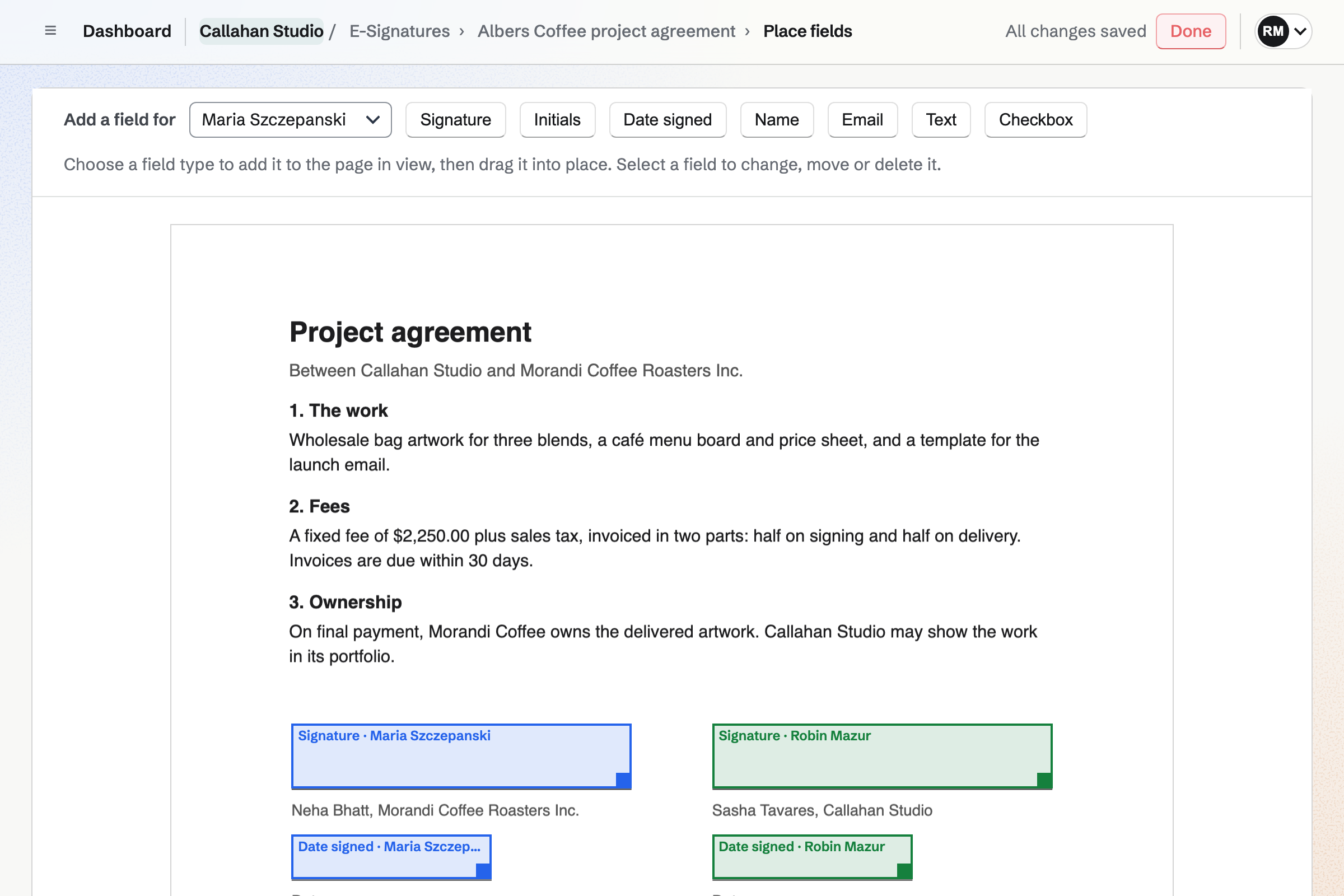
Yes, for a business that sends its own contracts, proposals and forms to a few people at a time. Magpie sends any PDF for signature, keeps starters, reminds signers and makes a certificate of completion, on every plan.
Consider keeping DocuSign if you send one document to a list or put a signing link on your website. Keep it if you must check a signer's ID. Keep it too for a notary, advanced EU signatures, phone apps or signing inside Salesforce. DocuSign does each of these better than Magpie does today.
How much does DocuSign cost?
DocuSign has Personal, Standard, Business Pro and Enhanced plans, billed monthly or yearly, with no free plan. Standard and Business Pro are priced per user. Personal sends 5 envelopes a month, and Standard and Business Pro send 100 a user a year. The prices are on DocuSign's pricing page.
How much does Magpie cost?
Magpie has a Free plan and paid plans, each covering every area. E-Signatures has no limit on any plan. The Team plan is one price for up to 25 people, not a price per user. The prices are on Magpie's pricing page.
Can I send documents for signature for free?
Yes, in Magpie. E-Signatures is on the Free plan, with no limit on requests. Sending to many new addresses within an hour makes the page ask you to wait. DocuSign has no free plan.
Do signers need an account?
DocuSign signers need no account and nothing to install. Magpie makes a free account with no password at the signer's address. The email's button signs them in the first time. Nobody fills in a sign-up form, and the signed copy stays in their account under Sent to you.
Does Magpie have bulk send?
No. Each request is one document for its own signers, so sending to many people takes a request for each. A starter makes each one quicker, since it needs only a name and an address. Bulk send is on Magpie's roadmap. DocuSign's Bulk Send, on Business Pro, takes a list or a CSV file.
Can I put a signing link on my website?
Not in Magpie. Every signer is named by email address before a request is sent. Each link opens only for its own signer. DocuSign's PowerForms, on Business Pro, give a link anyone can open, fill in and sign.
Does Magpie check a signer's identity?
No, beyond the signer's Magpie account at the invited address and an optional access code. Nothing checks a phone number or an ID document. The certificate records how and when the signer signed in. DocuSign offers codes by text or phone, and photo ID with a selfie as an add-on.
Does Magpie notarise documents?
No. Magpie's Help says so, and an online notary is on Magpie's roadmap. DocuSign connects signers with a notary over video.
Does Magpie offer advanced or qualified electronic signatures?
No. Magpie's are simple electronic signatures, backed by the signer's account and the certificate of completion. DocuSign's Enhanced plans add advanced and qualified signatures. These come with an identity check and a certificate from a trust service provider.
What proof does Magpie keep of a signature?
A certificate of completion for every finished request. It lists each signer's name, address, account, signing time, IP address and browser, and the consent they gave. It also has the activity list and the SHA-256 of the original and signed files. Every signer keeps it in their own account.
Can a client pay when they sign?
Yes, in both. A Magpie request linked to an invoice offers Pay once its contact has signed. Payment is by card, through your own Stripe account. DocuSign Payments takes card, bank or wallet payments during signing, on Business Pro and Enhanced.
Does DocuSign do proposals?
Not as Magpie's Proposals do. A DocuSign payment field can go on any agreement, but its pages describe no proposal with packages and options. In Magpie the client chooses a package and options, signs and pays the deposit on one page.
Can I send a Word file for signature?
DocuSign takes Word, Excel, PDF and other common files. Magpie's E-Signatures takes PDFs only. A Word file can be imported into Documents and downloaded as a PDF first. The PDF Editor turns pictures into a PDF.
Does Magpie have ready-made contracts?
Yes, in Agreements. The Library has standard agreements from Y Combinator, Common Paper, Bonterms, oneNDA, Papertrail and Series Seed. You answer questions, and the agreement goes for signature with its fields placed. It has no leases, loans, employment contracts or tax forms, which DocuSign's template gallery has.
Does Magpie have a phone app for signing?
E-Signatures works in a phone's browser. You can upload a PDF, place fields by touch, send and track requests, and sign. The Magpie app is not yet in the App Store or Google Play. DocuSign has apps for iPhone, iPad and Android on every plan.
Does Magpie connect to Google Drive or Salesforce?
No. E-Signatures works with Magpie's own Contacts, Invoicing, Agreements, Proposals and PDF Editor. It connects to no outside storage or sales software. DocuSign connects to Google Drive, Microsoft 365, Salesforce and more than 1,000 partners, depending on the plan.
Does Magpie have an API for e-signatures?
Partly. On Pro, the version 1 API uploads, sets up and sends requests and reads their status. No webhook says when a request is signed, and signing cannot be placed inside another site. DocuSign's APIs, on Business Pro and Enhanced, do both.
Does Magpie have SOC 2 or ISO 27001?
No. Magpie has no SOC 2 report or ISO 27001 certificate yet, and an independent audit is on its roadmap. DocuSign lists both on every plan.
Can I use DocuSign and Magpie together?
Yes, side by side, though they do not connect. A business might send ID-checked or bulk documents from DocuSign and its proposals, invoices and everyday contracts from Magpie.
How do I move from DocuSign to Magpie?
Upload each document you send often to E-Signatures as a PDF, place its fields, and use Save as starter. A new request then needs only each signer's name and address. Keep your DocuSign account until you have the signed copies you need from it.
What is included in Magpie's Free plan?
E-Signatures with no limit on requests, Agreements, the PDF Editor and Contacts. Proposals sends 5 a month and Invoicing 5 a month. A team of 3, and the other areas, are included too.