What is the difference between Linear and Magpie?
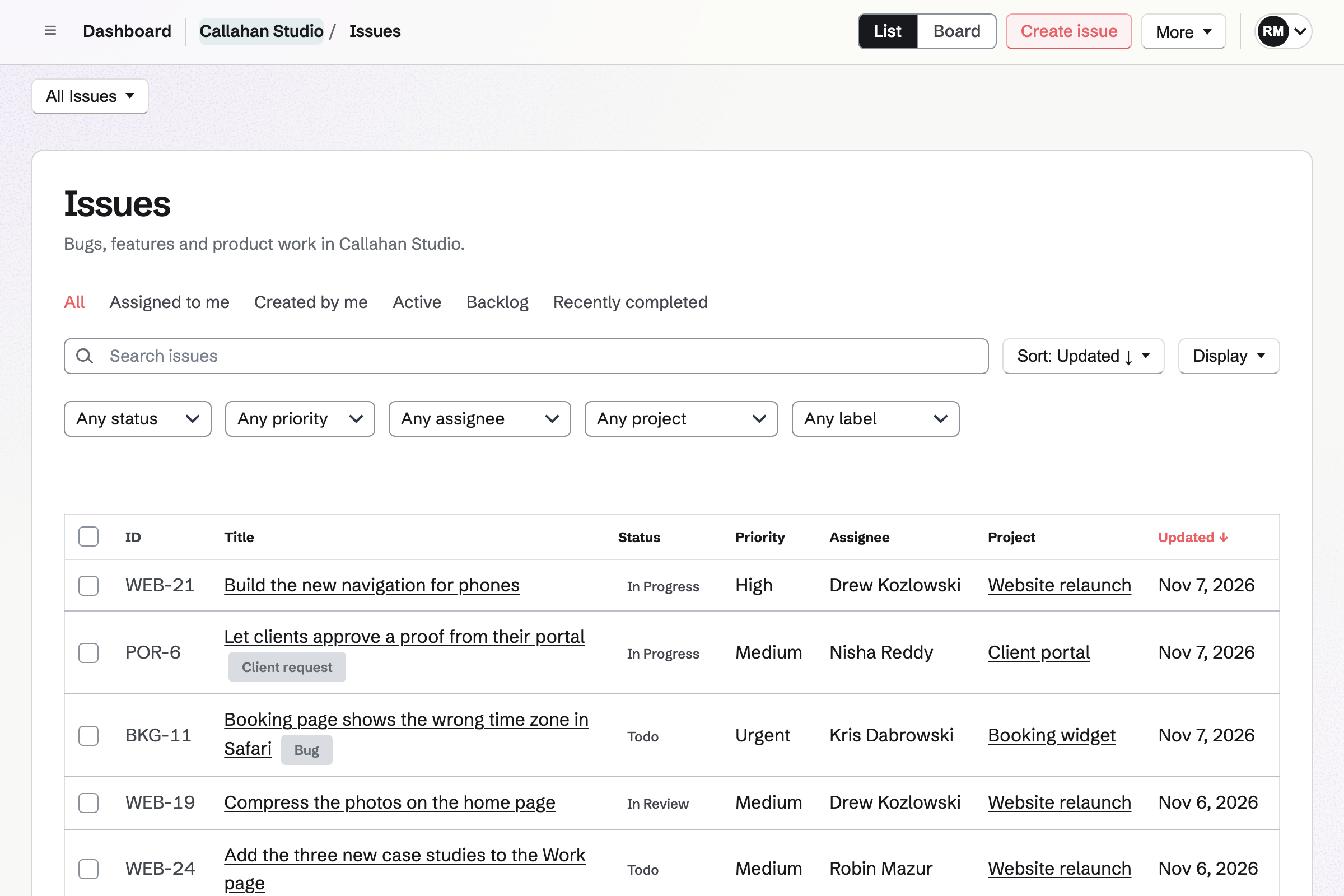
Linear is a tracker for planning and building software, with cycles, projects, initiatives, GitHub and AI agents. Magpie is one subscription for a small business's software. Issues is one of its areas, beside Git Repositories, Helpdesk, Time Tracking, Invoicing and the rest. Linear does more to plan and ship the work; Magpie does more around it.
Does Magpie replace Linear?
Yes, for a small team that tracks work as issues on a board, in cycles and projects. Magpie also hosts the code, answers customer email and bills the time.
Consider keeping Linear if you estimate work and want cycles made for you. Keep it if issues should move as pull requests merge, or AI agents take them on. Keep it too if you rely on Slack, project updates or initiatives. Linear does each of these better than Magpie does today.
How much does Linear cost?
Linear has Free, Basic, Business and Enterprise plans, and paid plans are priced per user. Free holds 250 issues and 2 teams, with no limit on members. Business adds guests, private teams, triage rules and SLAs. Enterprise adds single sign-on and the audit log. The prices are on Linear's pricing page.
How much does Magpie cost?
Magpie has a Free plan and paid plans, each covering every area. A free team has places for 3 members. The Team plan has places for 25, at one price for the team. Guests take no place, and no plan limits the number of issues. The prices are on Magpie's pricing page.
Does Magpie have estimates or story points?
No. A Magpie issue has no estimate, so cycles and projects count issues, not effort. A Number custom field can hold a size, but nothing adds it up. Estimates are on Magpie's roadmap. Linear estimates on an exponential, Fibonacci, linear or T-shirt scale. It shows what an upcoming cycle can hold.
Does Magpie create cycles automatically?
No. A team admin turns cycles on, and members make each one: one week, two weeks or custom dates. Unfinished issues stay in a cycle that ended until someone moves them to the next. Repeating cycles are on Magpie's roadmap. Linear makes up to 15 upcoming cycles and carries unfinished issues over itself.
Does Magpie have burn-up or progress charts?
No. Projects, milestones and cycles count completed, in progress and remaining issues. Nothing draws a chart of how the work changed over time. Charts are on Magpie's roadmap. Linear draws cycle and project graphs on every plan, and Insights on Business.
Does Magpie have issue templates?
No. A member's new issue starts with a title and nothing else. A public issue form gives outsiders instructions. It asks only for a title, a description and an email. Templates are on Magpie's roadmap. Linear's templates preset an issue's properties, and form templates ask questions of their own.
Can Magpie make an issue again every month?
No. Each Magpie issue is made once. To-dos can repeat, but Issues has no schedule. Recurring issues are on Magpie's roadmap. Linear makes any issue recurring on a chosen cadence.
Does Magpie move an issue when a pull request is merged?
No. When an issue's project is linked to a GitHub repository, members add pull requests and commits by hand. Magpie does not read their status, so the issue stays where it is. Linear's GitHub and GitLab integrations move the issue as the pull request opens, is reviewed and merges.
Does Magpie connect to Slack for issues?
No. Issues sends nothing to Slack, and a message cannot become an issue. Magpie's Slack connection posts Meetings booking notices only. Linear makes issues from Slack messages, keeps threads in step and posts updates to channels.
Can I turn an email into an issue in Magpie?
No. Issues has no email address, and Helpdesk cannot make an issue from a conversation yet. Outsiders report through a public issue form instead. Linear gives a team its own intake address. On Business, Asks replies to the sender from the issue.
Does Magpie have project updates or initiatives?
No. A Magpie project has a status, such as Planned or Paused, but no written updates or health. Projects are the top level, and nothing groups them under a goal. Both are on Magpie's roadmap. Linear's updates say on track, at risk or off track. Its initiatives group projects around one objective.
Does Magpie have AI for issues?
Partly. The assistant searches the team's issues and creates new ones. Apps such as Claude or Cursor do the same through MCP. They cannot change an issue, a project or a cycle, and no agent writes code. Linear Agent changes issues and projects, and coding agents open pull requests from an issue.
Does Linear have custom fields?
No. A Linear issue has a fixed set of properties: status, priority, labels, relations, due date, estimate and SLA. Label groups and form templates are the nearest thing. Magpie's custom fields are Text, Number, Select, Multi-select, Date, Checkbox or User.
Does Linear have time tracking?
Not on its own. Linear's Harvest integration adds a Start timer button to issues, for teams with a Harvest account. In Magpie, Start timer on an issue runs a Time Tracking timer linked to it. Billable time can go on the client's invoice.
Can customers report a bug without an account?
In Magpie, yes, on every plan. A public issue form takes a title, a description and an optional email from anyone. Each report waits in Triage. Linear's Asks web forms are on Enterprise. The person signs in through the company's identity provider first.
Does Magpie have single sign-on?
No. Magpie has no SAML single sign-on, and people are not added from a company directory. Linear has SAML and SCIM on Enterprise, and Google sign-in on every plan.
How many people can use Magpie's Issues?
A Magpie team has places for 3 members on Free and 25 on the Team plan. Guests take no place: 10 on Free and 100 on a paid plan. Linear has no limit on members on any plan, and paid plans charge for each one.
Can I use Linear and Magpie together?
Yes, side by side, though no ready-made connection joins them. A team can plan engineering work in Linear and use Magpie for Helpdesk, Time Tracking and Invoicing. Magpie's API and webhooks and Linear's GraphQL API can be joined with code of your own.
How do I move from Linear to Magpie?
A Linear admin exports every issue as a CSV file. In Magpie, choose Import issues and pick a column for each field: title, description, status, priority, assignee, labels and due date. One import creates up to 200 issues. Comments and attachments are not brought over.
Does Magpie have a phone app?
Issues works in a phone's browser. An issue opens to change its properties, comment and attach files. Triage works on a phone too. The Magpie app has Issues as well. It is not yet in the App Store or Google Play. Linear has iOS and Android apps, and desktop apps for Mac and Windows.
What is included in Magpie's Free plan?
Issues with no limit on issues, Git Repositories, Helpdesk, Time Tracking, Invoicing and the other areas. A team of 3 members, 10 guests and 5 GB of storage. A paid plan raises the limits and adds API keys and email at your domain.